

Our Most Suggested Products


Reply Option In Chatter
Reply Option in Chatter enhances Odoo's communication system by allowing users to reply directly to specific messages within the chatter. This feature improves clarity, keeps conversations organized, and makes collaboration smoother across teams. With threaded replies, discussions remain structured and easy to follow.
Video Tutorial
 Features
 Screenshots
 Support
 Service
Features
Reply to Specific Messages :
You can reply directly to any message in the chatter. This keeps your response linked to the exact message. It makes conversations easier to follow in busy threads. No more confusion about "who said what" in discussions
Replying to Log Note :
Users can reply to a log note by using the 'Reply' button.
User-Friendly Interface :
The reply option looks and feels just like Odoo's chatter. Everyone can quickly understand the context of each reply.
Screenshot
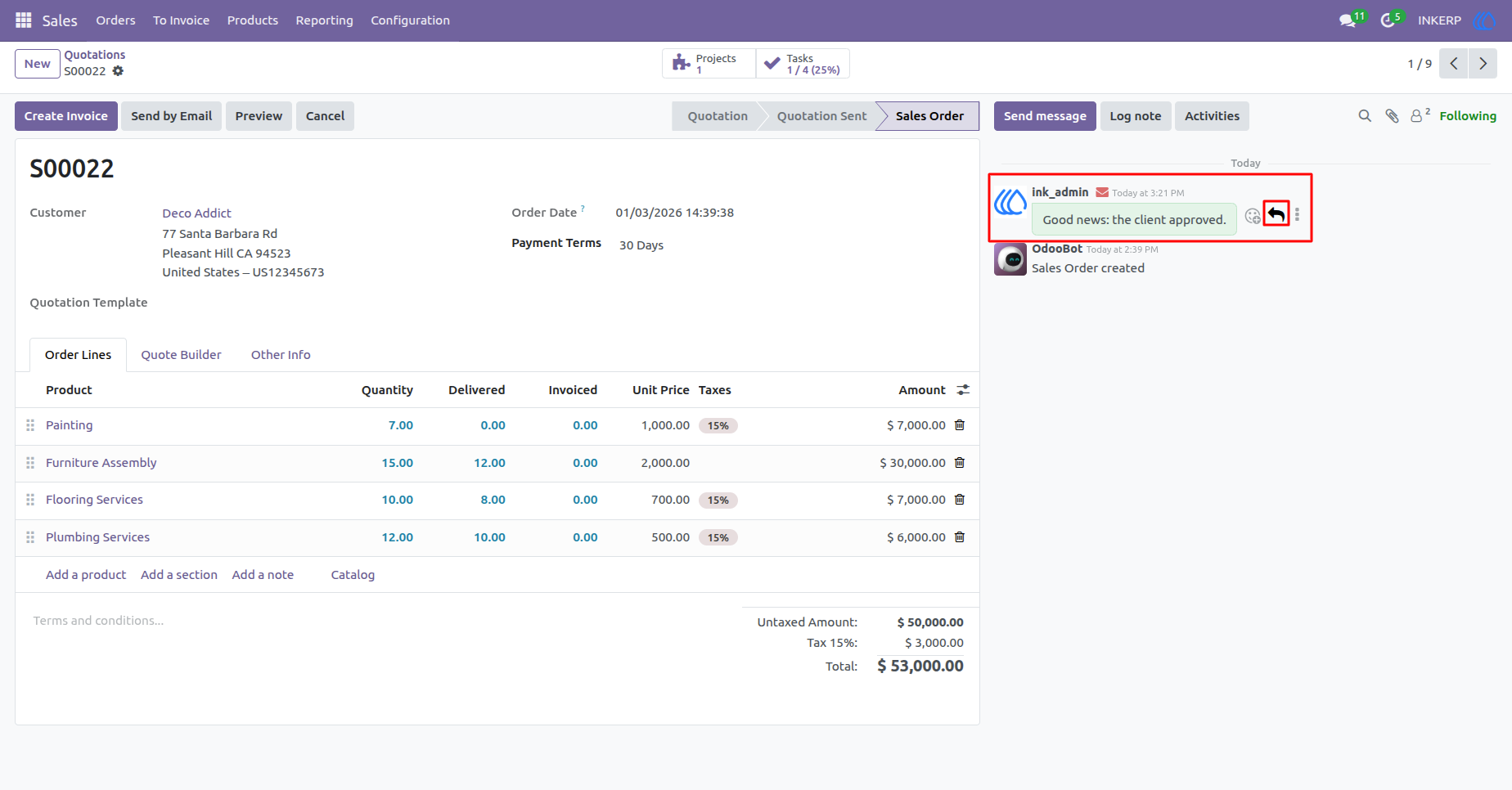
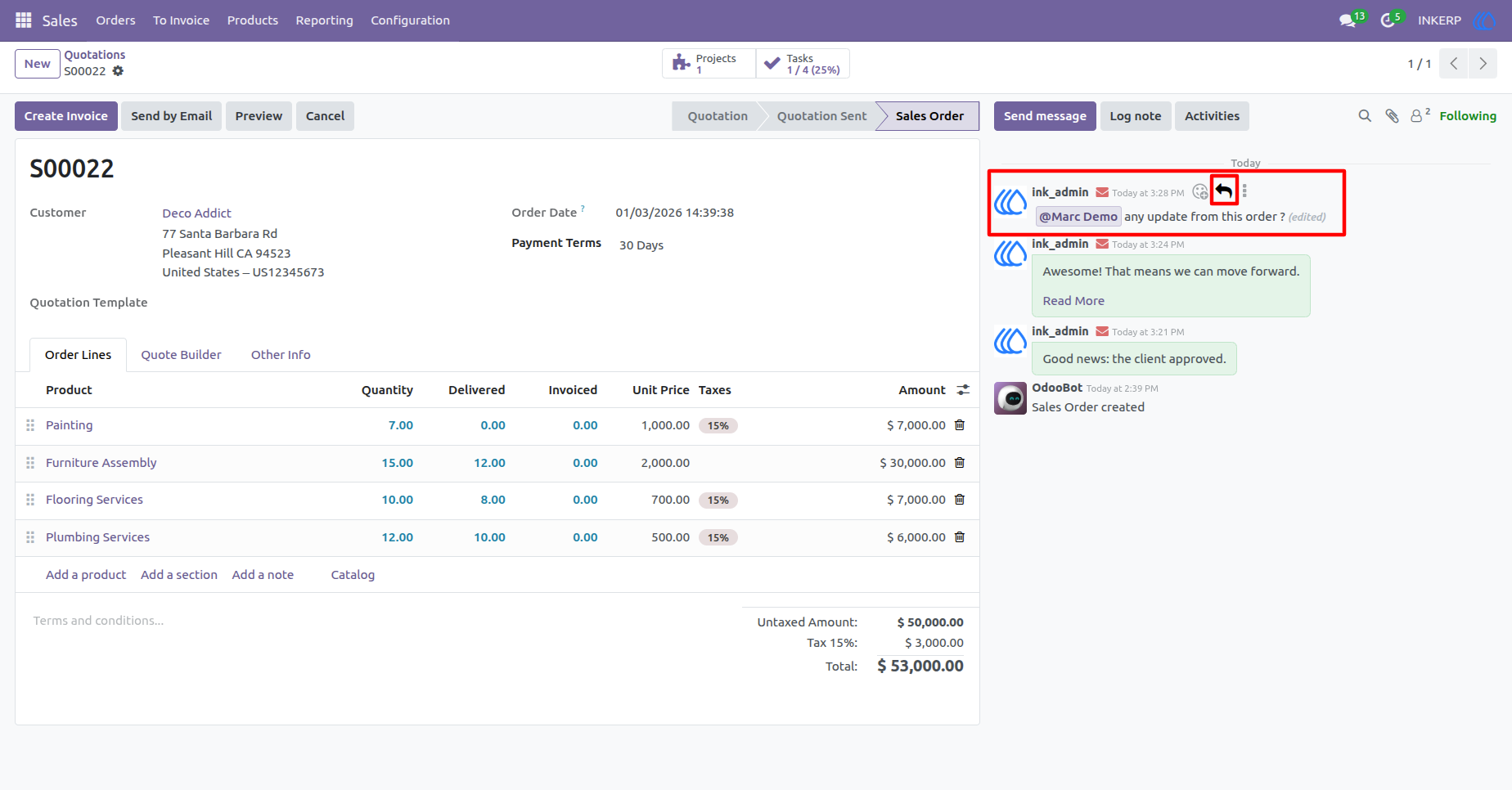
1) Reply Button in Chatter View
User can see 'Reply' button in every message on chatter.
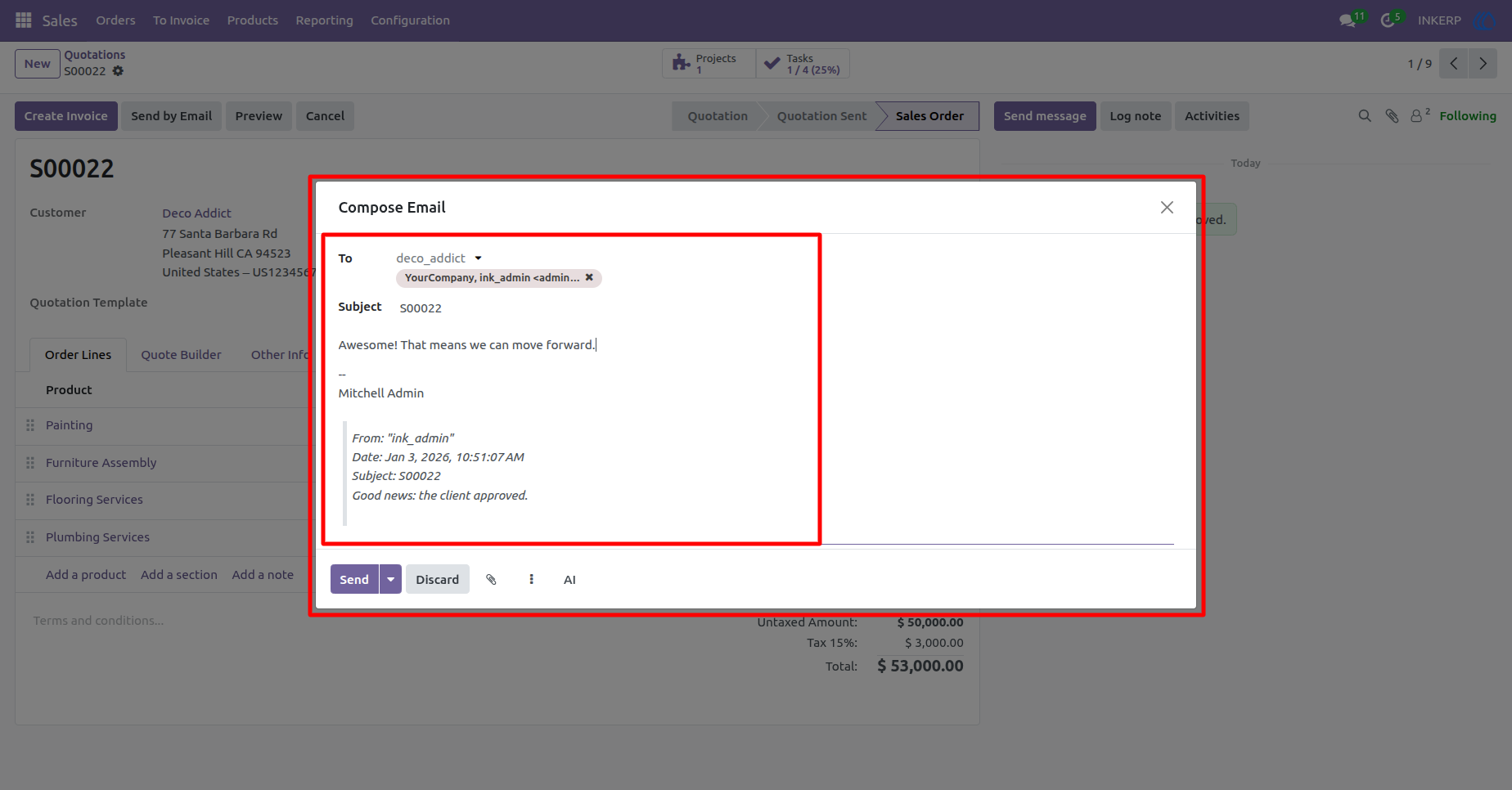
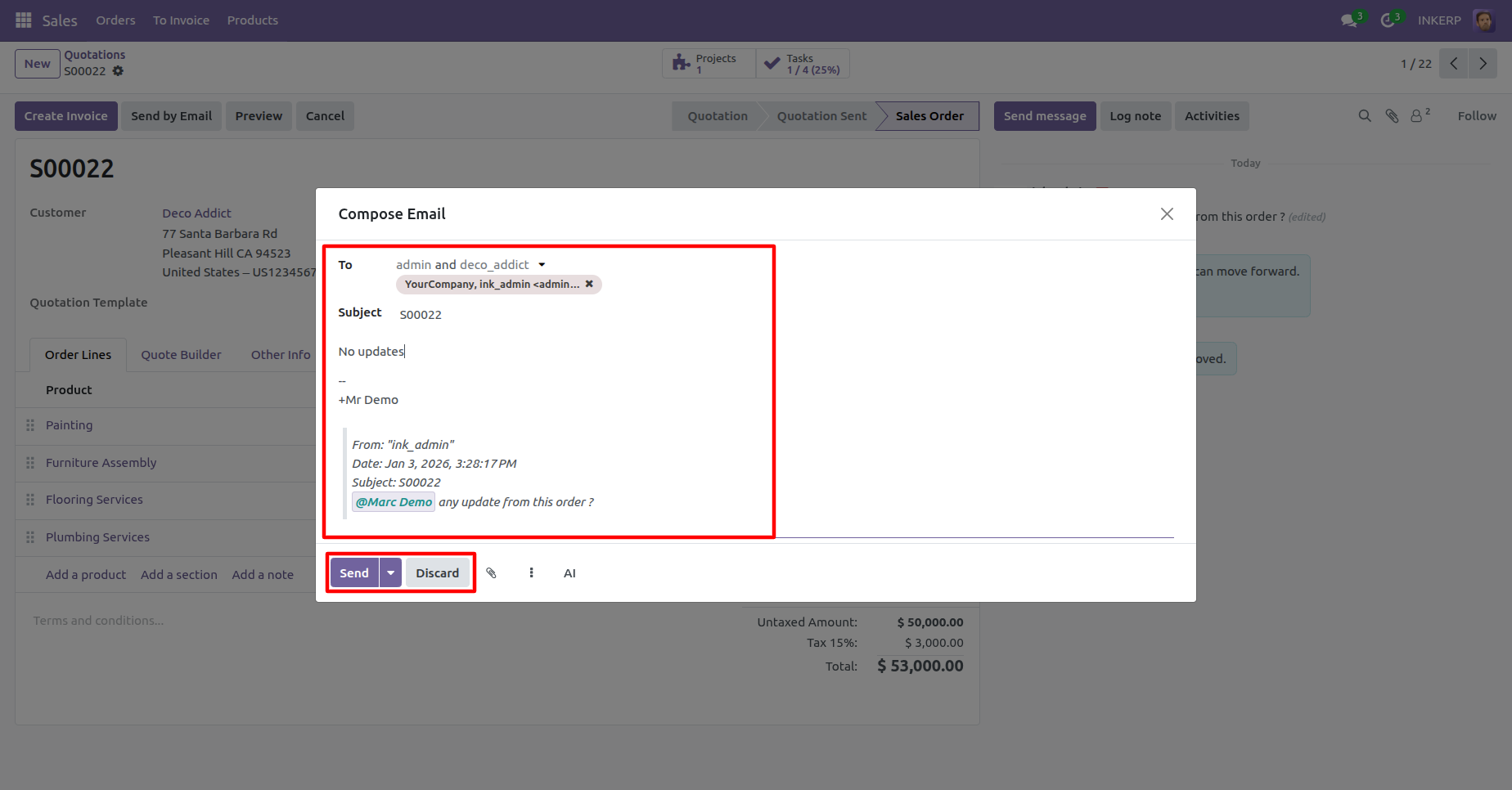
2) Replying Chatter for Message :
User can drop reply in this replying chatter for message and click on 'Send' button
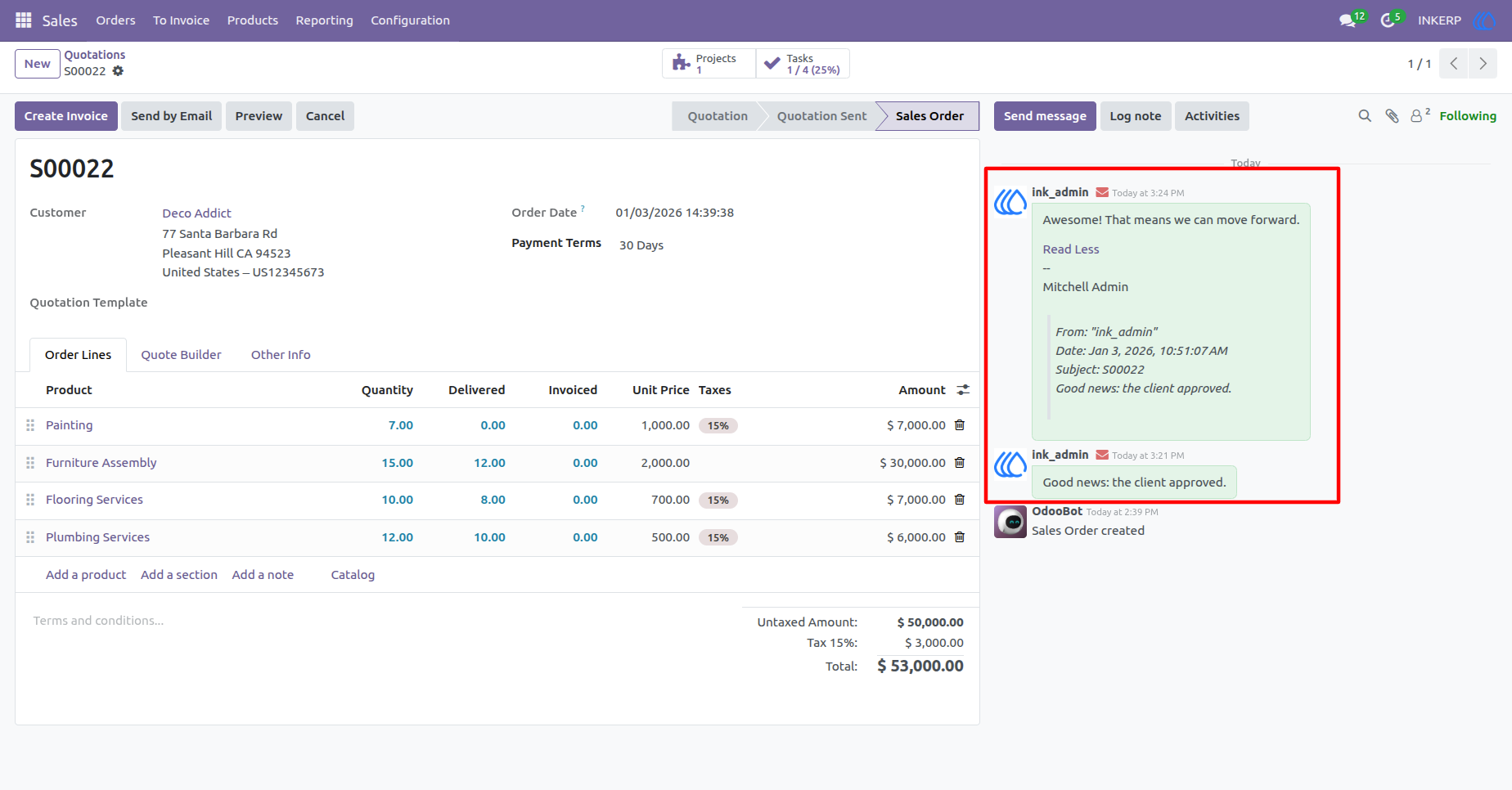
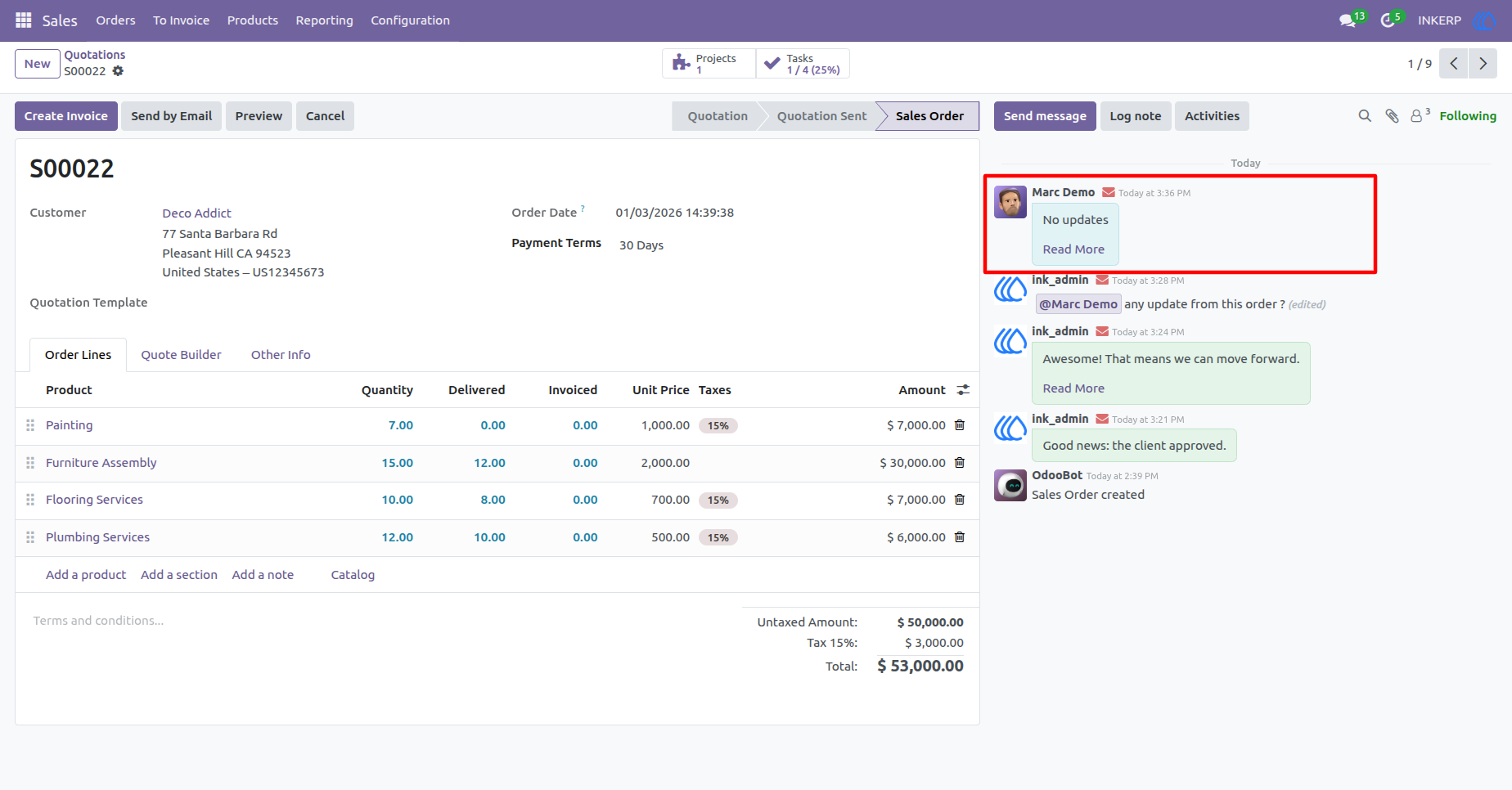
3) Reply On Chat View
4) Reply Button for Log Note
User can see 'Reply' button in every log note on chatter.
5) Replying Chatter for Log Note
User can drop reply in this replying chatter for log note and click on 'Send' button.
6) Reply On Log View
User Guide