

Our Most Suggested Products


Pharmacy Management
The Pharmacy Management system in Odoo helps you streamline operations by tracking medicines by type, company, and expiry. It integrates inventory management, sales, purchase orders, invoicing, and reporting in one platform. The system automatically prevents the sale of expired medicines, ensuring regulatory compliance and patient safety. Real-time reporting features make it easy to monitor stock levels, sales, and expiry dates.
 Features
 Screenshots
 Support
 Service
Features
Smart Medicine & Stock Management
Manage medicines by type, category, expiry, and company all in one place. Auto-block expired medicines from sales and invoices to ensure safety and compliance. User-friendly dashboards let you easily track stock levels and expiry status in real time.
Simplified Sales & Purchase Workflow
Create and manage sales and purchase orders quickly with automated expiry checks. Track real-time stock updates and vendor information for accurate order processing. Intuitive interface guides users step-by-step, reducing errors and saving time.
Centralized Customer & Vendor
Store and manage full contact details, purchase history, and vendor information. Access customer and vendor records instantly for fast billing and order processing. Designed for ease of use, helping pharmacy staff manage relationships efficiently.
Comprehensive Employee & Payroll Management
Track employee profiles, job roles, contracts, and payslips from a single system. Generate payslips and manage leaves with easy-to-use forms and automation. User-friendly interface ensures HR tasks are simple, fast, and organized.
Automatic Expiry Date Control
Prevent sales and invoicing of expired medicines automatically to ensure safety. Expiry dates are checked in real time when adding medicines to orders or invoices. This reduces human error and helps maintain regulatory compliance effortlessly.
Screenshot
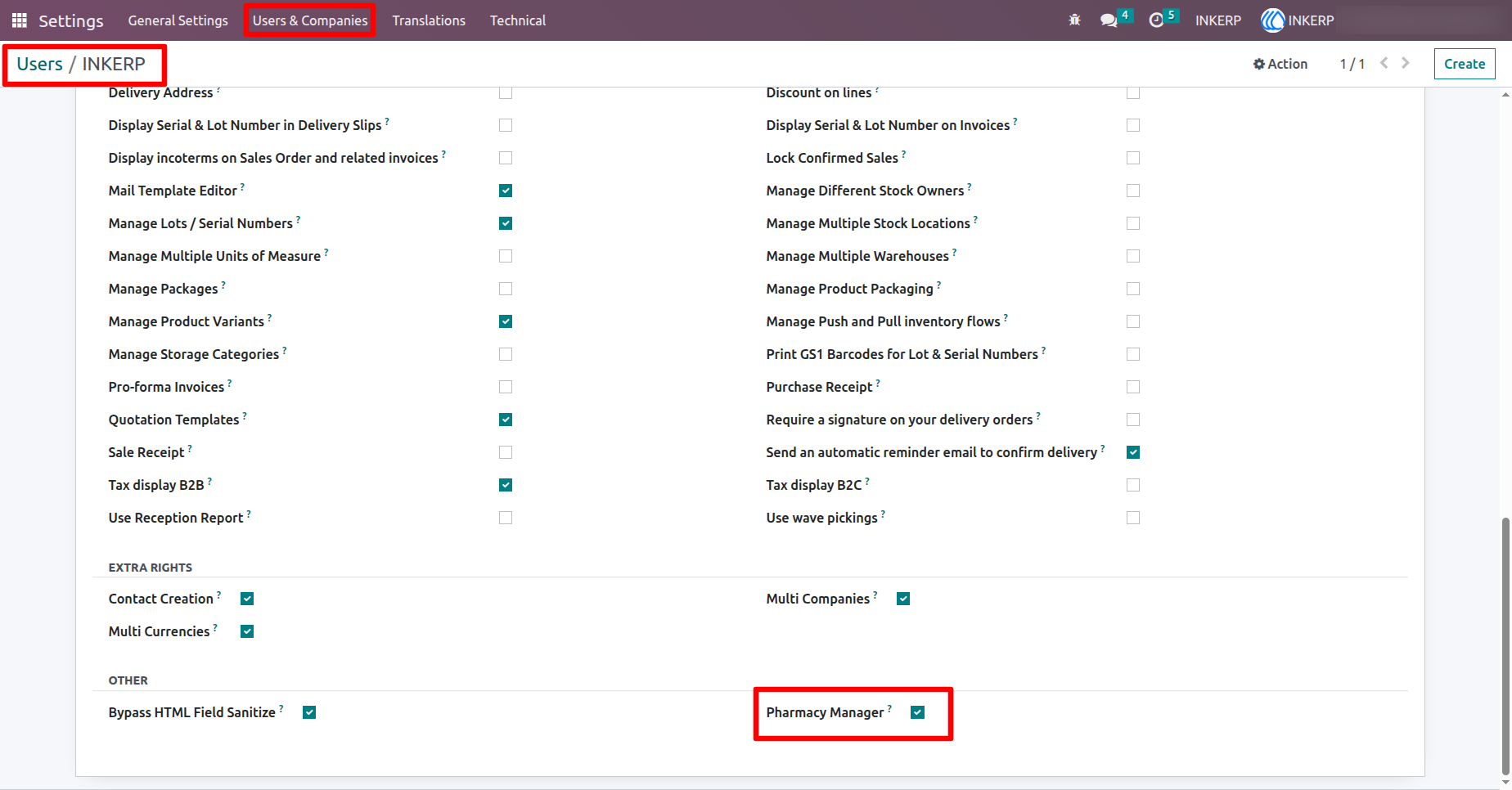
1.) User Access Settings
Control who can access pharmacy modules like employees, reports, medicine setup, and system configurations.
Navigation : Setting › Users
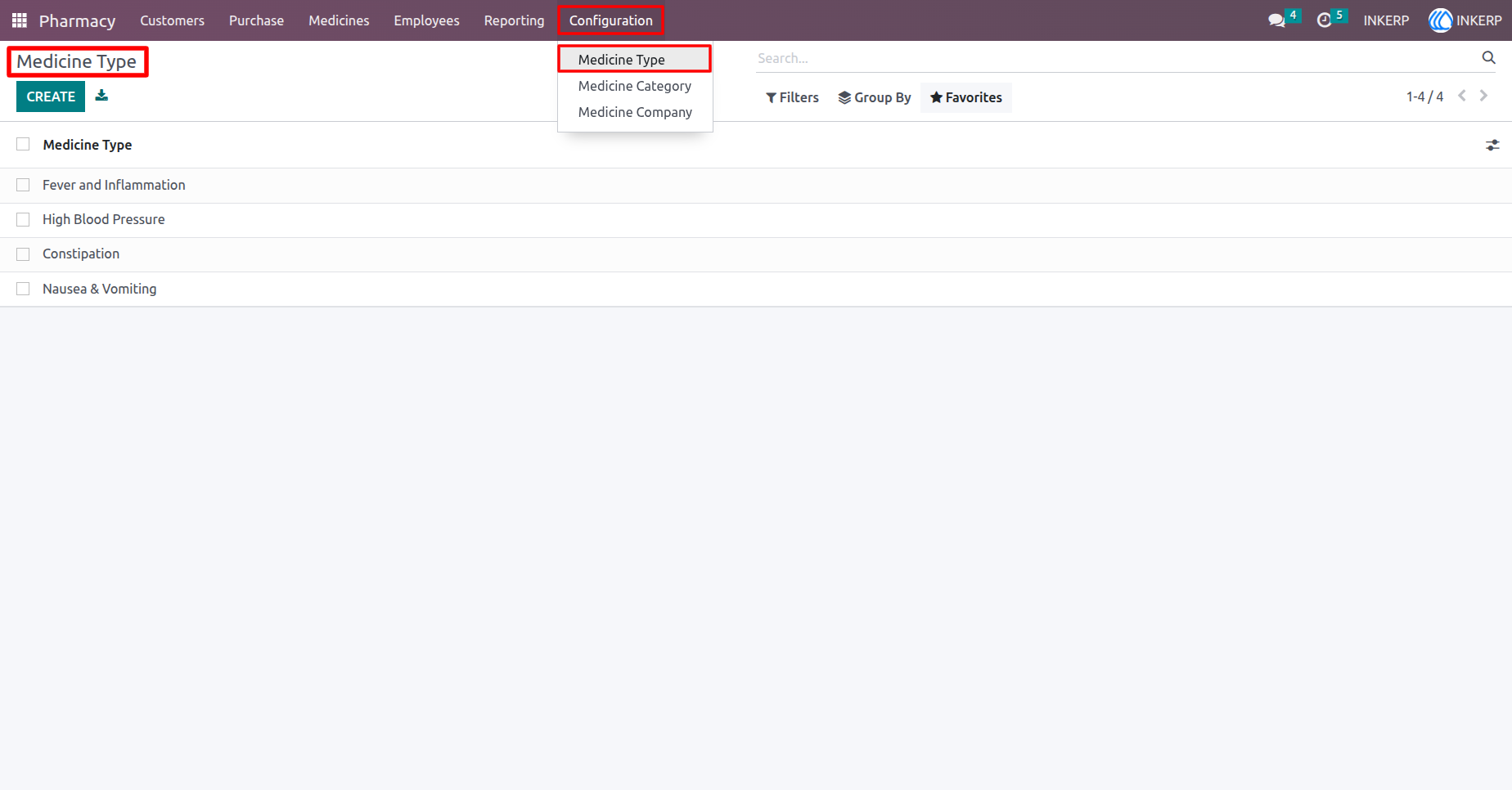
2.) Configure Medicine Types
Define medicine types based on medical use, such as Fever, Inflammation, Cold, or Pain relief, for easy classification.
Navigation : Pharmacy › Configuration › Medicine Type
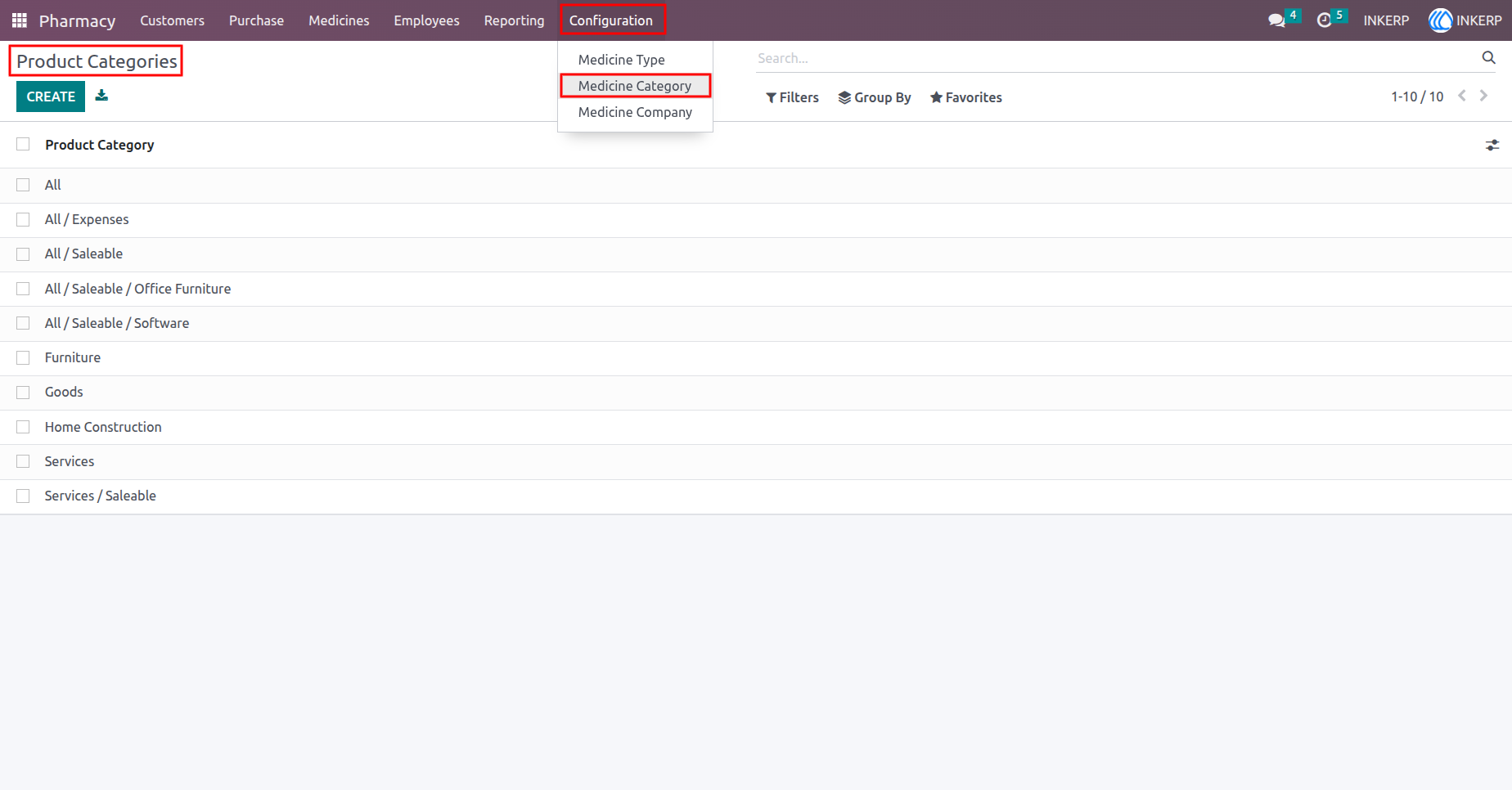
3.) Configure Medicine Product Categories
Set up product categories (e.g. All Products, Expenses, Stockable) to organize medicines for inventory and accounting.
Navigation : Pharmacy › Configuration › Medicine Categories
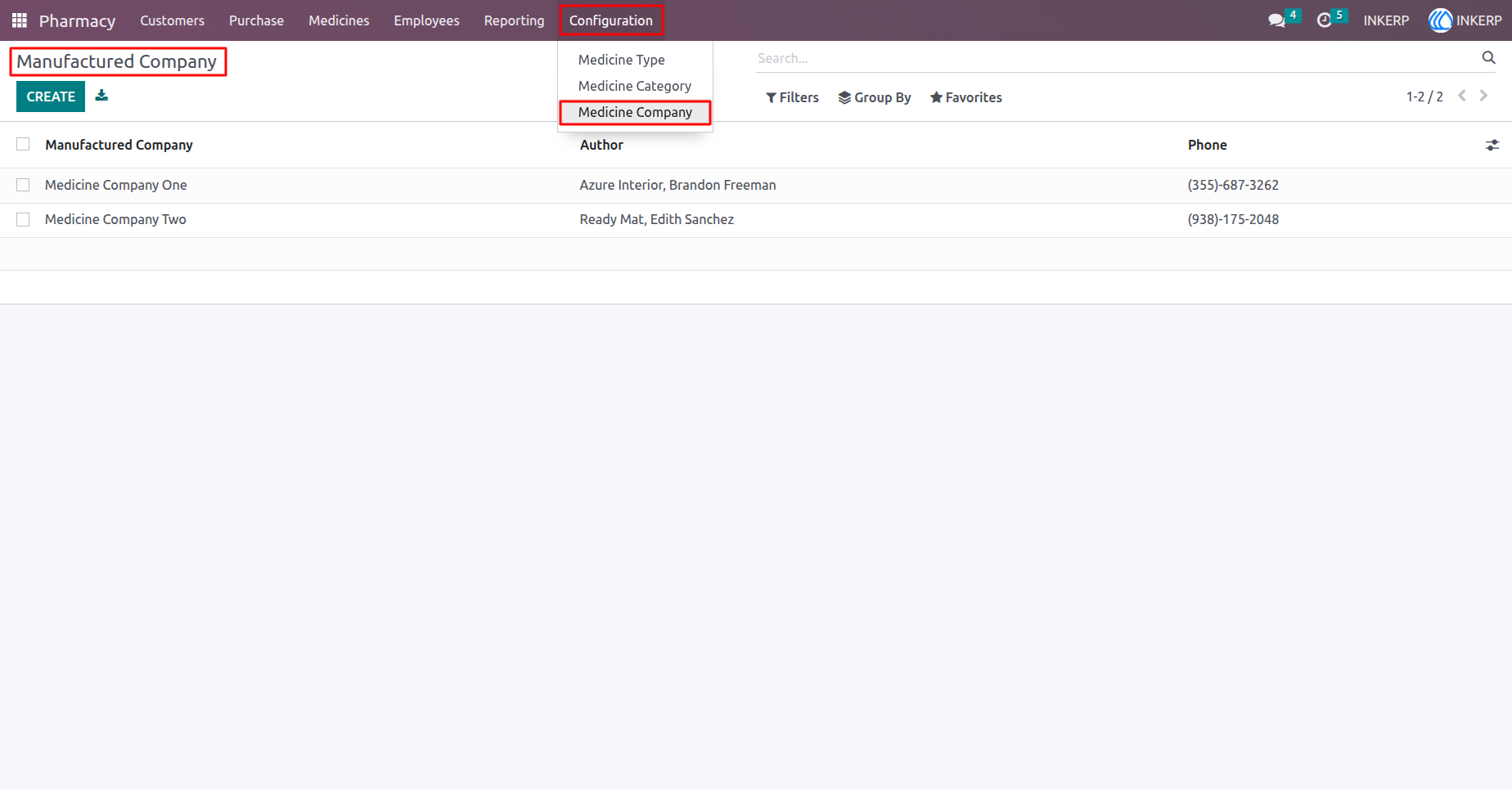
4.) Configure Medicine Companies
Add and manage pharmaceutical companies that manufacture your medicines (e.g. Cipla, Pfizer, Sun Pharma).
Navigation : Pharmacy › Configuration › Medicine Company
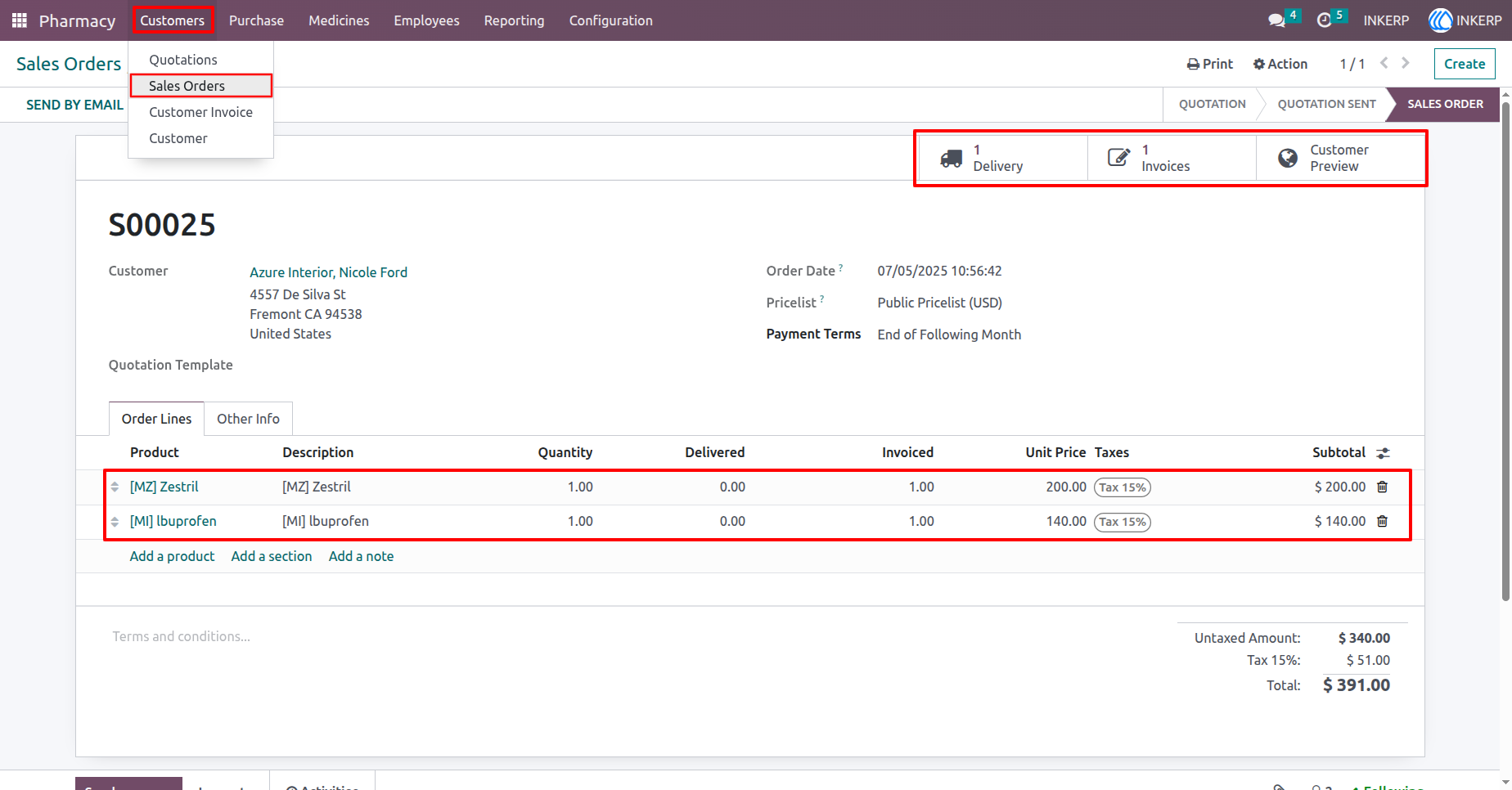
5.) Create Sale Orders
Select medicines, auto-check expiry dates, and manage pharmacy sales with real-time stock tracking.
Navigation : Pharmacy › Customers › Sale Orders
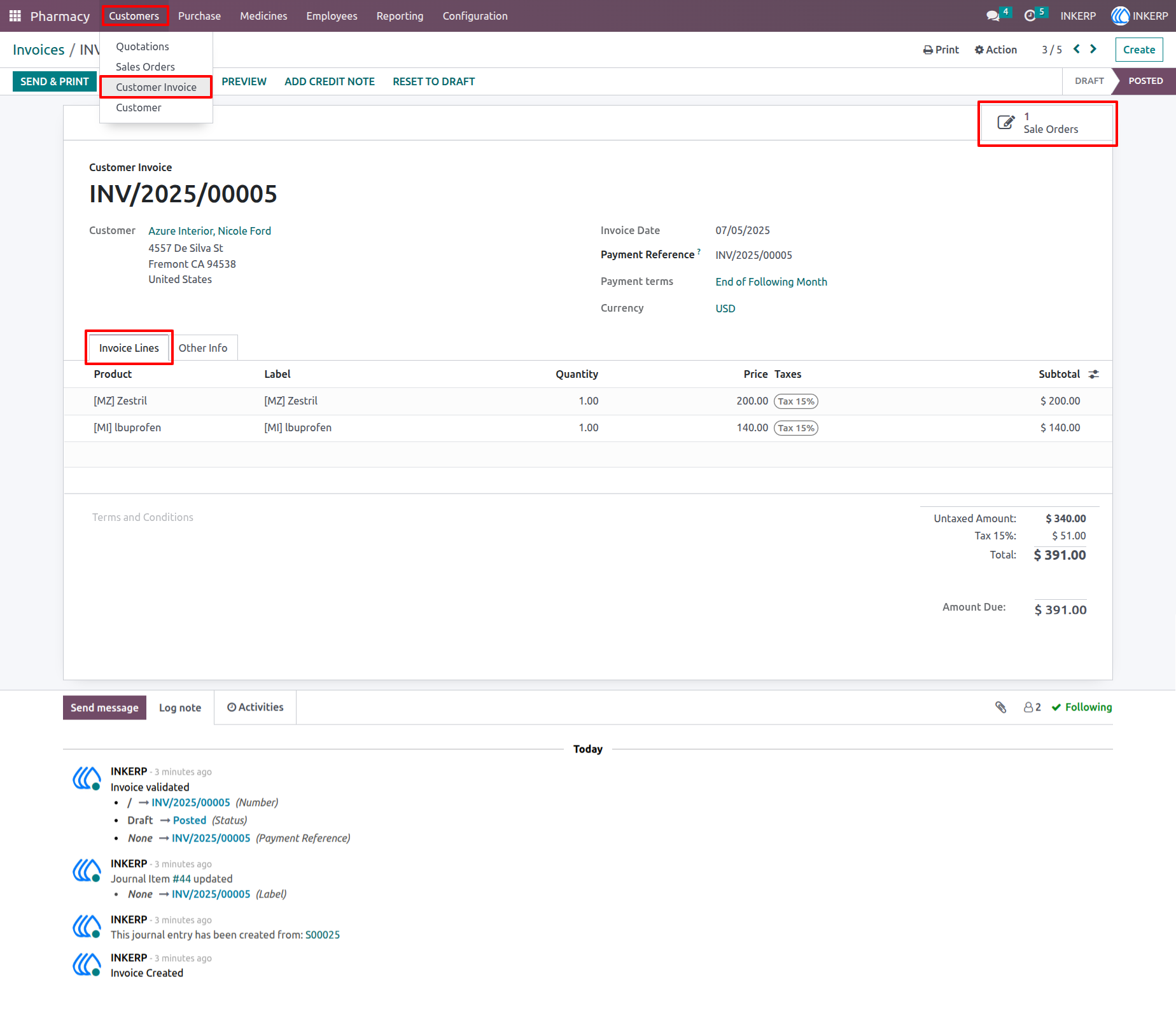
6.) Customer Invoice
Generate invoices with medicine details, and automatically block expired medicines from being invoiced.
Navigation : Pharmacy › Customers › Customer Invoice
7.) Pharmacy Customers
Manage customer information including name, contact details, and purchase history for quick access and billing.
Navigation : Pharmacy › Customers › Customer

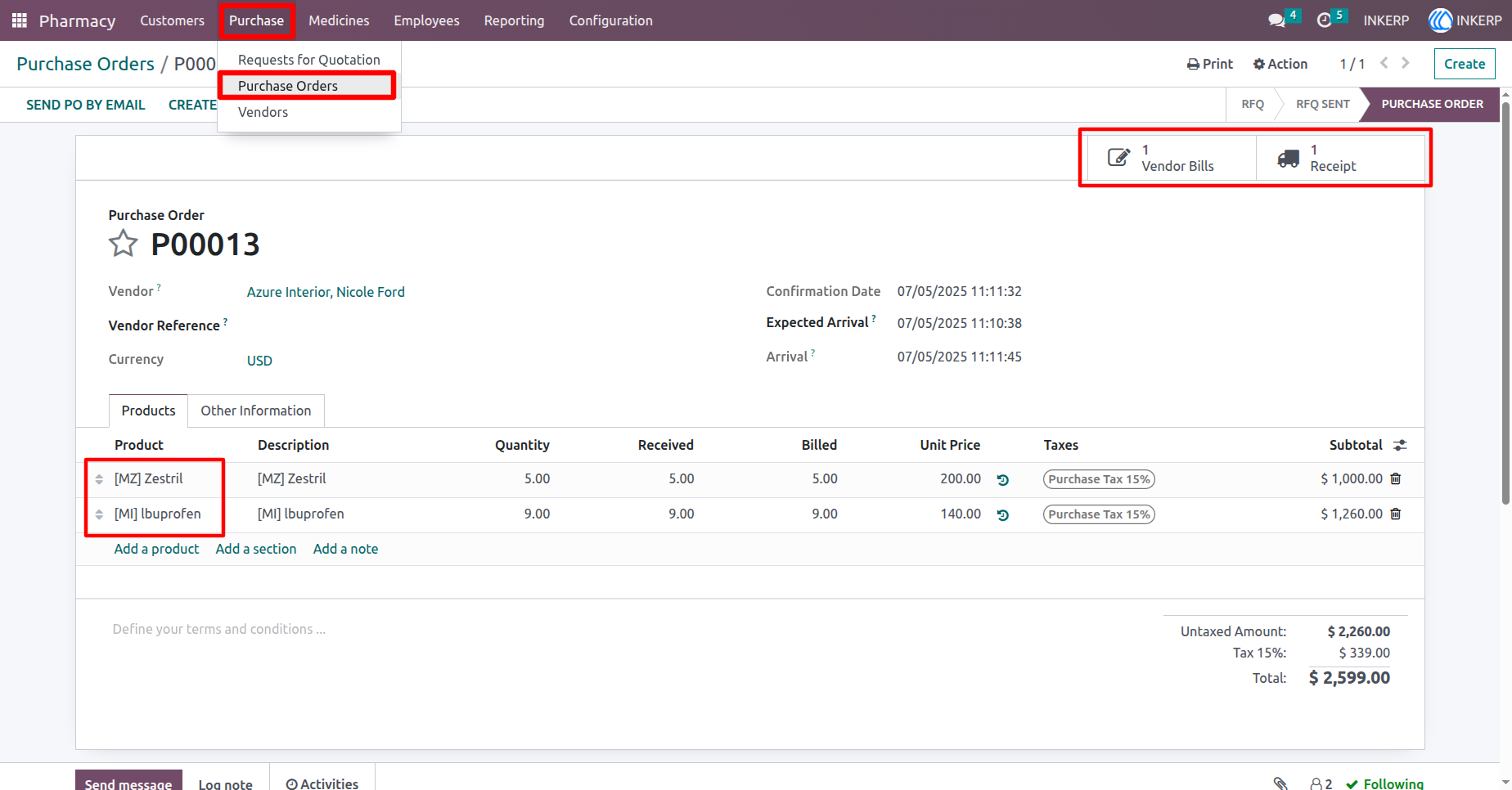
8.) Purchase Order for Medicines
Create and manage purchase orders or RFQs for medicines with supplier details and order tracking.
Navigation : Pharmacy › Purchase › Purchase Orders
9.) Pharmacy Vendors
Store and manage vendor details including contact info, associated medicines, and purchase history.
Navigation : Pharmacy › Purchase › Vendor

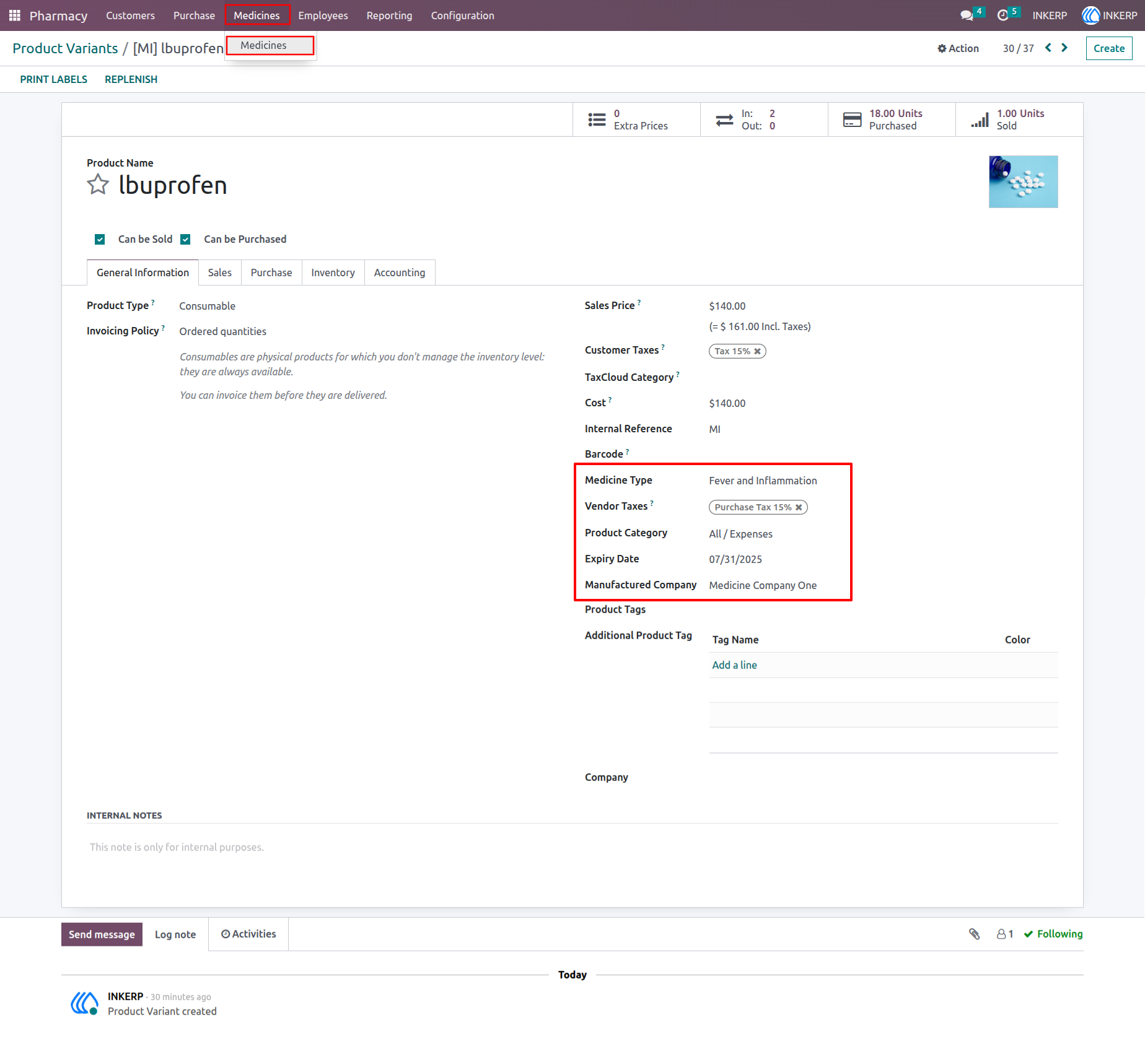
10.) Medicine Details (Product Variant)
Manage individual medicine variants with details like expiry date, company, type, category, and barcode.
Navigation : Pharmacy › Medicine › Medicine
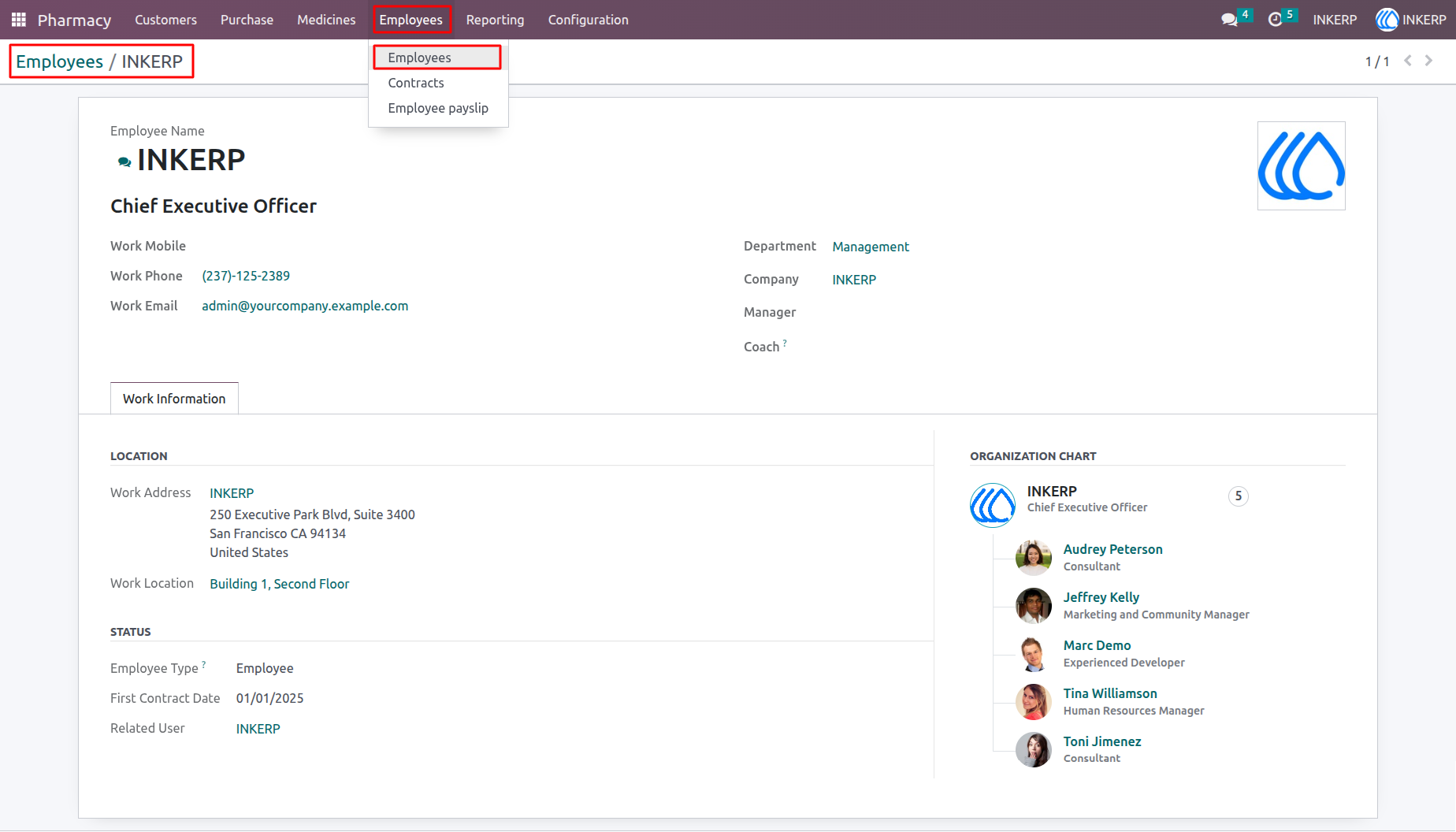
11.) Pharmacy Employees
Manage employee profiles with work details, job positions, departments, and personal information.
Navigation : Pharmacy › Employees › Employees
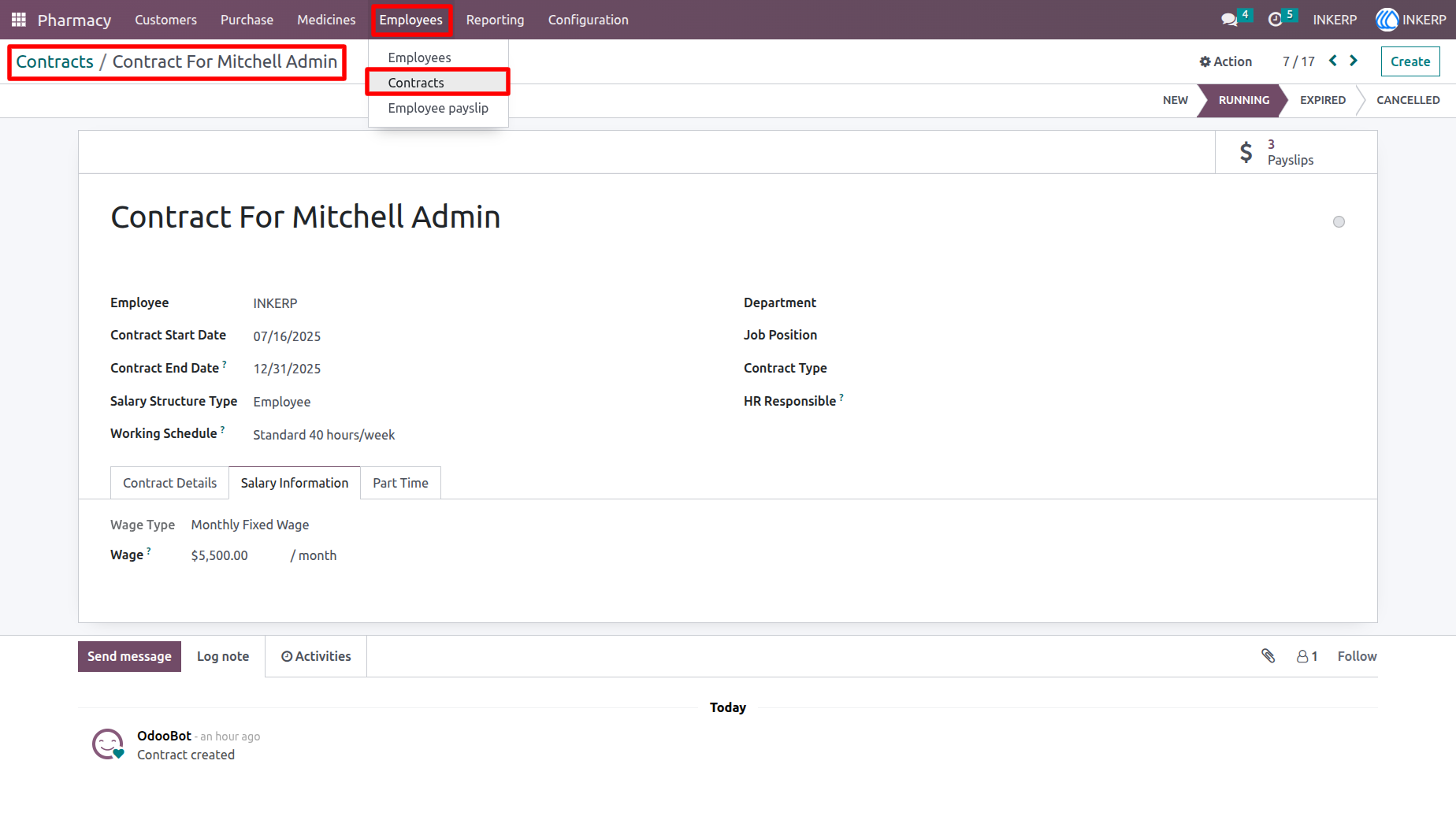
12.) Employee Contract
Track employee contract details including job role, contract period, salary structure, and status.
Navigation : Pharmacy › Employees › Contract
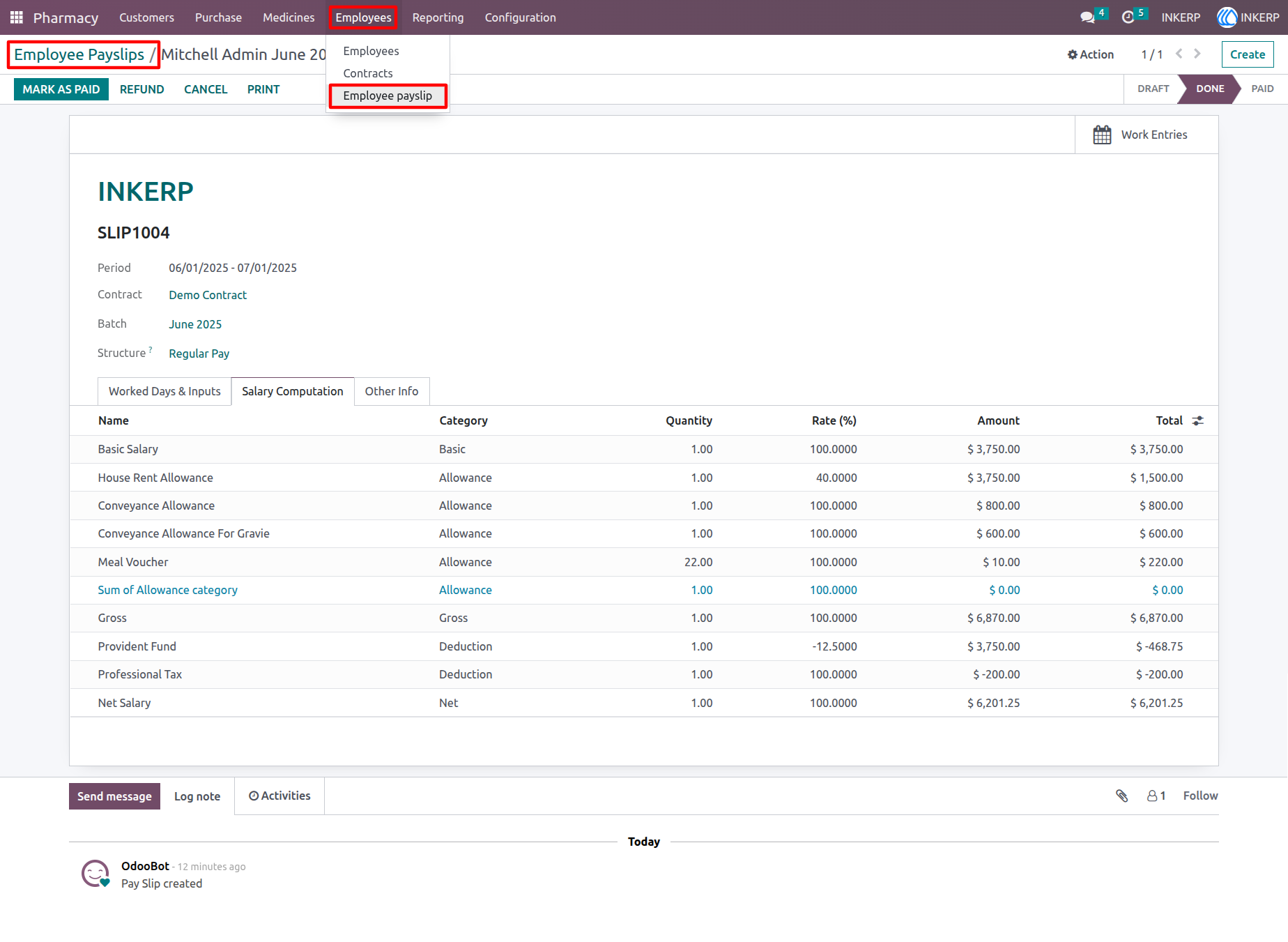
13.) Employee Payslips (Enterprise Only)
Generate and manage employee payslips with salary details, deductions, and payment records. (Requires Odoo Enterprise)
Navigation : Pharmacy › Employees › Employee Payslips
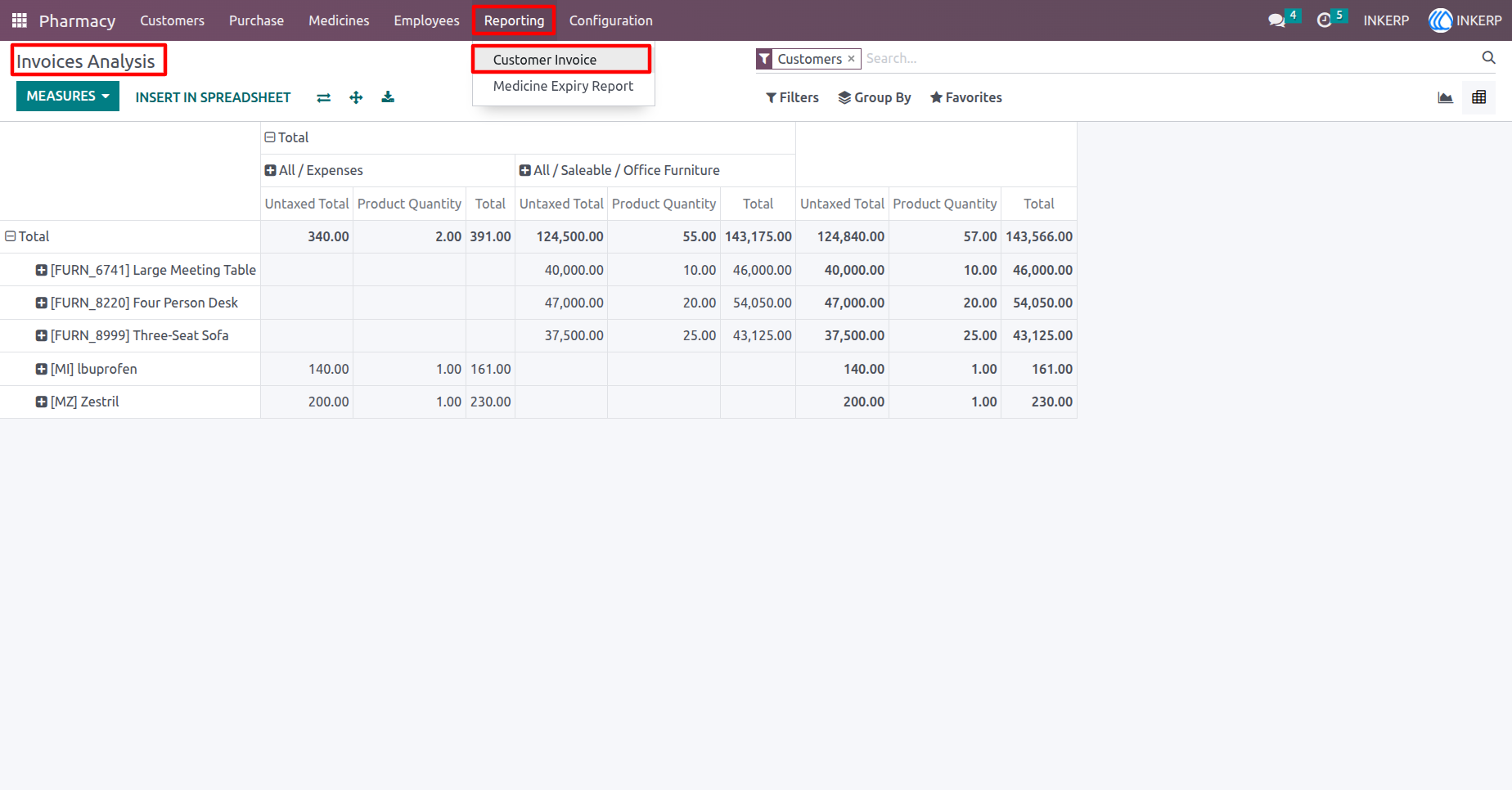
14.) Invoice Analysis Report
View and analyze pharmacy invoice data using interactive graphs and filters for better business insights.
Navigation : Pharmacy › Reporting › Customer Invoice
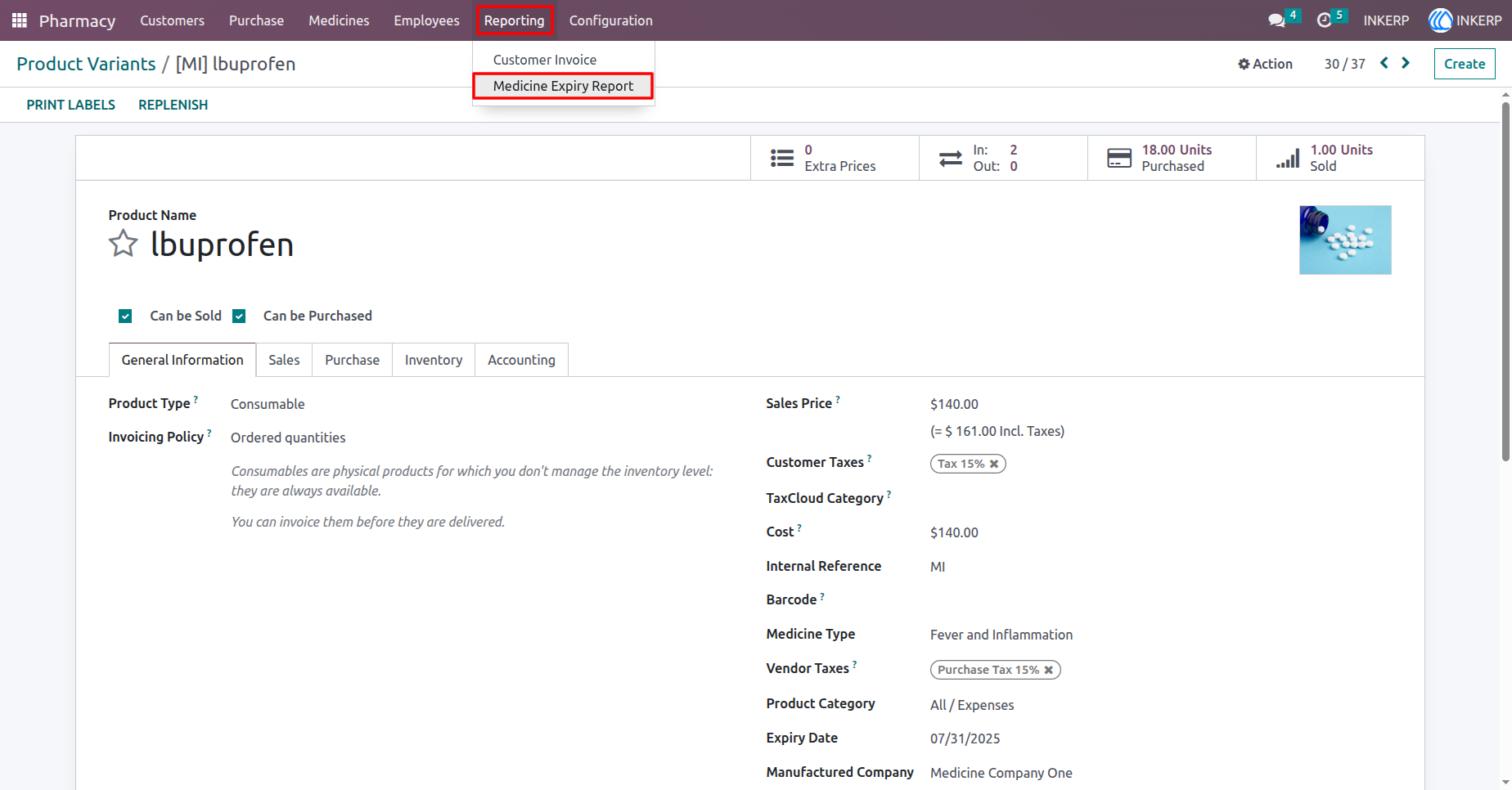
15.) Medicine Expiry Report Menu
Navigate easily to the expiry report from the main menu to monitor and manage expired or soon-to-expire medicines.
Navigation : Pharmacy › Reporting › Medicine Expiry Report
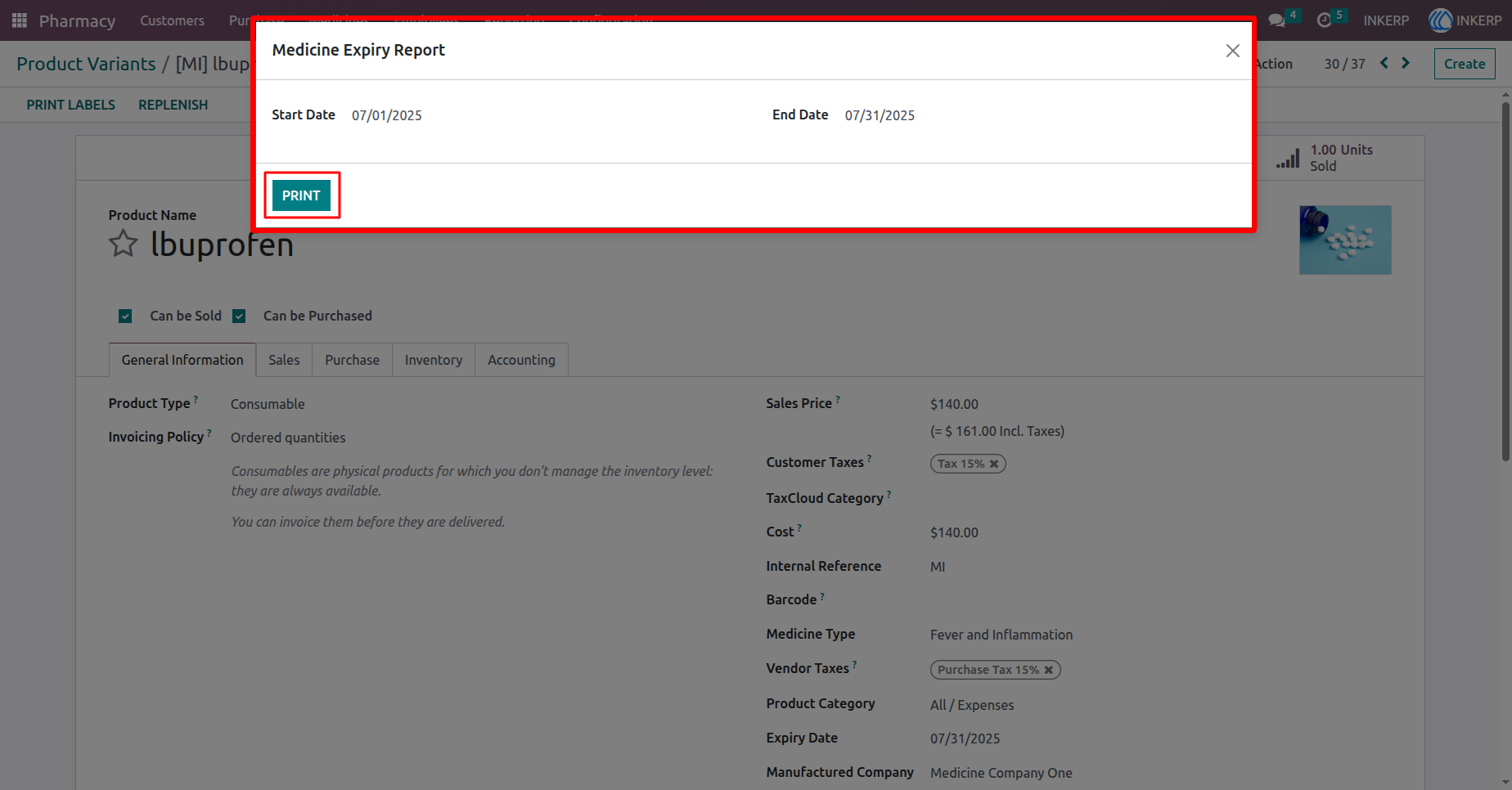
16.) Print Expiry Report by Date
Select a start and end date using the wizard, then click Print to generate a PDF report of expired medicines within that range.
Navigation : Pharmacy › Reporting › Medicine Expiry Report
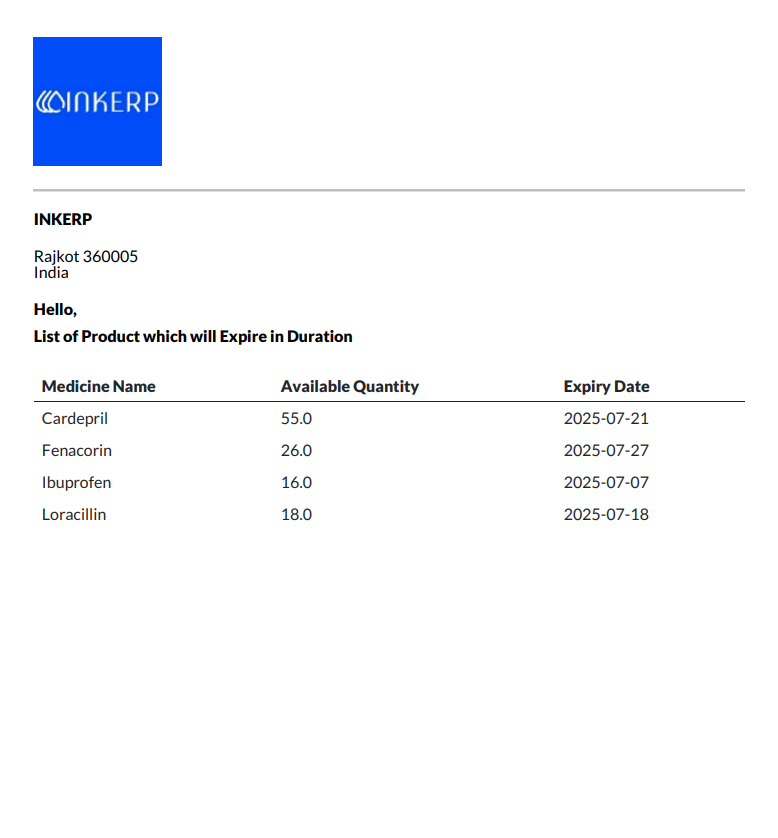
17.) PDF Report
This report provides a detailed list of medicines with their batch numbers and expiry dates tracked between [Start Date] and [End Date], helping ensure timely stock management and regulatory compliance.
User Guide