

Our Most Suggested Products


List View Manager
The List View Manager module helps users search records simultaneously and apply multiple conditions with ease. It allows instant filtering by any column, supports multiple conditions at once, enables exporting data in PDF, Excel, or CSV formats, and lets users copy records with a single click making data management faster, simpler, and more efficient.
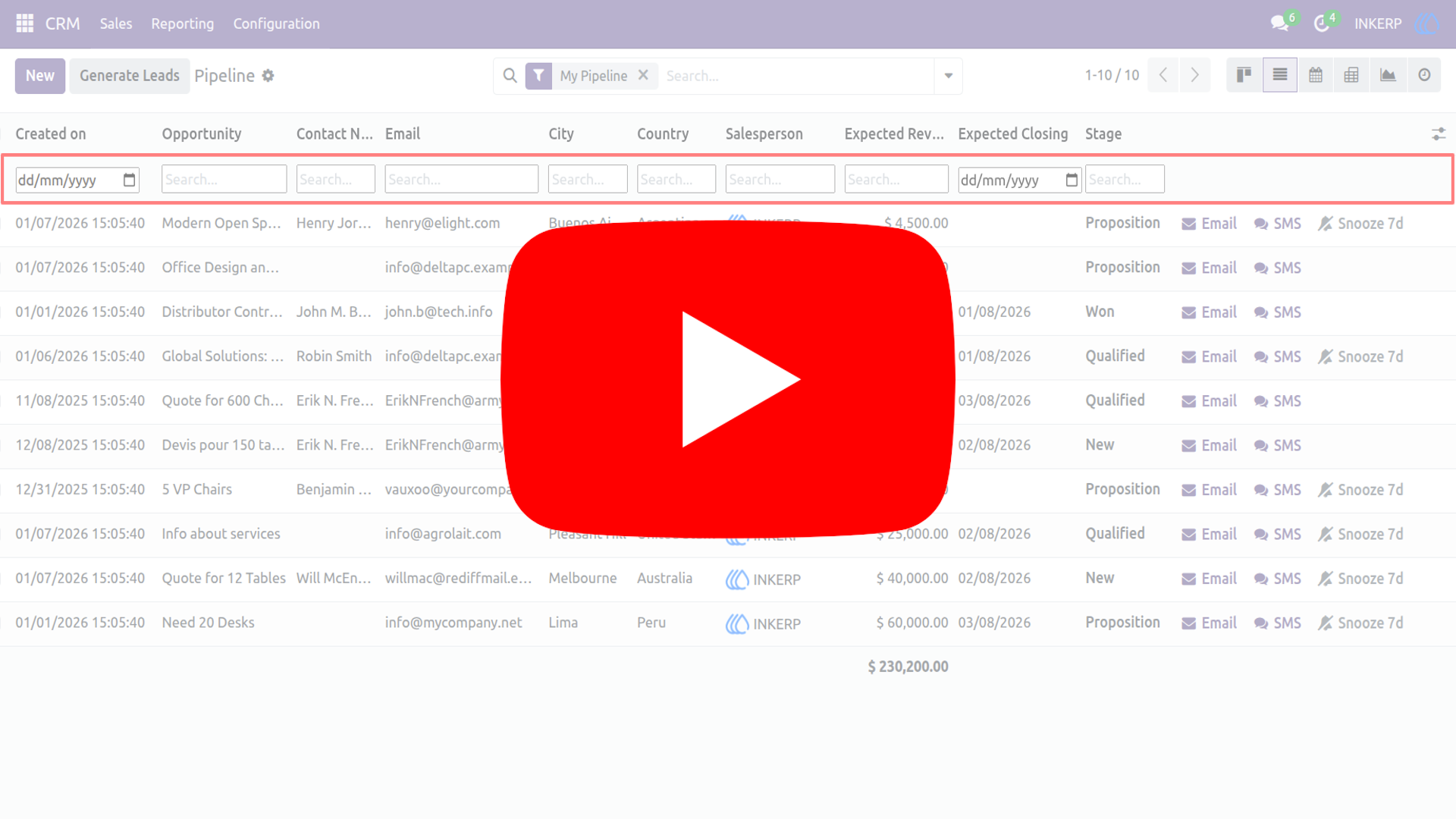
Video Tutorial
 Features
 Screenshots
 Support
 Service
Features
Advanced Filtering Record :
Apply dynamic filters records effortlessly. Save frequently used filters to quickly access the exact data you need. Highlight important records with conditional formatting. Make critical information stand out for faster decision-making.
Unlocking Multi-Filter Support :
Apply multiple filters simultaneously to refine records with precision, combining conditions across fields for deeper insights. Save and reuse filter sets to streamline workflows and access the exact information you need in seconds.
Data Export PDF, CSV :
Effortlessly export your list view data into professional PDF reports or structured CSV files. Share insights with your team, archive records, or perform external analysis with just a few clicks. This feature ensures your information is portable, accessible, and ready for reporting or integration.
Simplify Workflow with Instant Copy :
Speed up everyday tasks by copying data directly from list views to your clipboard. Instantly transfer selected records into emails, documents, or spreadsheets without extra steps. This feature eliminates manual re‑entry, streamlines workflows, and keeps your productivity at its peak.
Screenshot
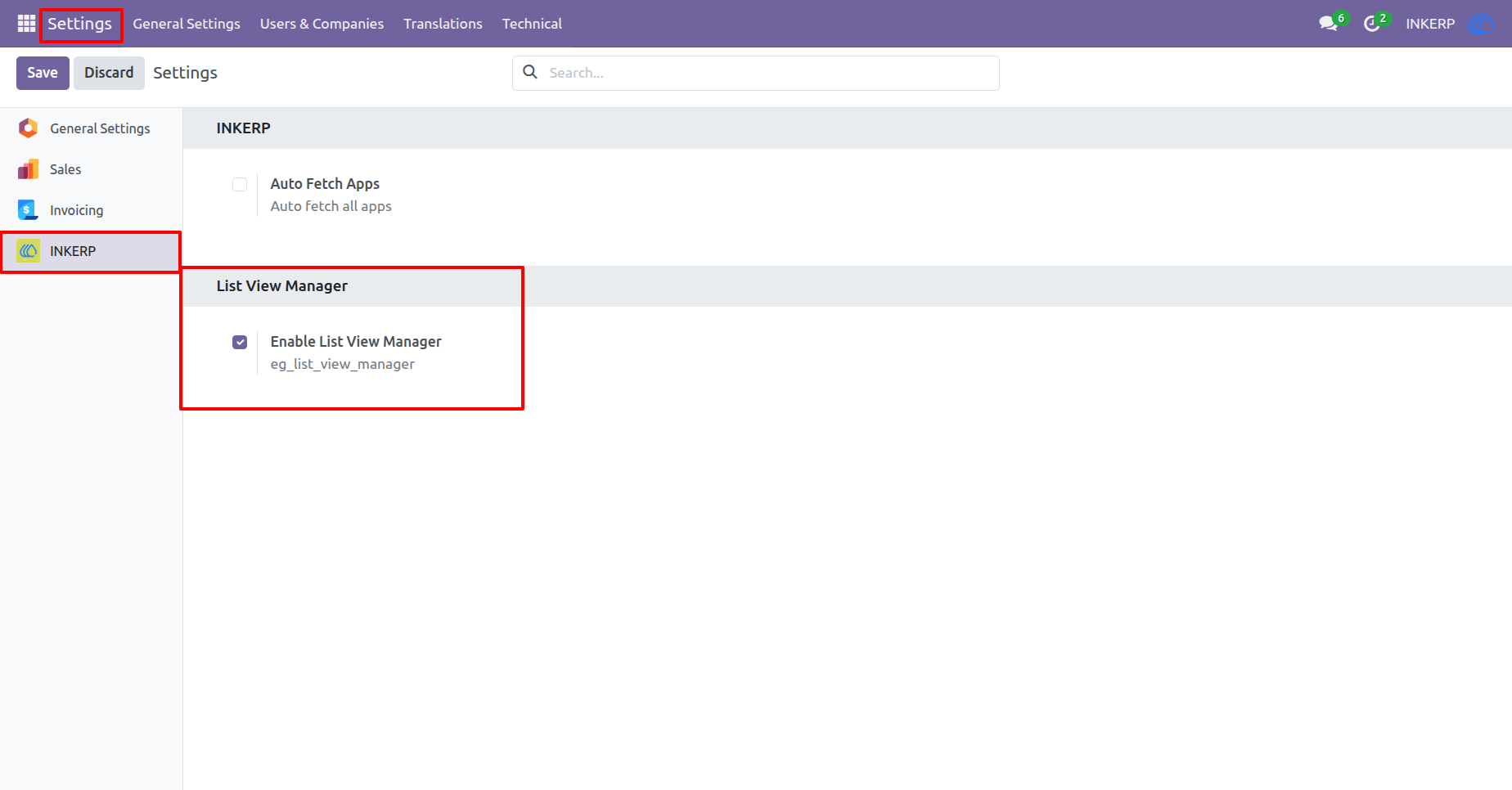
1) Settings View
Enable List View Manager
Navigation : Settings › INKERP › List View Manager
2) List View
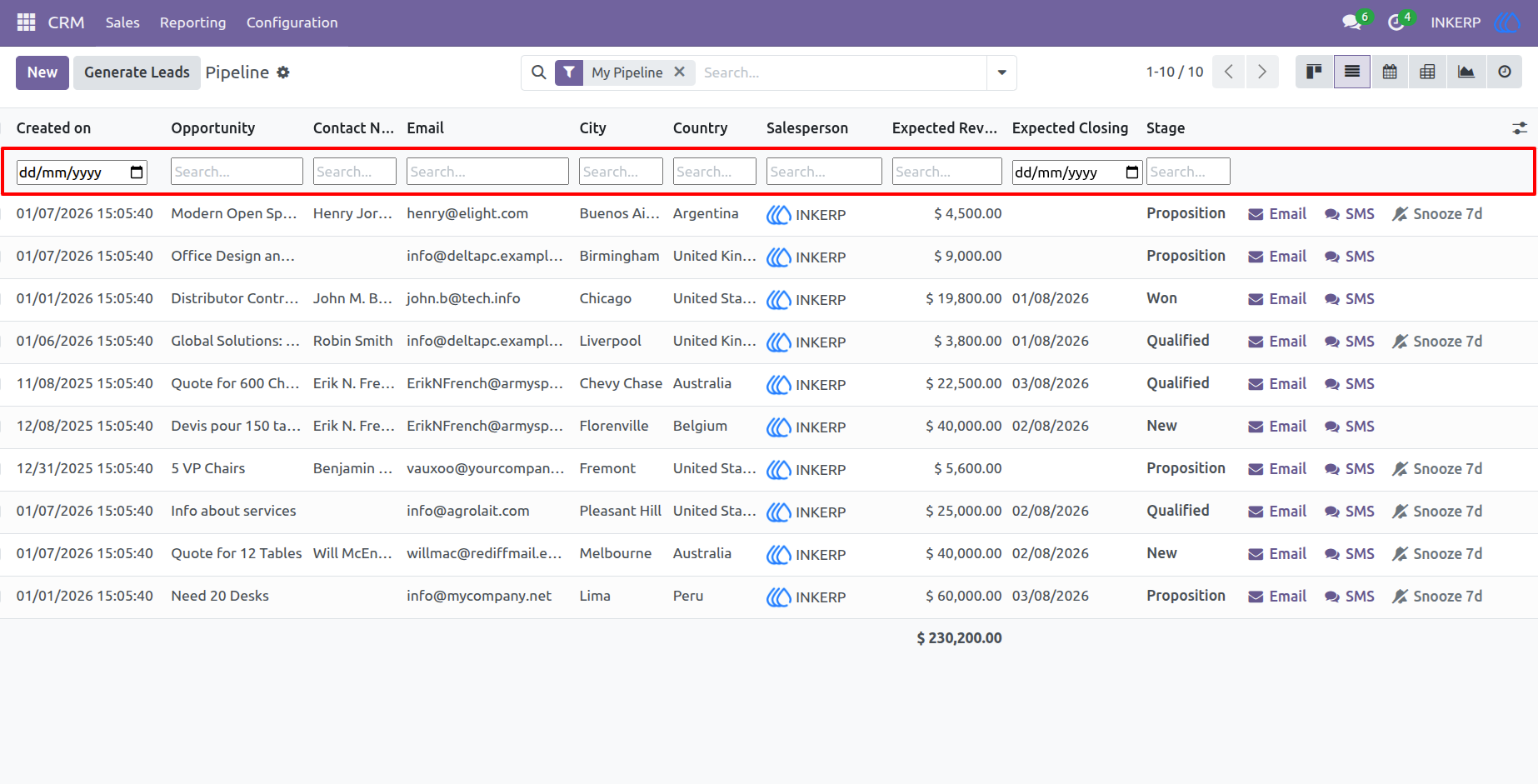
Here, user can see search options in header
3) Action View
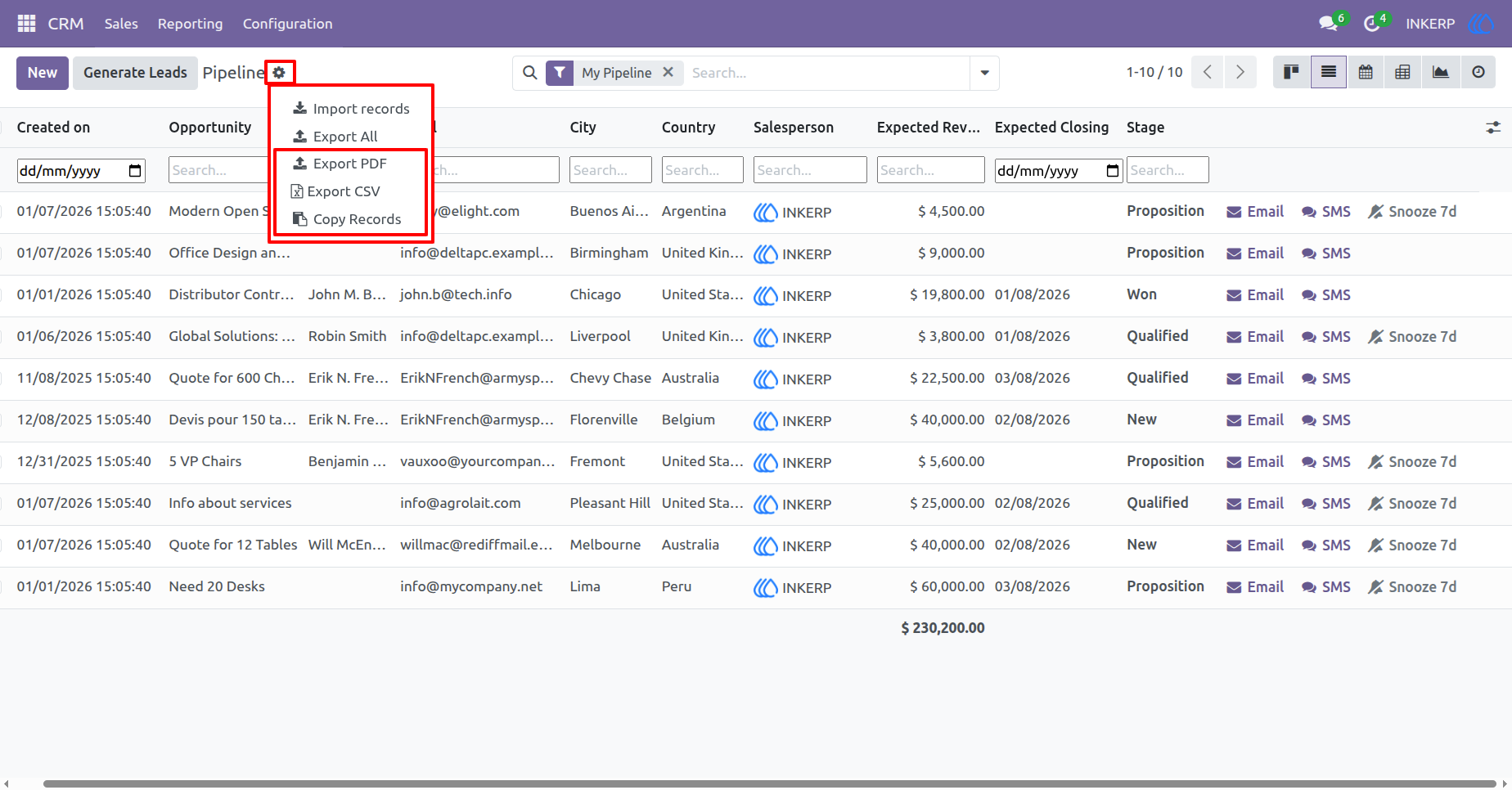
Here, user can see following options :
Export PDF : This feature is used to export the displayed records in PDF format.
Export CSV : This feature is used to export the displayed records in CSV format.
Copy Records : This feature is used to copy the displayed records.
4) Multi Filter Search
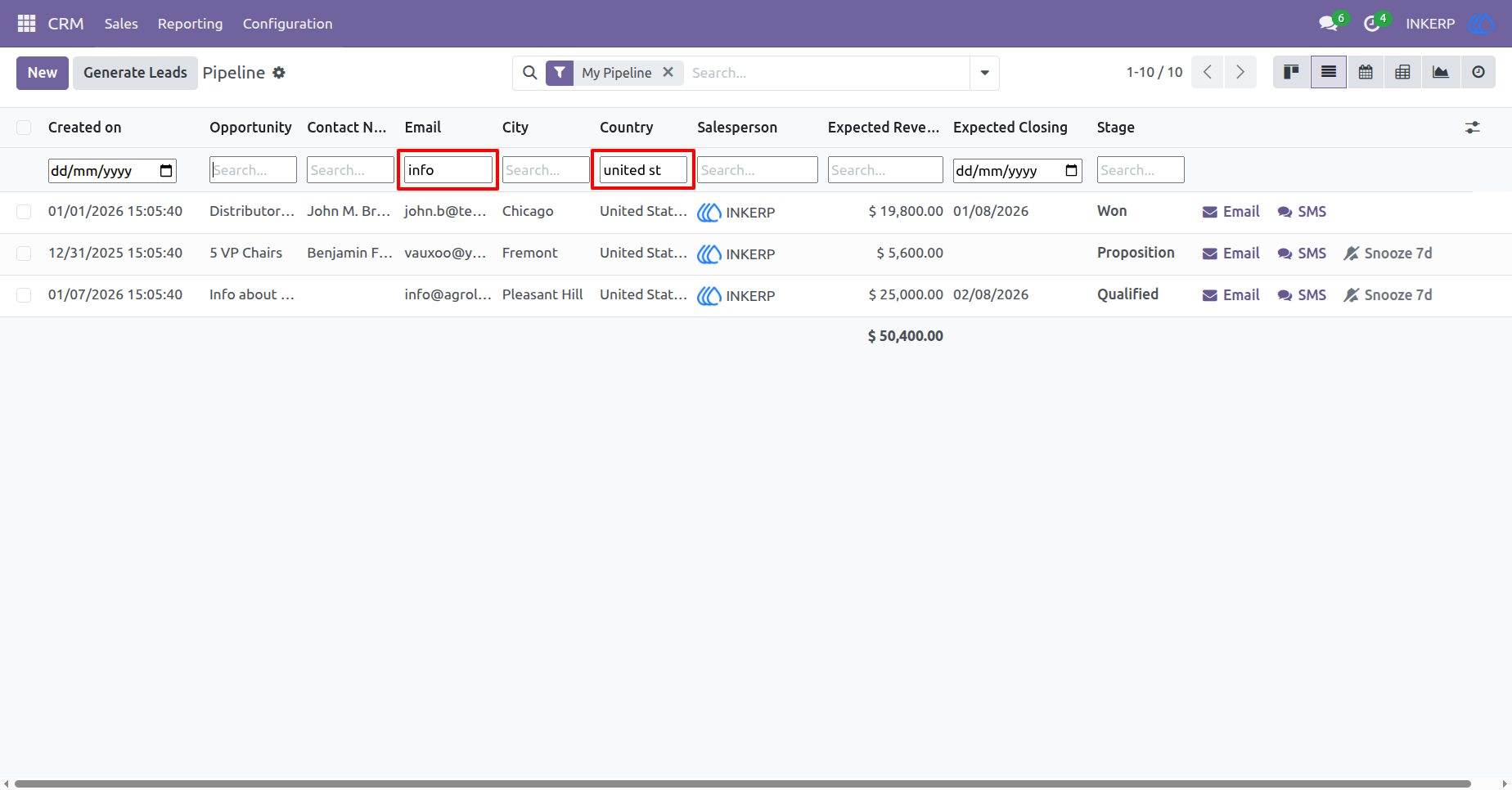
Here, user can apply multilter contions in list view for instant search
5) Date Filter
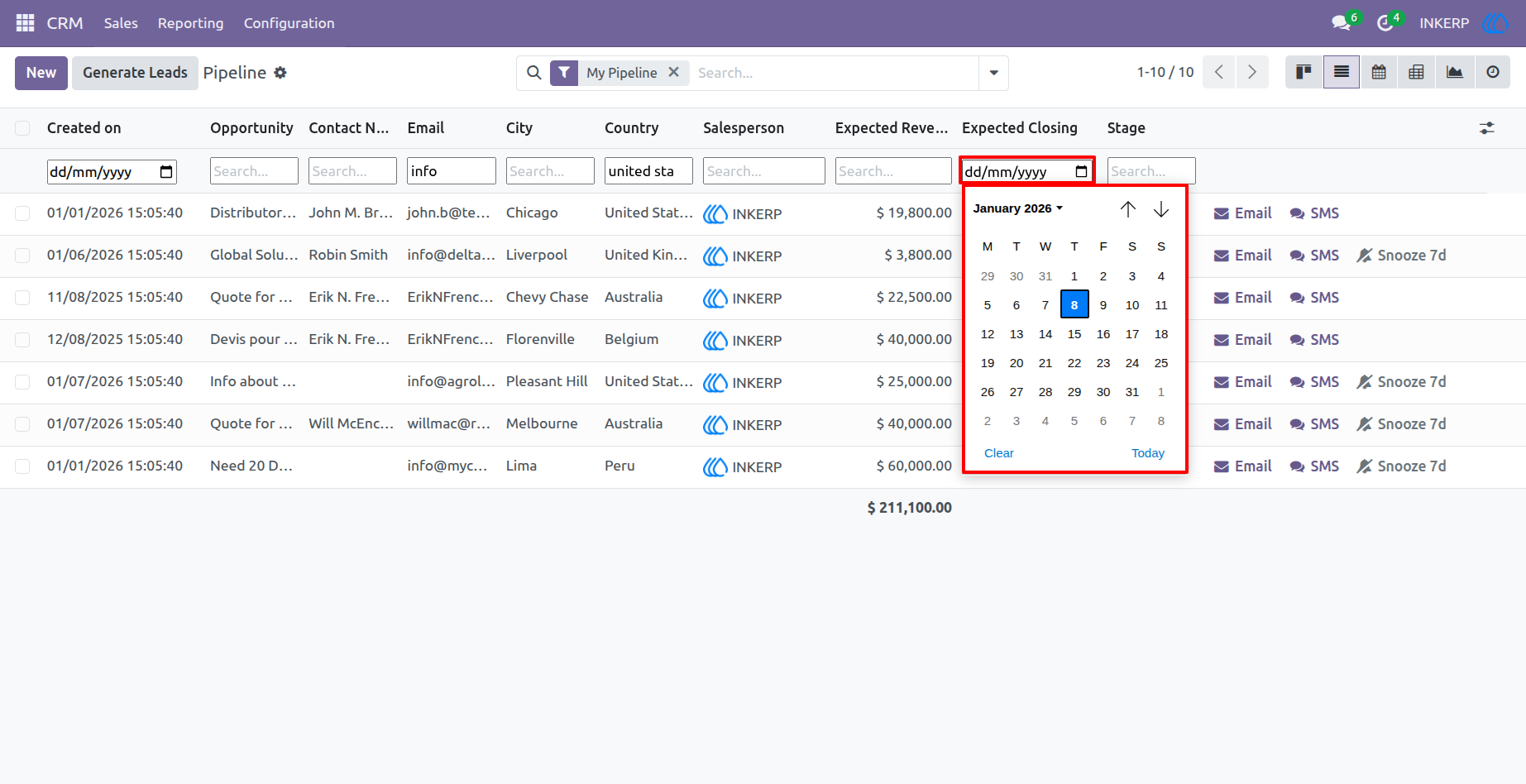
For date fields, just pick your desired date using the Date Picker in the header. To remove the filter, clear it from the search bar.
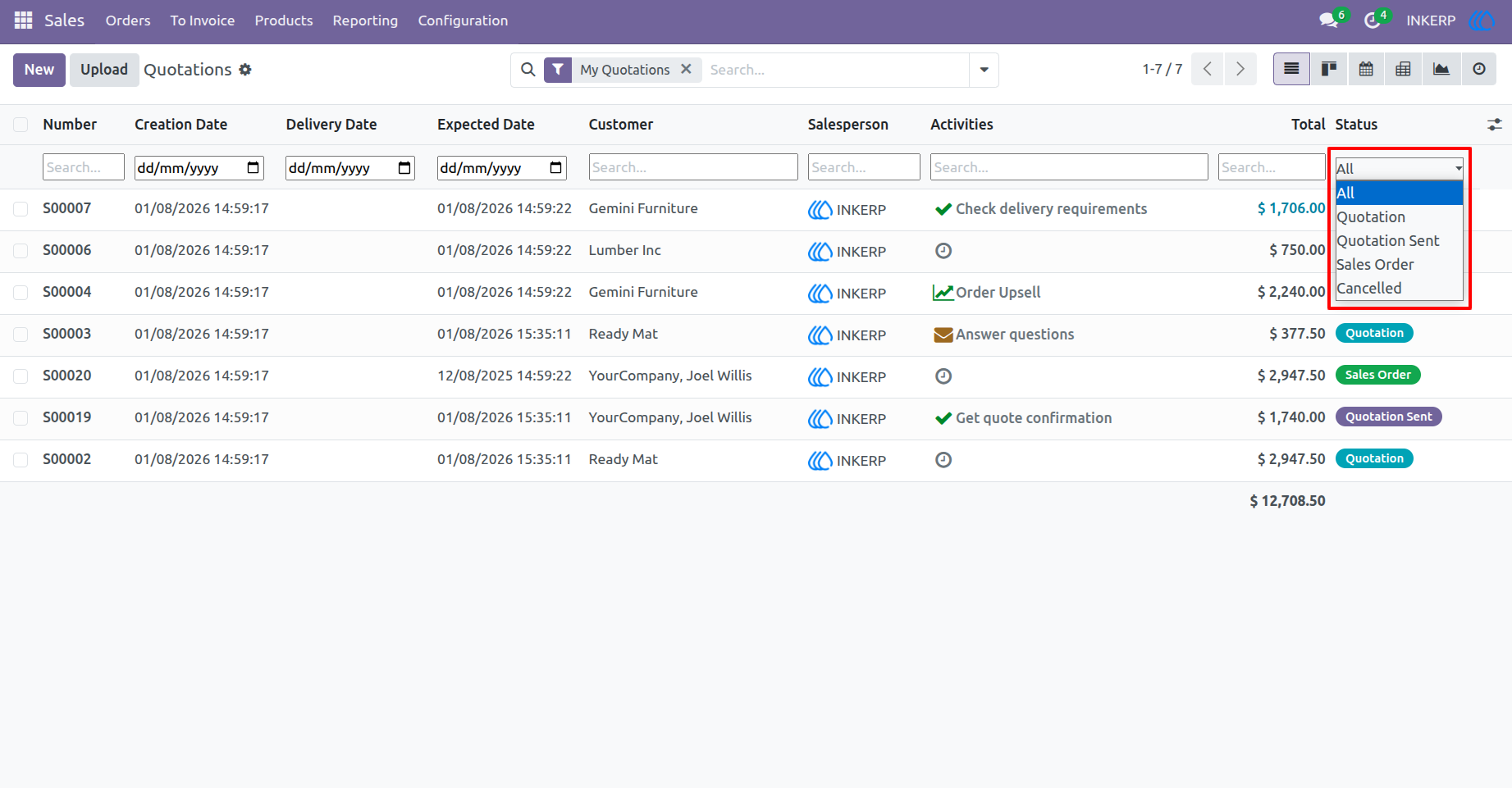
6) Selection Field Filter
To filter a selection field, click on the field input and choose an option from the dropdown. The records will then be filtered based on your choice.
User Guide