

Our Most Suggested Products


Letters and Certificate Management
Simplify the management of letters and certificates with a powerful document automation tool. Create reusable, customizable templates for various letter types and employee certificates. Instantly generate, review, and send polished documents via email with PDF attachments to ensure professional communication. Improve consistency, accuracy, and compliance in your document workflows. Ideal for HR, admin teams, and business managers looking for efficient and streamlined document management.
Video Tutorial
 Features
 Screenshots
 Support
 Service
Features
Template Creation with Consistent Layout
Easily create and manage reusable letter and certificate templates. Predefine dynamic fields such as name, title, and date for personalization. Ensure all documents follow a clean, standardized layout for consistency.
Quick Approval, Automated Sending & Time Savings
Review, approve, and send letters or certificates with just one click. Automatically attach PDFs and send them directly via email. Save time by reusing templates instead of starting from scratch every time.
Screenshot
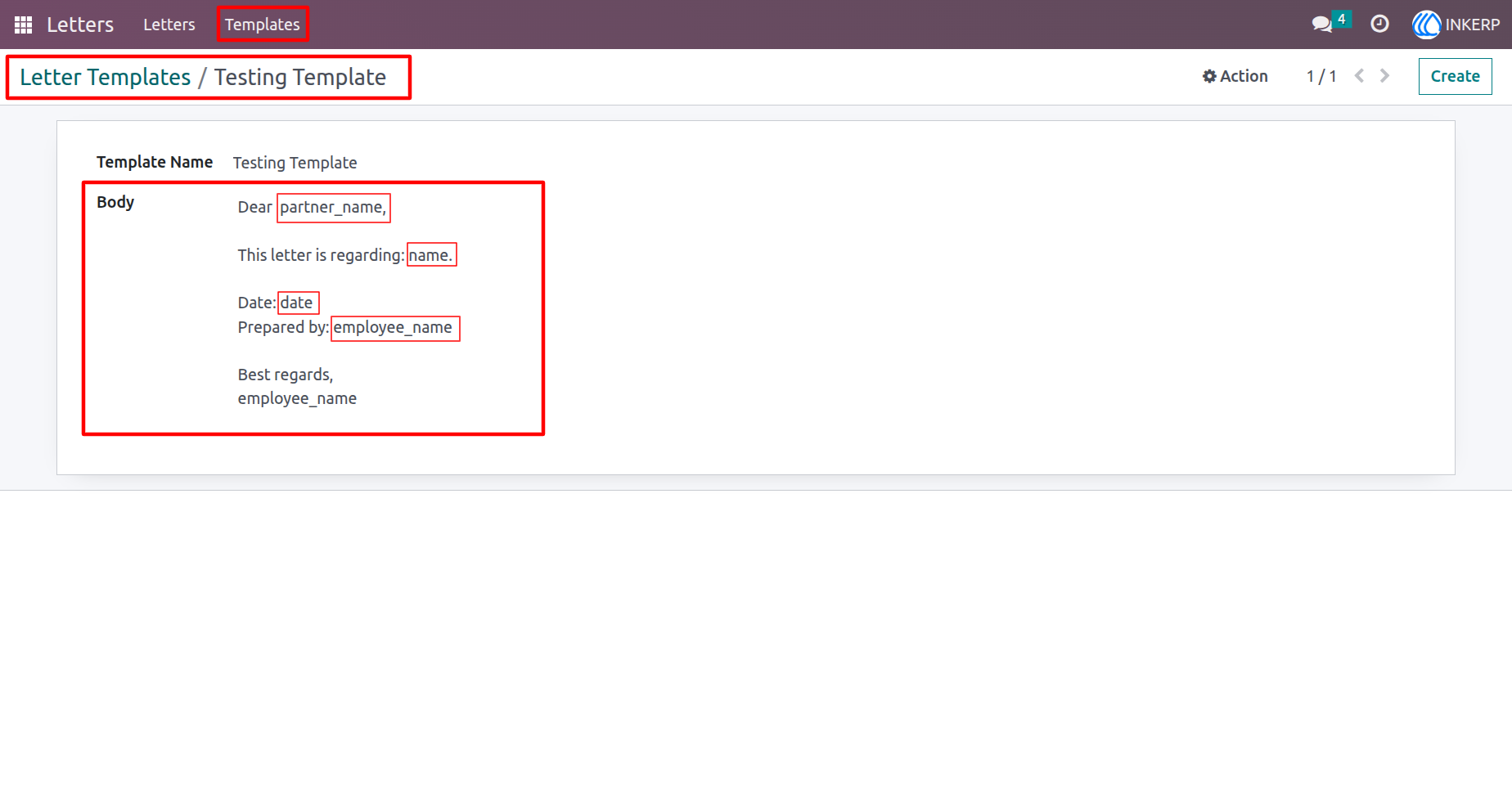
1.) Letter & Certificate Template Configuration
Define reusable templates with fields like partner name, employee name, title, and date. Quickly generate and send customized documents with just a few clicks.
Navigation : Letters › Template
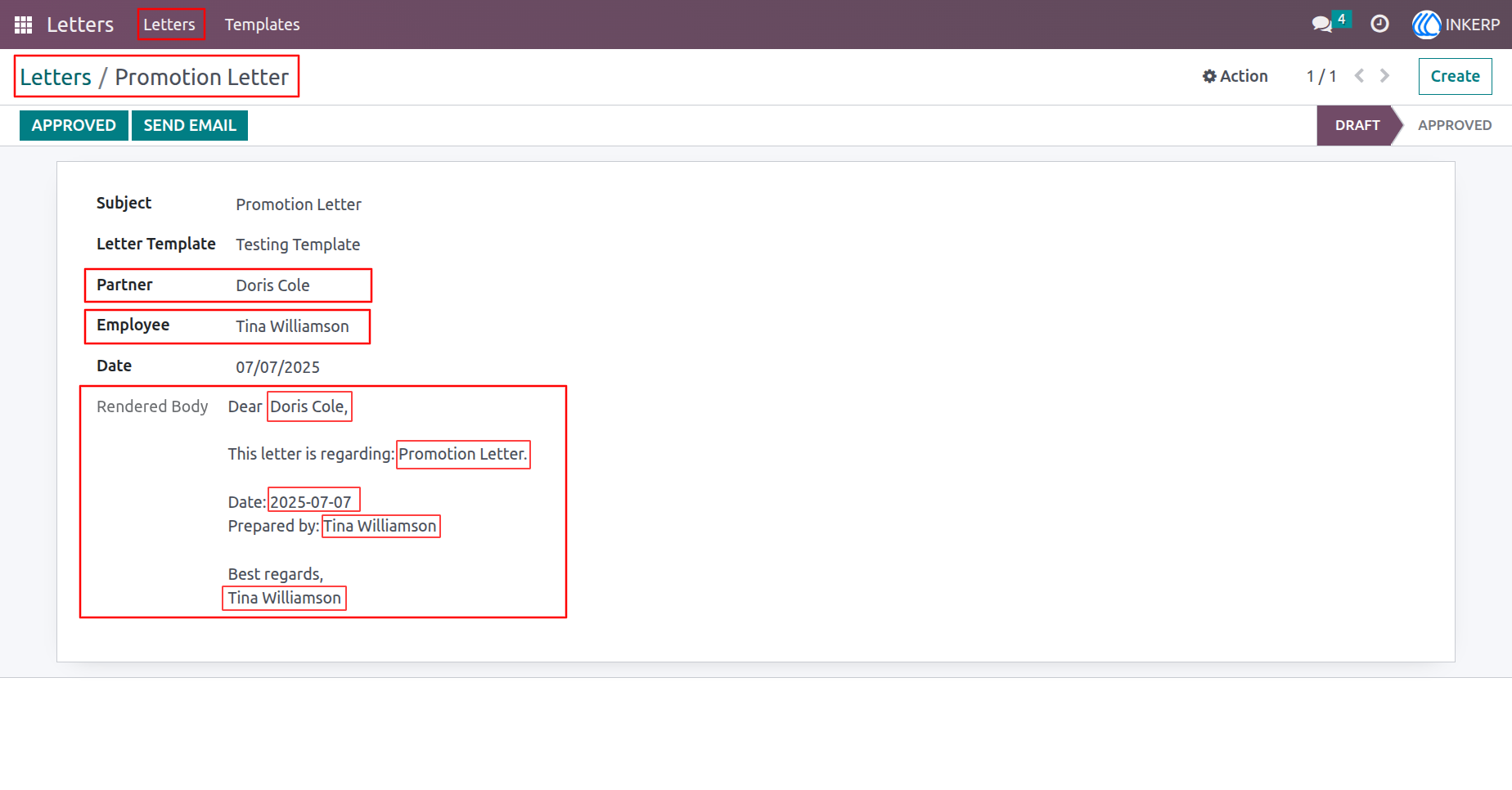
2.) Letter View
A personalized letter generated using dynamic fields like partner name, employee name, title, and date. Easily preview, edit, and send it directly via email.
Navigation : Letters › Letter
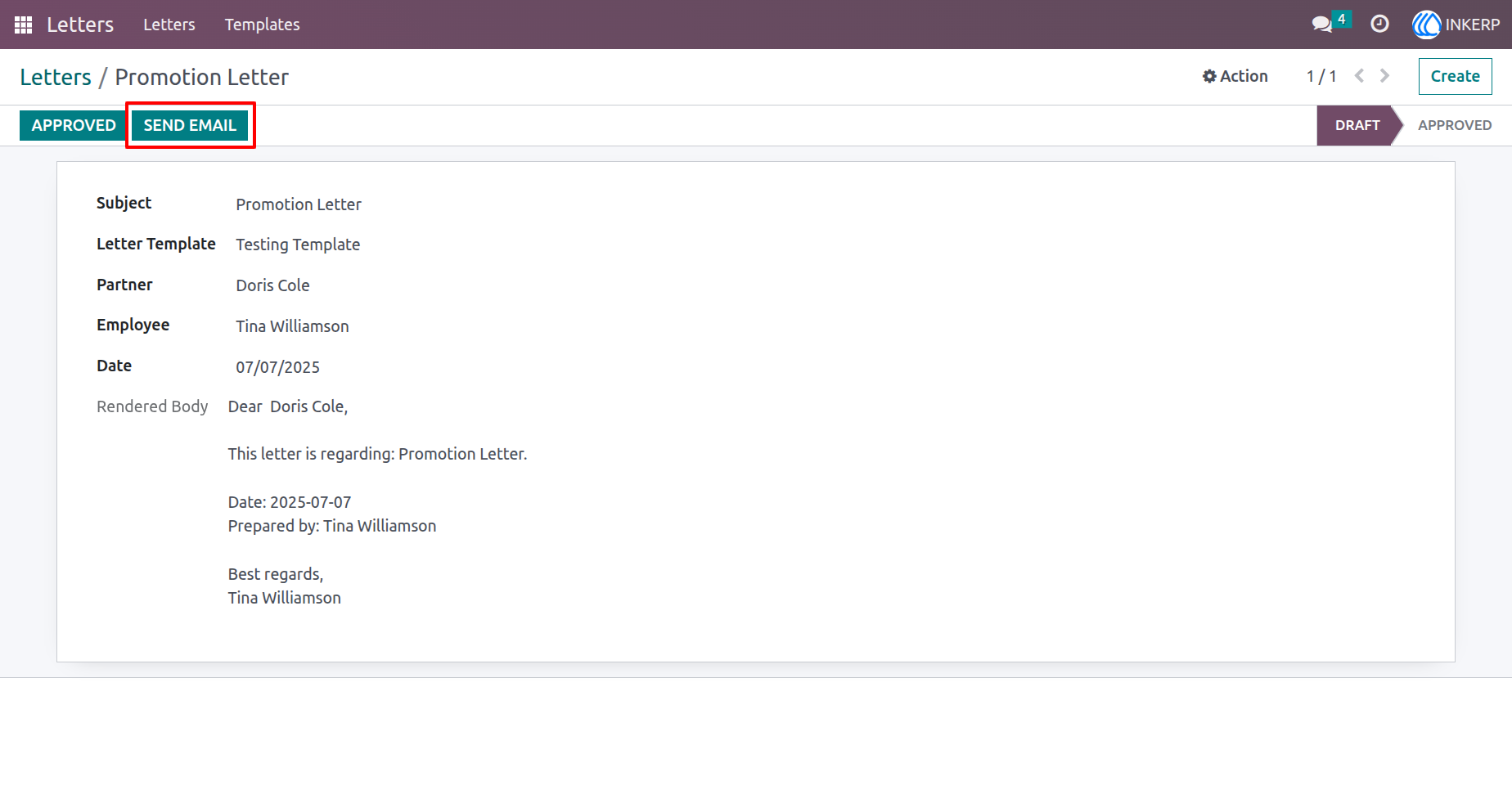
3.) Send Email
Click to open the default email wizard and send the letter or certificate directly to the recipient.
Navigation : Letters › Letter
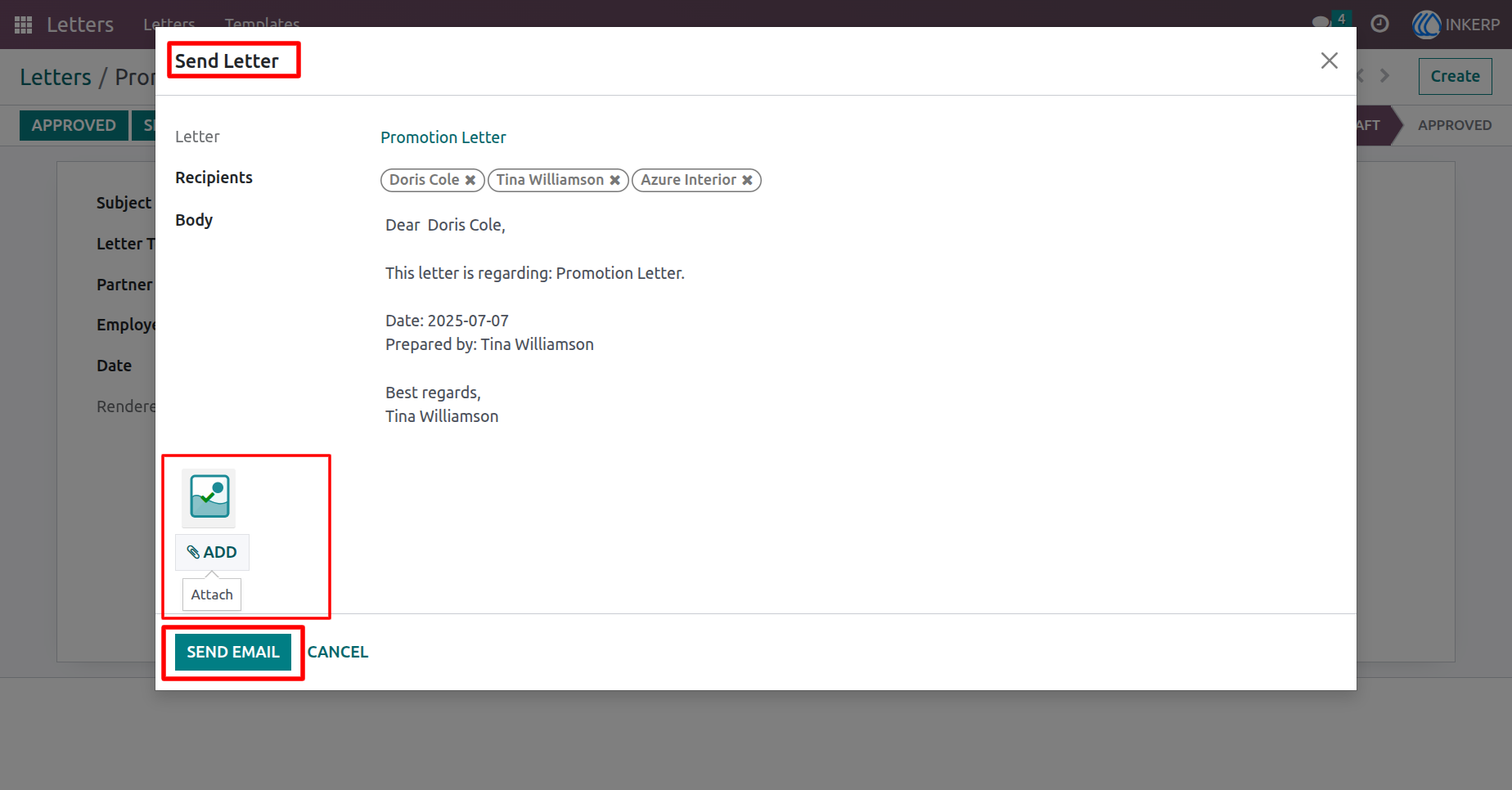
4.) Email Wizard
Click Send Email to open the default email wizard, where you can review recipients, attach files, and send the letter directly from the system.
Navigation : Letters › Letter › Send Email
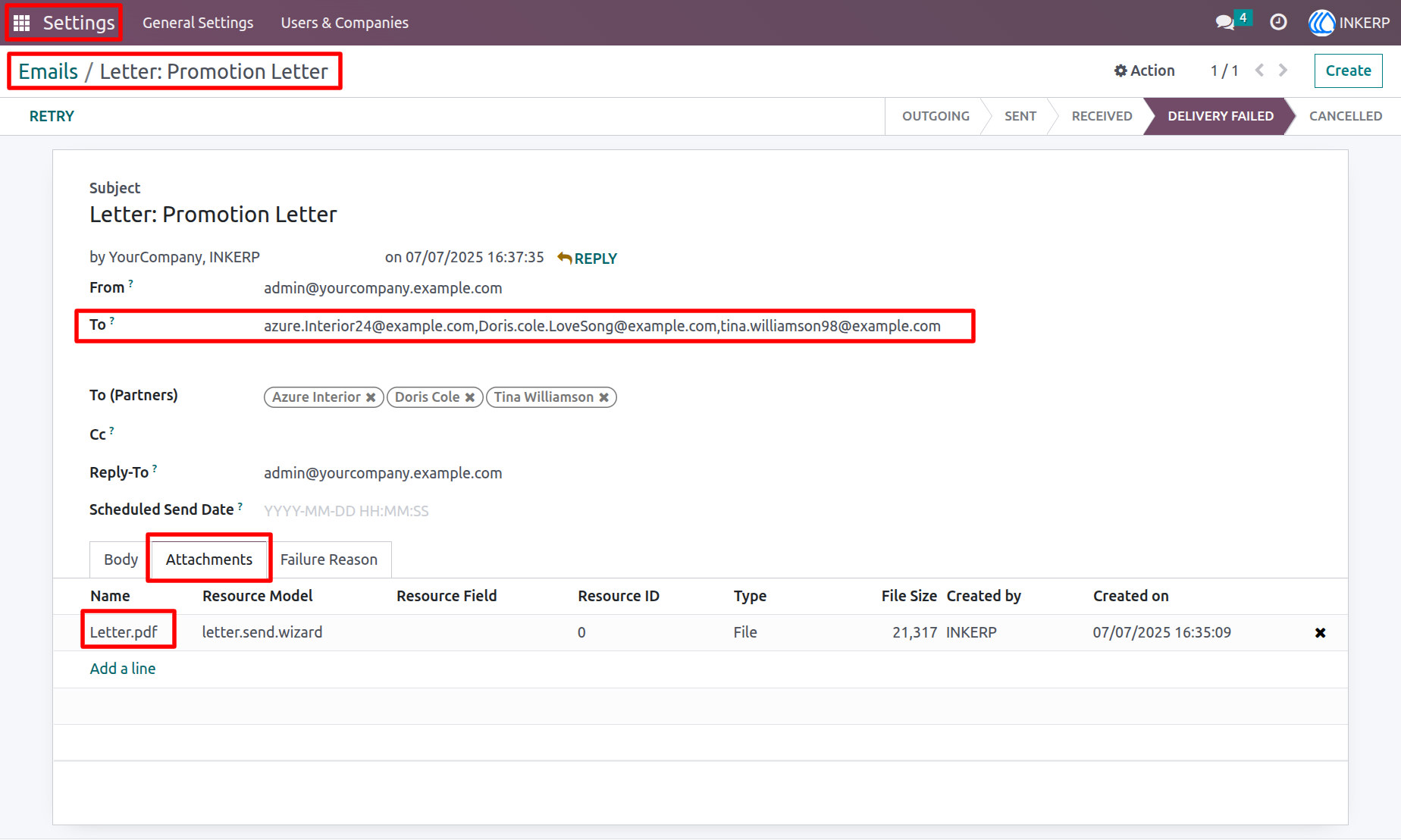
5.) Email with Attachment
The letter is sent by email with the PDF attached, so recipients can easily view or download it.
Navigation : Settings › Emails
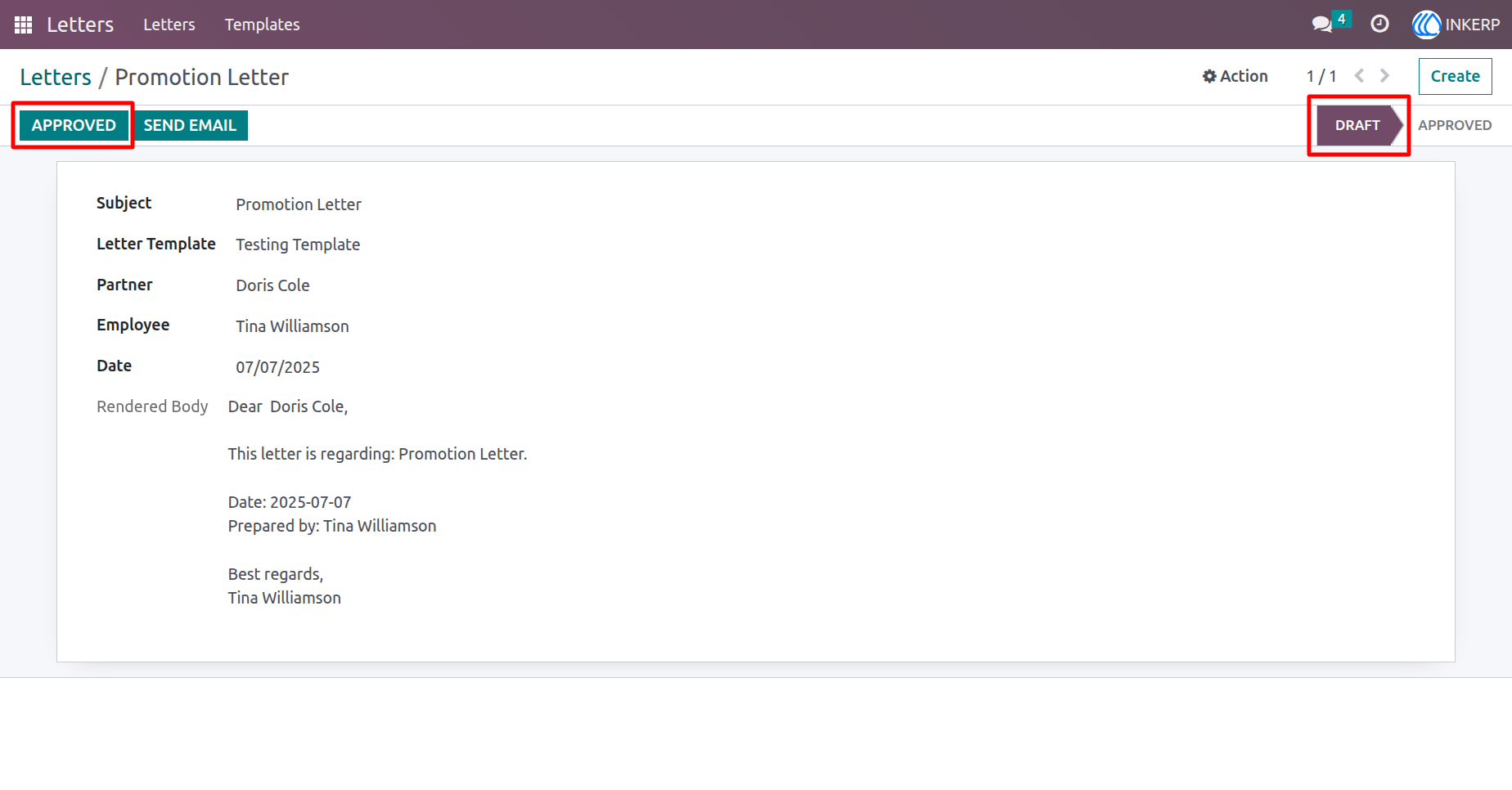
6.) Approve Letter
Click to approve the letter. It will be moved to the Approved state and ready for sending.
Navigation : Letters › Letter
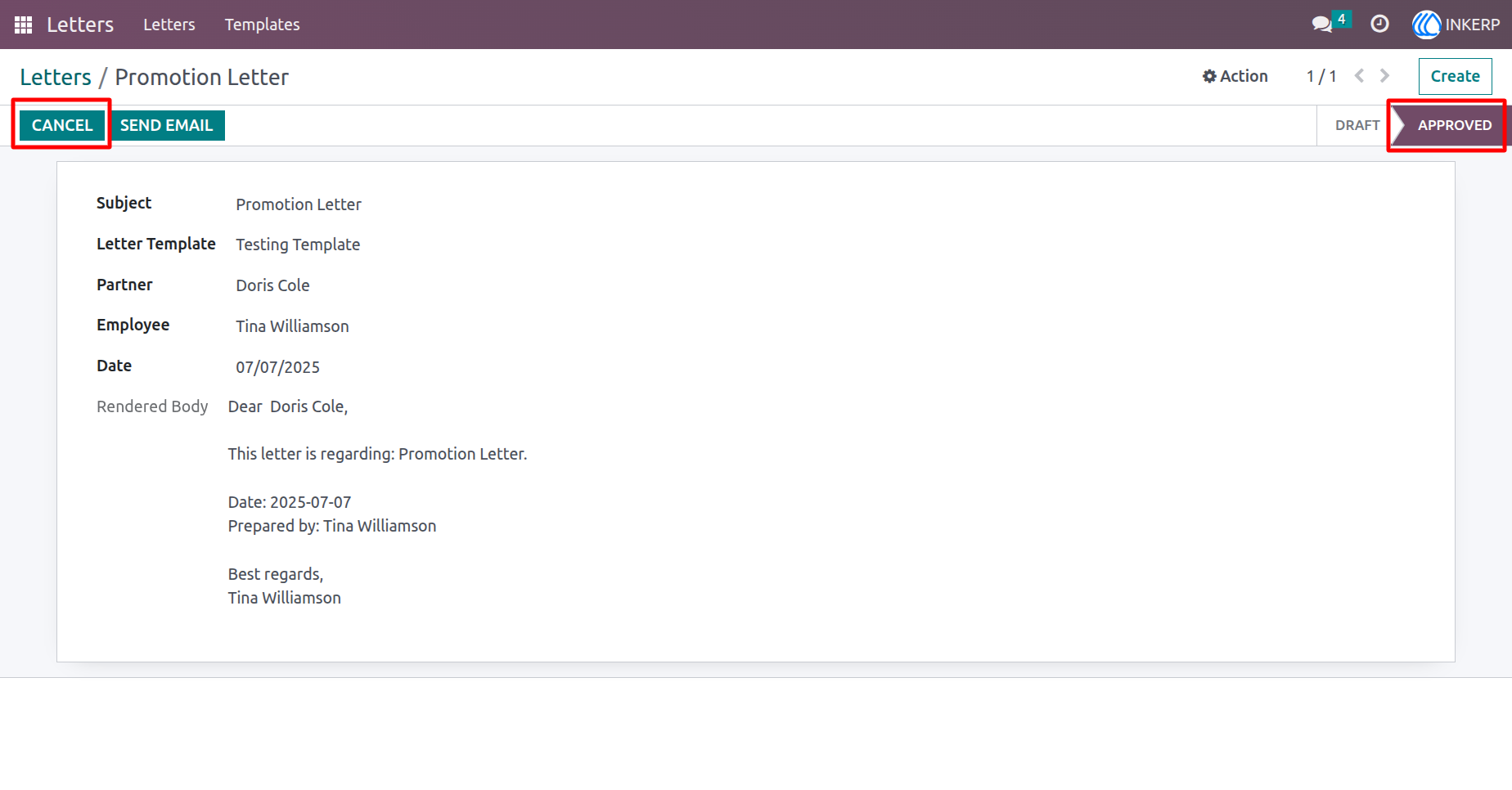
7.) Approved Letter
The letter is approved and ready to send. Click Cancel if you need to make changes.
Navigation : Letters › Letter
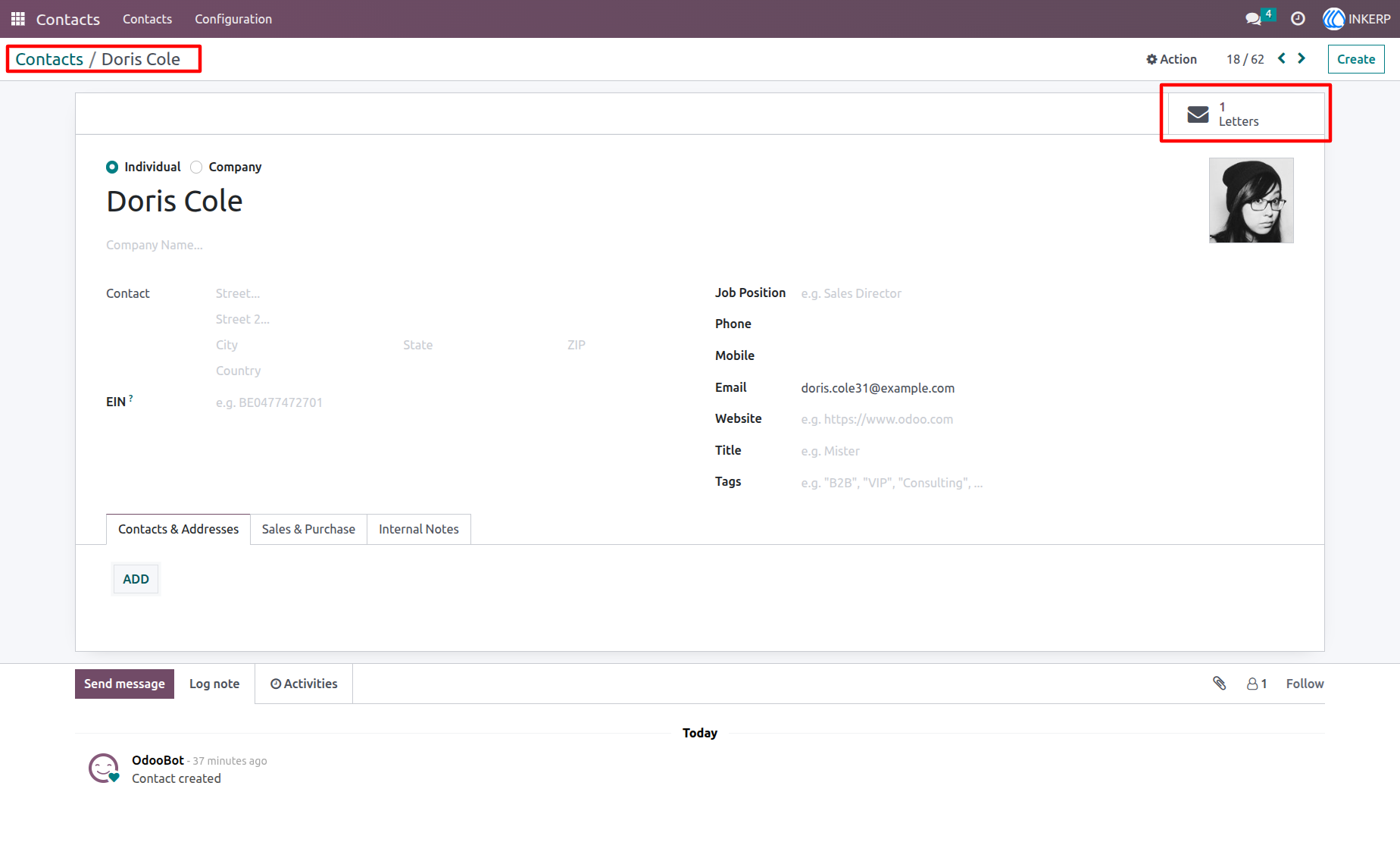
8.) Letter Smart Button
A smart button shows the total number of letters linked to this partner. It is visible on the partners form and allows quick access to related letters.
Navigation : Contacts › Record
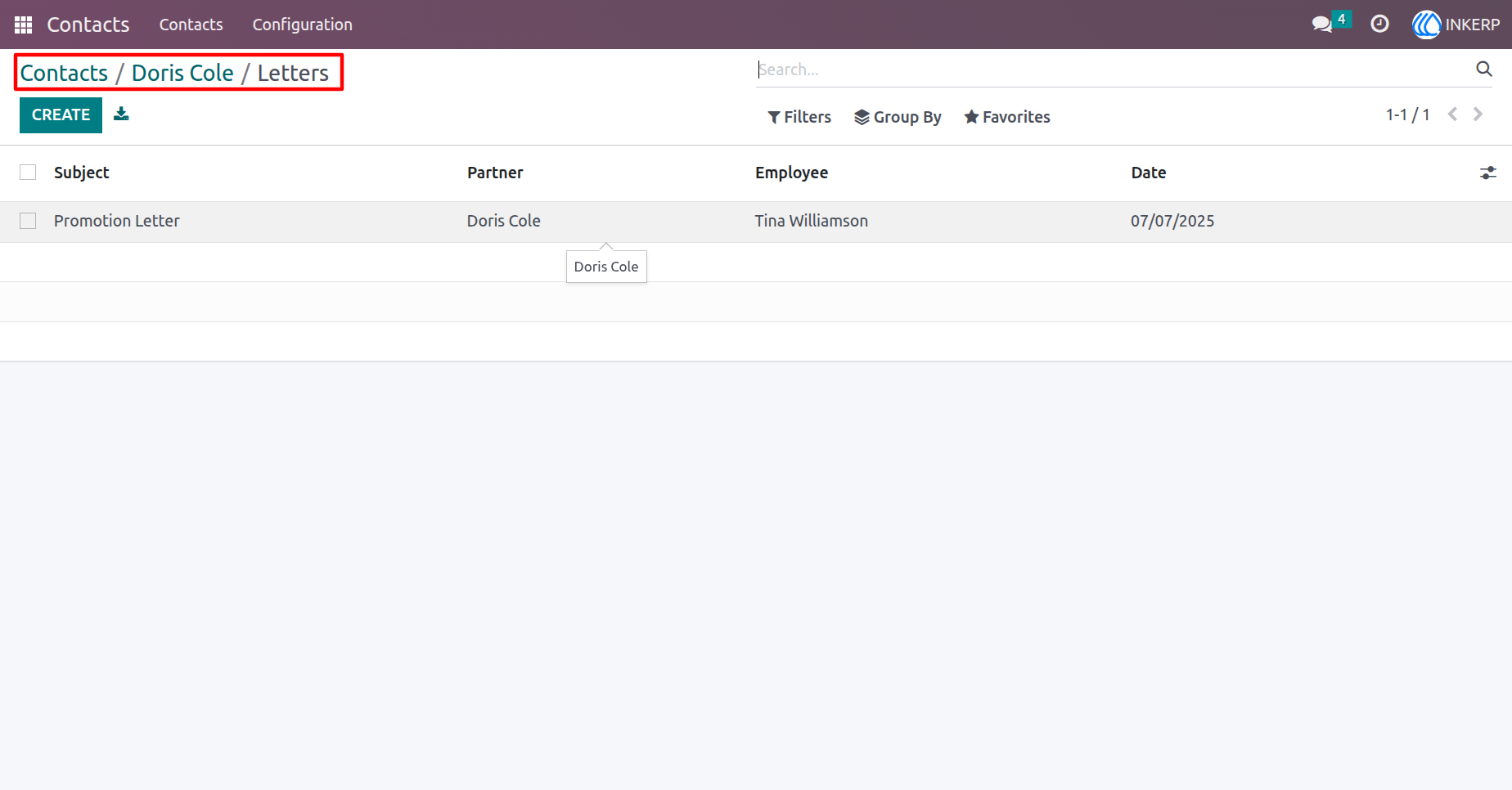
9.) Partner Letters
Displays all letters associated with this partner. Click to view the complete list.
Navigation : Contacts › Record › Letters
User Guide