

Our Most Suggested Products


Disputed Supplier Management
Manage supplier disputes effectively in Odoo with our Disputed Supplier Management module. Quickly create and track disputes for damaged, delayed, or incomplete deliveries directly from vendor bills. This module automatically blocks payments until disputes are resolved, ensuring tighter control over purchases and financial transactions. With no configuration needed, you can start using it instantly. Track disputes by status, user, or date to improve supplier accountability and maintain smooth business operations.
Video Tutorial

 Features
 Screenshots
 Support
 Service
Features
Dispute Creation from Vendor Bills
Easily create disputes directly in the vendor bill form for damaged, delayed, or incomplete deliveries. The dispute starts in Draft status and can be updated to Dispute or Solved. No additional configuration needed just install and start using it.
Automatic Payment Blocking
Once a dispute is created, payment registration is blocked automatically. Prevents payments on contested invoices until all disputes are resolved. Safeguards your financial operations by avoiding premature payments.
Efficient Dispute Tracking & Management
Track disputes by status, assigned user, or creation date with powerful filters and group options. View detailed records including title, description, bill number, and assigned user. Organize and manage disputes for clear visibility and timely follow-up.
Improved Supplier Accountability
Enforce dispute resolution before processing payments to prevent recurring supplier issues. Linked vendor bills show all related disputes directly for easy monitoring. Promotes transparent and reliable supplier relationships.
Screenshot
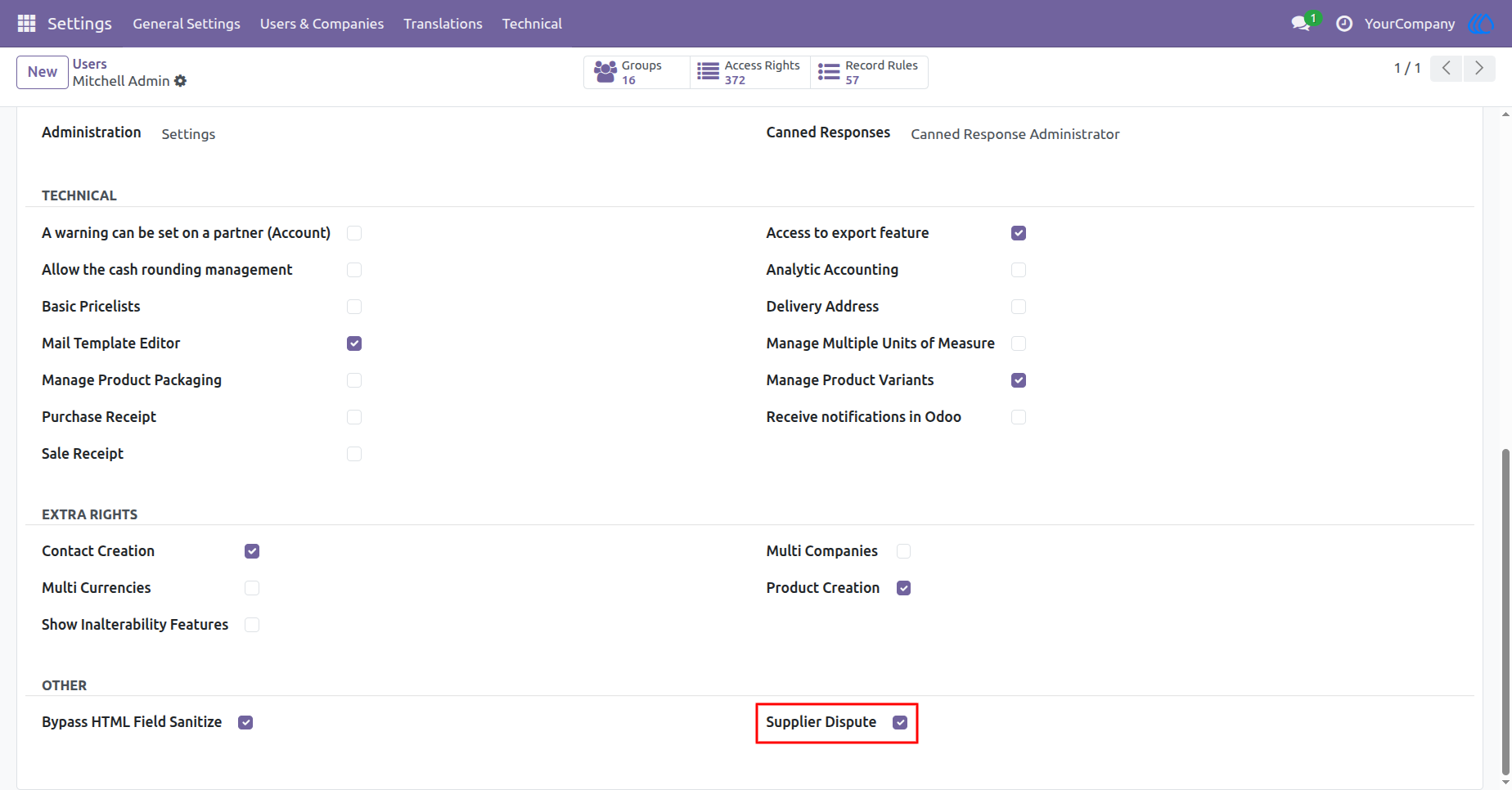
1.) Supplier Dispute Access Rights
Set user permissions to allow who can see or manage supplier disputes in the system.
Navigation : Settings › Users & Companies › Users
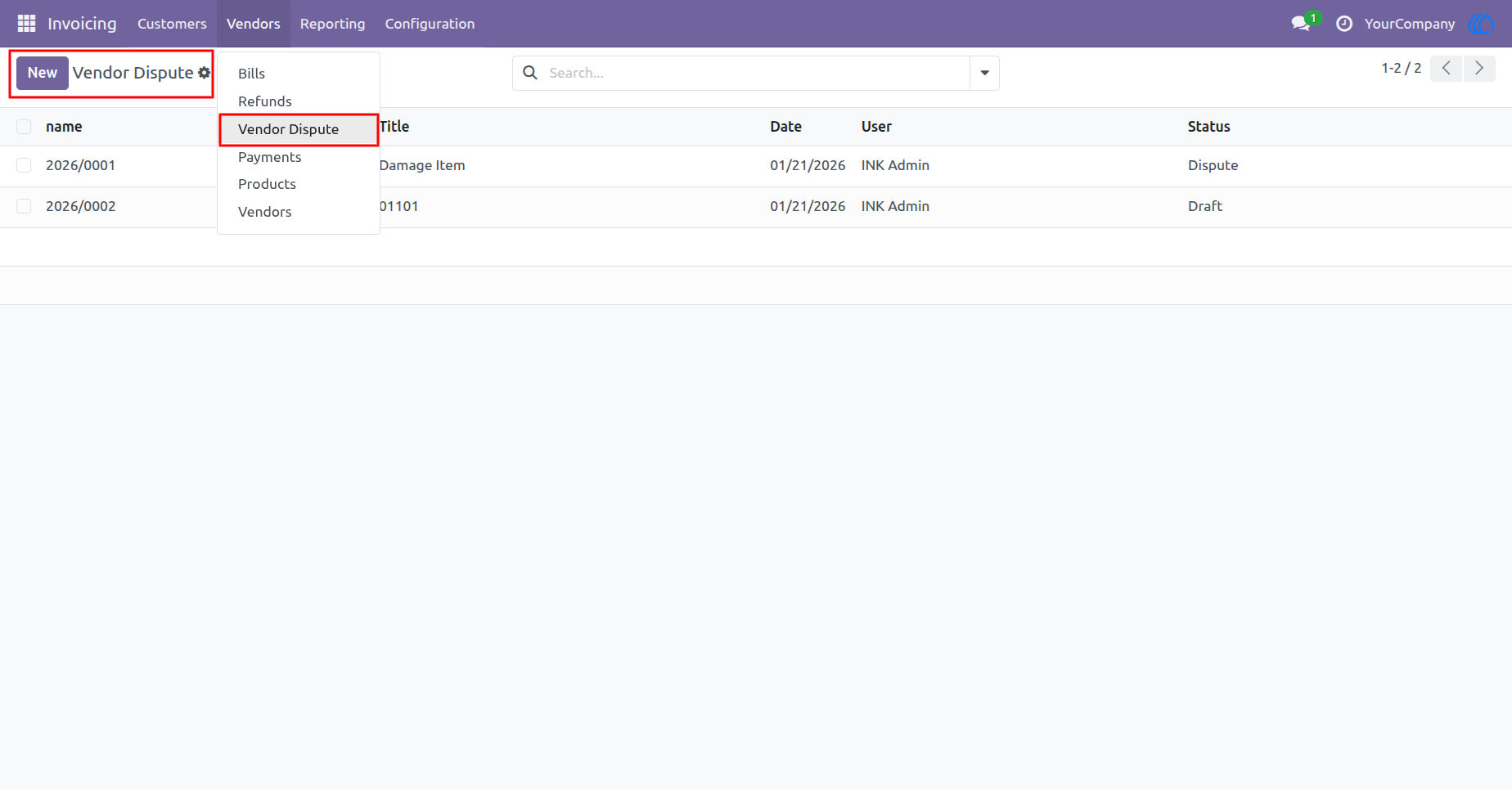
2.) Vendor Dispute Menu
This menu option allows you to open the Vendor Dispute section, where you can view and manage all supplier dispute records linked to vendor bills.
Navigation : Invoicing › Vendors › Vendor Dispute
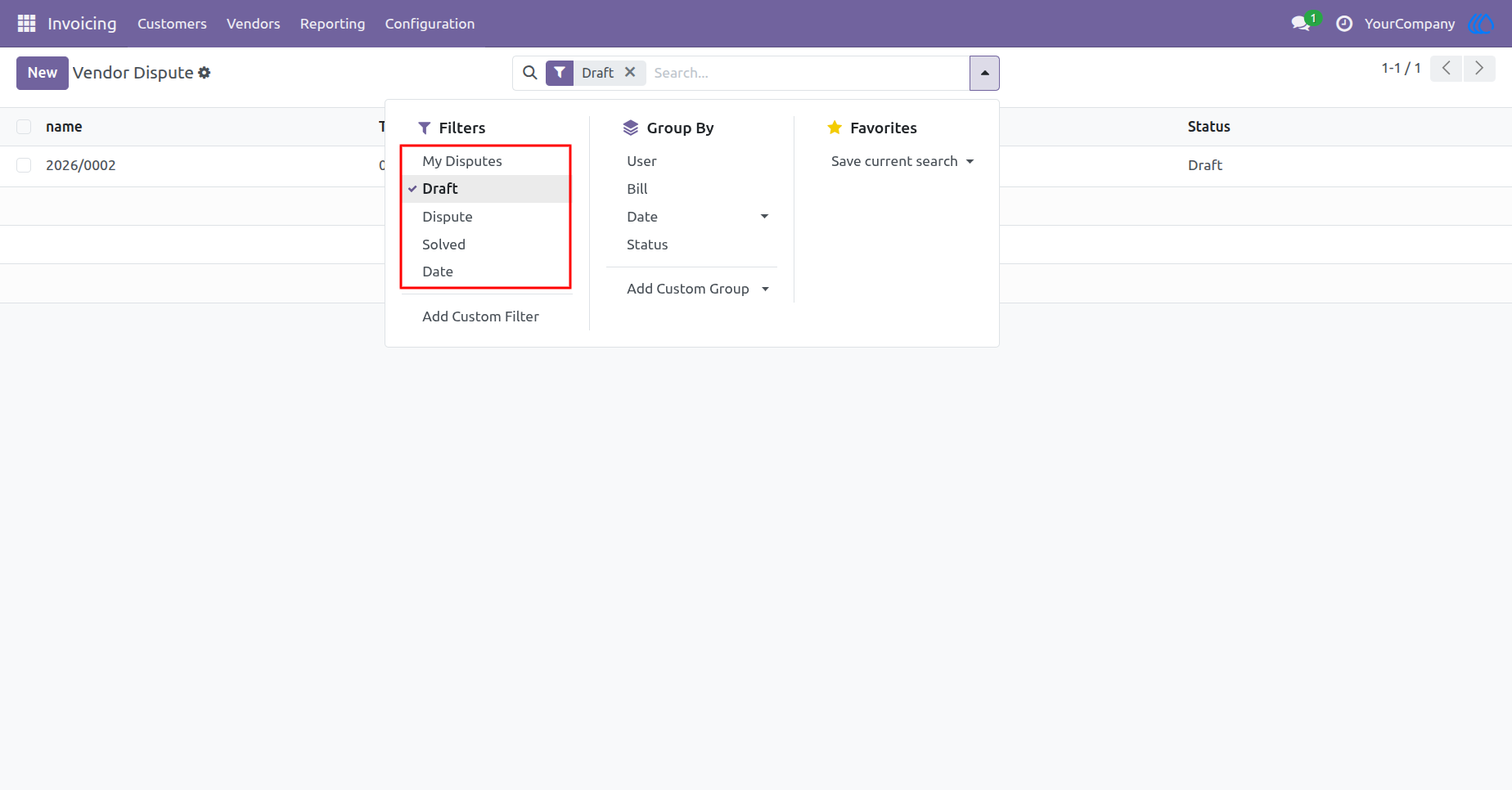
3.) Filter Options in Vendor Dispute
Quickly find disputes using filters like My Disputes, Draft, Dispute, Solved, and Date to manage records more efficiently.
Navigation : Invoicing › Vendors › Vendor Dispute
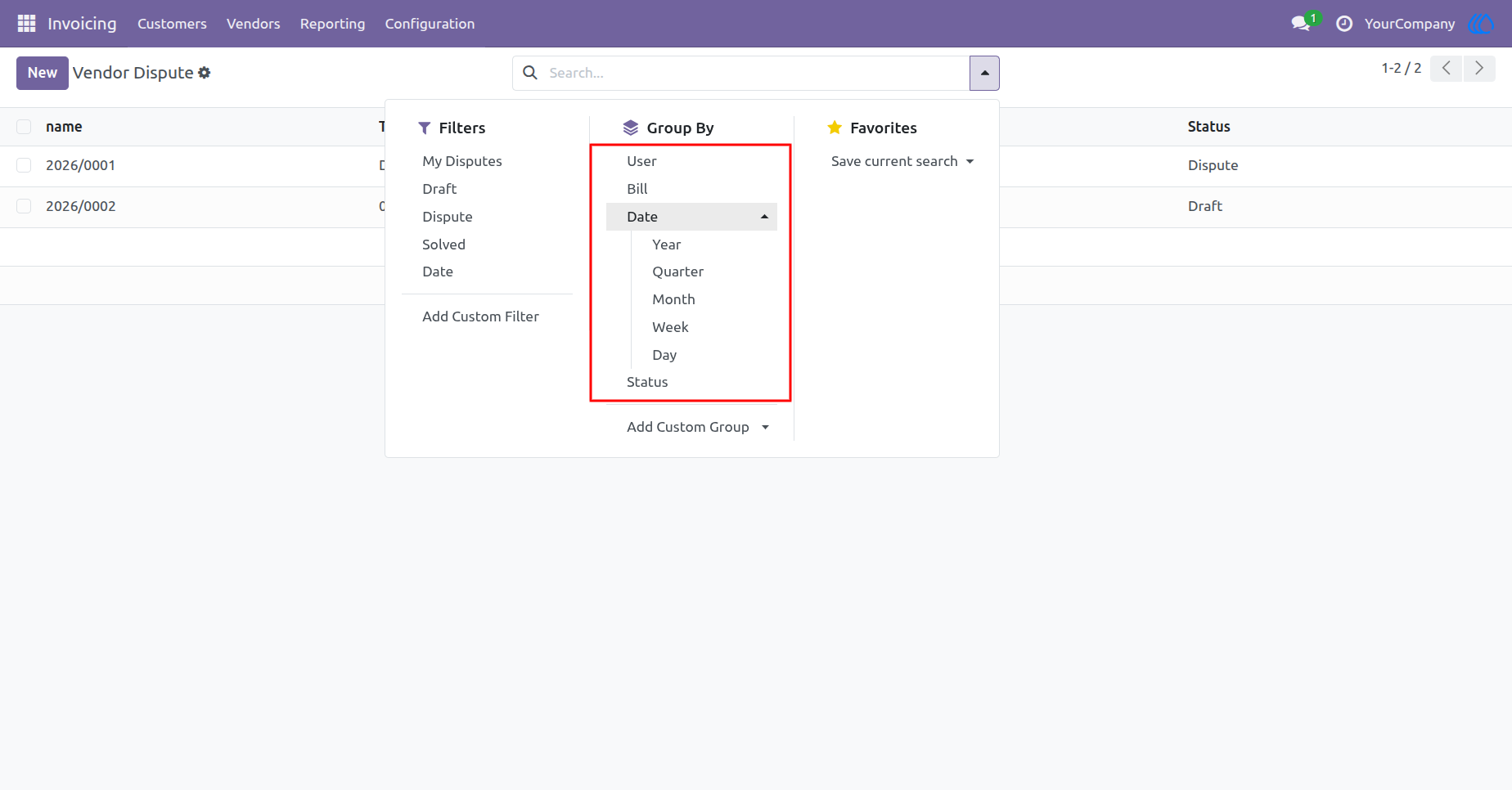
4.) Group By Options in Vendor Dispute
Easily organize disputes by User, Bill, Date, or Status to view and manage records in a more structured way.
Navigation : Invoicing › Vendors › Vendor Dispute
5.) Vendor Dispute - Detailed View
This view shows full details of a selected vendor dispute, including title, description, bill number, and date. You can update the status from Draft to Dispute or Solved using the top buttons. Use the Dispute button to move the record into dispute status.
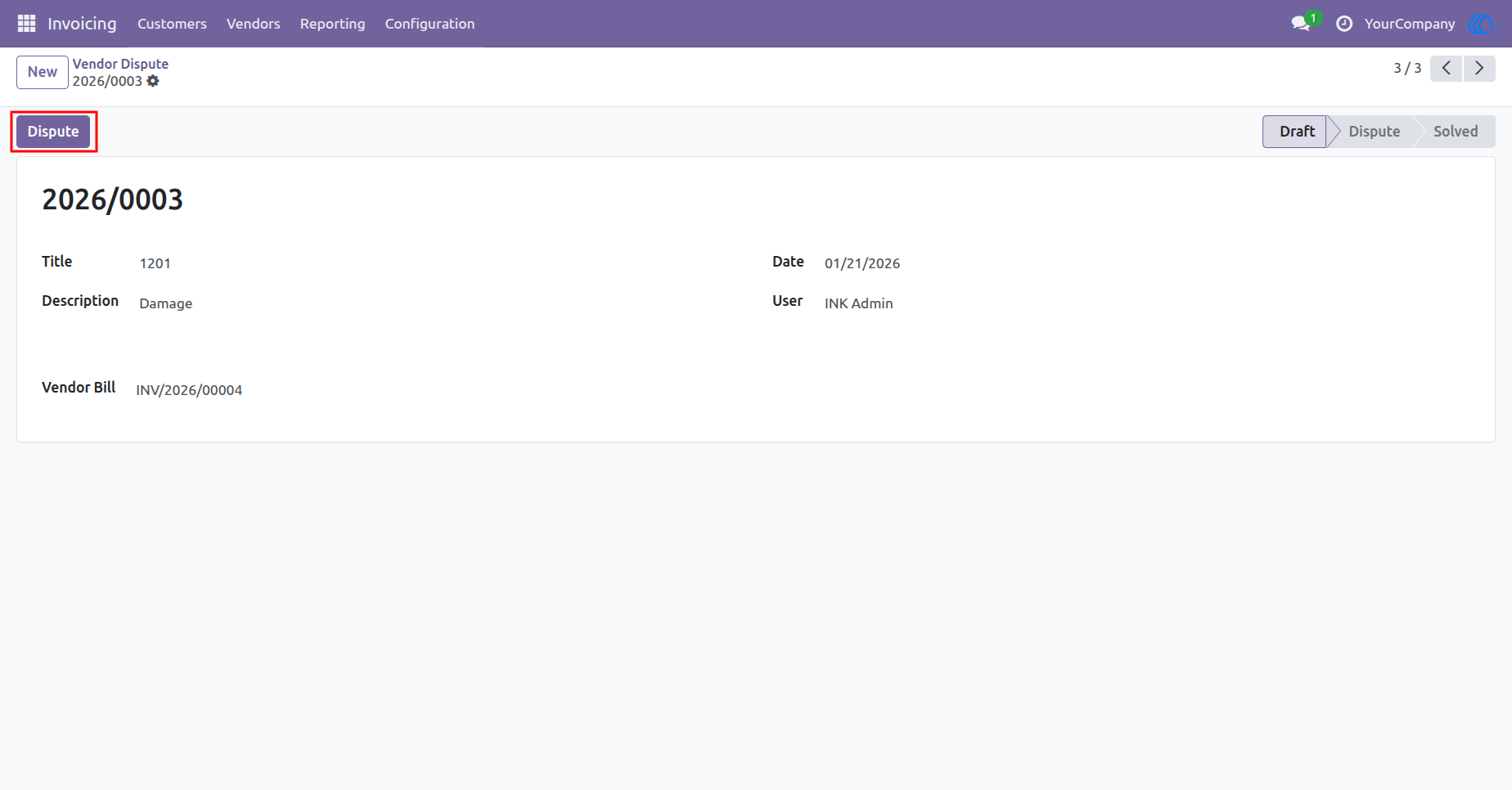
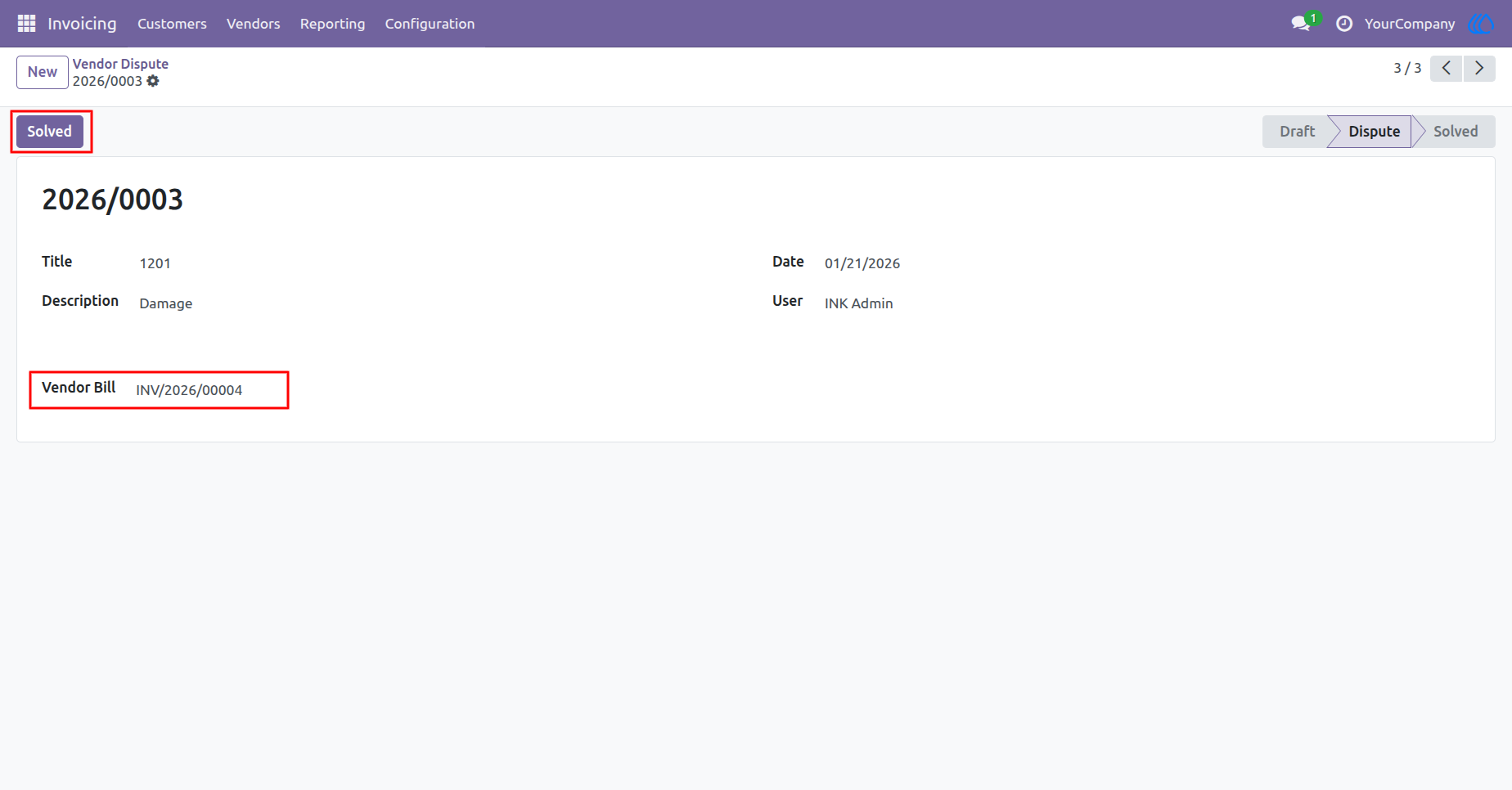
6.) Vendor Dispute - After Clicking "Dispute"
Once the Dispute button is clicked, the status updates from Draft to Dispute. This indicates that the issue is now under review. The Solved button becomes visible, and the linked Vendor Bill can be accessed directly.
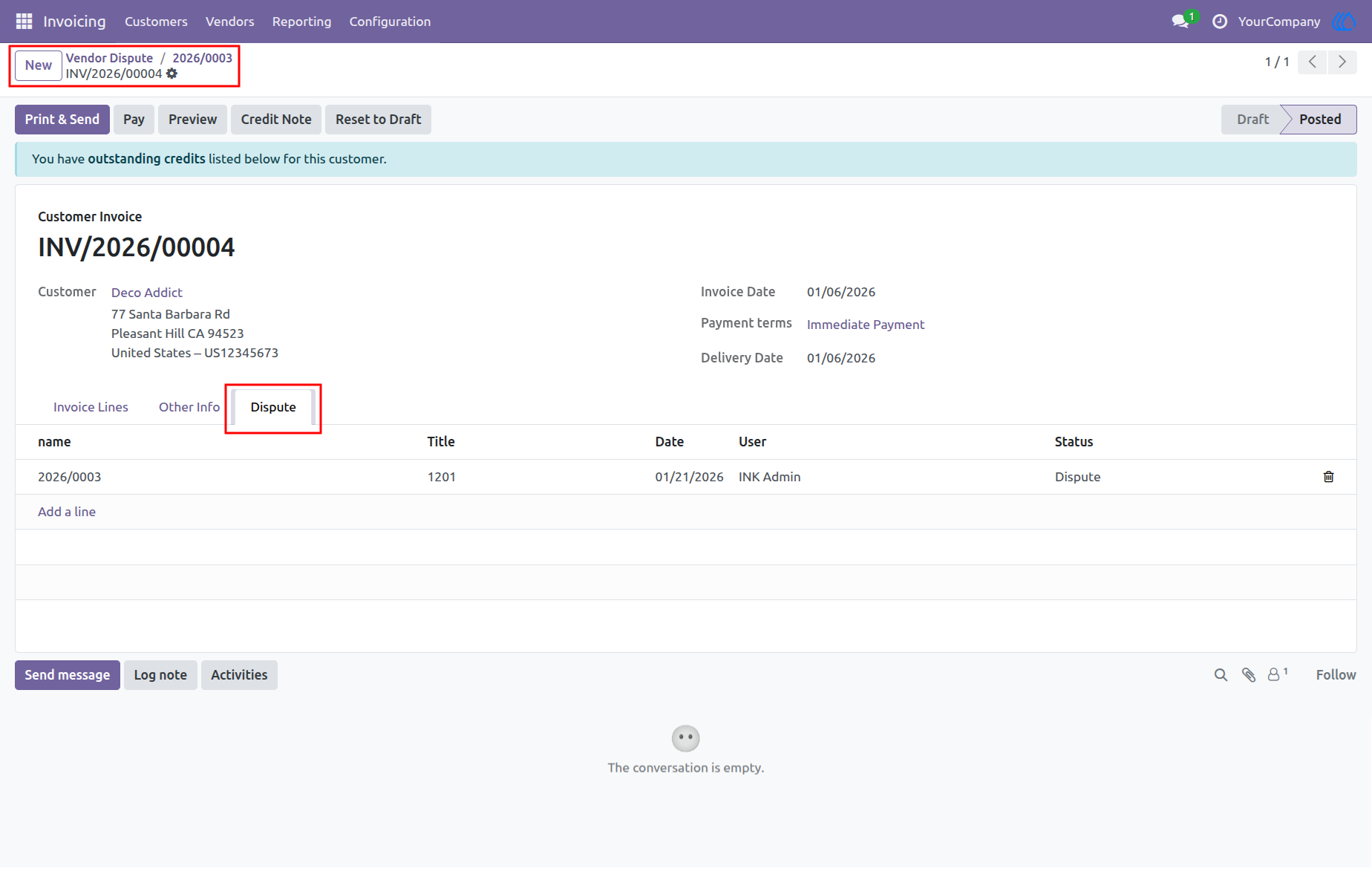
7.) Linked Vendor Bill Dispute View
From the invoice view, the Dispute tab displays all related vendor disputes. Each dispute entry shows the title, linked vendor bill, date, user, and current status. This allows easy tracking and management of disputes directly from the invoice.
Navigation : Invoicing › Vendors › Vendor Dispute › Vendor Bill
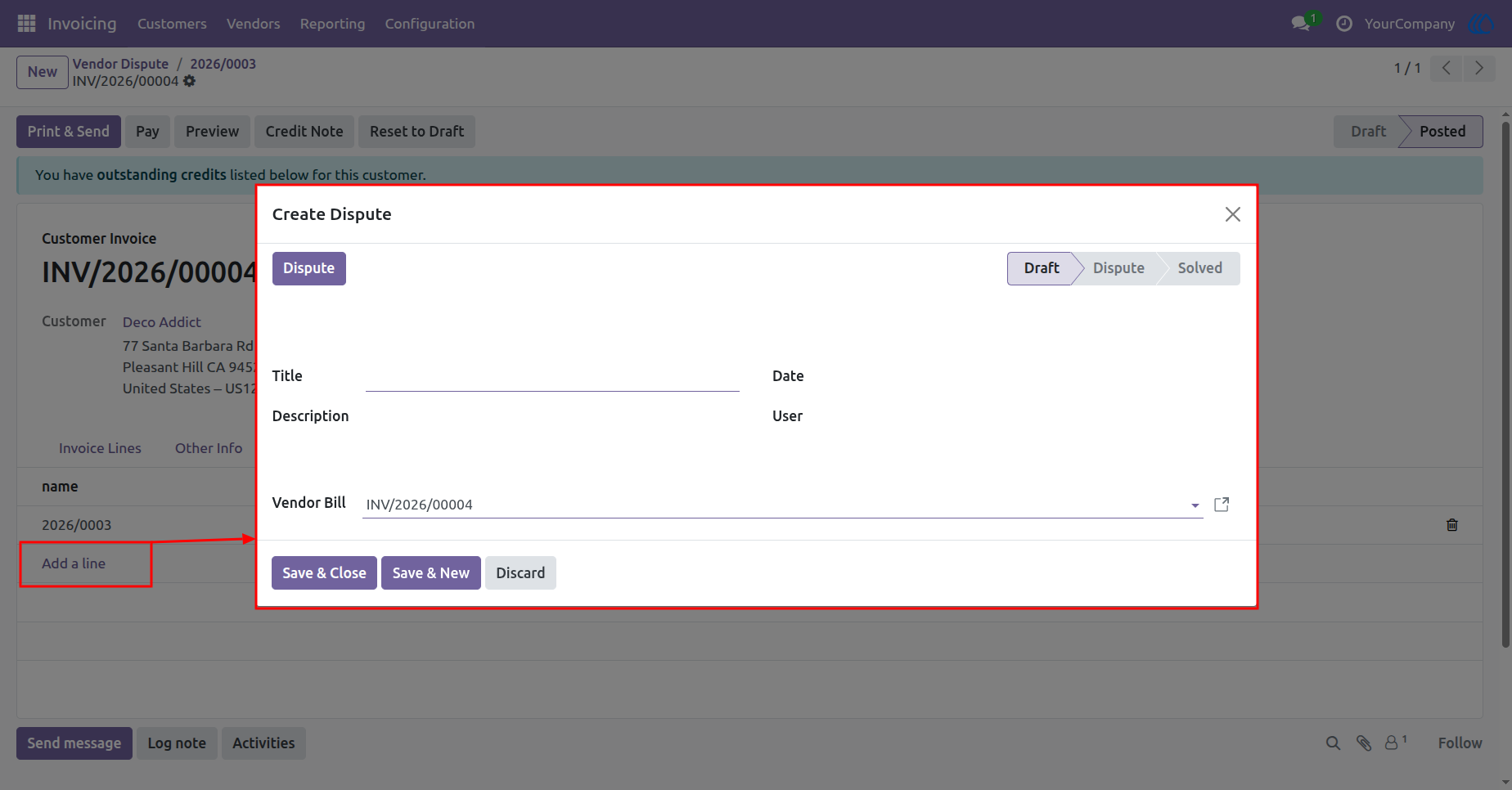
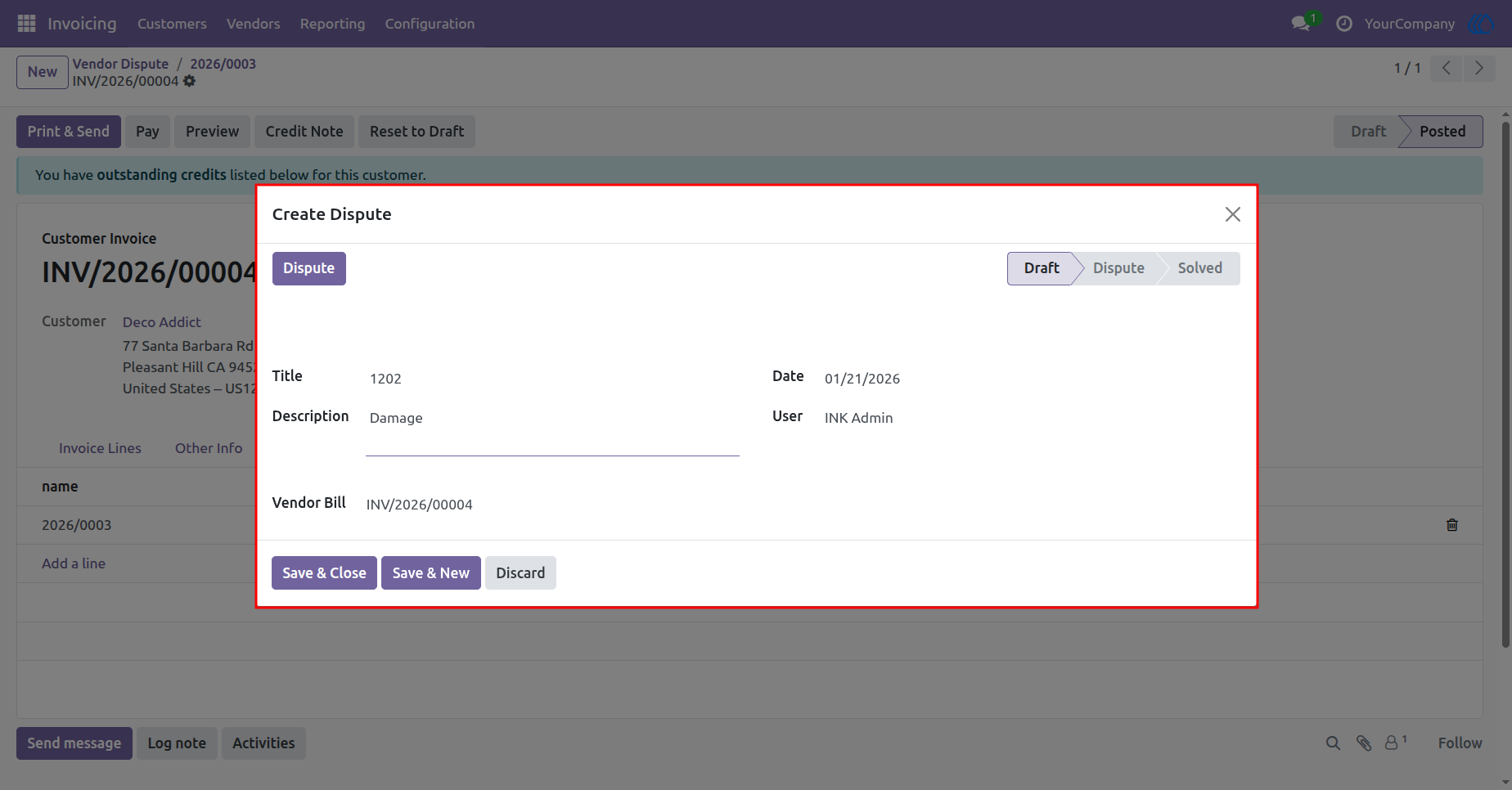
8.) Create Vendor Dispute from Invoice
Clicking "Add a line" under the Dispute tab opens a form to create a new vendor dispute. You can enter the title, description, and the related vendor bill. The dispute starts in Draft status and can be updated to Dispute or Solved.
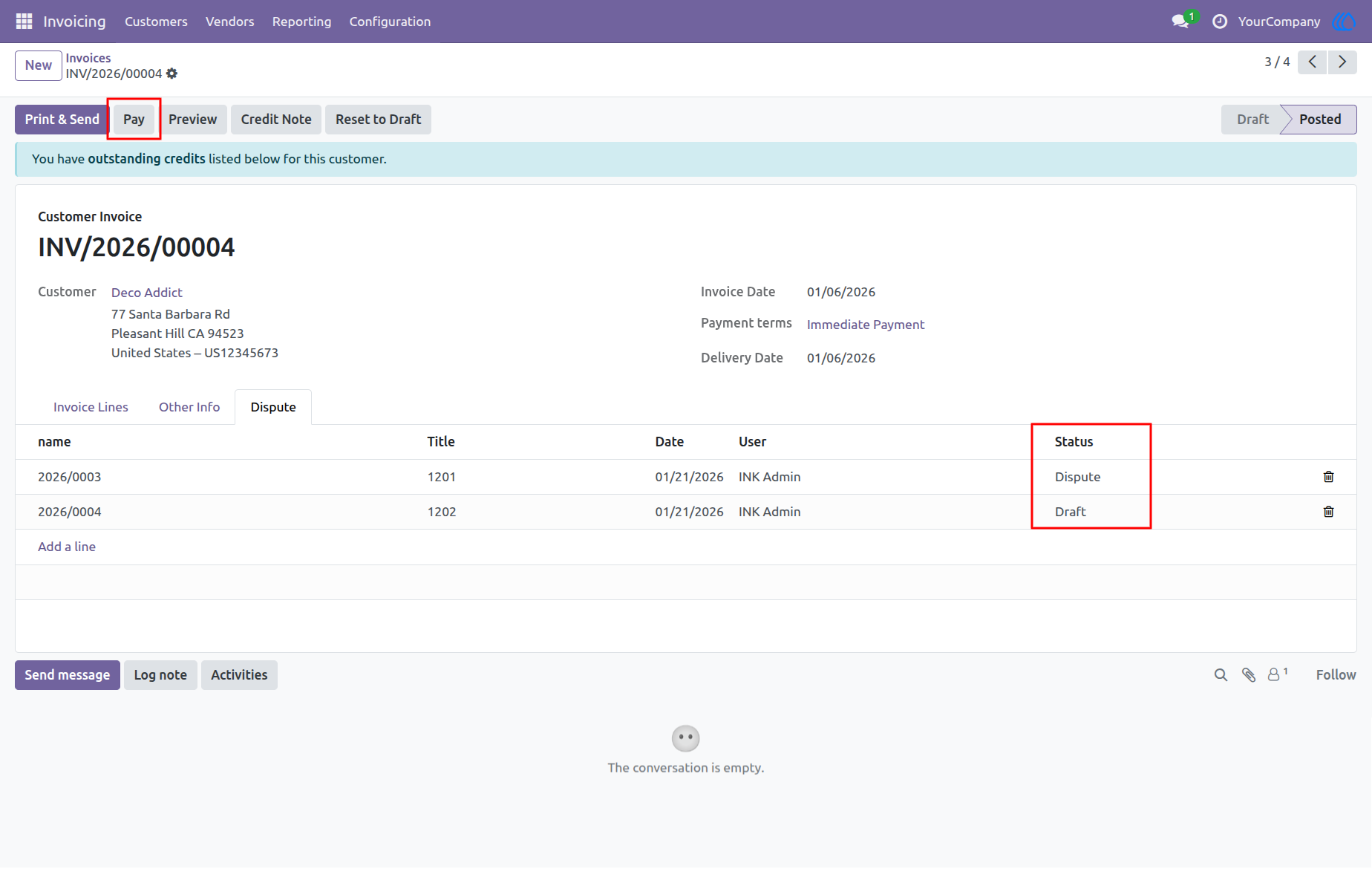
9.) View and Update Dispute Record
You can view all disputes linked to the invoice in a list format. Click on any record to edit its details. Update the status from Draft to Dispute or Solved as needed.
10.) Prevent Payment with Unresolved Disputes
Before clicking Register Payment, ensure that all linked disputes are marked as Solved. If any dispute is still in Dispute status, the system will show an error to avoid proceeding with payments on contested invoices.
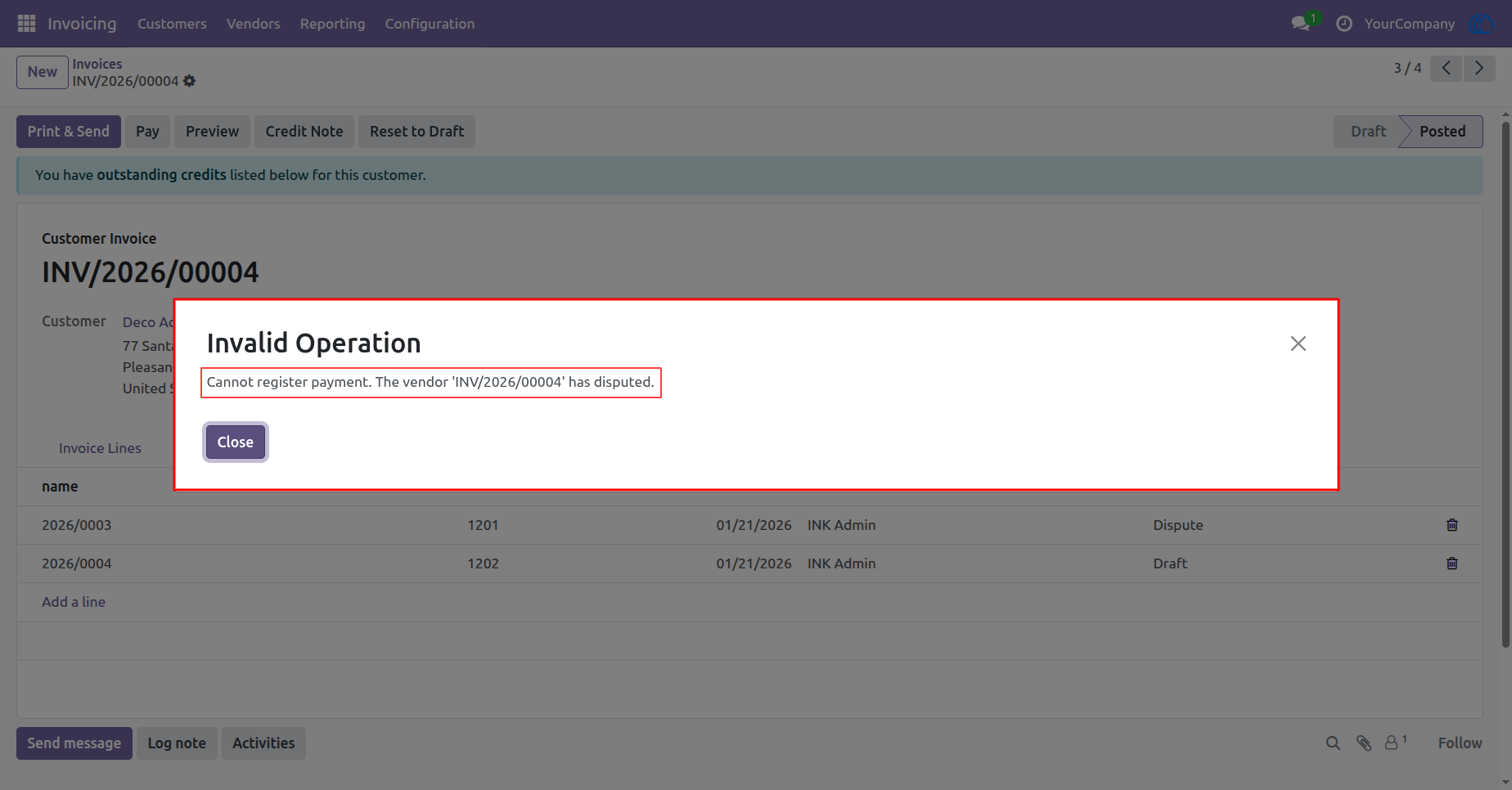
11.) Payment Blocked - Invoice Under Dispute
You cannot register payment for this invoice because it has an unresolved dispute. The system prevents payment until the dispute status is marked as Solved. Please update the dispute to proceed with the payment.
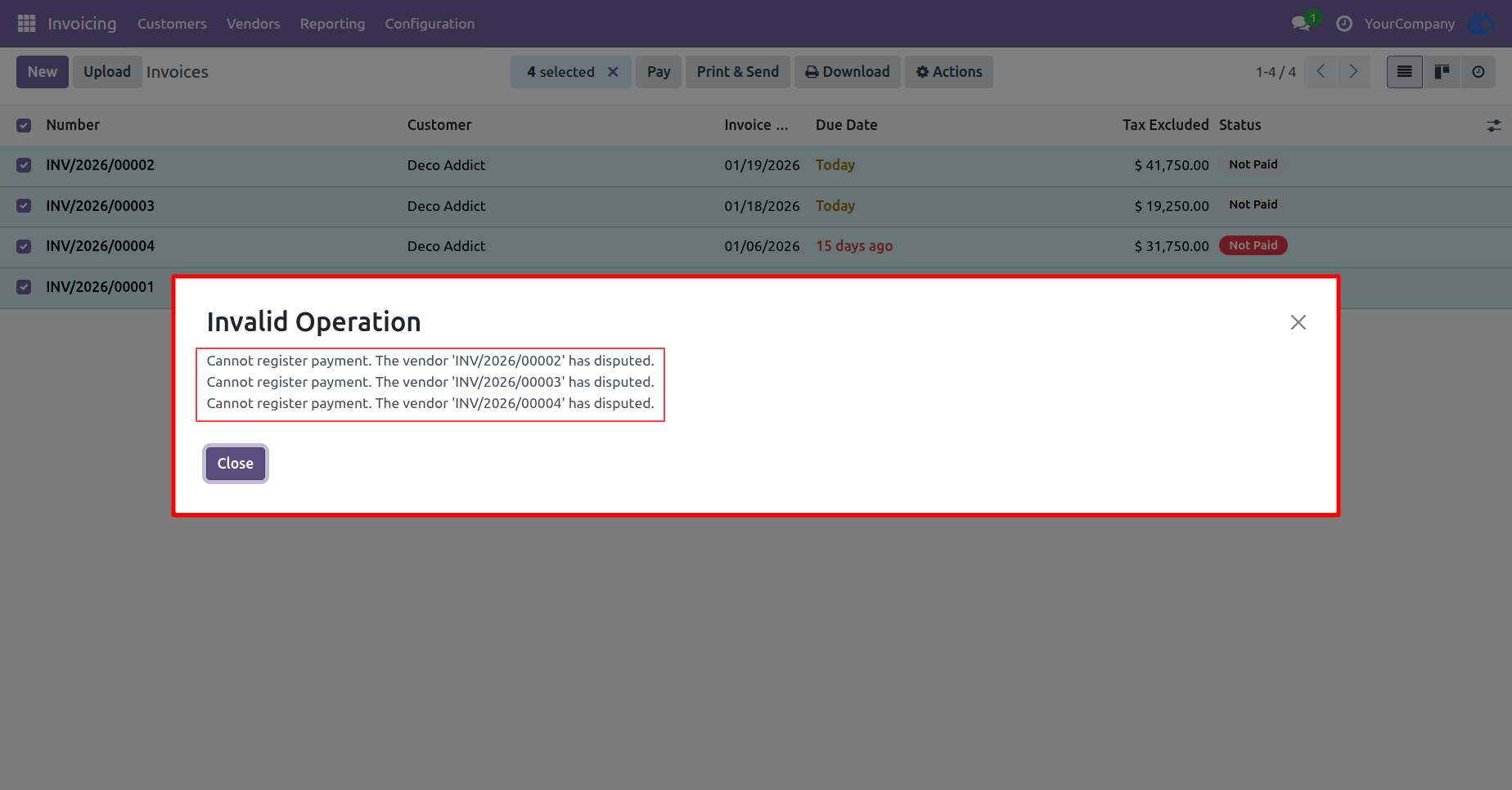
12.) Payment Blocked - Multiple Invoices Have Disputes
You cannot register payments because some selected invoices have unresolved disputes. The system shows an error for each invoice still marked as Dispute. Please resolve all disputes before attempting bulk payment.
Navigation : Invoicing › Invoice List View
User Guide