

Our Most Suggested Products


Fleet Management & Multi-Image Upload App
The Fleet Management & Multi-Image Upload App is a dedicated solution designed to support accurate visual documentation and organization of vehicle data. It enables fleet managers to upload, classify, and maintain multiple images for each vehicle, ensuring clear visibility into vehicle condition and details across the entire fleet. The interface is intuitive and efficient, making vehicle image management both practical and accessible.
 Features
 Screenshots
 Support
 Service
Features
Multiple Image Upload
The Fleet Multi Images module makes it easy to upload multiple images for each vehicle. Capture various views such as the engine, exterior, and interior, and store them in one place for easy reference.
Image Management and Customization
It simple to manage and customize vehicle images. You can name, preview, edit, or delete images as needed, ensuring that your vehicle data is well-organized and easily accessible.
Screenshot
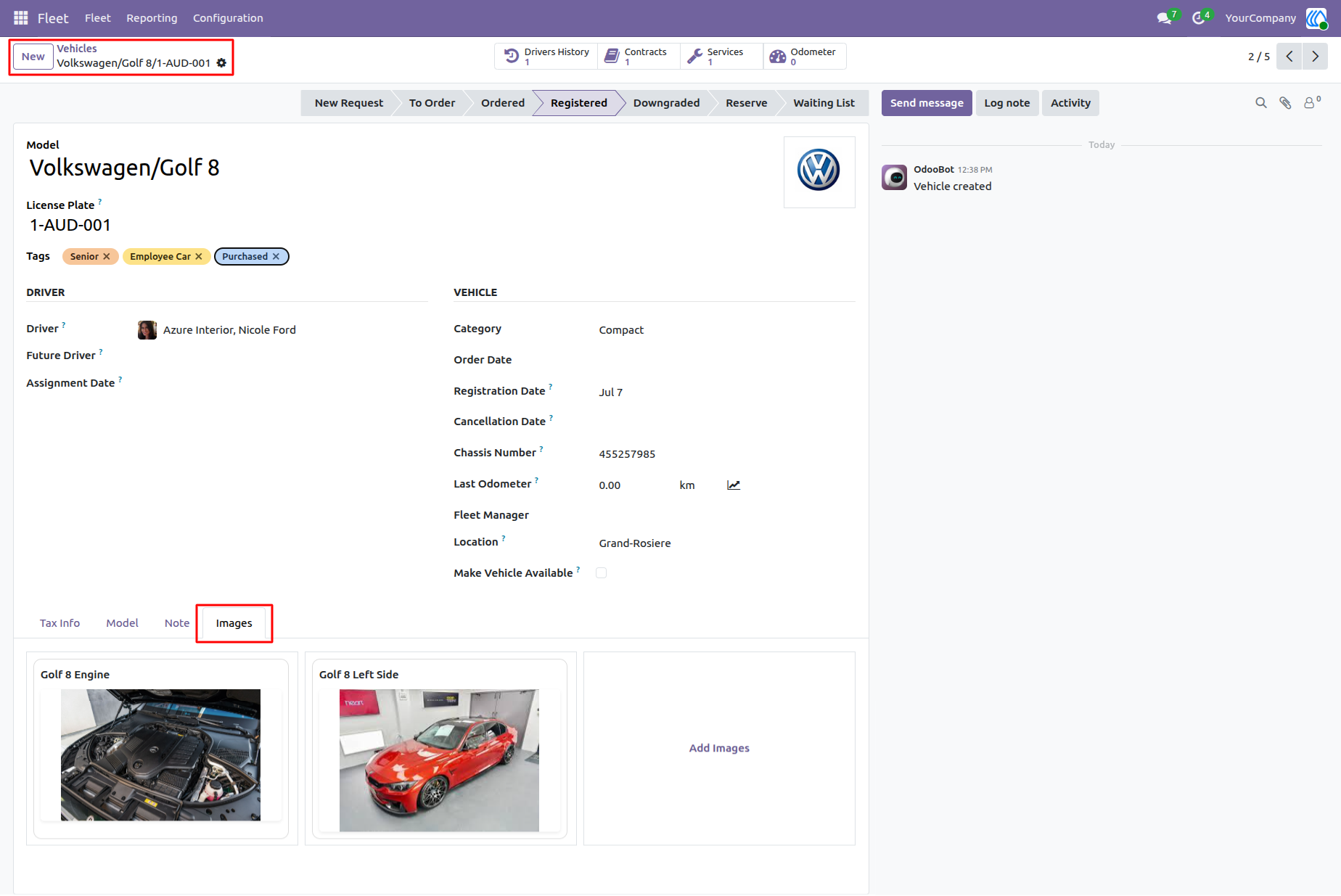
1.) Vehicle Details and Image Upload
The Fleet Multi Images module makes it simple to manage vehicle data and upload multiple images for each vehicle. In the Vehicle section, you can access the vehicle profile, add necessary information like driver, location, and odometer readings, and upload images to showcase different views of the vehicle.
Navigation : Fleet › Vehicles
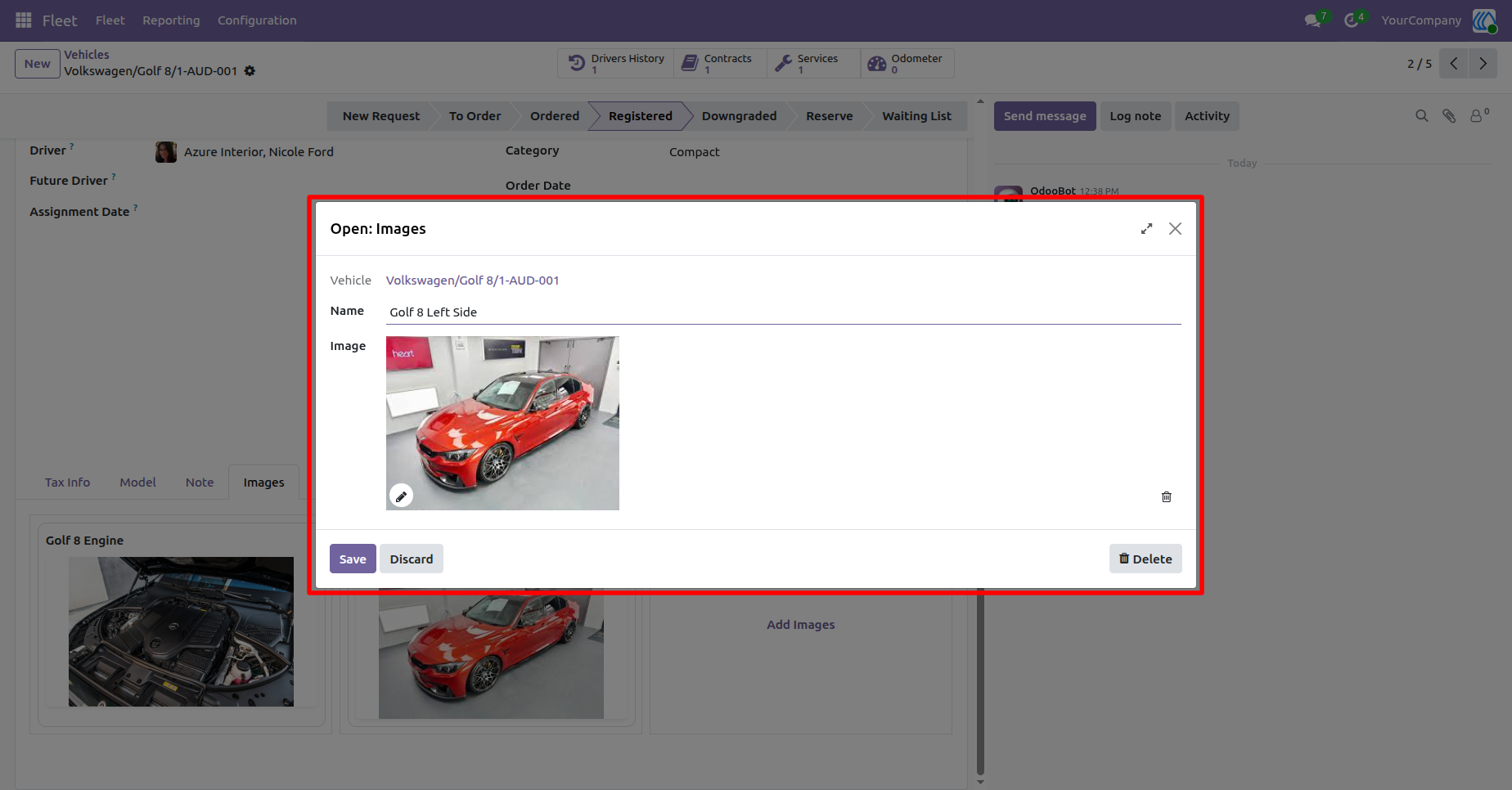
2.) Image Management and Customization
Once images are uploaded, the system allows for easy customization. You can view and edit the images for better organization. For example, you can assign names like "Golf 8 Engine" or "Golf 8 Left Side" to clearly label each image.
Navigation : Fleet › Vehicles
User Guide