

Our Most Suggested Products


Ecommerce Category Management in Multi Website
This application enables categories to be linked with multiple websites, providing flexibility in product visibility across different platforms. Categories can be displayed selectively, ensuring that only relevant sections appear on chosen websites while maintaining a clean browsing experience. A bulk update option simplifies assigning categories to websites, reducing manual effort and improving efficiency. An additional boolean field offers control to hide categories completely from all websites when activated, ensuring precise catalog management. Overall, the module streamlines category handling, saves time, and enhances productivity across diverse online environments.
Video Tutorial
 Features
 Screenshots
 Support
 Service
Features
Mass Update :
Update multiple categories at the same time with our efficient mass update feature. Whether you are managing large inventories or making bulk changes, this tool speeds up the process significantly. It reduces manual work and ensures smooth, accurate updates across your store.
Boolean Hide Control :
A boolean field provides complete control to hide categories from all websites when activated. This ensures precise catalog management and prevents irrelevant sections from appearing anywhere online.
Select Multiple Websites :
Easily assign a single category to multiple websites at once, giving you full flexibility in managing product visibility. This feature saves time and effort by eliminating the need for repetitive setups. With just a few clicks, you can keep your product catalog consistent across different platforms.
Hide Categories :
Control what your customers see by hiding categories on websites where they are not selected. If no website is linked, the category will still display by default, ensuring a seamless browsing experience. This gives you more control over product visibility while keeping the storefront clean and relevant.
Screenshot
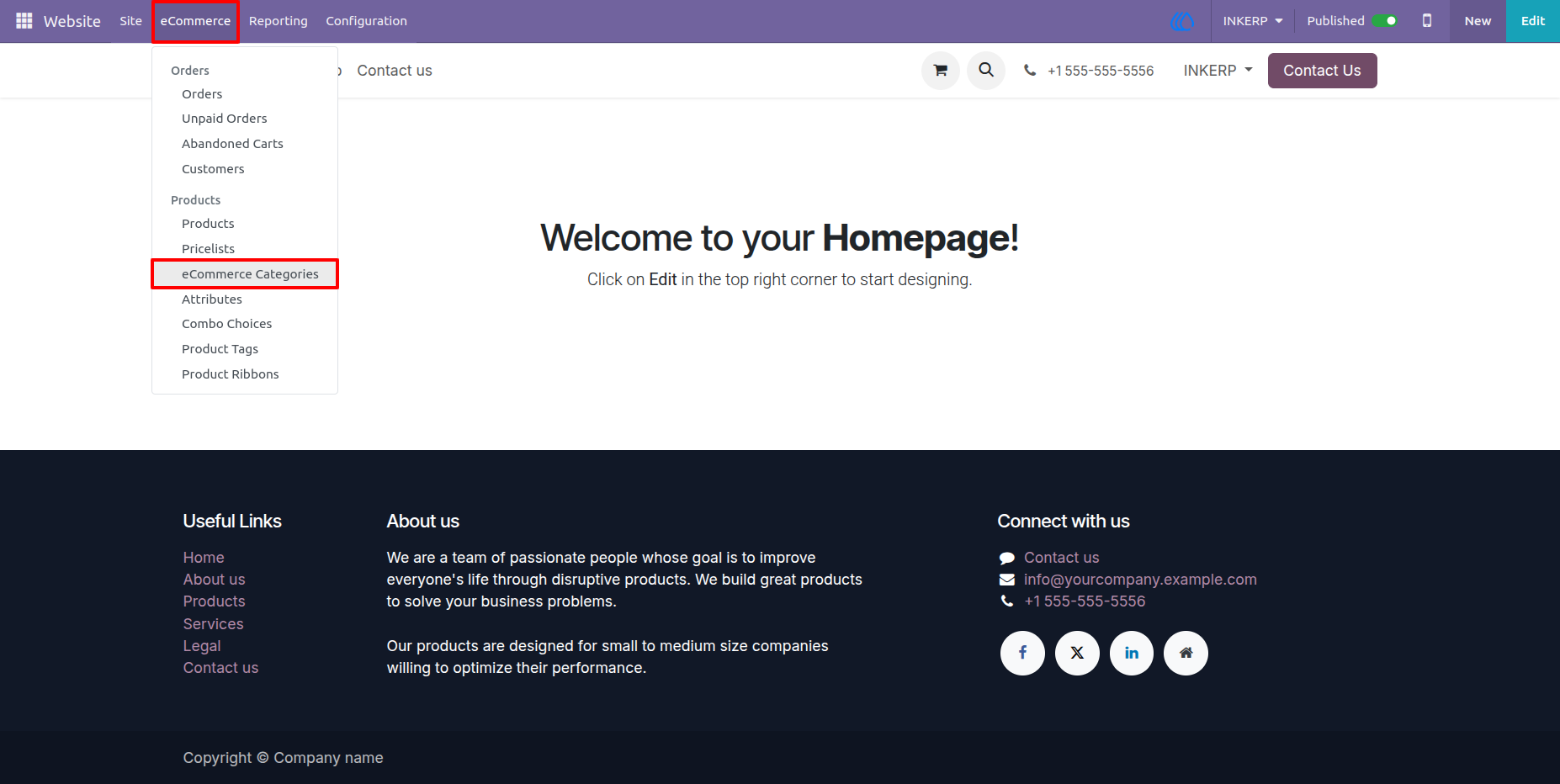
1.) Go To eCommerce Categories To Configure :
Navigation : Website › eCommerce › eCommerce Categories
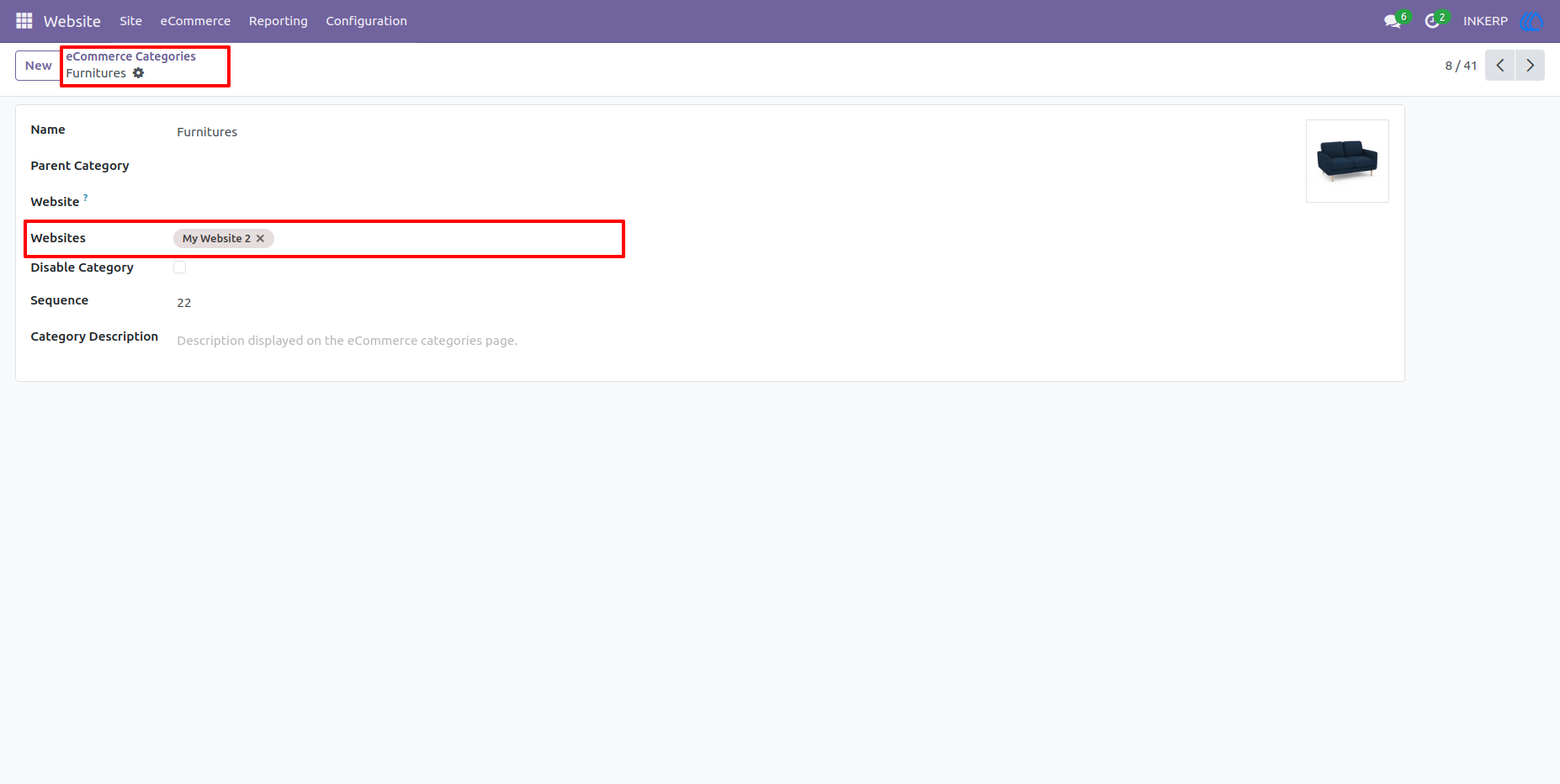
2.) Configure Websites In Websites :
Note : Avoid use default fealt to use functionality of multi website.
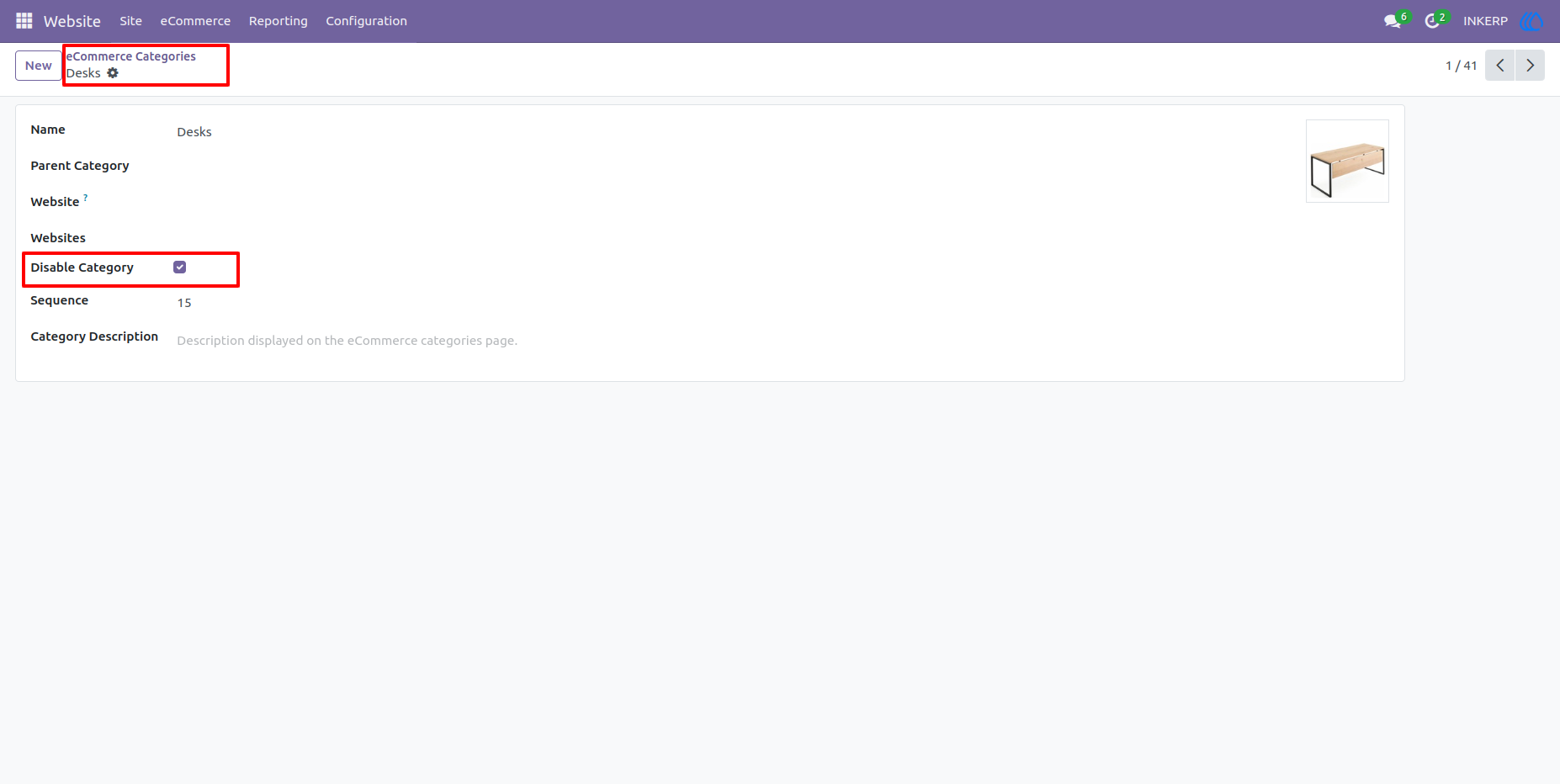
3.) Enable Configuration "Disable Category" :
If this configuration is enable then category not display on Website.
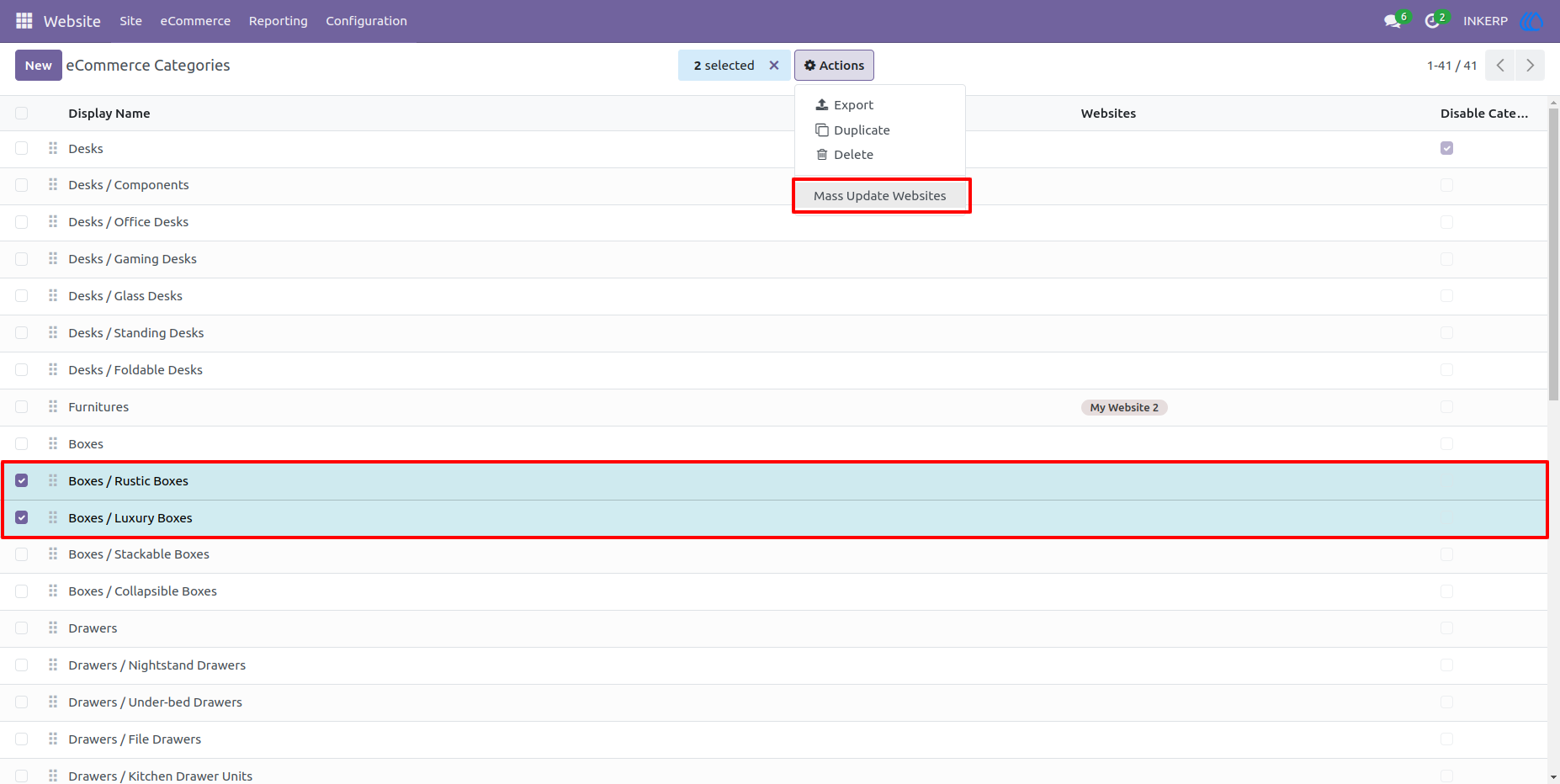
4.) Mass Update Website :
Select categories or sub categories to mass configure Multiple Website and Disable Category.
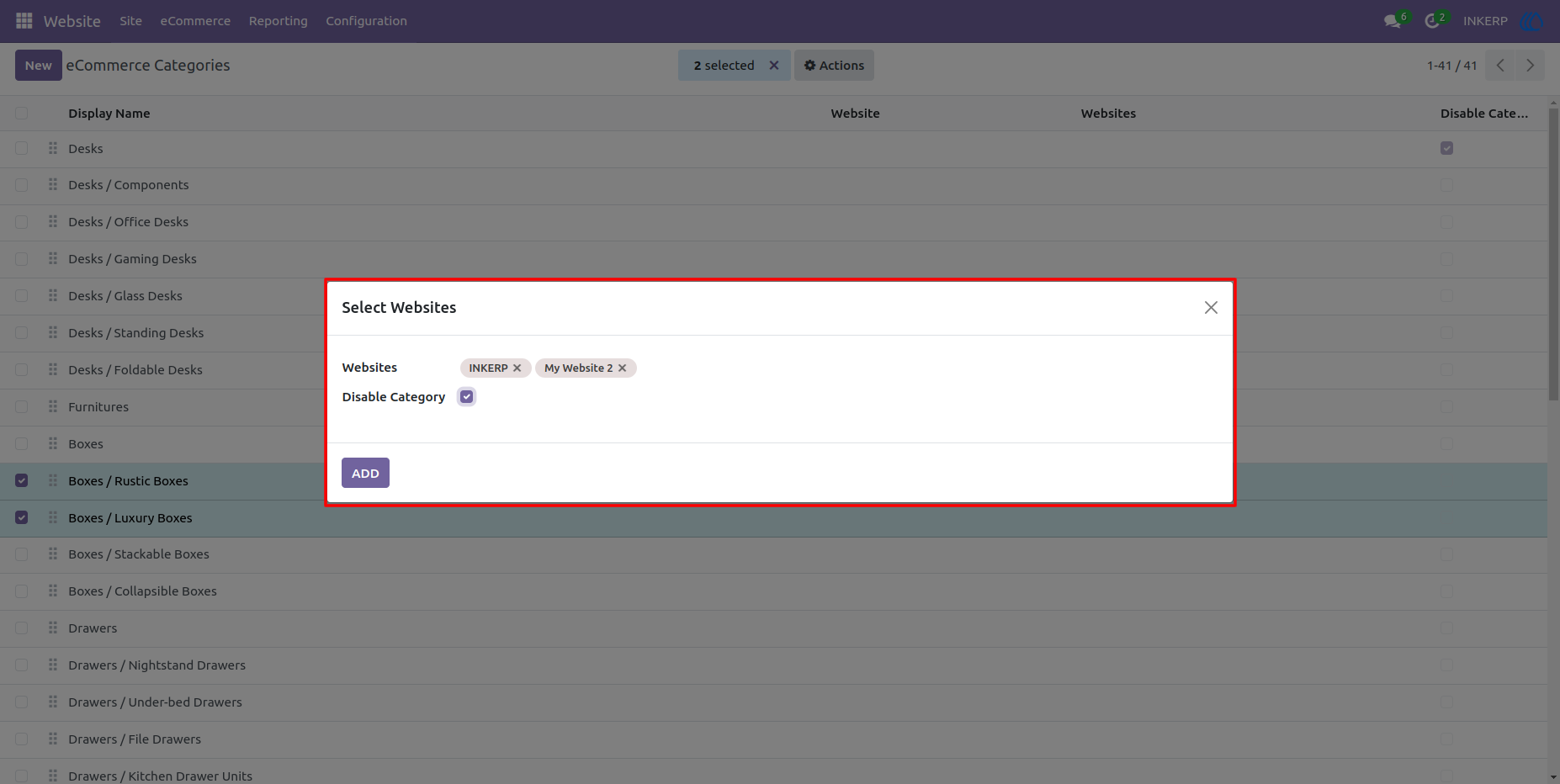
5.) Wizard For Mass Configure Multi Website :
Set Websites and Disable Category according to requirement.
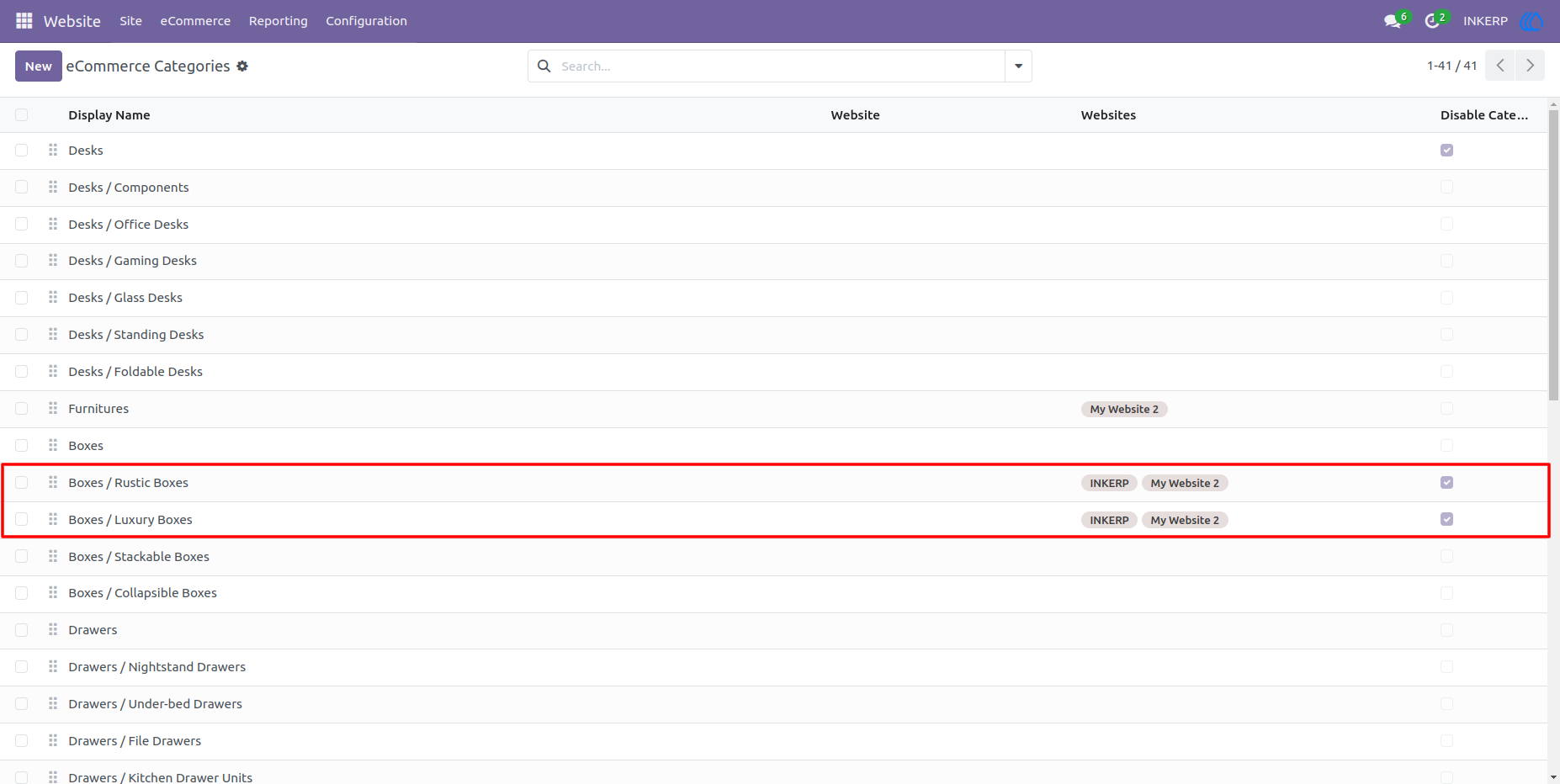
6.) Mass Configure Effect :
Note : This module works with arent and child category individually. So if want to hide child category only not parent then configure it according to that.
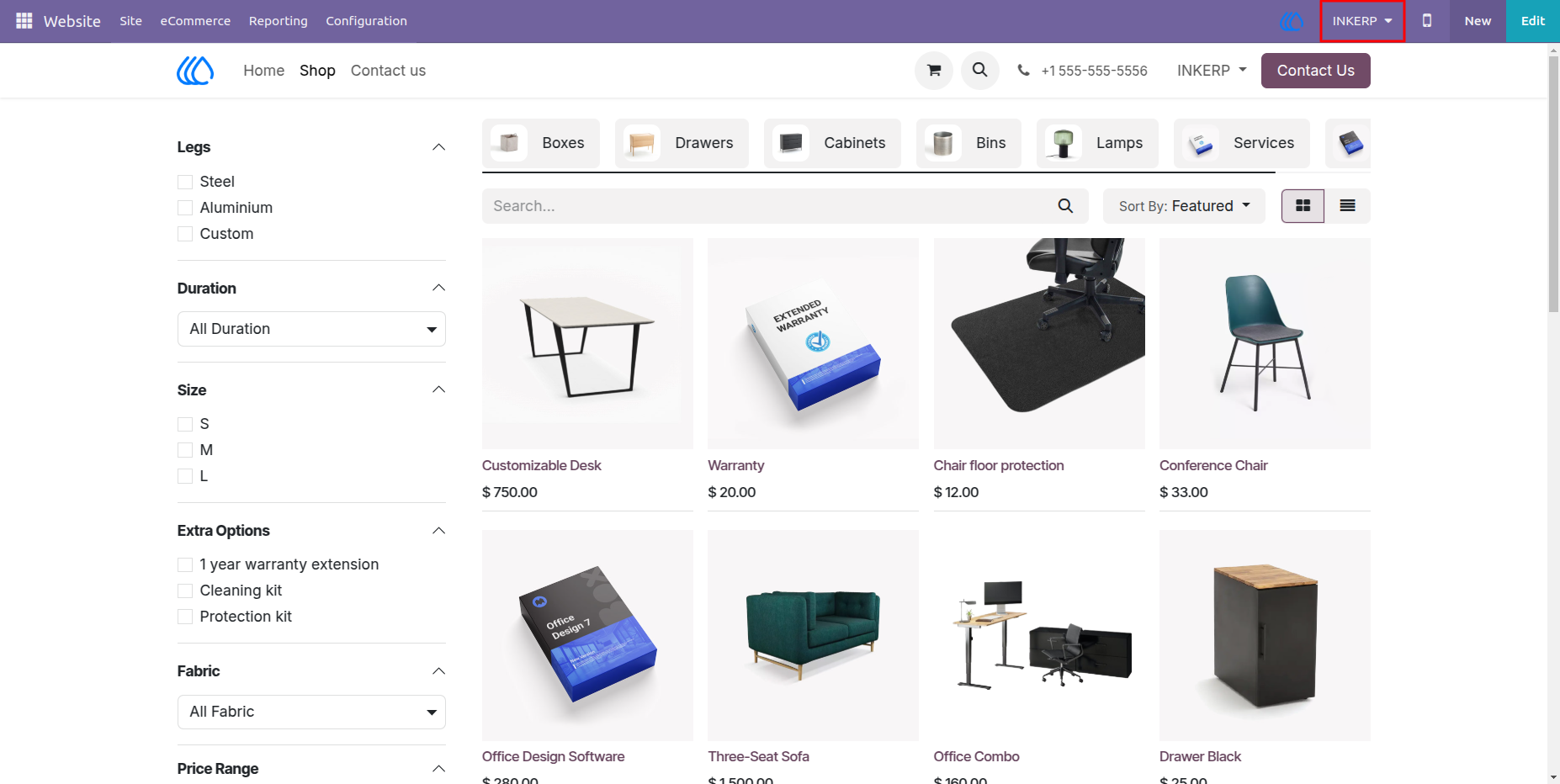
7.) Category View On Website :
Categories display on website as per configuration .
Category display on selected website only and also that categories which are not configuired are also display by default.
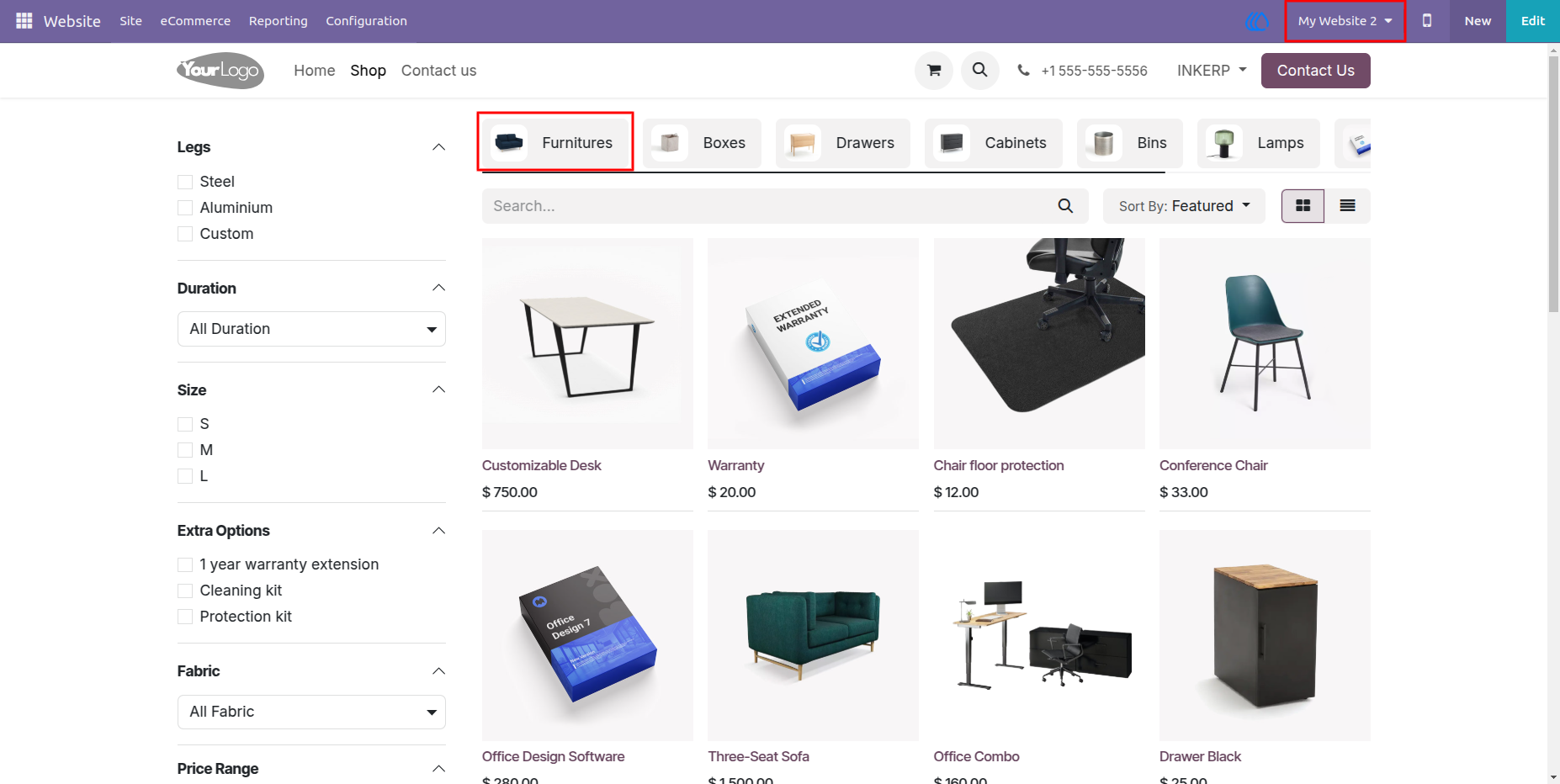
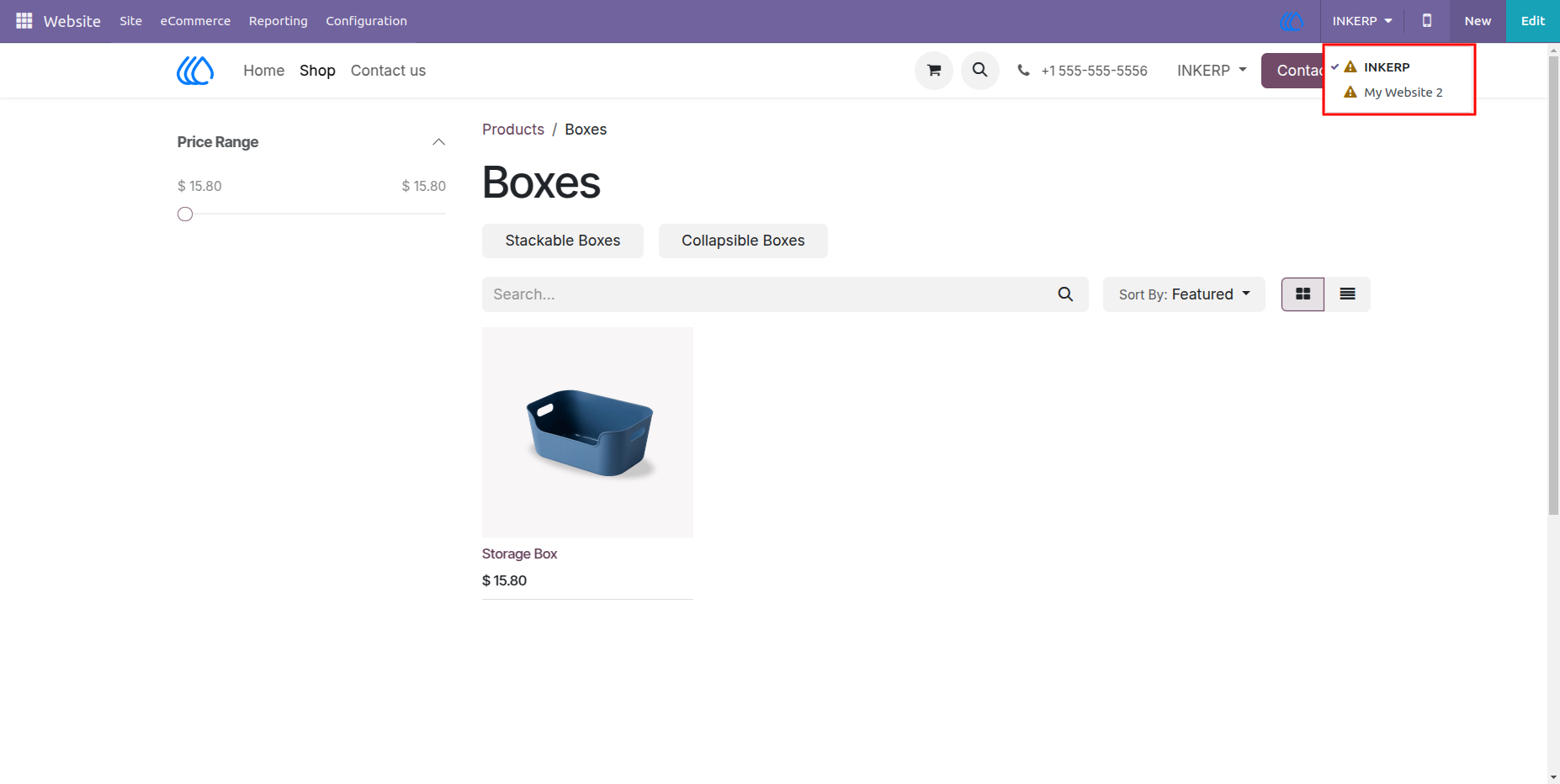
8.) Category Hide In Not Configuired Website :
9.) Disable Category Or Sub Category :
Category or sub category which are configuired as Disable Category are not display on any of the website.
User Guide