

EXCLUSIVE CUSTOMER BENEFITS
FREE INSTALLATION
& 90 DAYS FREE SUPPORT!
No worries about installation! This module comes with free installation assistance and 90 days of free support, helping you get started smoothly and confidently.
✦ COMPLIMENTARY INSTALLATION & SUPPORT ✦
MORE VALUE • LESS HASSLE • A BETTER START
Our Most Suggested Products


Duplicate Product with BOM
Bills of Materials are automatically cloned the moment you create a product copy, ensuring the new item inherits the exact production structure of the original. This process eliminates manual data entry while preventing configuration errors during the creation of similar product variants. By automating these essential tasks, the module significantly boosts operational efficiency and streamlines your manufacturing workflow.
 Features
 Screenshots
 Support
 Service
Features
Automated BoM Cloning
Bills of Materials are automatically duplicated the moment you create a product copy. This ensures the new product immediately inherits the exact production structure and component list of the original, significantly reducing manual data entry.
Screenshot
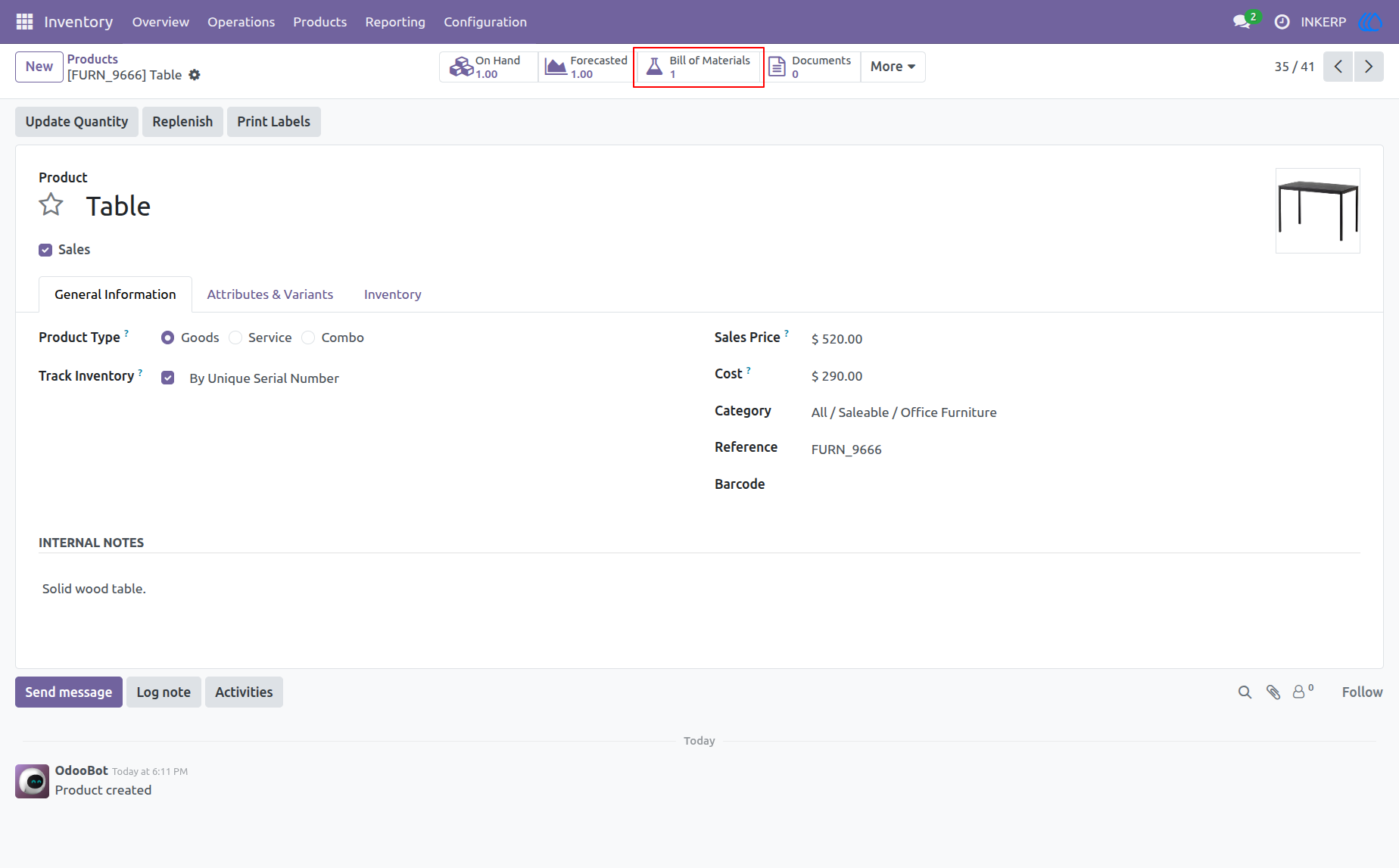
1.) Original Product View
This view displays the product "Table" before duplication, showing an existing Bill of Materials count.
Navigation : Inventory › Products
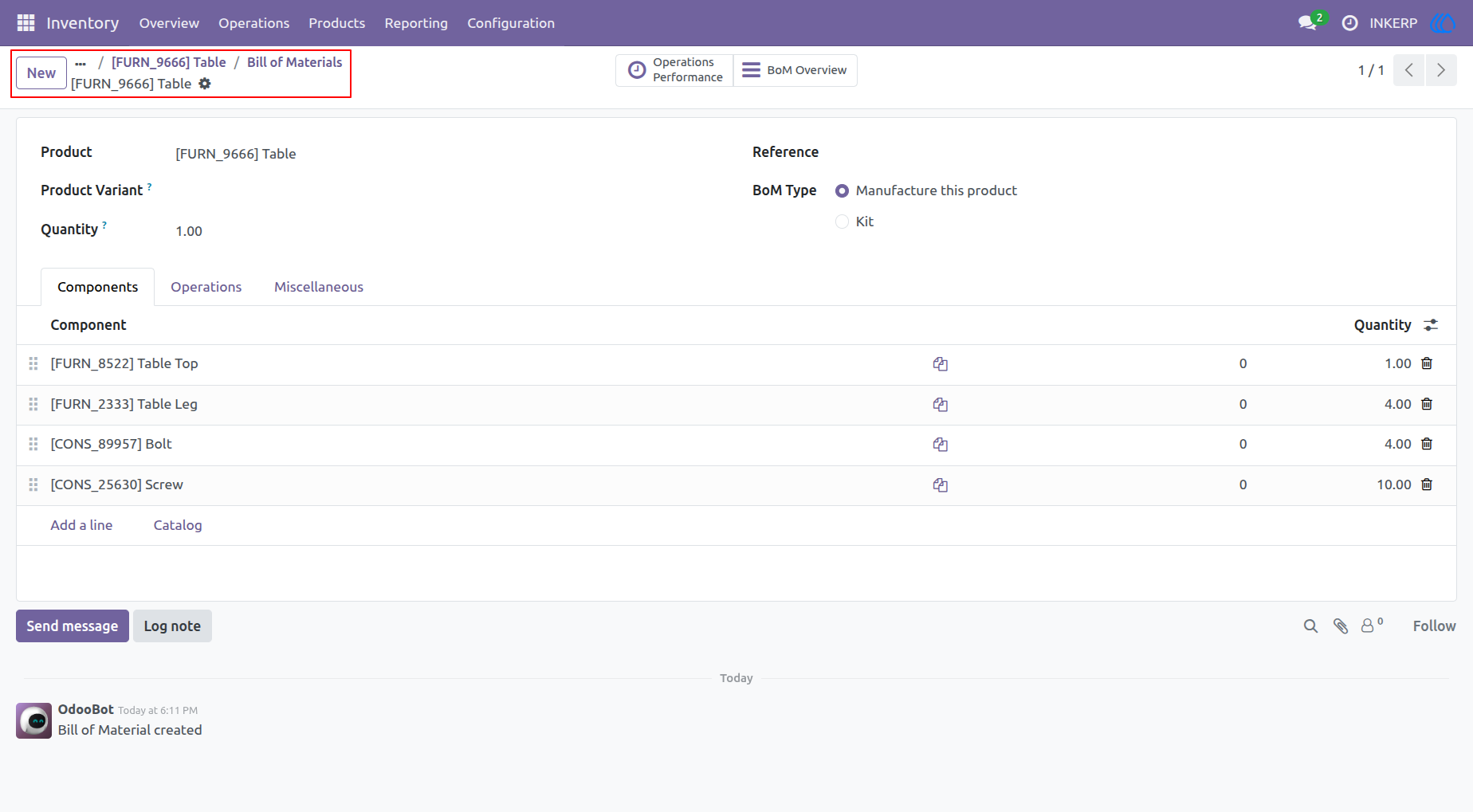
2.) Bill of Materials Details
This screen shows the detailed components and structure of the Bill of Materials for the "Table" product.
Navigation : Inventory › Products › Bill of Materials
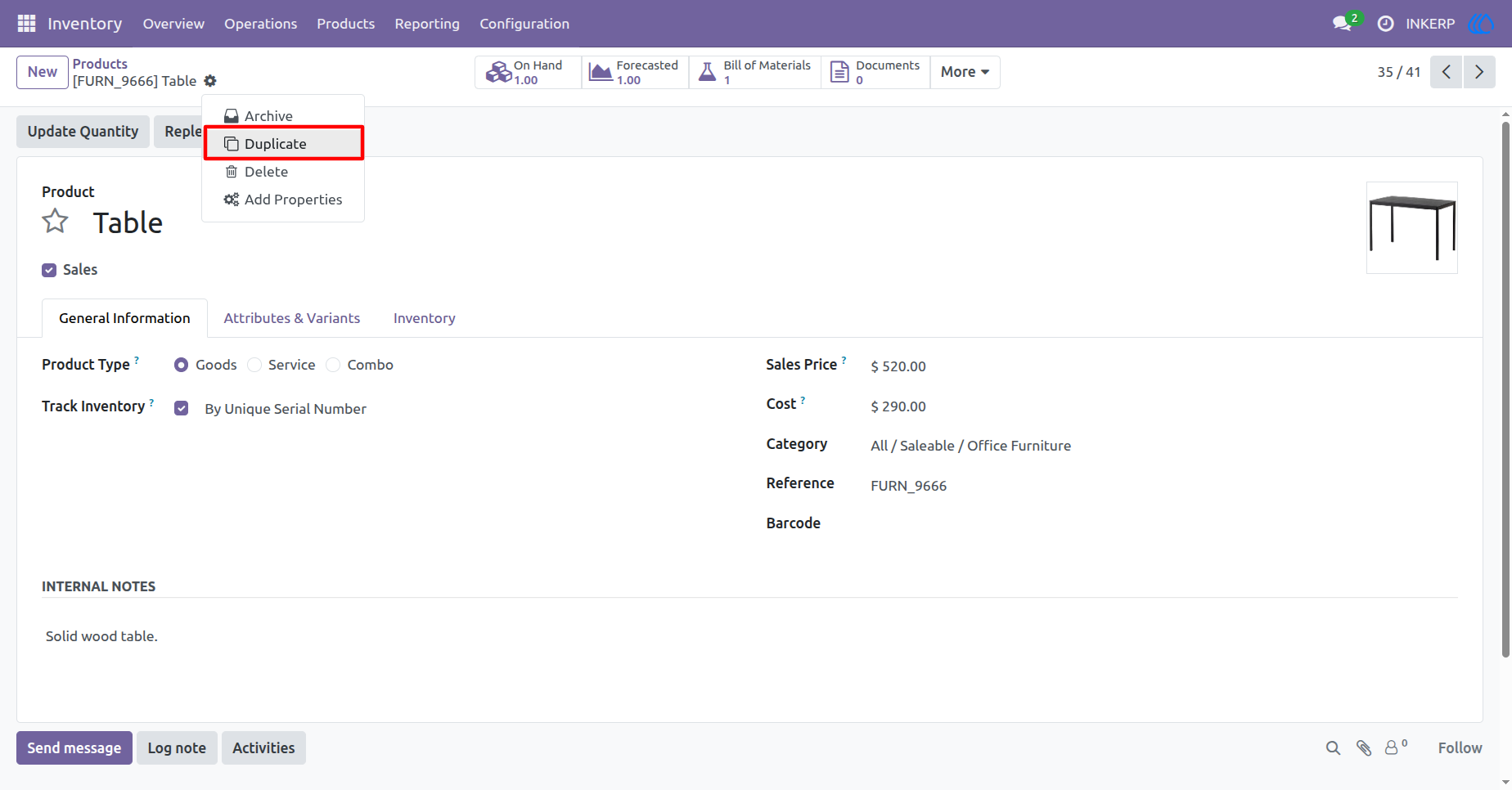
3.) Triggering Duplication
This screen demonstrates the action menu where you select the "Duplicate" option to initiate the cloning process for the current product.
Navigation : Inventory › Products
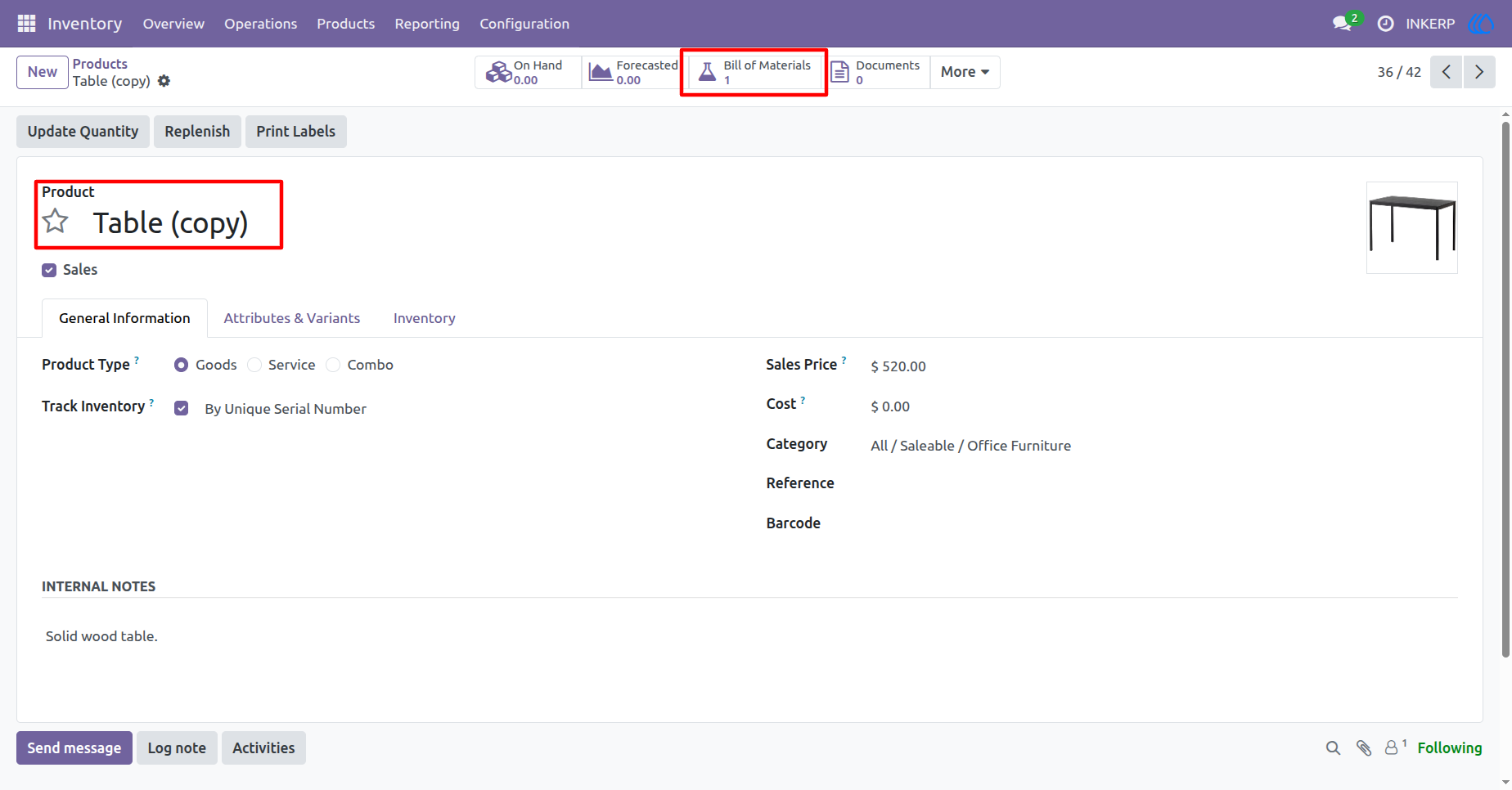
4.) Post-Duplication View
This view shows the newly created "Table (copy)" product, which has automatically inherited the Bill of Materials count from the original product.
Navigation : Inventory › Products
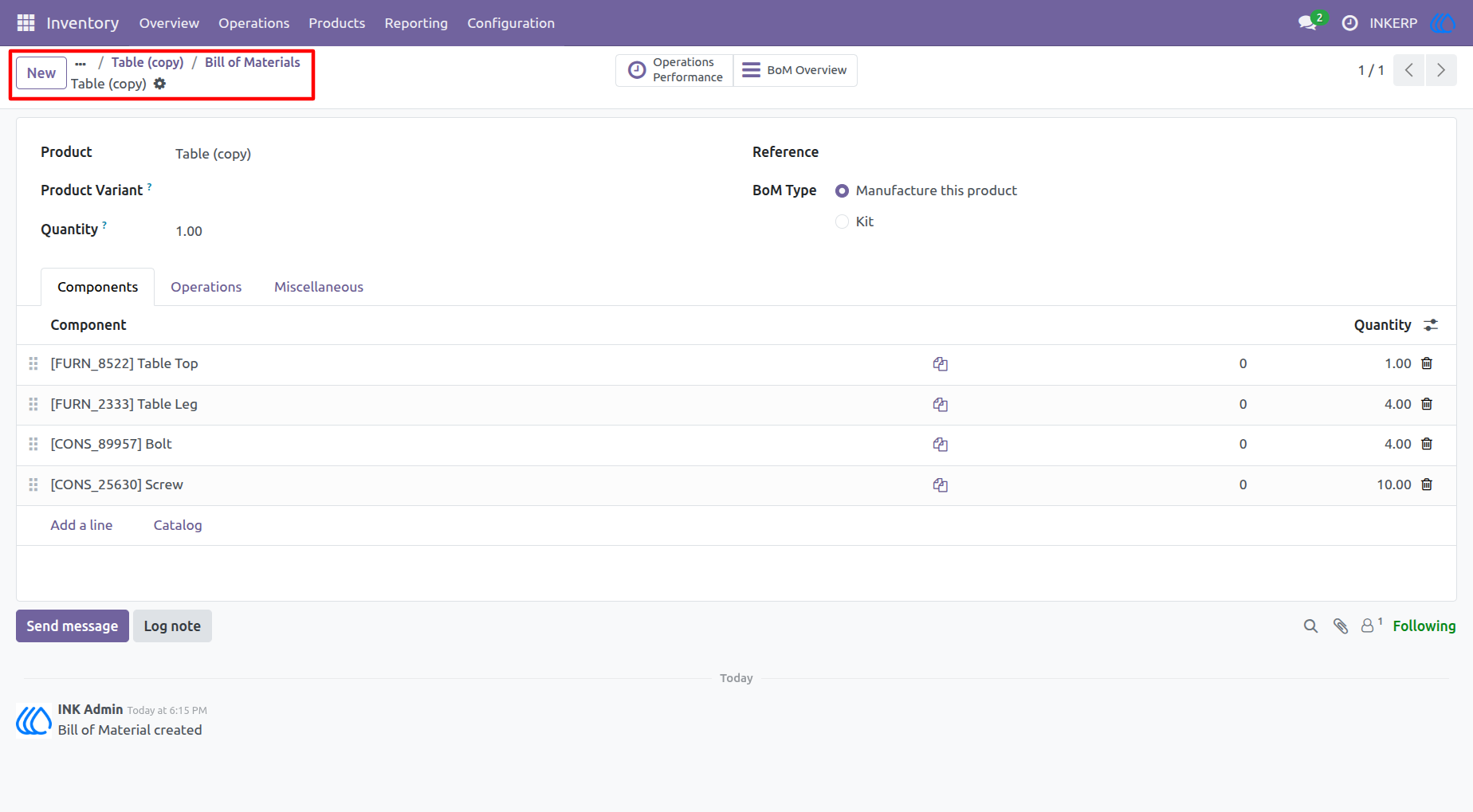
5.) Verified Duplicated BoM
This final confirmation screen verifies that the Bill of Materials for "Table (copy)" contains all the exact components and quantities from the original "Table".
Navigation : Inventory › Products › Bill of Materials
User Guide