

Our Most Suggested Products


Driving School Management System
Manage your entire driving instruction operations from a centralized application. This system helps you organize daily lessons, assign vehicles, and coordinate instructor schedules to avoid conflicts. You can maintain complete profiles for all your students and teachers to keep their contact information readily available. When a new learner enrolls, easily set up their training program by defining the course dates and session frequency. Instructors can mark daily attendance directly during their lessons to ensure every individual meets their training requirements. If a session gets unexpectedly interrupted, you can temporarily pause and resume the lesson to maintain accurate time logs. The application also simplifies your billing process by calculating fees based on the scheduled training sessions automatically. You can generate customer bills for individual learners directly from their active class records and monitor their payment statuses. Administrators can review detailed historical reports to analyze ongoing class activity and overall student attendance patterns. Keep your fleet organized, your staff coordinated, and your learner progress updated from initial enrollment to final billing.
 Features
 Screenshots
 Support
 Service
Features
Complete Schedule Management
Organize training sessions by defining dates, assigning vehicles, and pairing instructors with learners. The system automatically populates a daily calendar based on your established course parameters to keep training organized and on track.
Centralized Directory
Maintain accurate contact records for all active educators and enrolled individuals in a single accessible location. Register new profiles and assign specific roles to ensure your entire roster is organized and easy to communicate with.
Automated Attendance Tracking
Record daily presence for every enrolled individual across all scheduled training dates directly within the active session. Generate detailed historical reports to verify training compliance and monitor overall learner progress over time.
Direct Course Invoicing
Calculate total training fees based on assigned lesson rates and generate customer bills directly from the active course record. Monitor payment statuses and verify financial details to ensure all instruction services are properly billed.
Screenshot
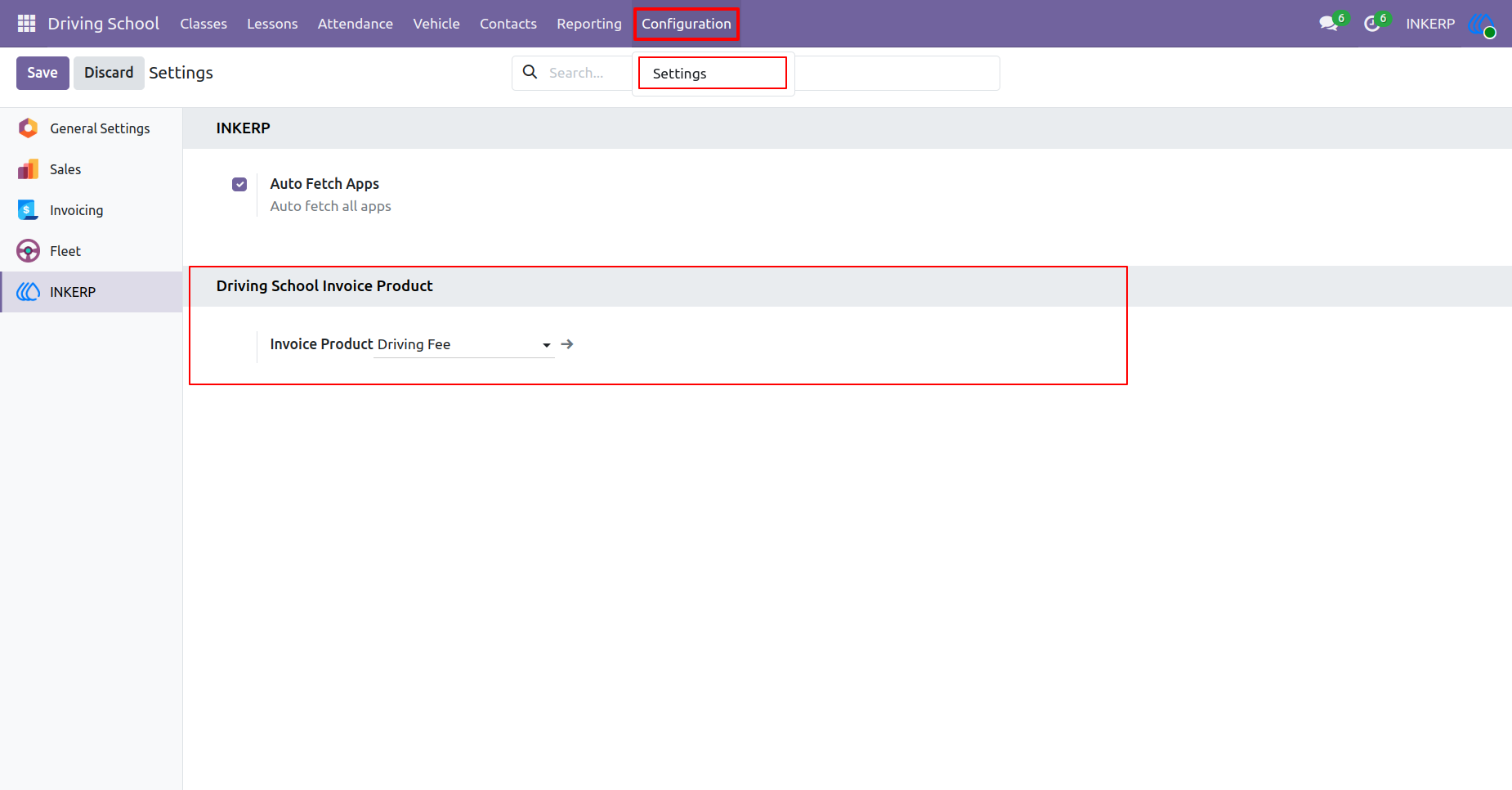
1.) Default Product Setting
Define the default invoicing parameters for all driving instruction services. Link specific billing products to calculate fees for upcoming lessons automatically.
Navigation : Driving School › Configuration › Setting
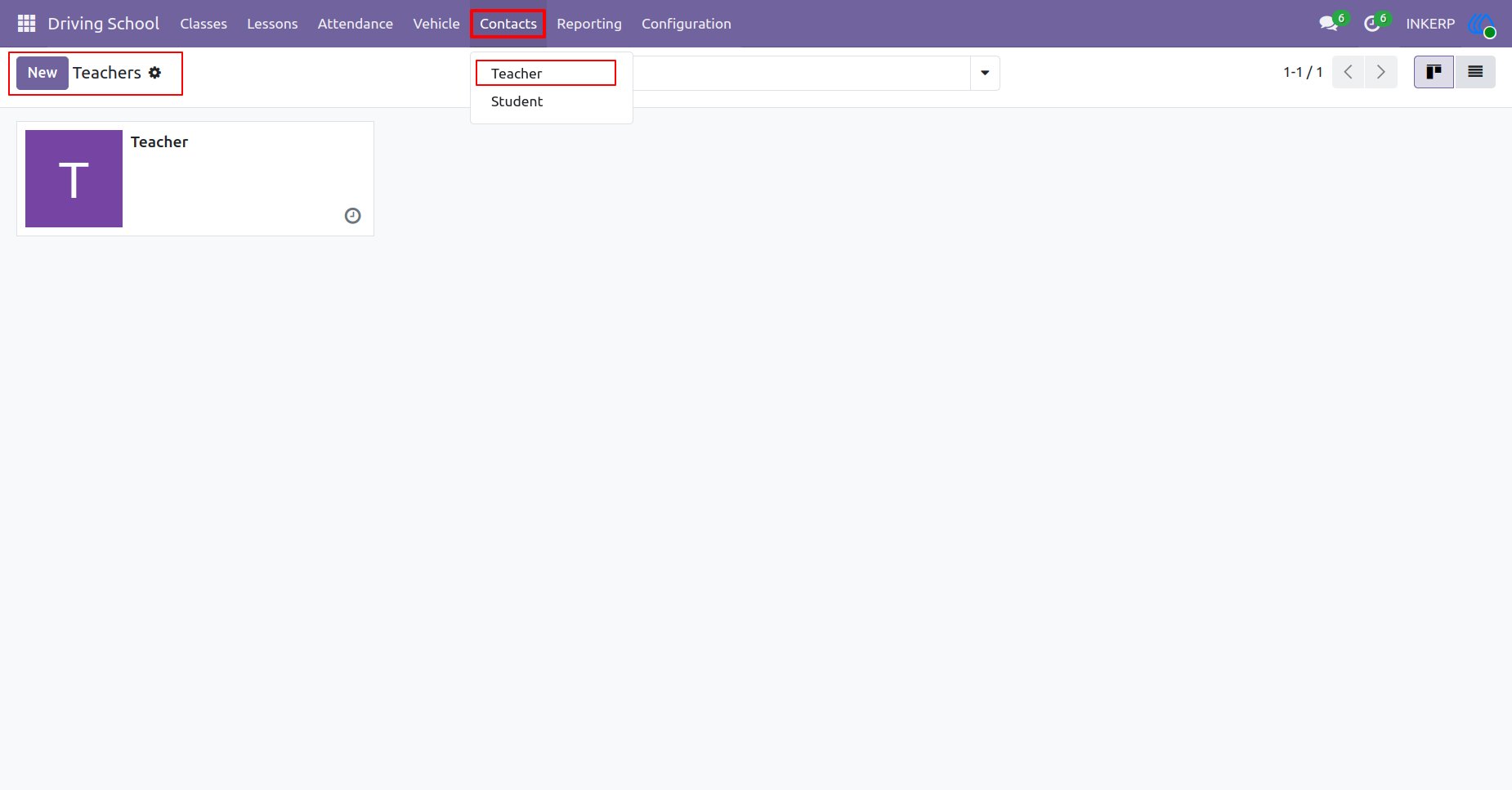
2.) Teacher Directory
Access a complete registry of all driving instructors currently employed at the institution. Review basic contact information to maintain an updated staff directory.
Navigation : Driving School › Contacts › Teacher
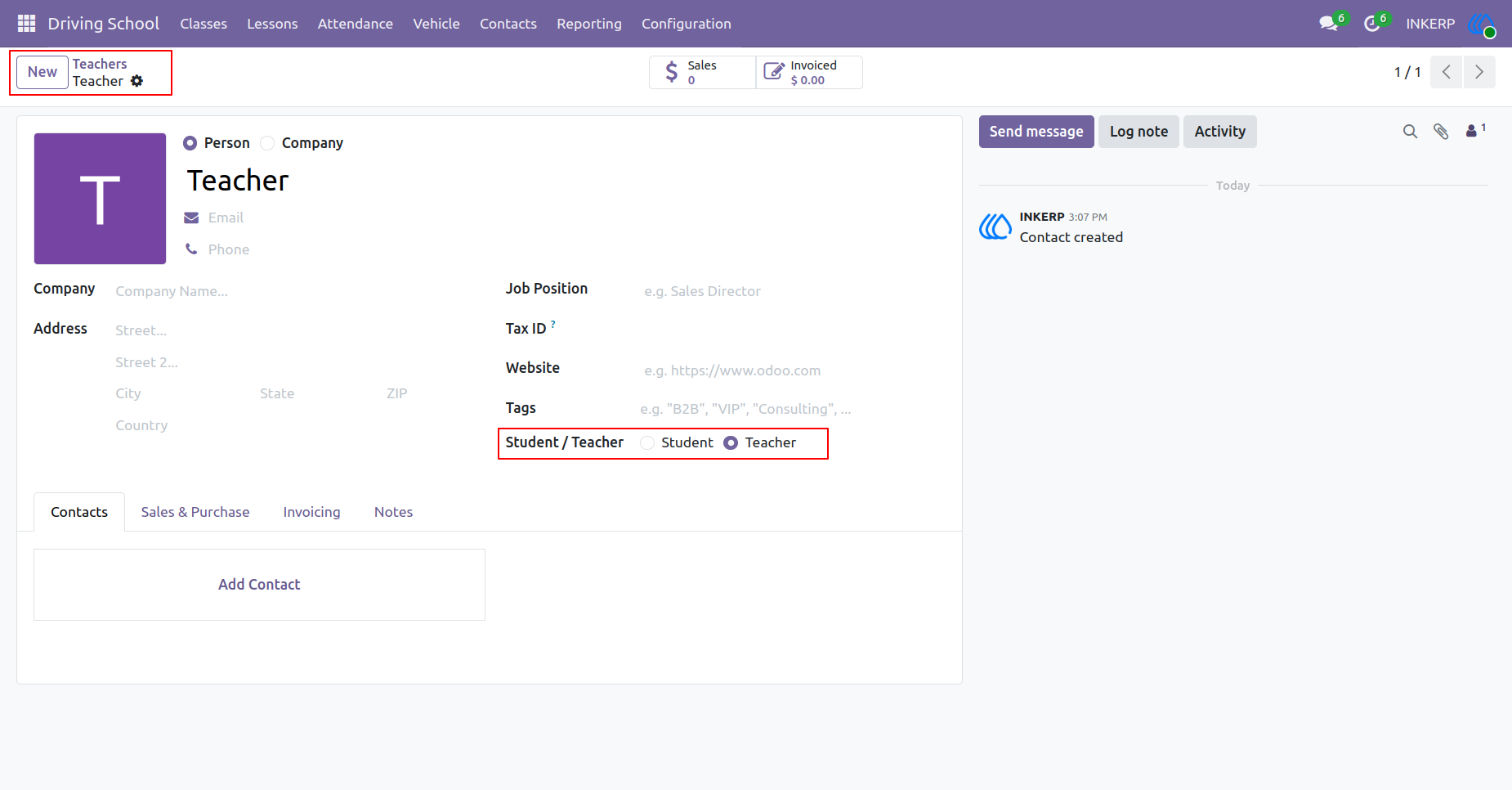
3.) Teacher
Register new driving educators by entering their personal details and assigning the appropriate role. Maintain accurate contact records to facilitate communication and lesson scheduling.
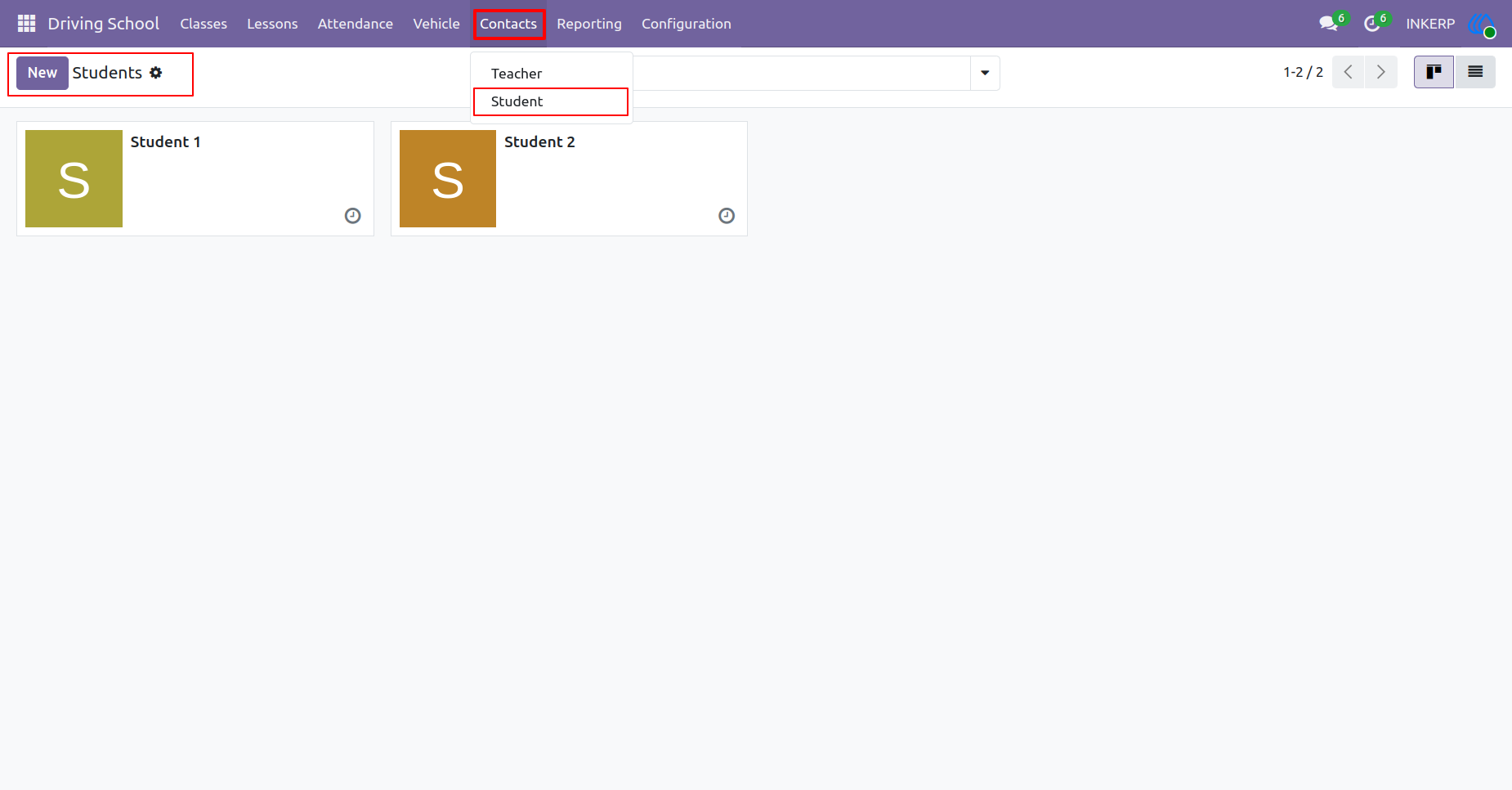
4.) Student Directory
Browse the complete list of individuals enrolled in driving programs. Quickly access contact details and monitor the growing roster of active learners.
Navigation : Driving School › Contacts › Students
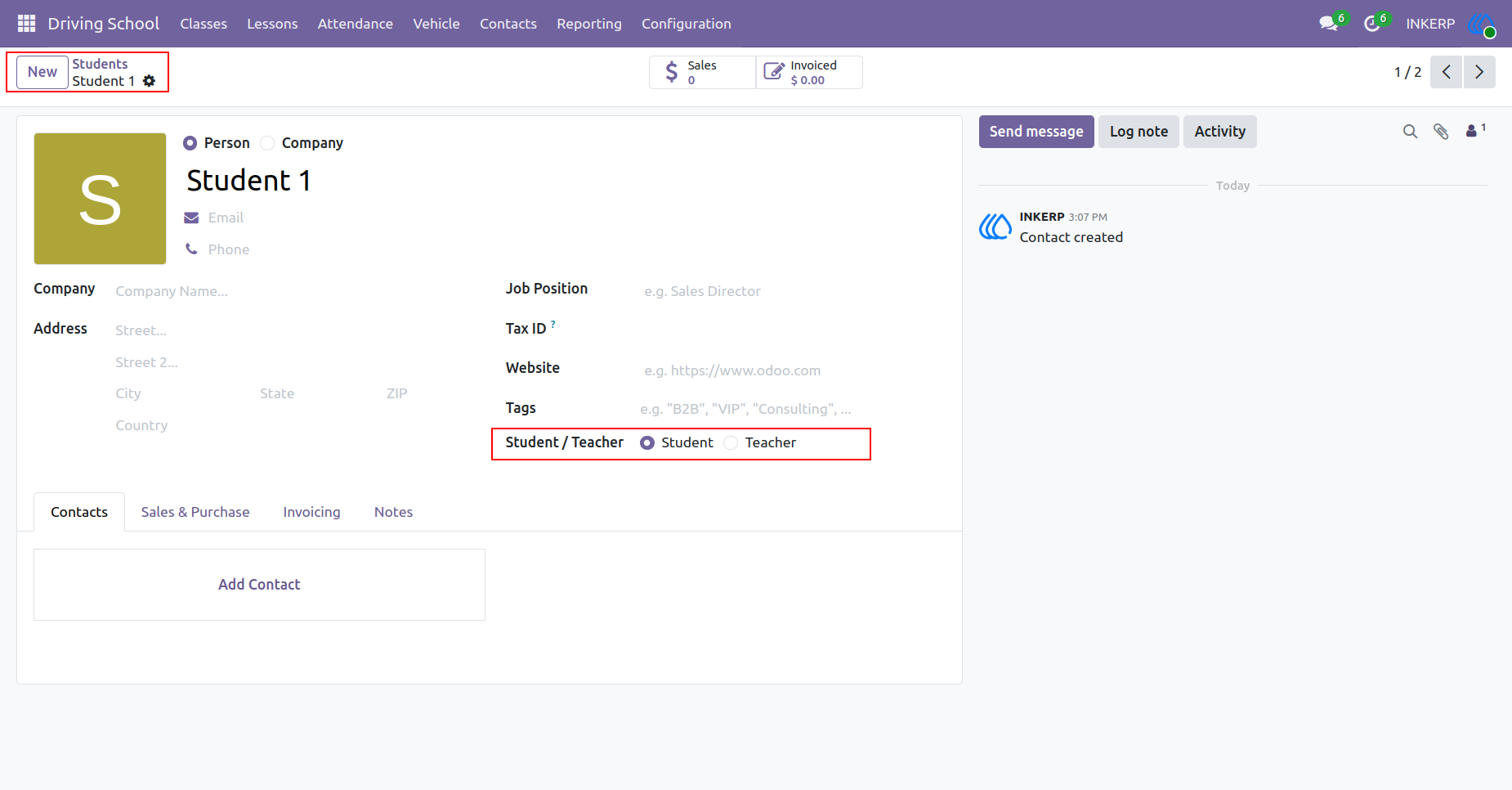
5.) Students
Enroll new individuals by recording their essential contact information and designating their role as a learner. Keep accurate personal files to track progress throughout their training journey.
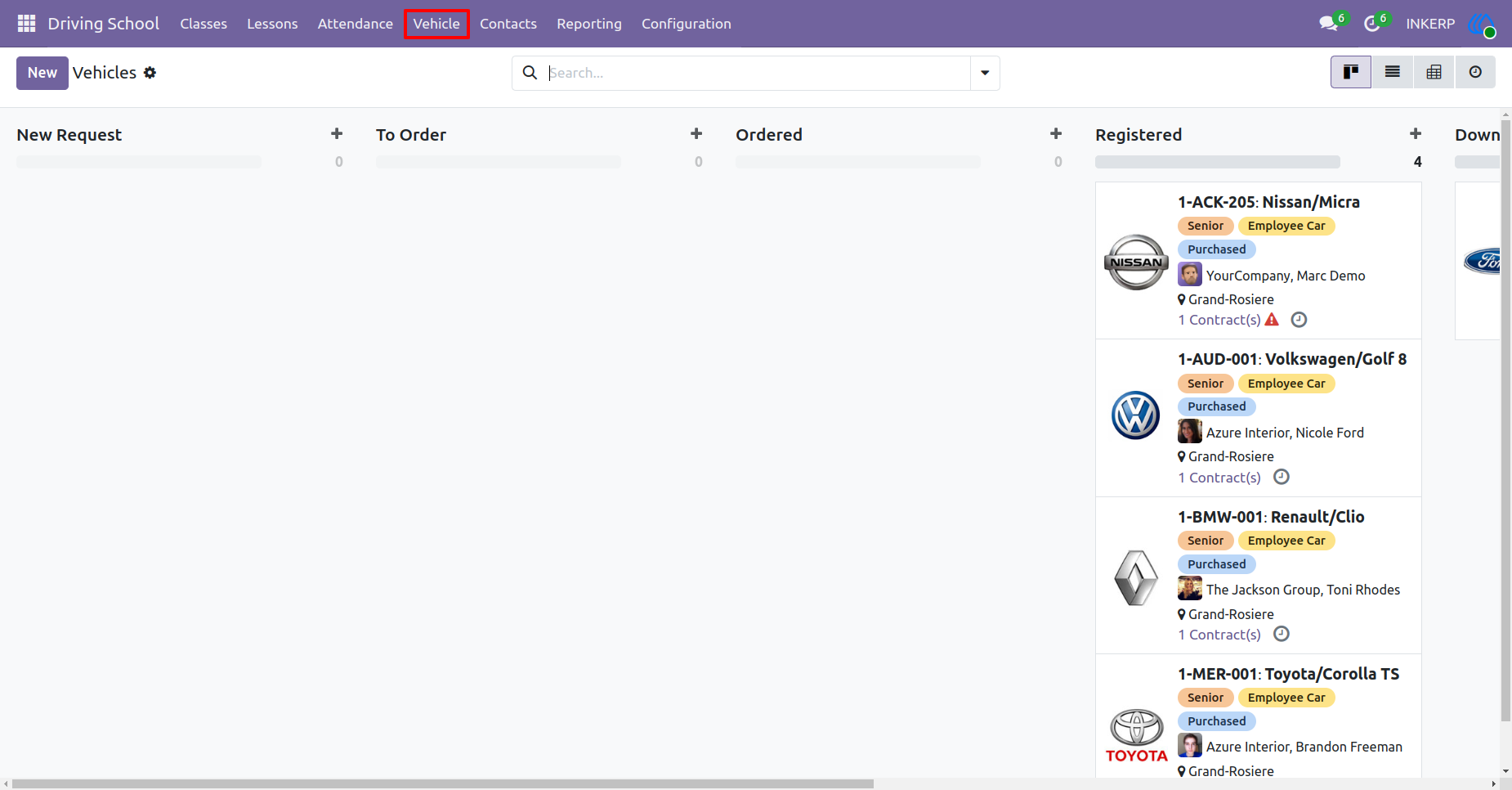
6.) Vehicle Registry
Manage the entire fleet of automobiles available for instruction. Track vehicle assignments, maintain active status records, and ensure the right cars are ready for daily scheduling.
Navigation : Driving School › Vehicle
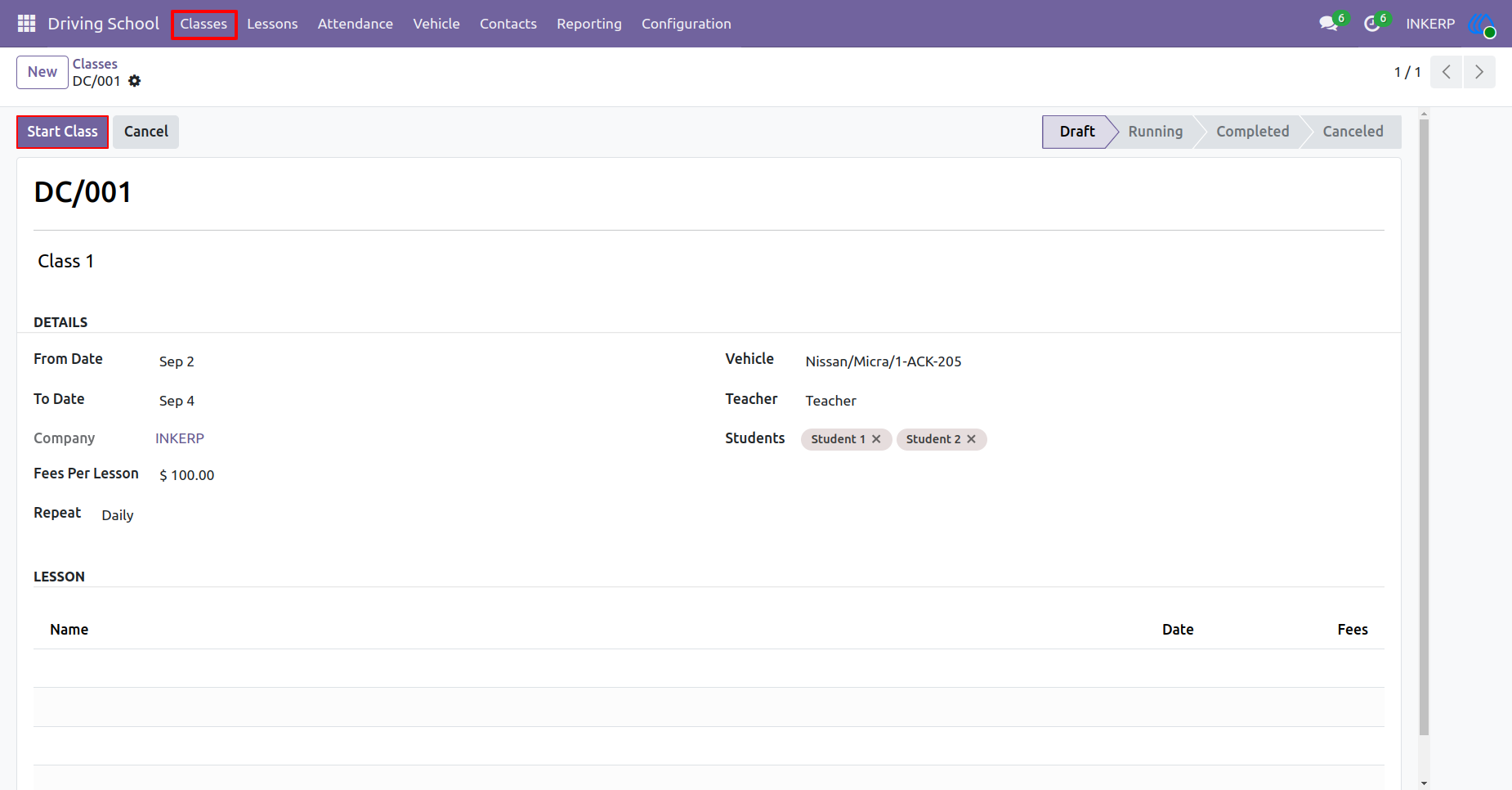
7.) Class Management
Organize new training sessions by defining date ranges, assigning specific vehicles, and pairing instructors with enrolled learners. Establish the fee structure and repetition schedule for the course.
Navigation : Driving School › Classes
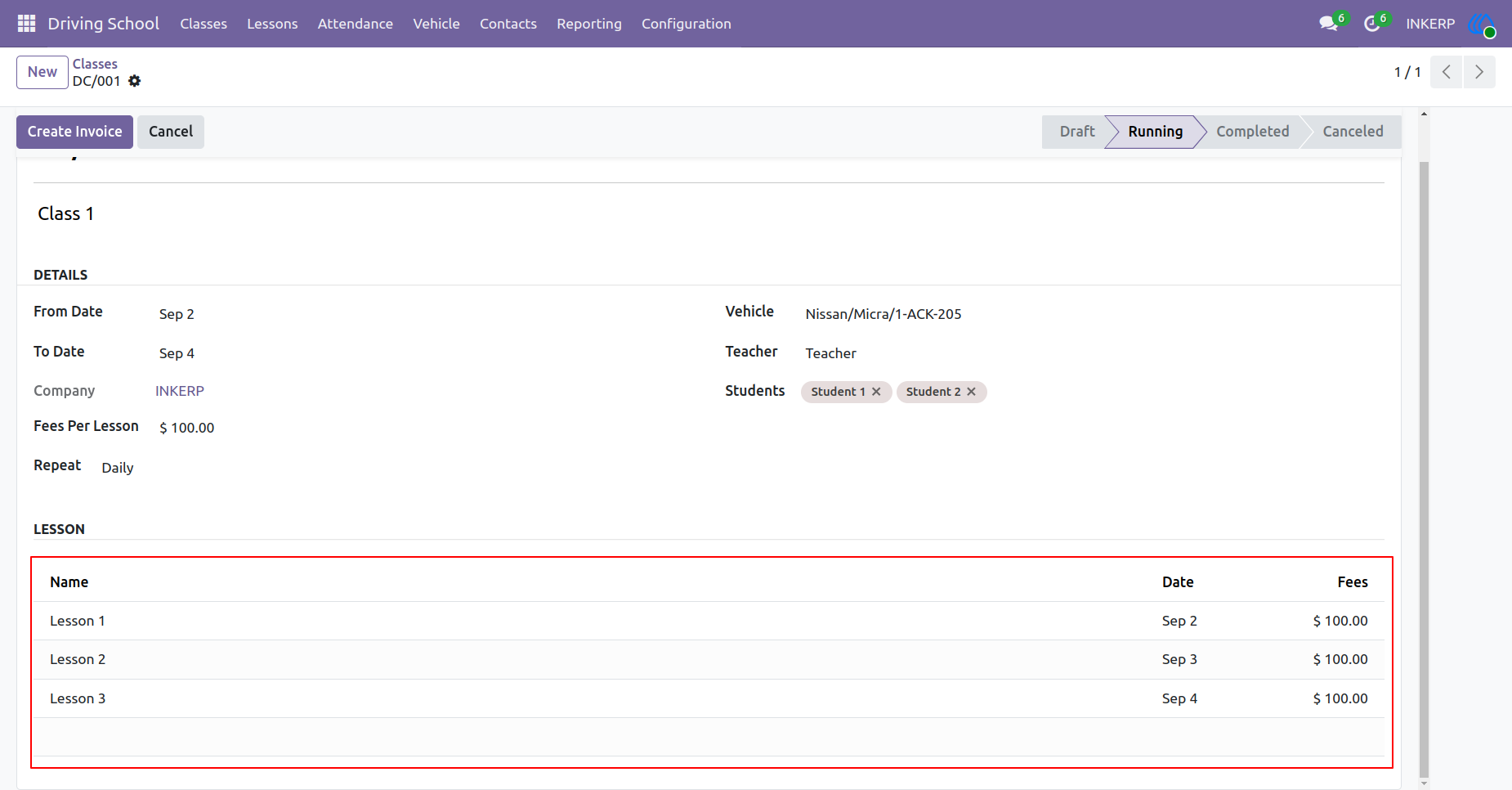
8.) Class Lessons
Monitor ongoing courses as individual daily sessions are automatically generated based on the established schedule. Initiate the billing process directly once the training sequence is underway.
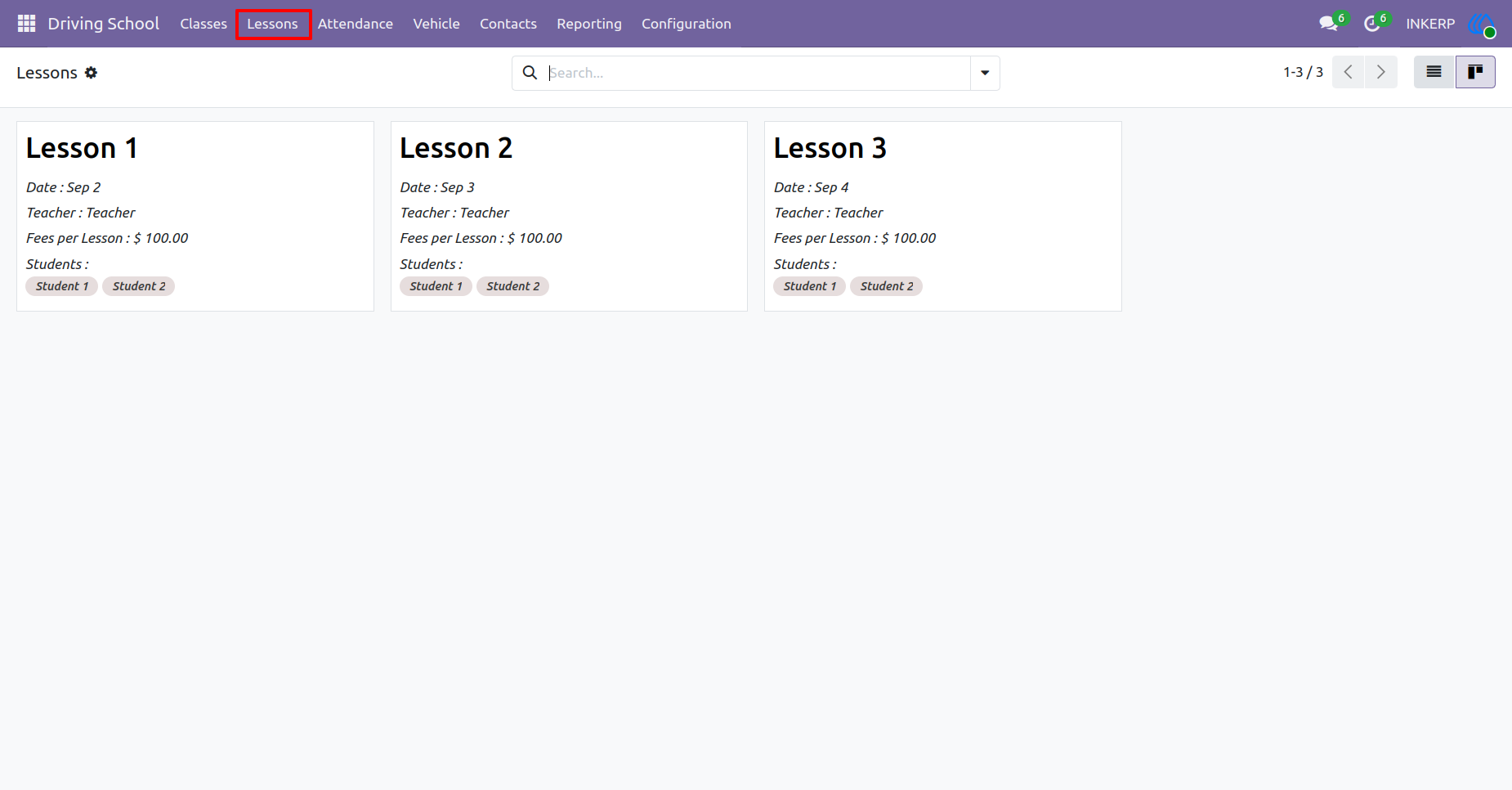
9.) Daily Lessons
Review the comprehensive breakdown of all individual training sessions scheduled across the program. Verify assigned educators, enrolled participants, and associated fees for every specific date.
Navigation : Driving School › Lessons
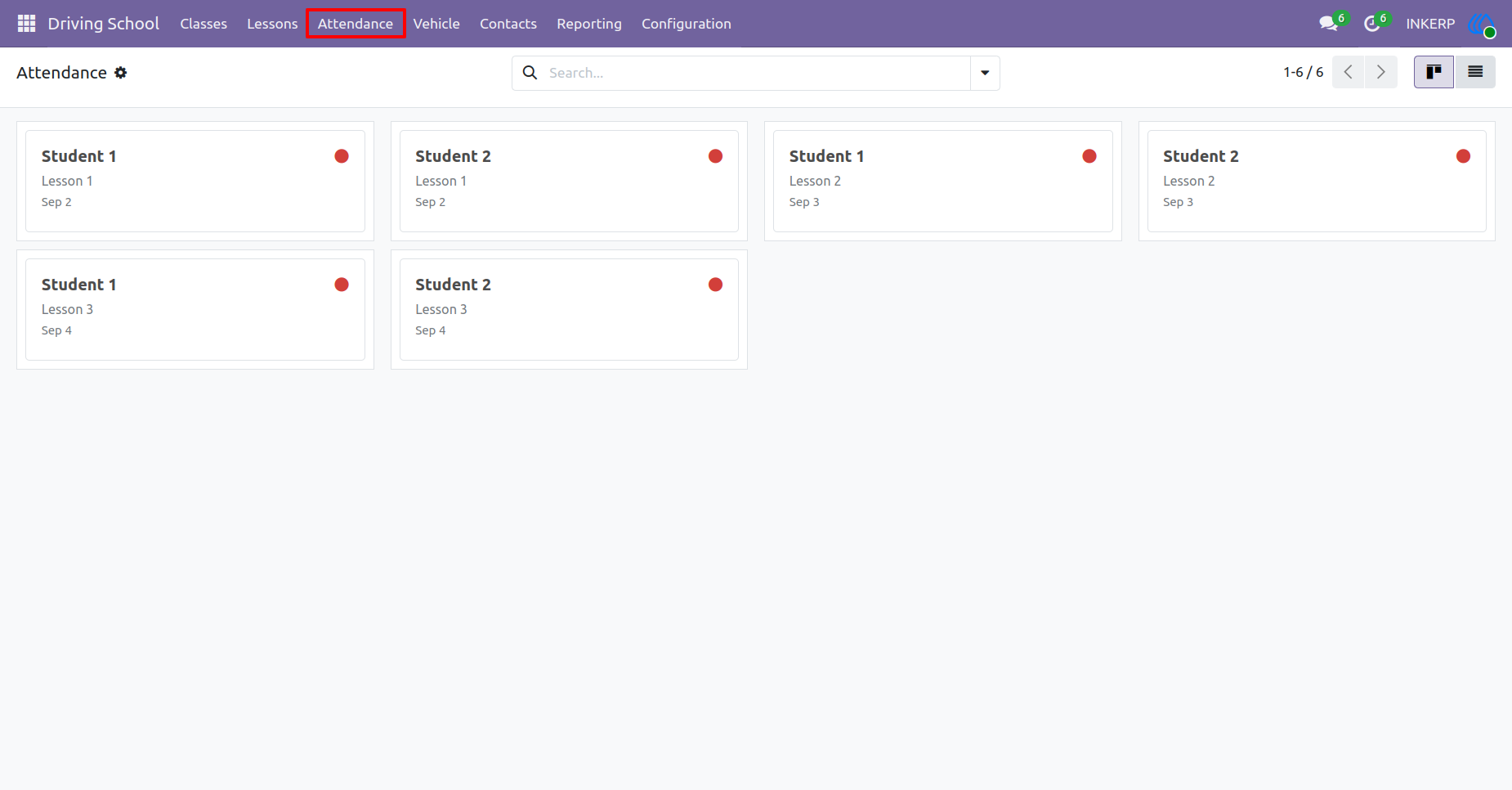
10.) Track Attendance
Record and monitor the daily presence of every enrolled individual across all scheduled training sessions. Maintain precise participation logs to evaluate progress and ensure training requirements.
Navigation : Driving School › Attendance
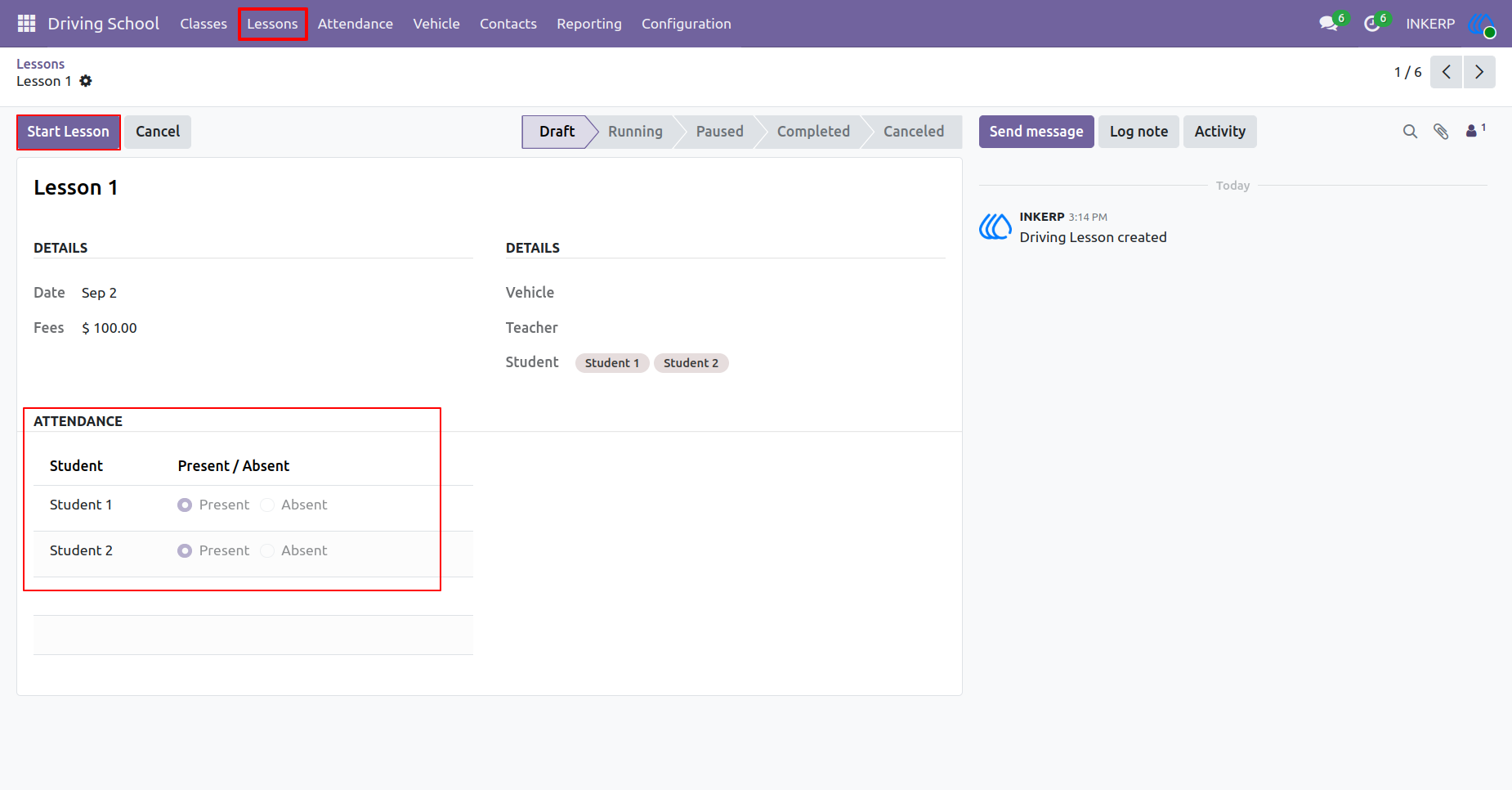
11.) Begin Lesson
Initiate a scheduled teaching session and record the current status of the class. Mark each enrolled individual as present or absent to maintain accurate participation logs before getting on the road.
Navigation : Driving School › Lessons
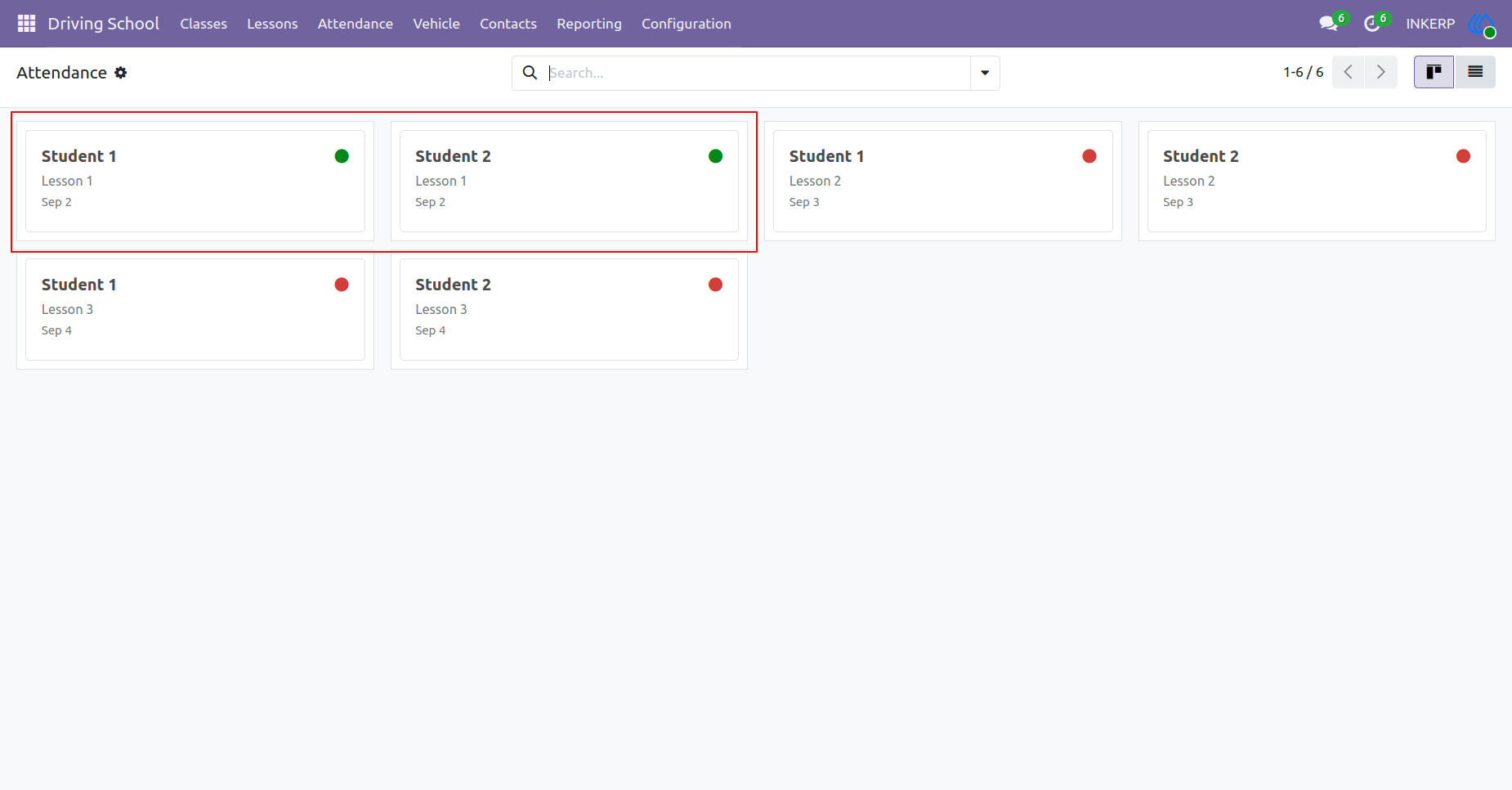
12.) Track Presence
Review the participation records for all enrolled learners across completed training sessions. Quickly identify who attended specific dates to ensure training compliance and progress.
Navigation : Driving School › Attendance
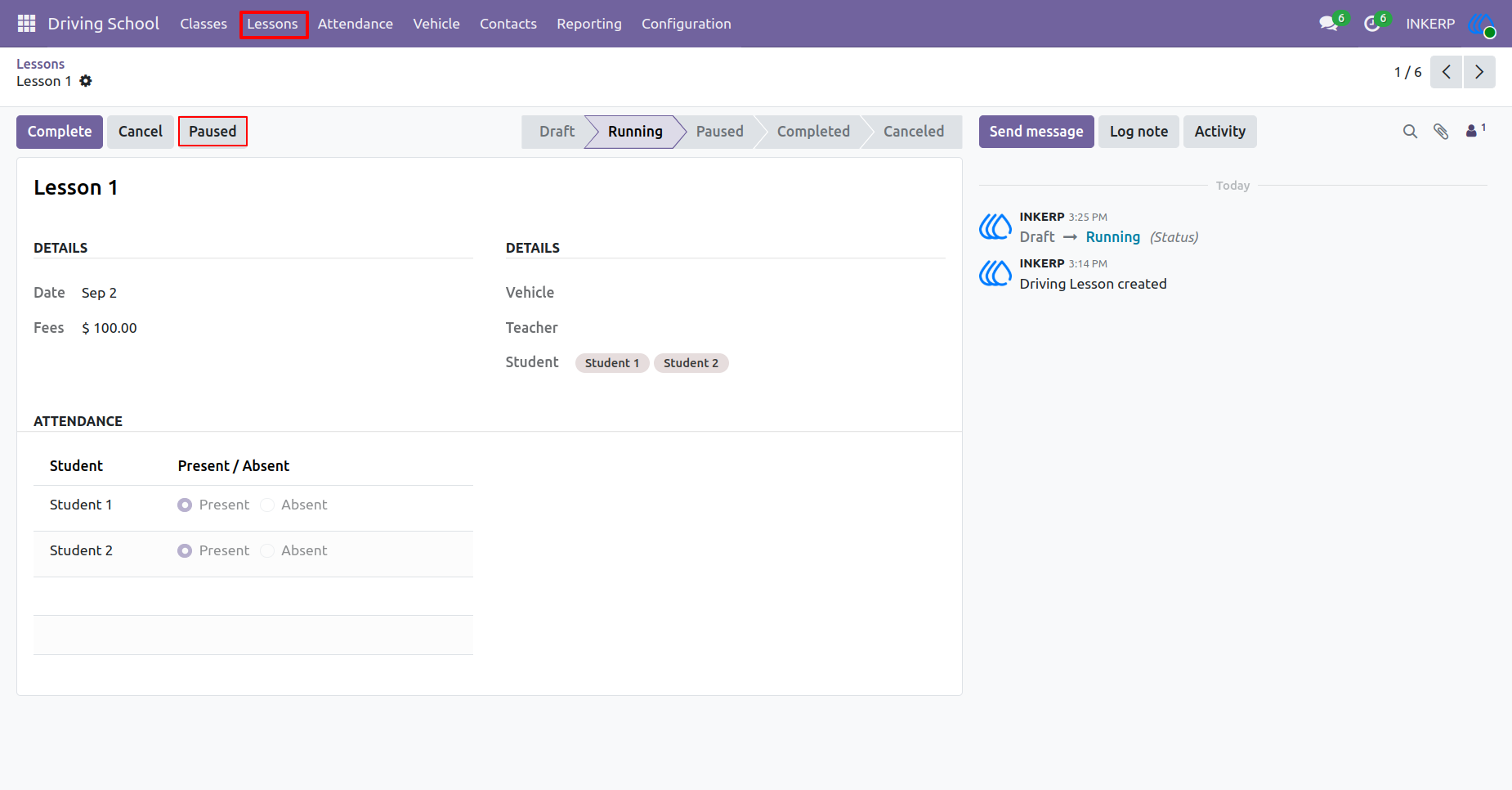
13.) Pause Training
Temporarily halt an active teaching session if an unexpected interruption occurs. Log the exact pause status to ensure the learner receives their full allotted instruction duration later.
Navigation : Driving School › Lessons
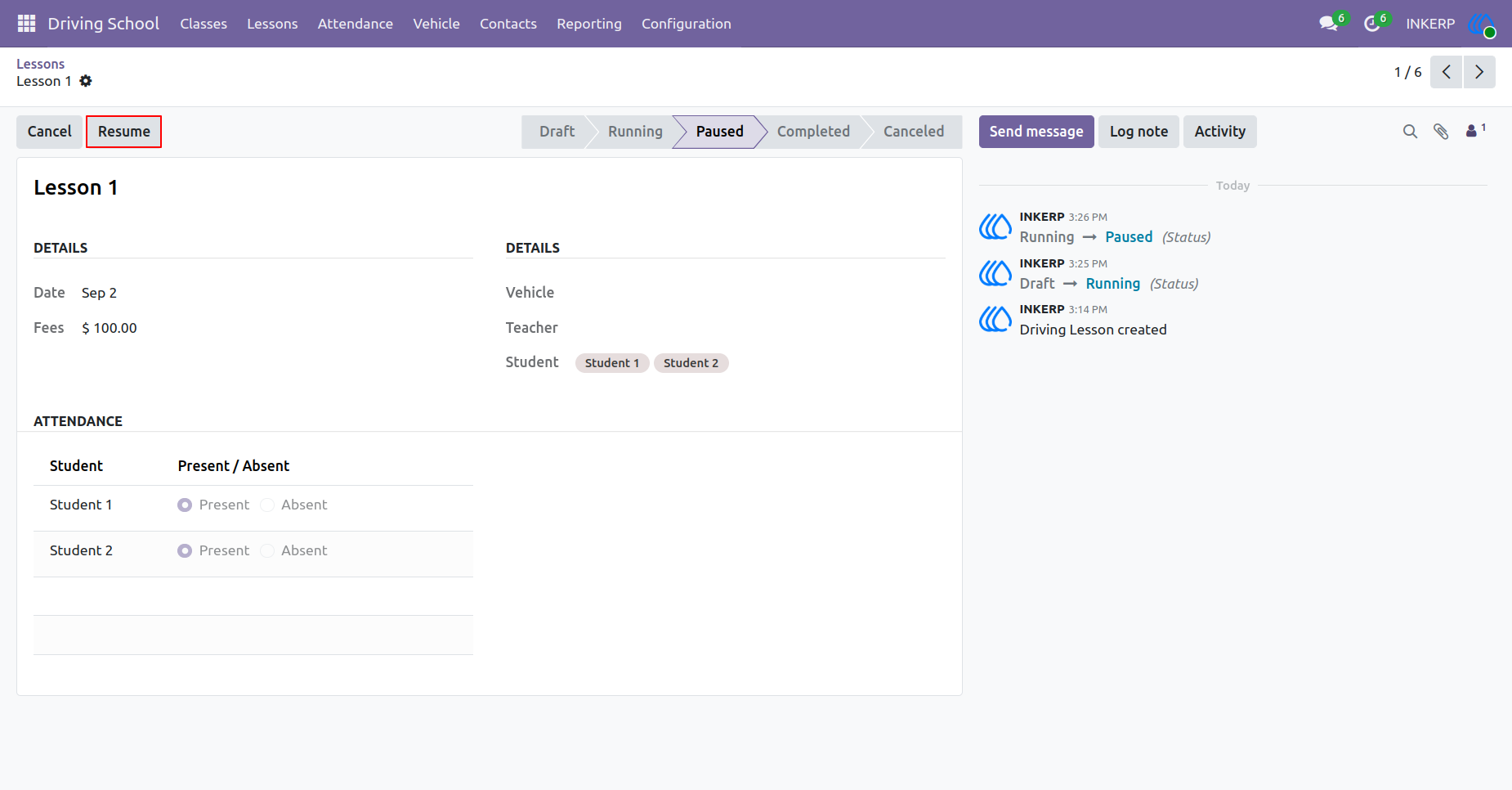
14.) Resume Session
Restart a previously halted teaching session to continue the instruction. The system records the updated status to maintain an accurate timeline of the entire driving lesson.
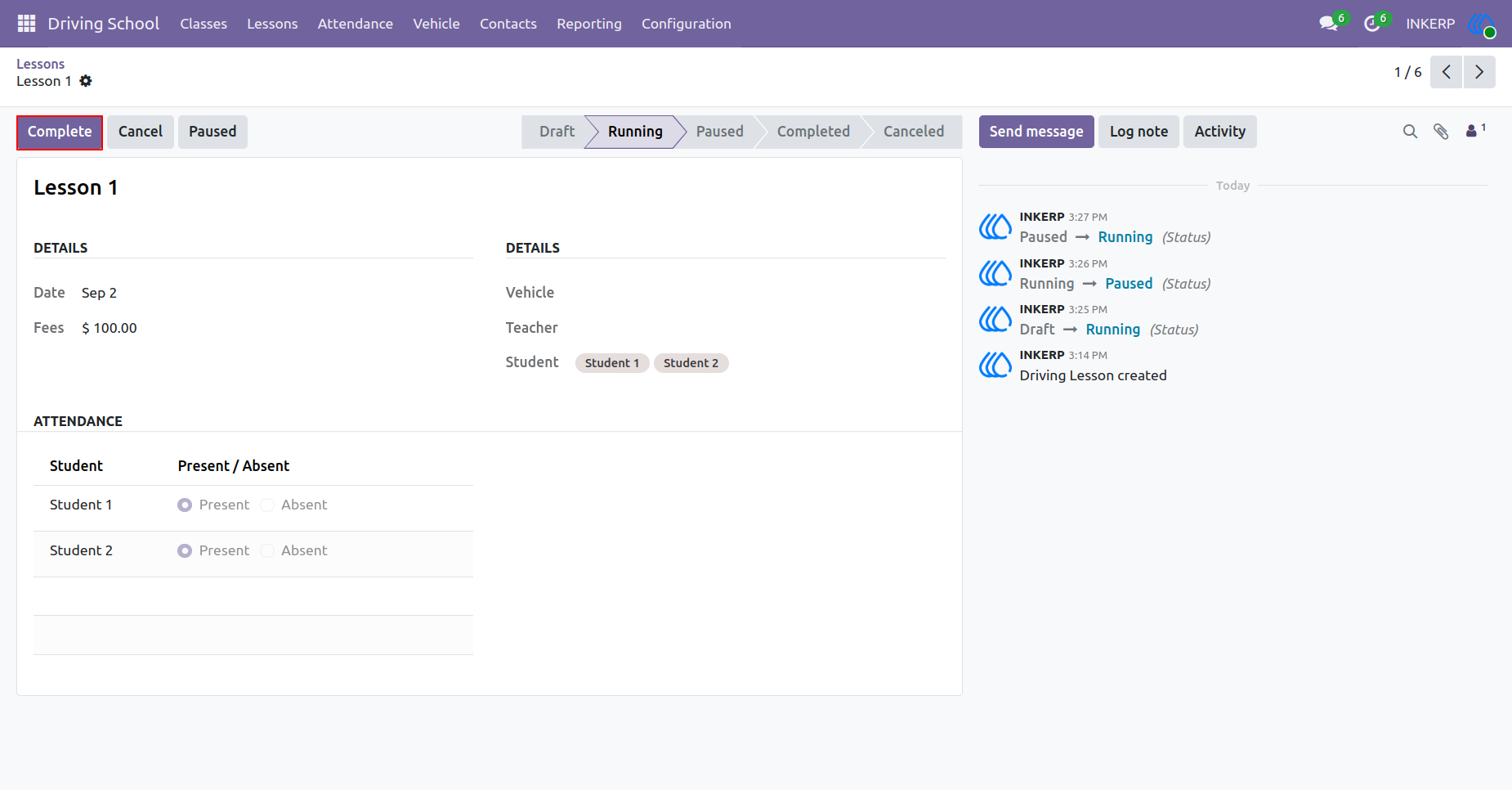
15.) Complete Lesson
Finalize an active teaching session once the scheduled instruction time concludes. This action updates the overall course progress and prepares the records for final billing and evaluation.
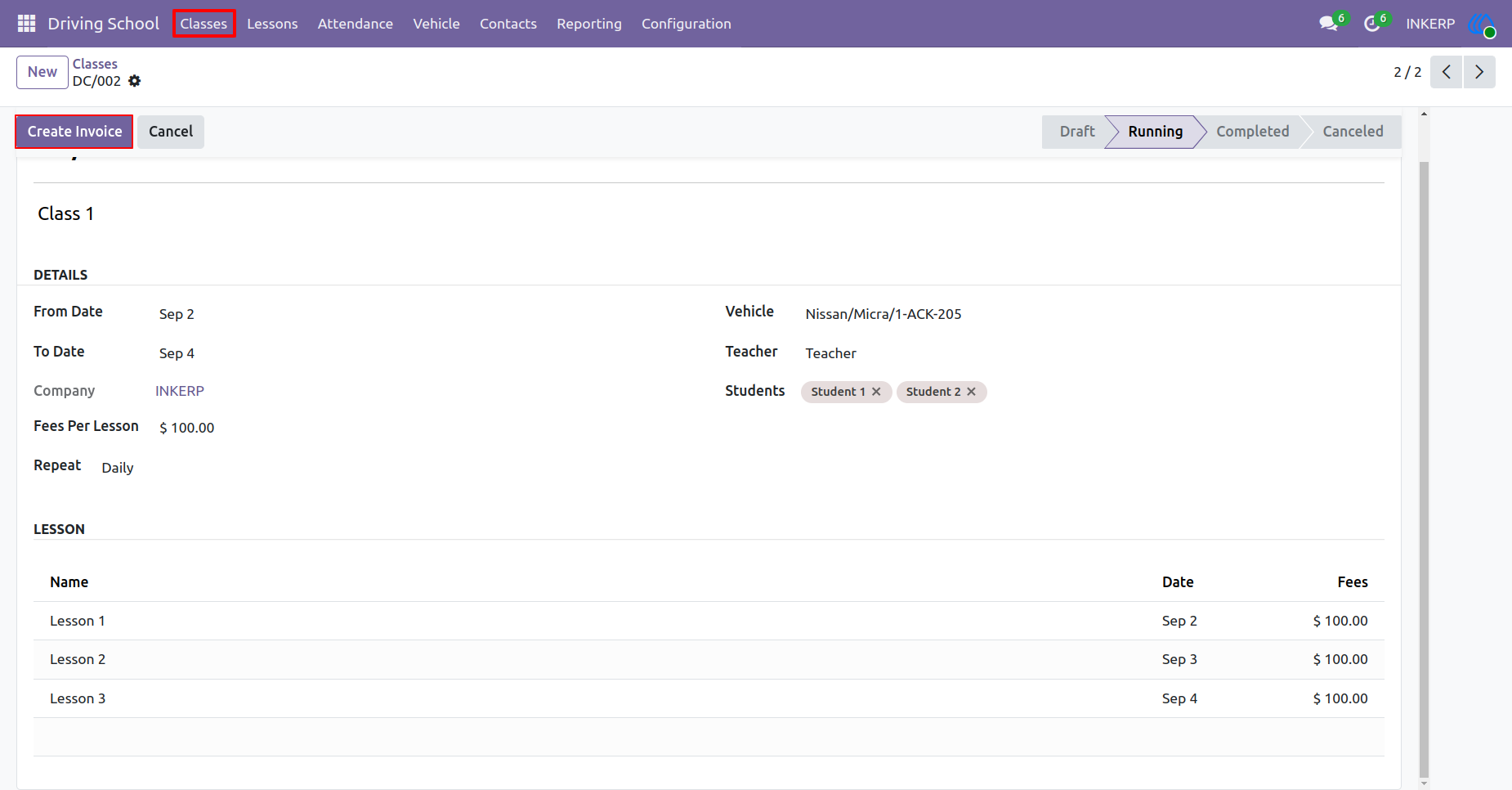
16.) Bill Customers
Generate financial requests for the provided instruction services directly from the active course record. The system calculates the total fees based on the scheduled sessions and assigned rates.
Navigation : Driving School › Classes
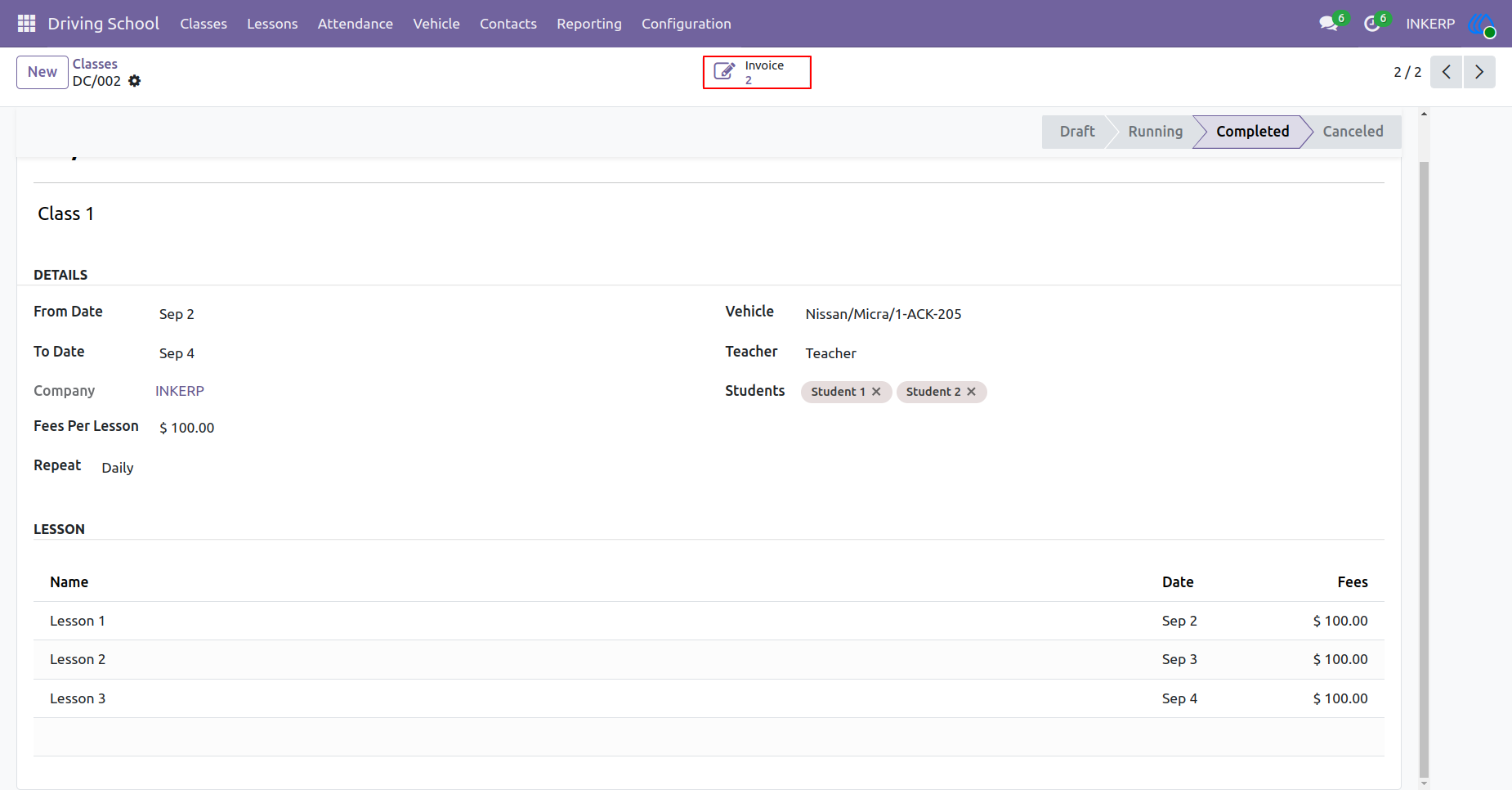
17.) Access Invoices
Review the financial documents associated with a specific completed training course. Navigate directly to the generated billing records to track payments and manage outstanding balances.
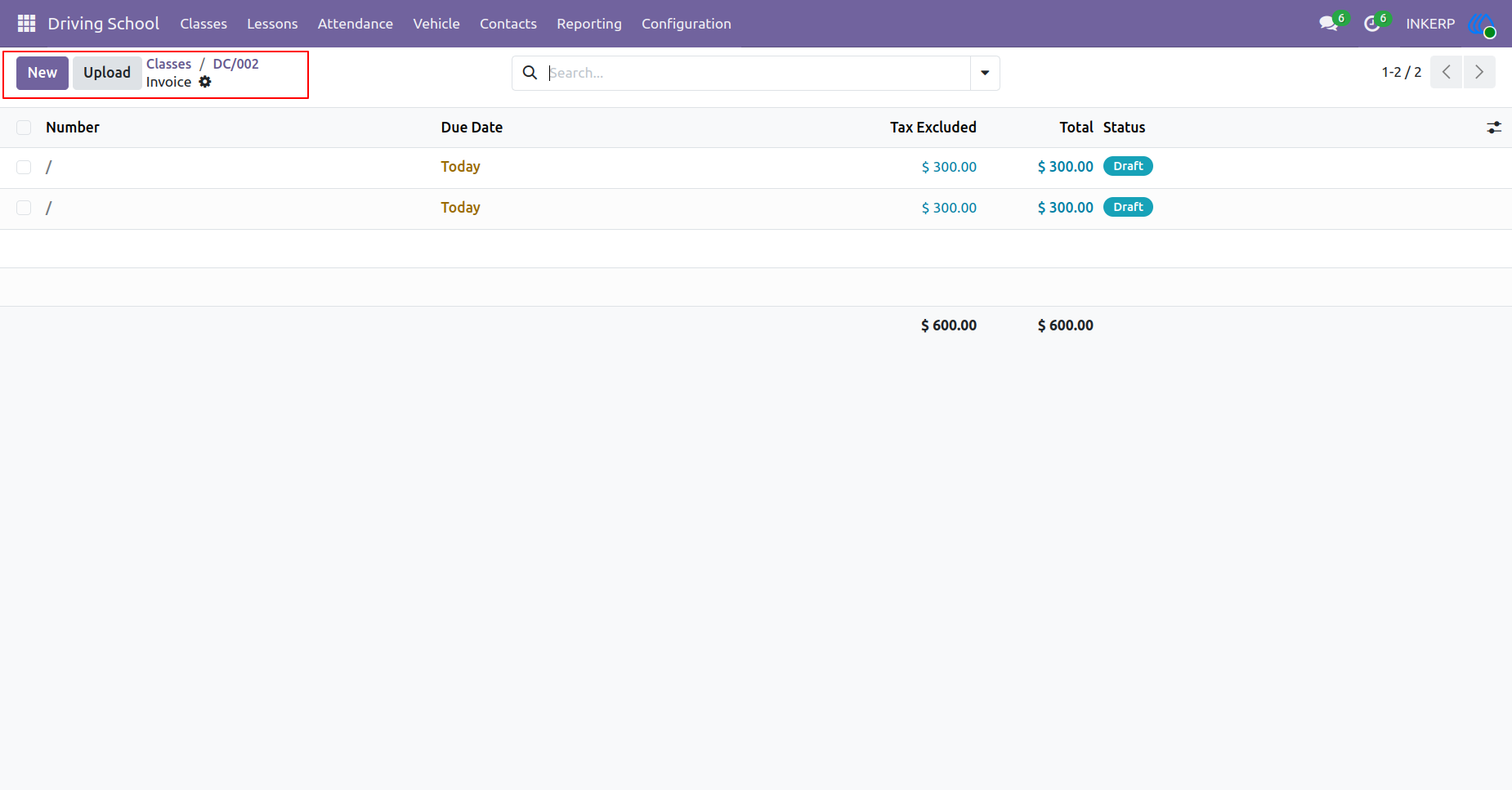
18.) Manage Billing
Inspect the complete list of financial requests generated for the enrolled learners. Verify the individual amounts, tax exclusions, and current payment statuses before sending them out.
Navigation : Driving School › Classes › Invoice
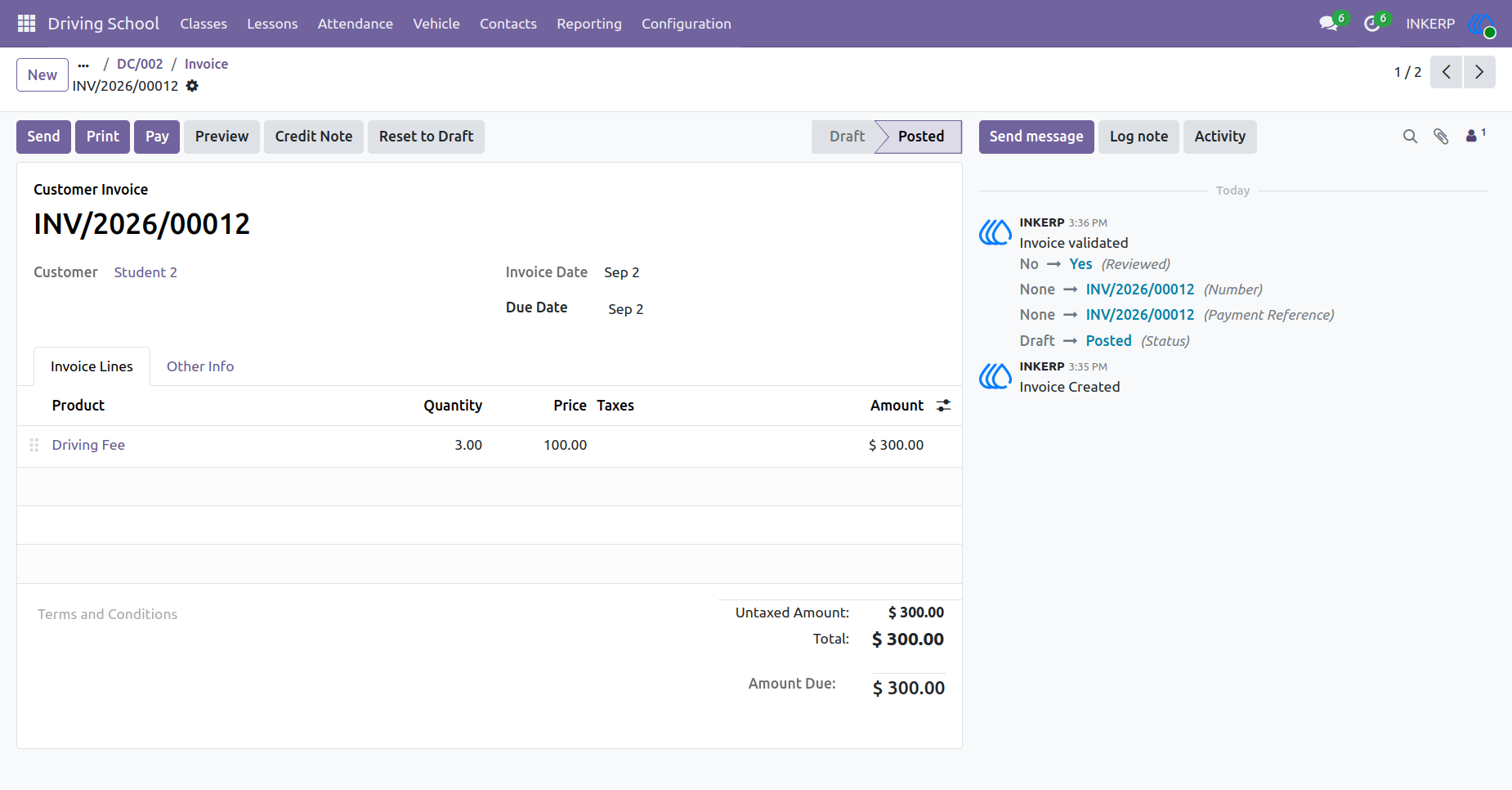
19.) Review Charges
Examine the detailed breakdown of fees for a specific learner, including the quantity of sessions and the final total. Confirm the financial details are accurate before finalizing the transaction.
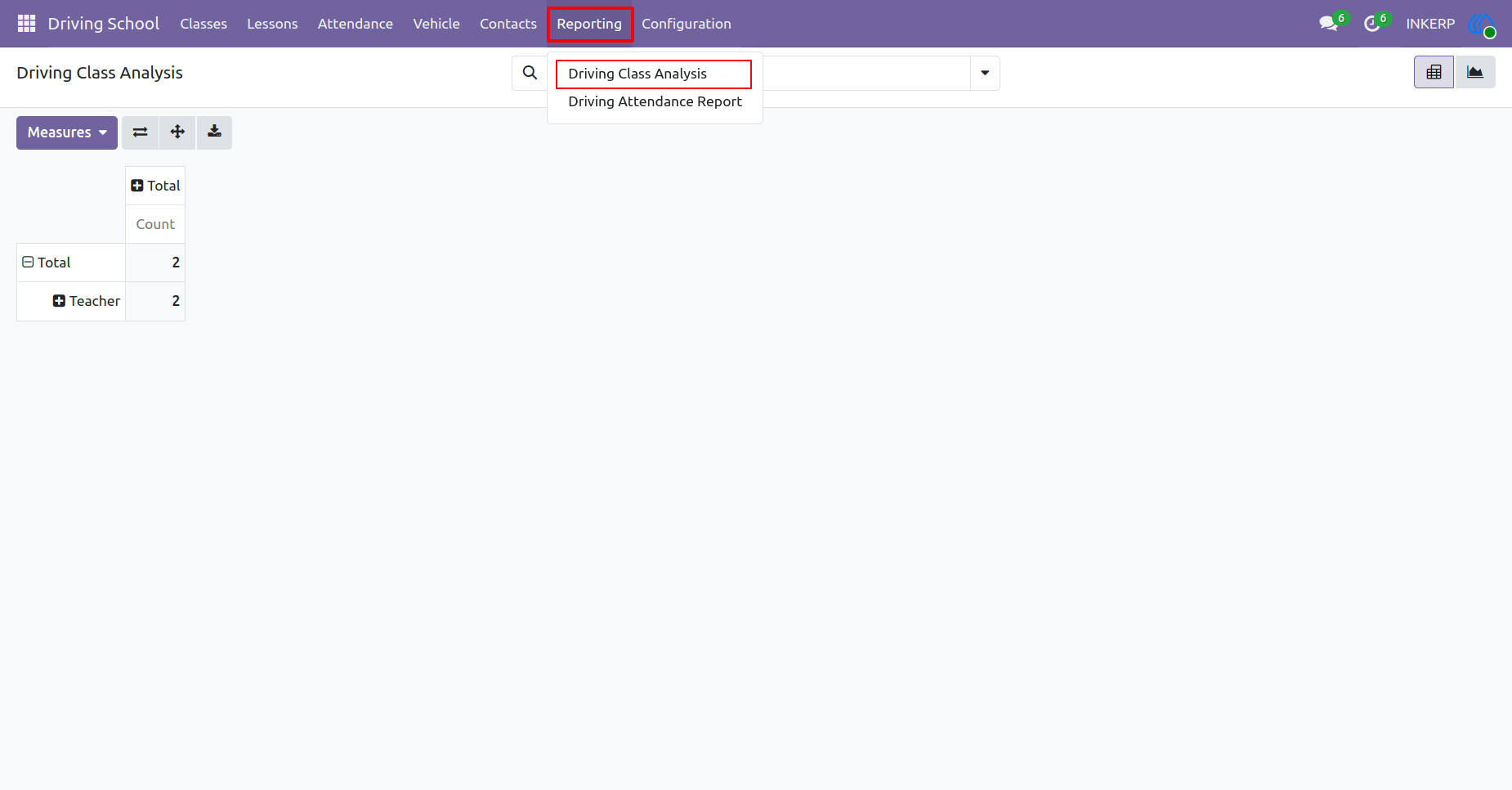
20.) Class Analysis
Evaluate the overall performance and scheduling metrics of the instruction programs. Analyze data related to total sessions and educator workloads to make informed administrative decisions.
Navigation : Driving School › Reporting › Driving Class Analysis
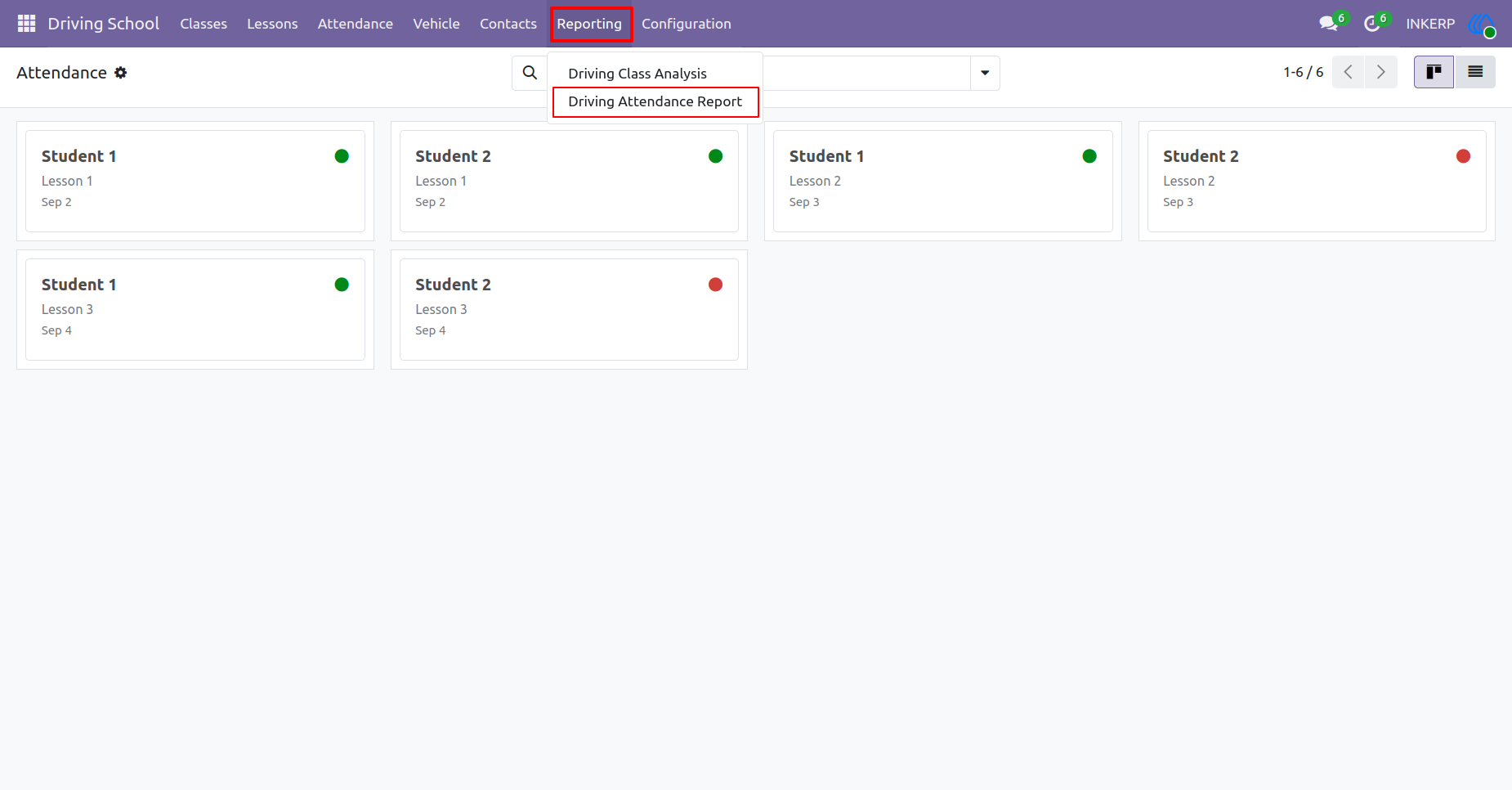
21.) Attendance Report
Access comprehensive participation records for all training sessions. Review overall learner presence patterns to ensure compliance with instructional requirements.
Navigation : Driving School › Reporting › Driving Attendance Report
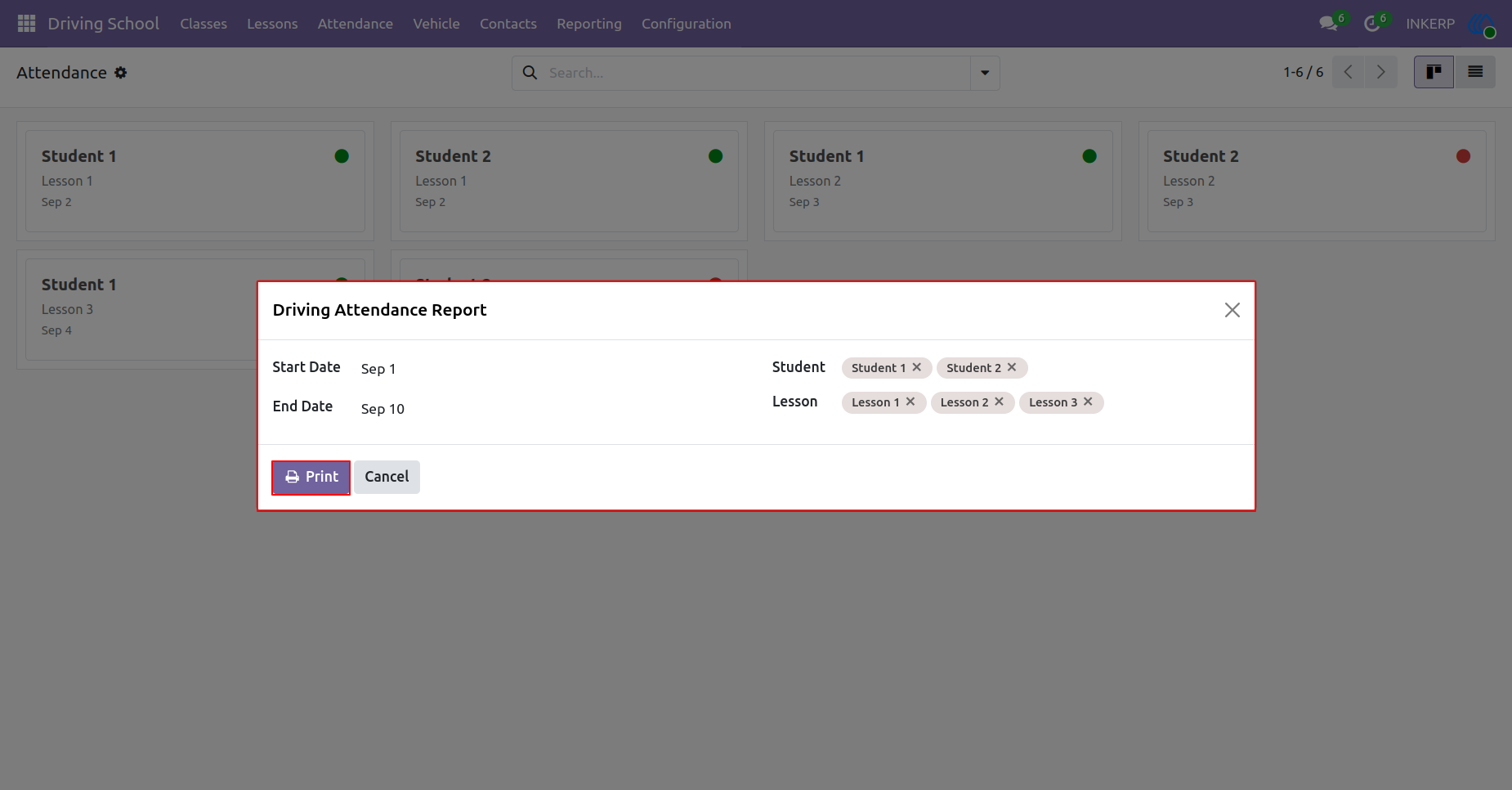
22.) Print Attendance
Define specific date ranges and select individual learners to filter participation data. Generate a tailored physical document for record-keeping or administrative purposes.
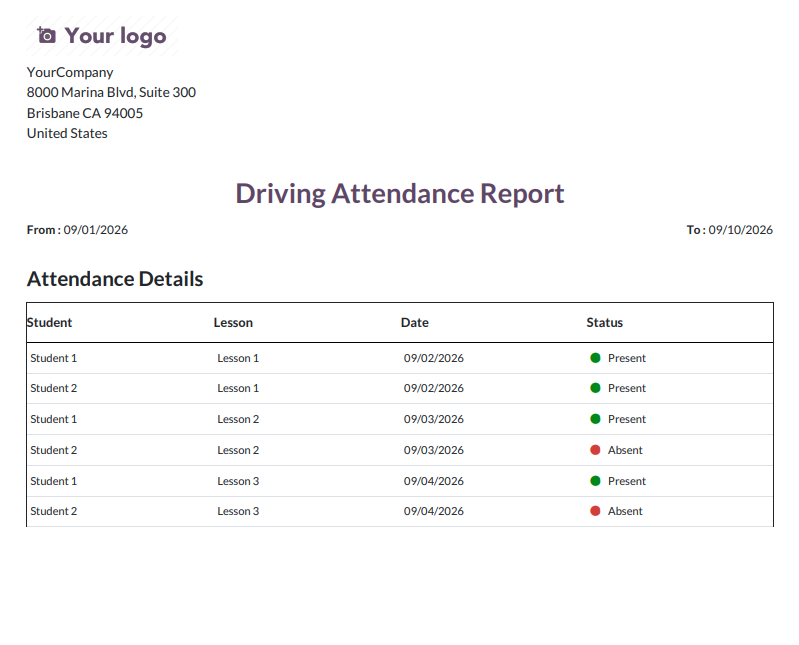
23.) Printed Attendance
Review the finalized physical record of learner participation across designated timeframes. Maintain this detailed log for administrative files and progress tracking.
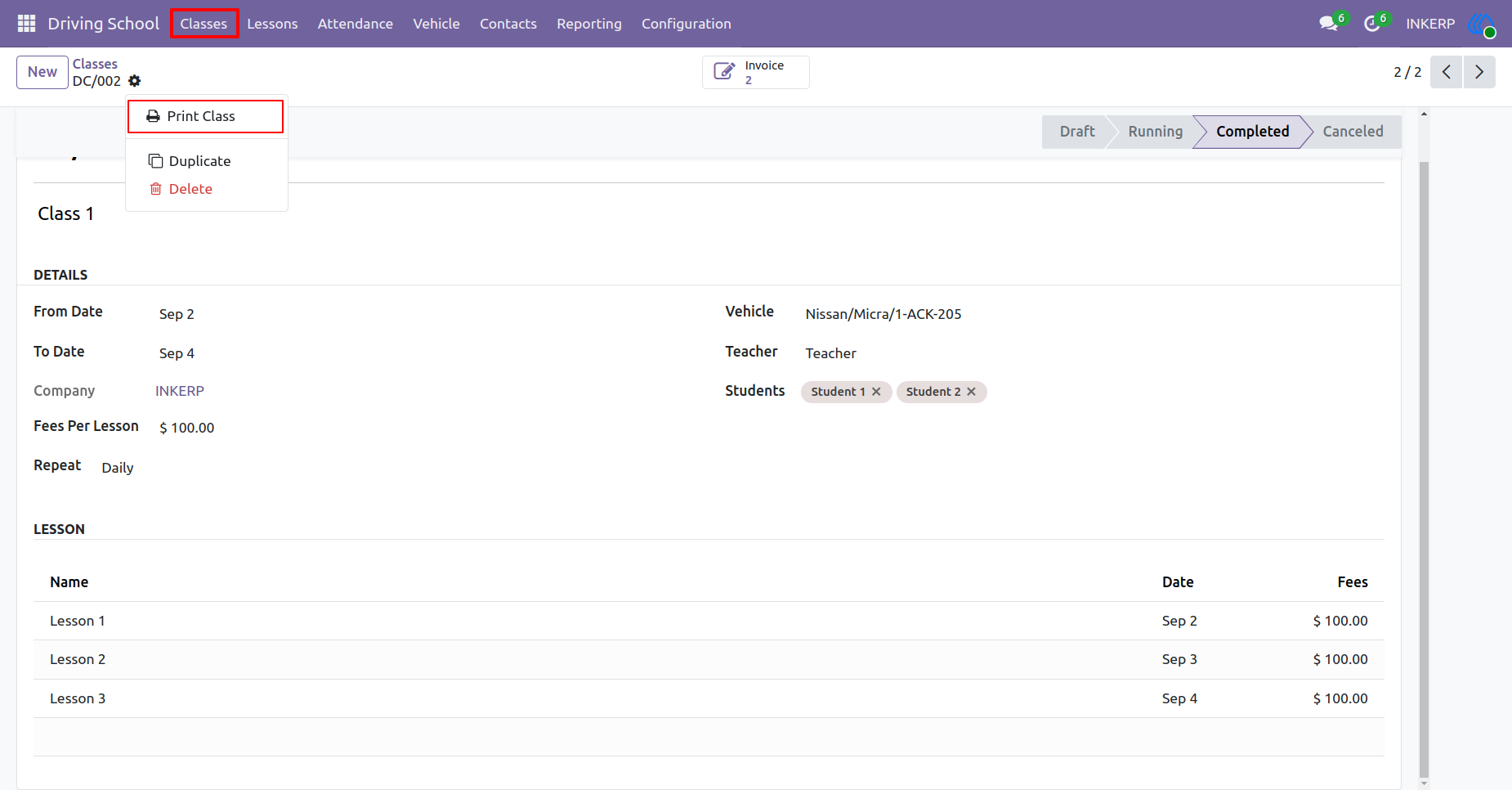
24.) Print Class Details
Export the complete schedule and structural details of a specific training course. Produce a physical copy outlining dates, assigned vehicles, and enrolled learners.
Navigation : Driving School › Classes › Print
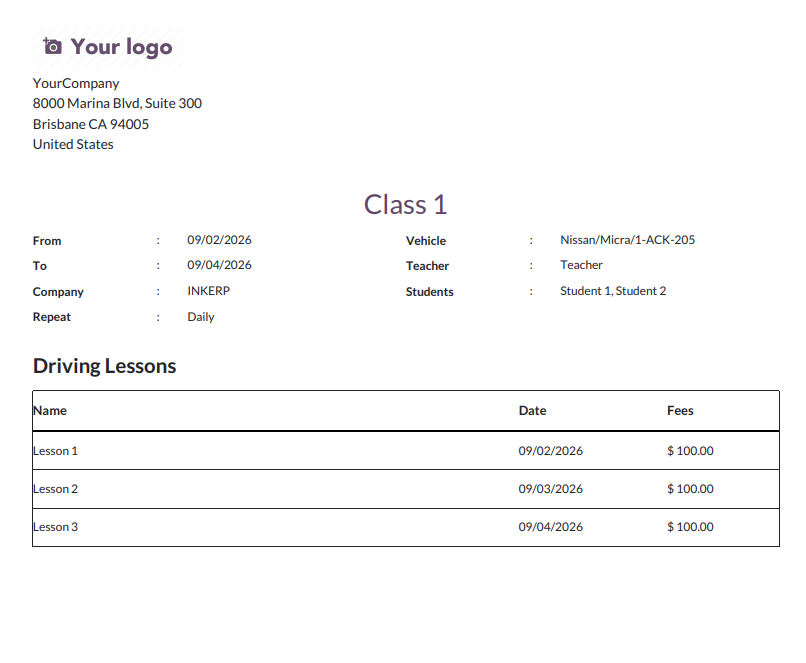
25.) Class Schedule PDF
Review the generated physical document summarizing all essential training course parameters. This record provides a clear timeline and fee breakdown for administrative use.
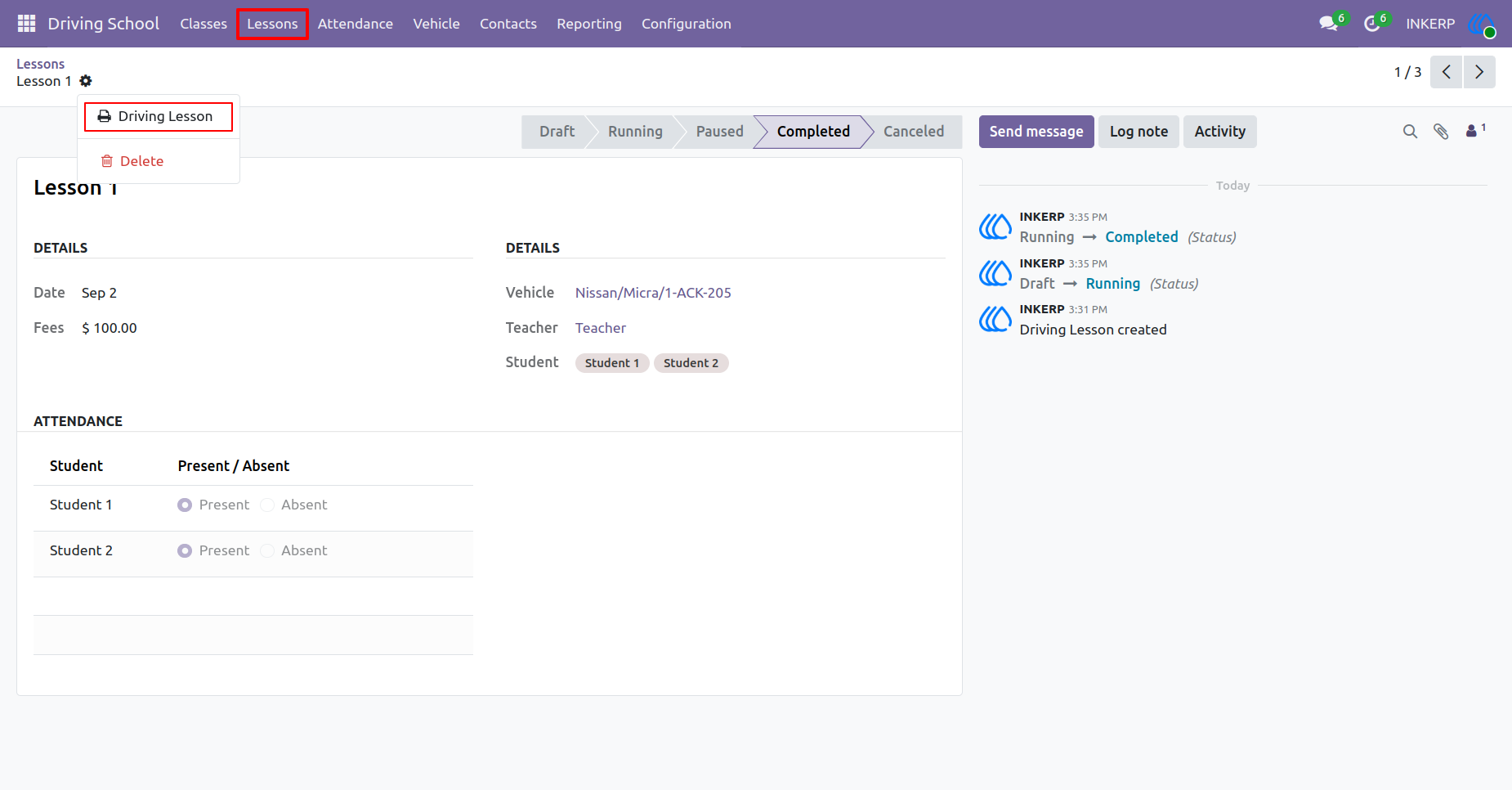
26.) Print Lesson Record
Export the specific details and participation logs of an individual teaching session. Create a physical summary documenting the assigned educator, vehicle, and attendees.
Navigation : Driving School › Lessons › Print
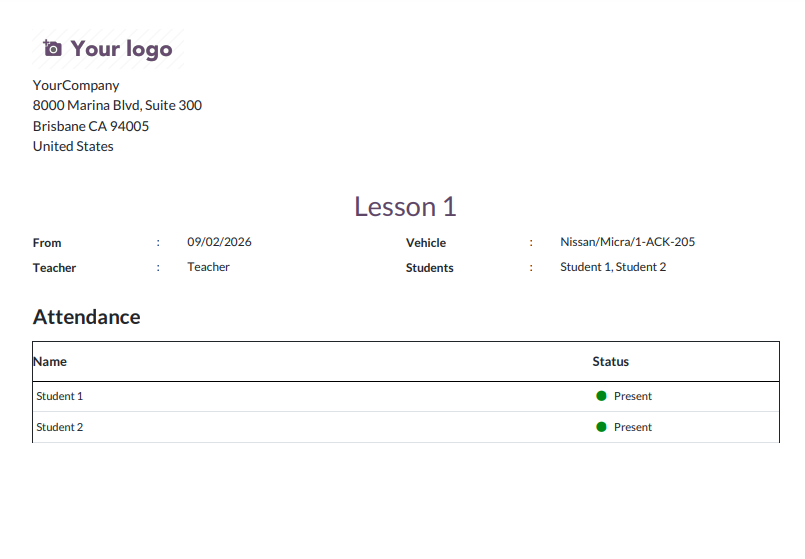
27.) Printed Lesson Log
Examine the finalized physical document detailing a single training event. Store this specific session record to maintain accurate historical logs of daily operations.
User Guide