

Our Most Suggested Products


Professional CPQ Product Configurator - Configure, Price, Approve, Quote and Manufacture
Professional CPQ Product Configurator helps sales teams build accurate product configurations by guiding users through structured questions, selectable options, pricing, stock availability, compatibility rules, and approval controls. It connects the configuration process with quotations so the selected components and calculated price can be carried into the sales workflow. For products that require manufacturing, the selected configuration can also be used to create a configuration-specific Bill of Materials and Manufacturing Order, giving sales, inventory, and production teams a connected workflow from product selection to fulfillment.
 Features
 Screenshots
 Support
 Service
Features
Flexible CPQ Template Management
Create reusable CPQ templates for configurable products and define the pricing method, base price, approval rules, and manufacturing behavior from one place. Templates organize questions and options into a structured configuration process that sales users can reuse for different customer quotations.
Questions, Options and Quantity Controls
Build guided product questions using single-choice or multiple-choice selections, then connect each question with available product options. Options can define default selections, minimum and maximum quantities, component pricing, stock checking, and BOM inclusion so users can create controlled and practical configurations.
Compatibility Rules and Validation
Define configuration rules using Requires and Excludes relationships to prevent incompatible product combinations. During configuration validation, the system checks required selections and conflicting options and provides clear guidance before the configuration is approved or quoted.
Pricing, Stock and Manufacturing Integration
Calculate base price, component price, estimated selling price, cost, and margin directly from the selected configuration while also checking component availability. Once the configuration is confirmed, it can be linked to a quotation and used to generate a configuration-specific BOM and Manufacturing Order for production.
Screenshot
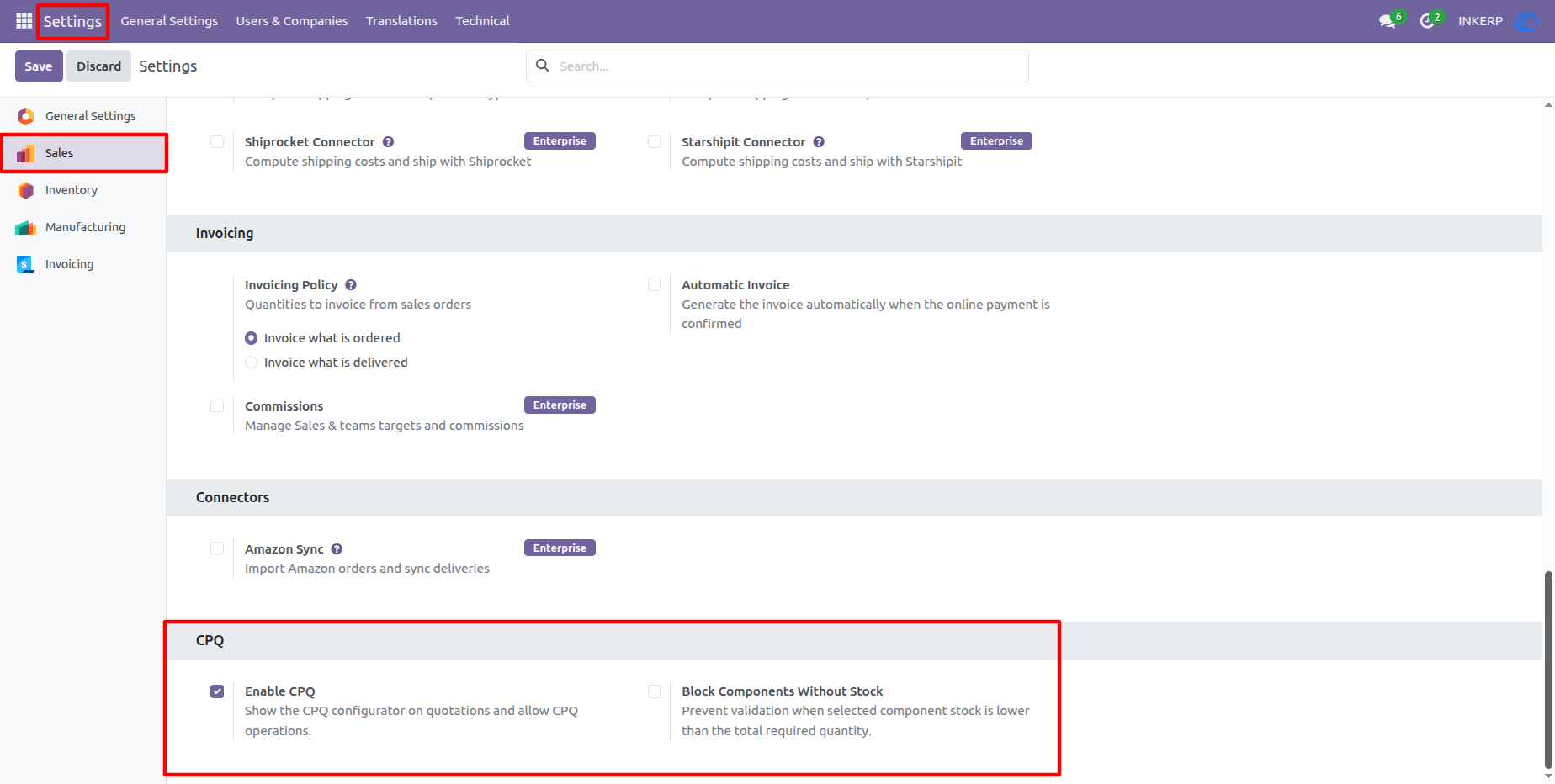
1.) CPQ Configuration Settings
Configure CPQ functionality for Sales by enabling the CPQ configurator and optionally blocking component validation when required stock is unavailable.
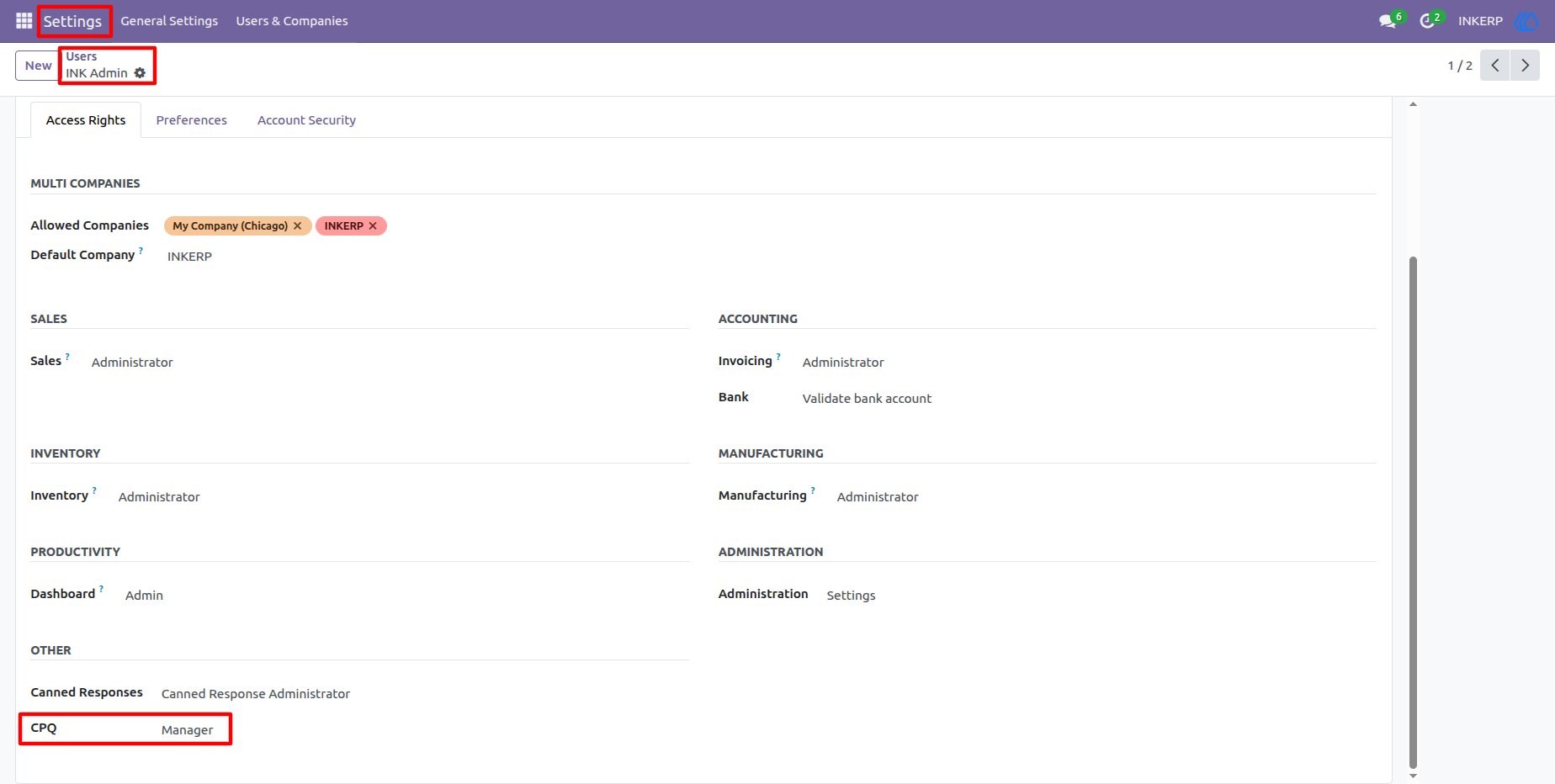
2.) CPQ Manager Access
The user access screen provides the CPQ security level required for managing configuration data. Assigning the CPQ / Manager role gives authorized users access to template setup, questions, options, compatibility rules, and other configuration controls.
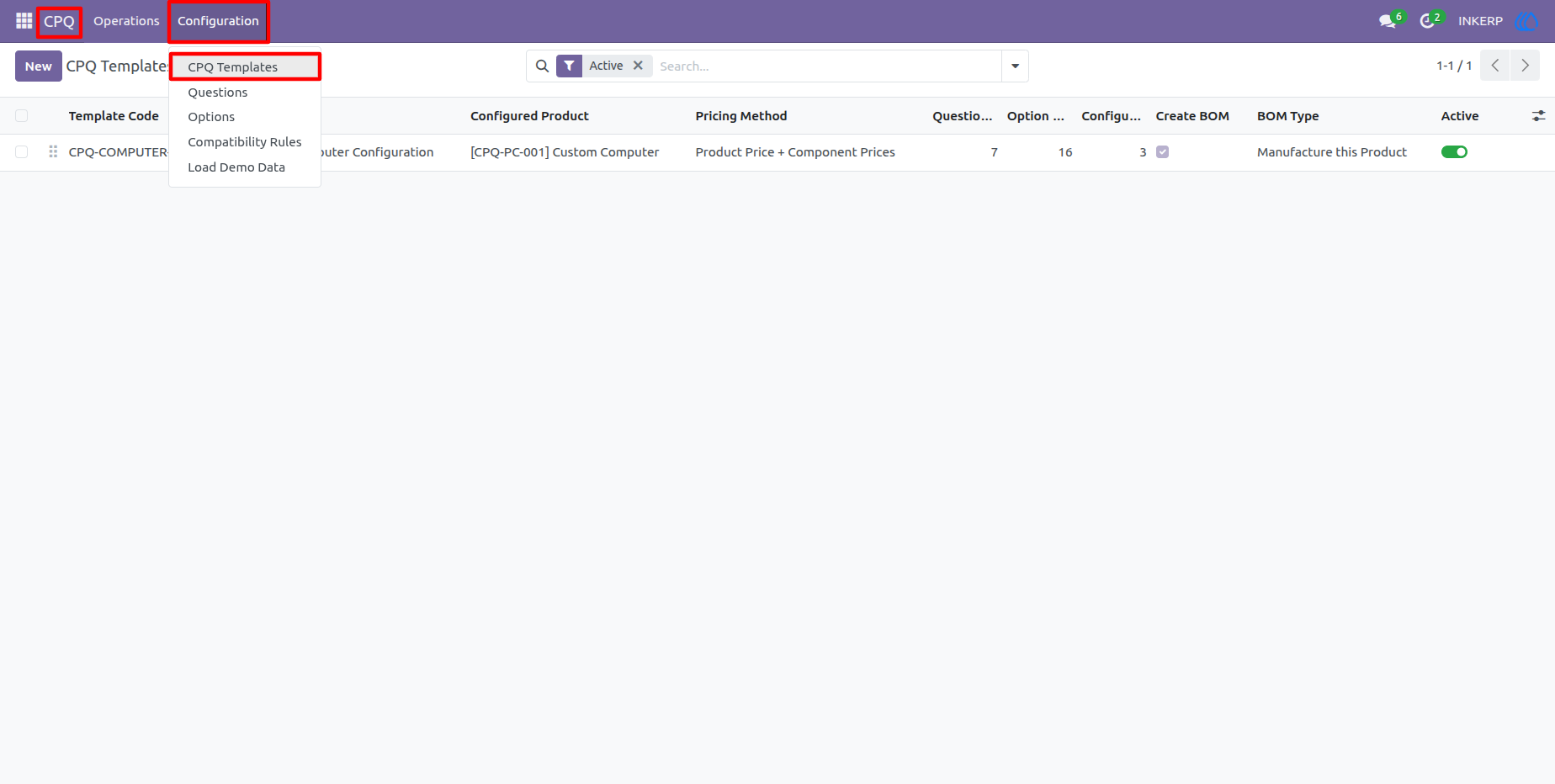
3.) CPQ Configuration Menu
The CPQ configuration menu brings the main setup areas together, including templates, questions, options, compatibility rules, and demo data. This provides administrators with a clear starting point for maintaining the product configuration structure.
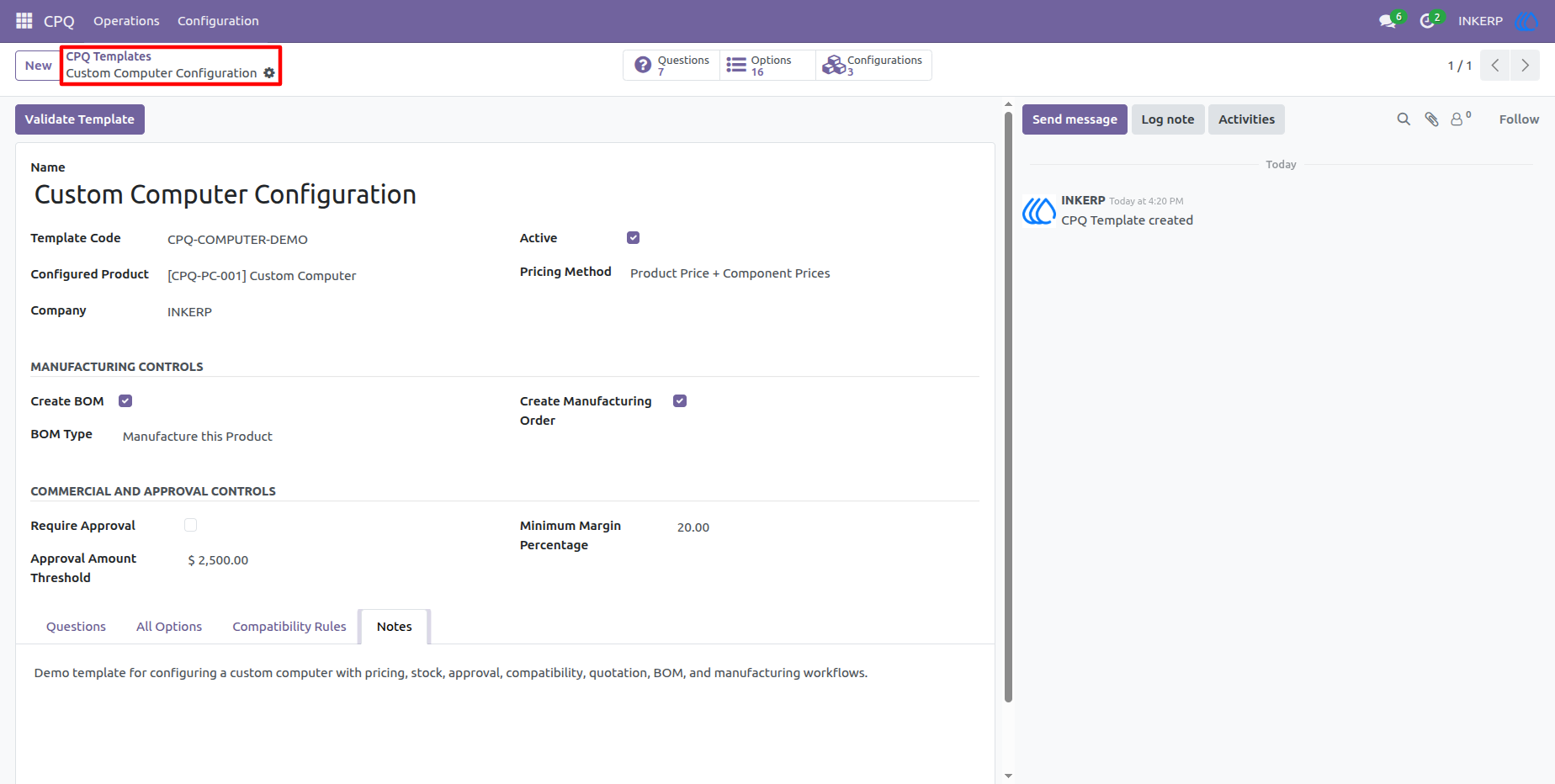
4.) CPQ Template Setup
The CPQ template form defines the main configurable product and its commercial and manufacturing behavior. Users can maintain pricing settings, BOM options, approval controls, questions, selectable options, compatibility rules, and related configuration details from a single template.
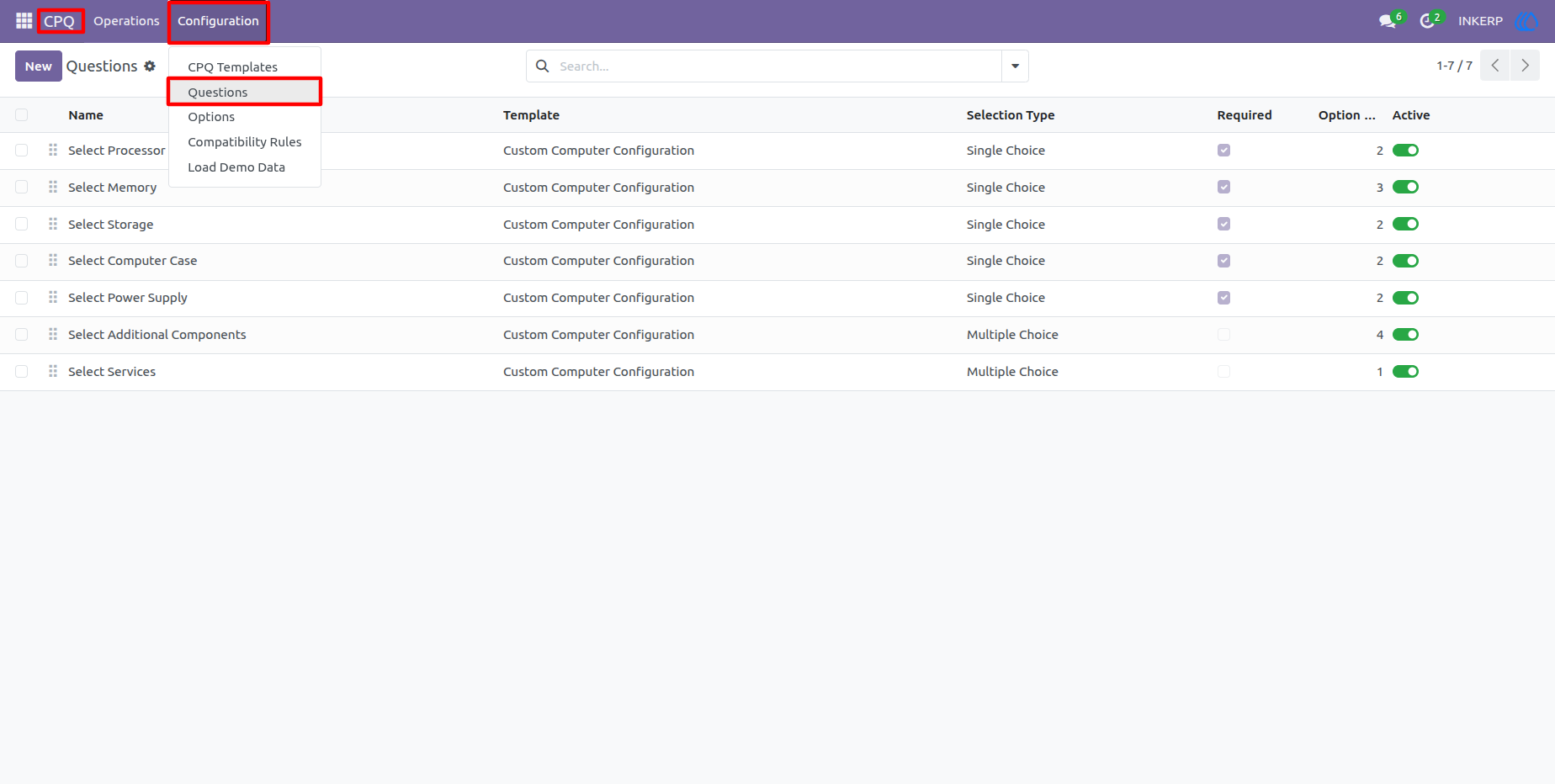
5.) Question Management
Questions define what the customer or sales user needs to select during configuration. Each question can be marked as required, assigned a selection type, ordered in sequence, and linked with the options that should be available for that stage of the configuration.
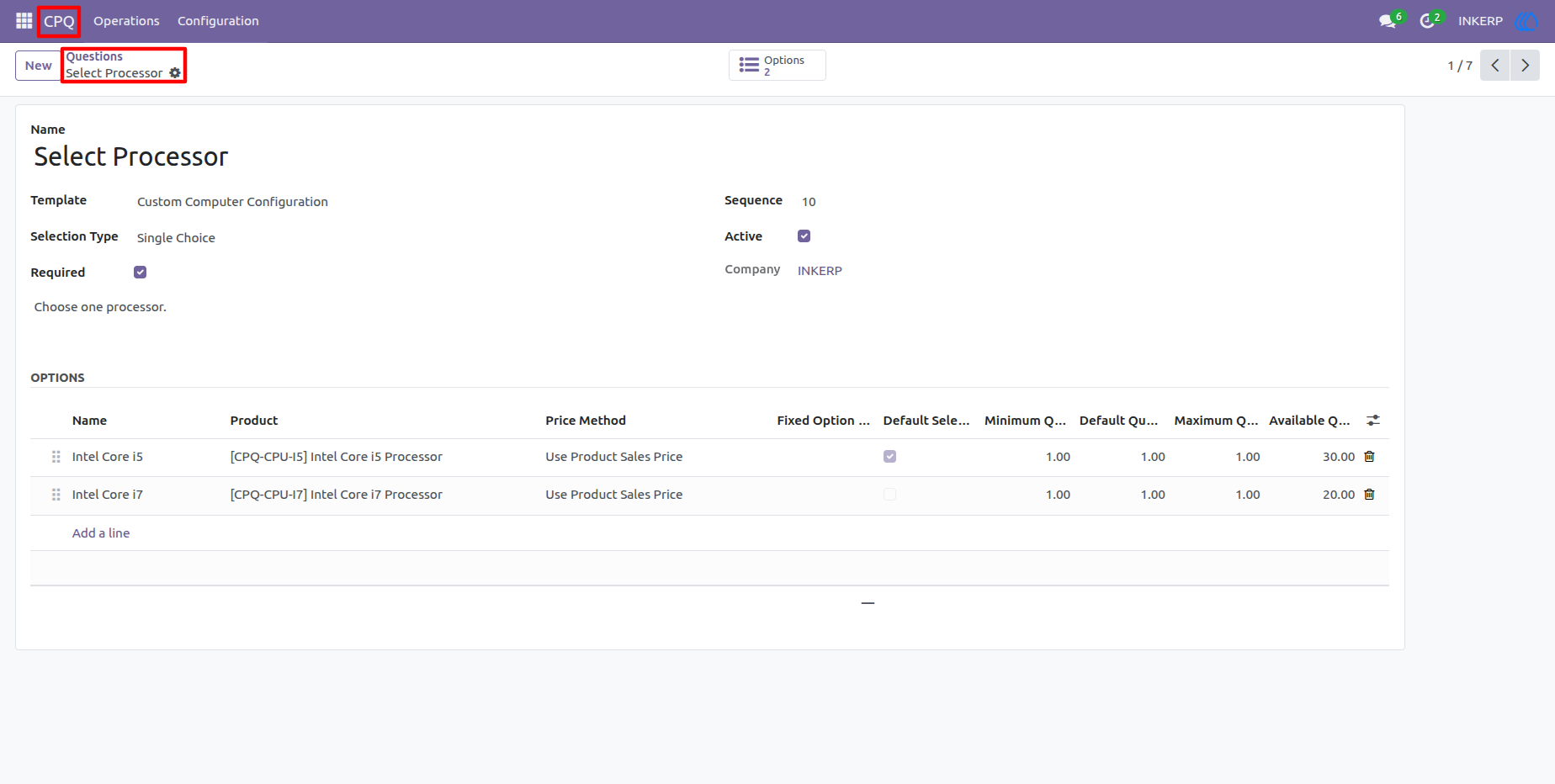
6.) Question with Selectable Options
A question can contain multiple selectable products with individual quantity and pricing settings. Default selections help speed up common configurations, while minimum and maximum quantities provide control over how much of an option can be selected.
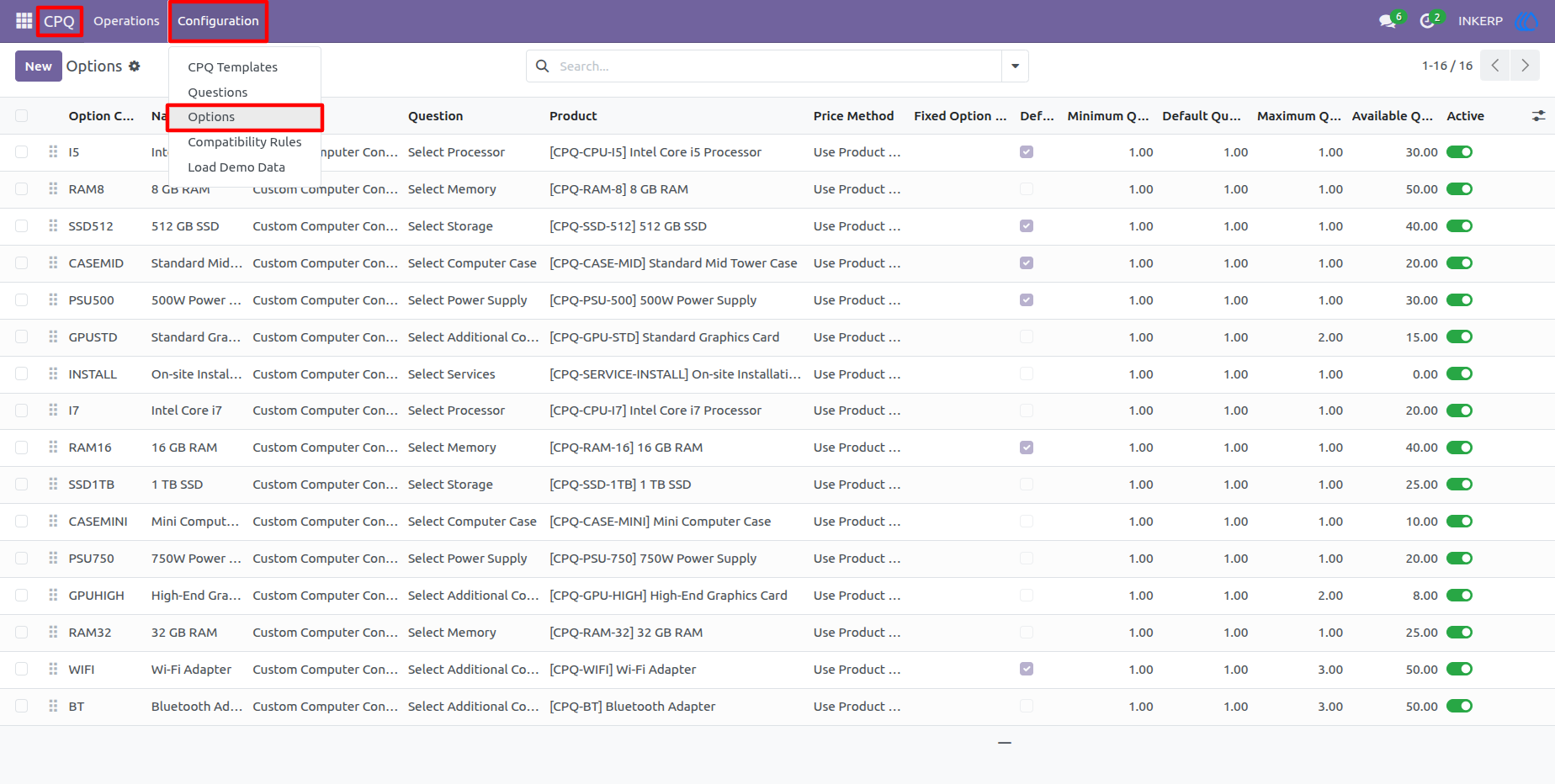
7.) Options List
The options list provides an overview of all configurable components connected to the product template. Users can review the related question, product, price method, default selection, quantity limits, stock quantity, and activation status without opening each option individually.
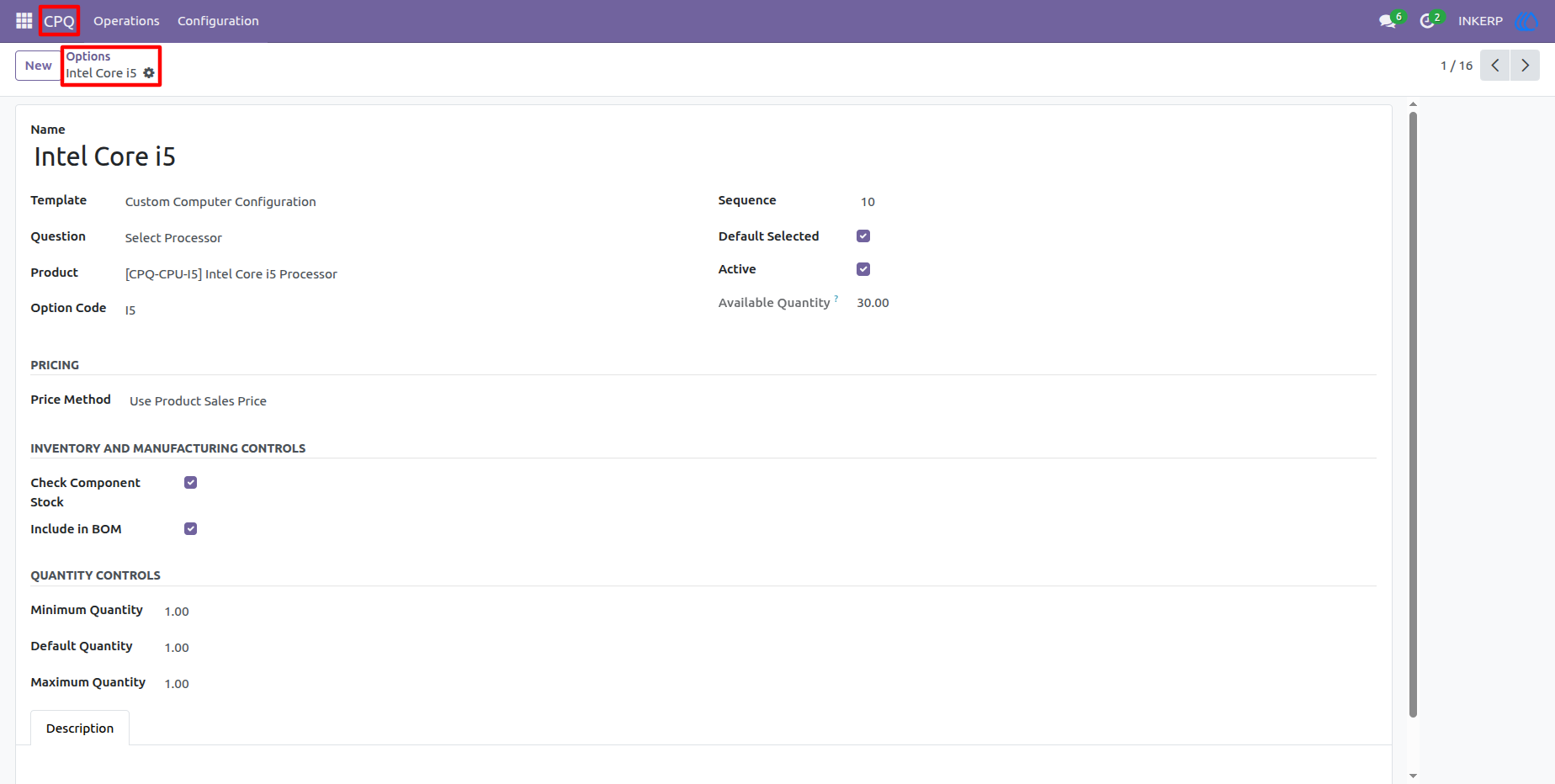
8.) Option Configuration
The option form controls how an individual component behaves in the CPQ workflow. Users can connect the option to a product and question, choose its pricing method, enable stock checking, include it in the BOM, and define default and quantity limits.
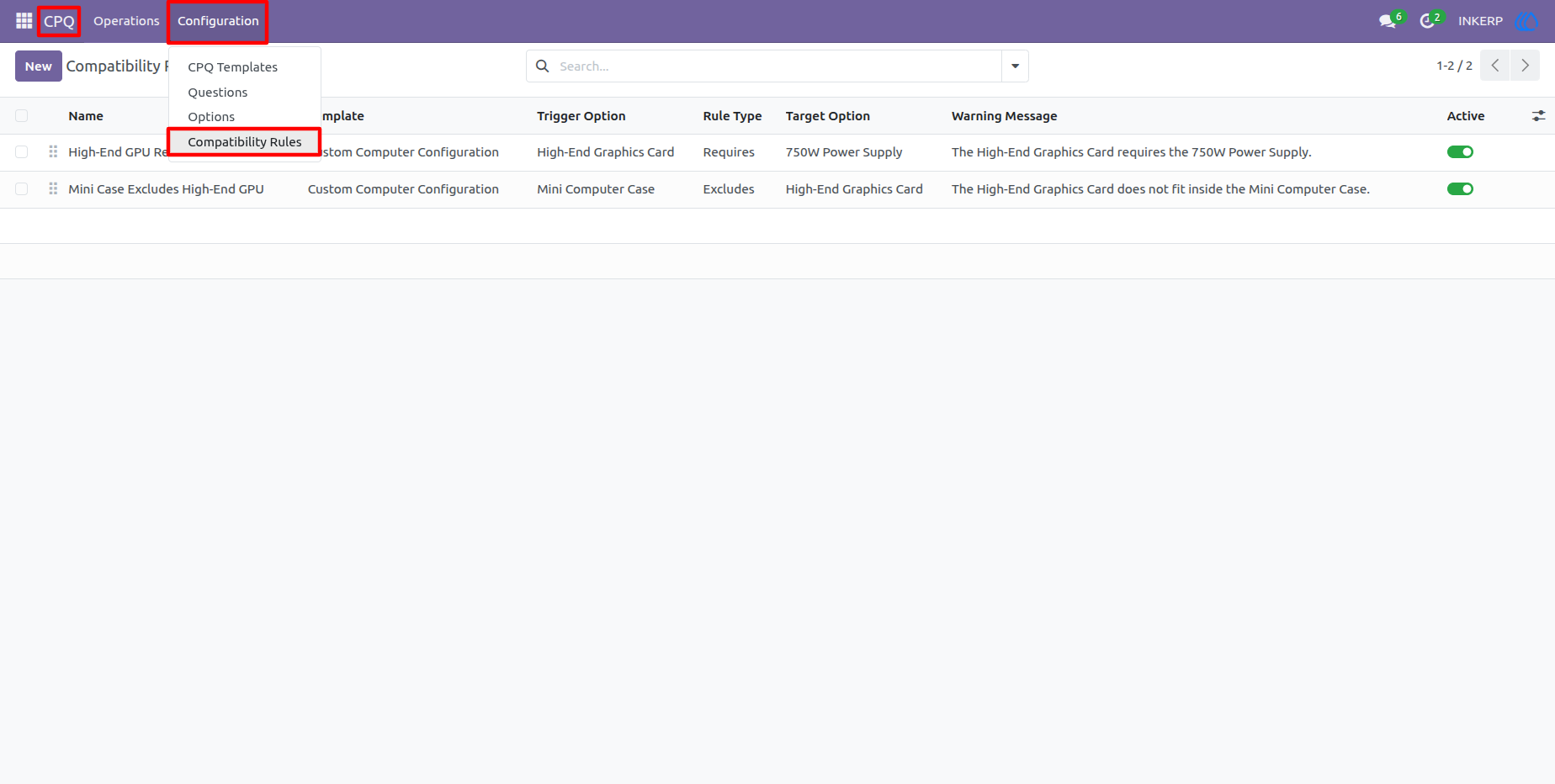
9.) Compatibility Rules
Compatibility rules provide a central place to manage dependencies between product options. Rules can specify that one selection requires another component or that two choices cannot be used together, helping prevent incorrect product configurations.
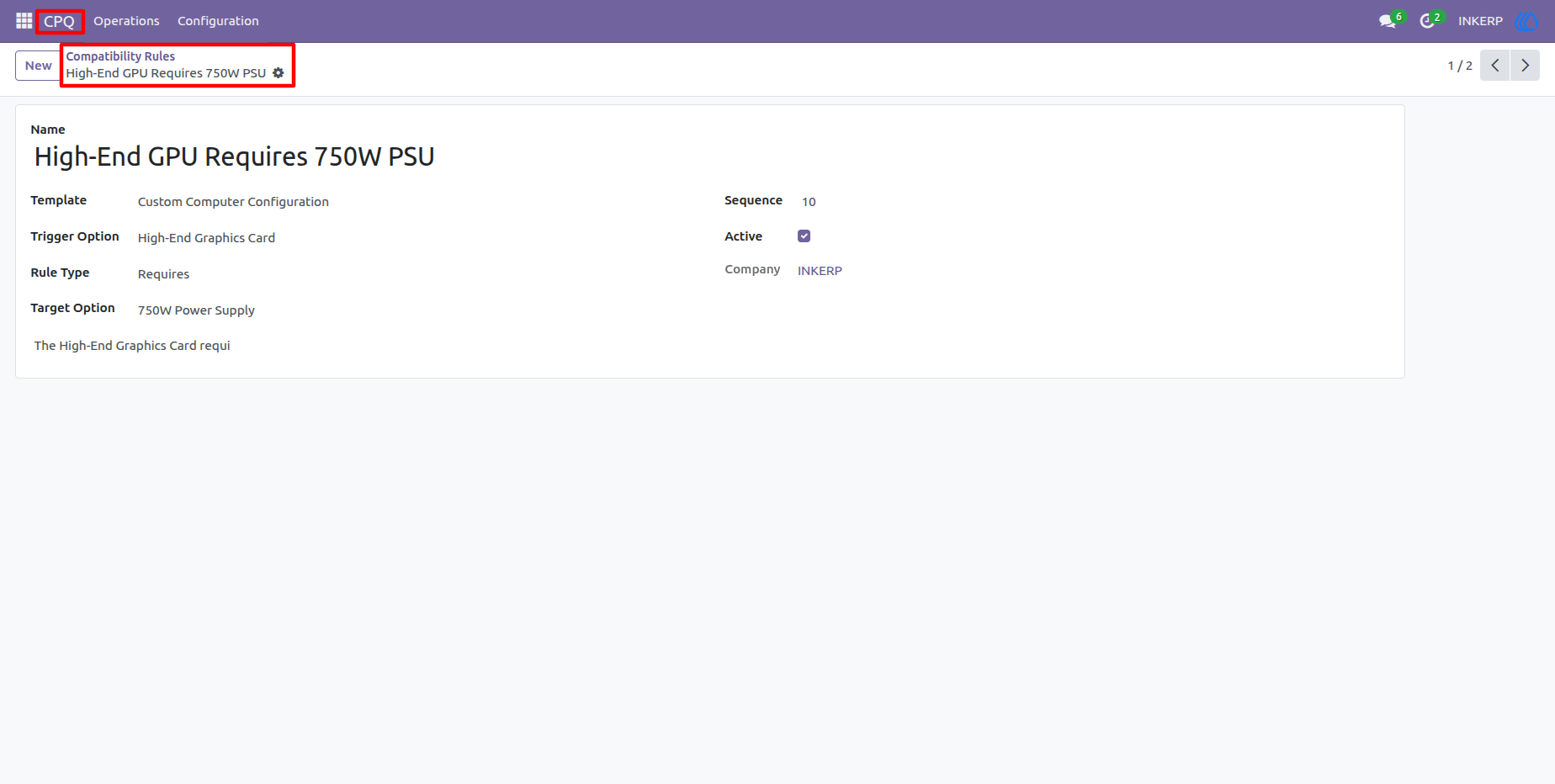
10.) Compatibility Rule Details
The rule form defines the trigger option, target option, rule type, and warning message. This makes configuration logic easy to understand and maintain, such as requiring a suitable power supply for a high-end graphics card.
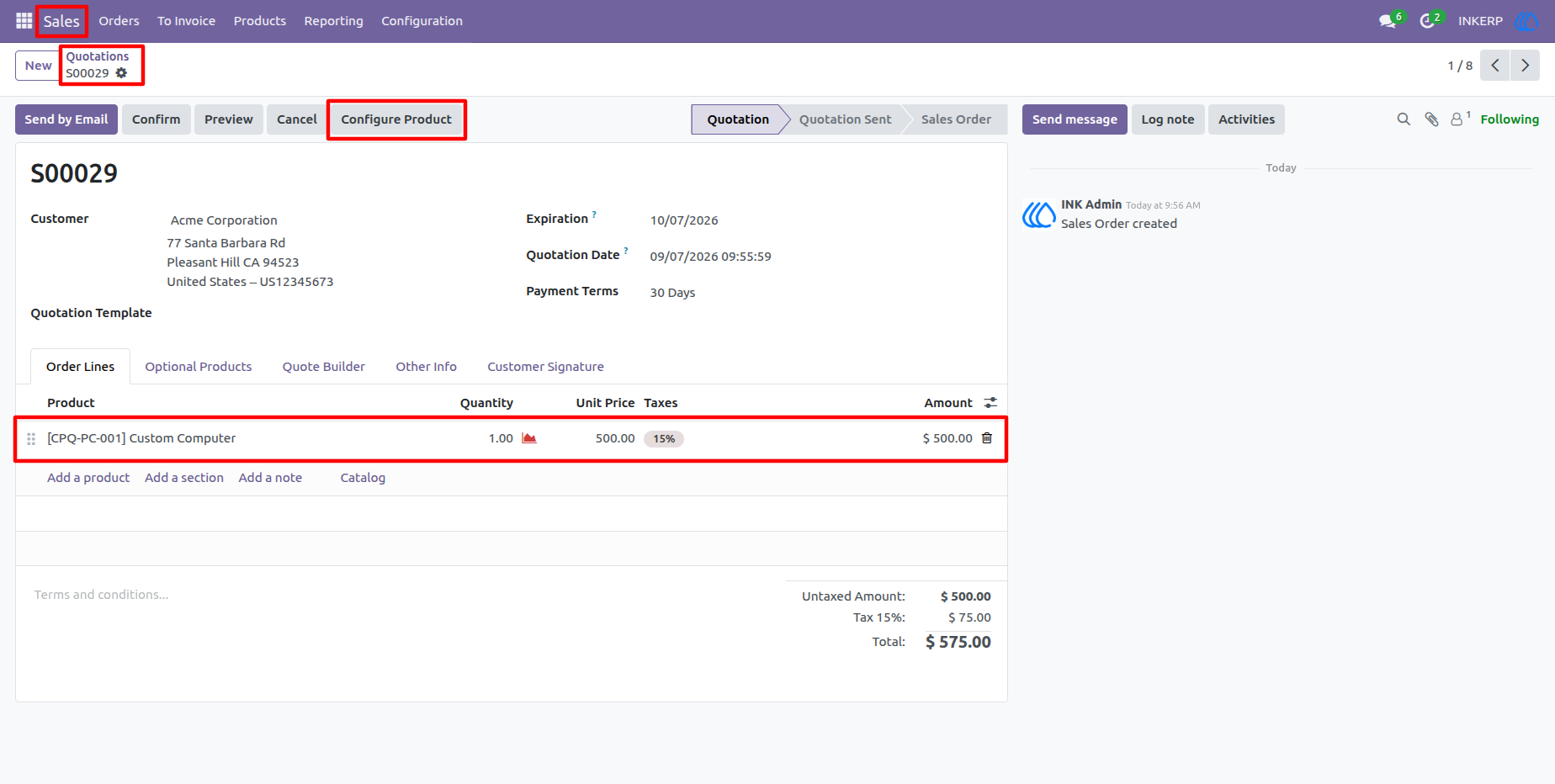
11.) Sales Quotation with Configure Product
The Configure Product button is available directly from the quotation, allowing sales users to start a CPQ configuration without leaving the sales workflow. The quotation already provides the customer context needed for the configuration process.
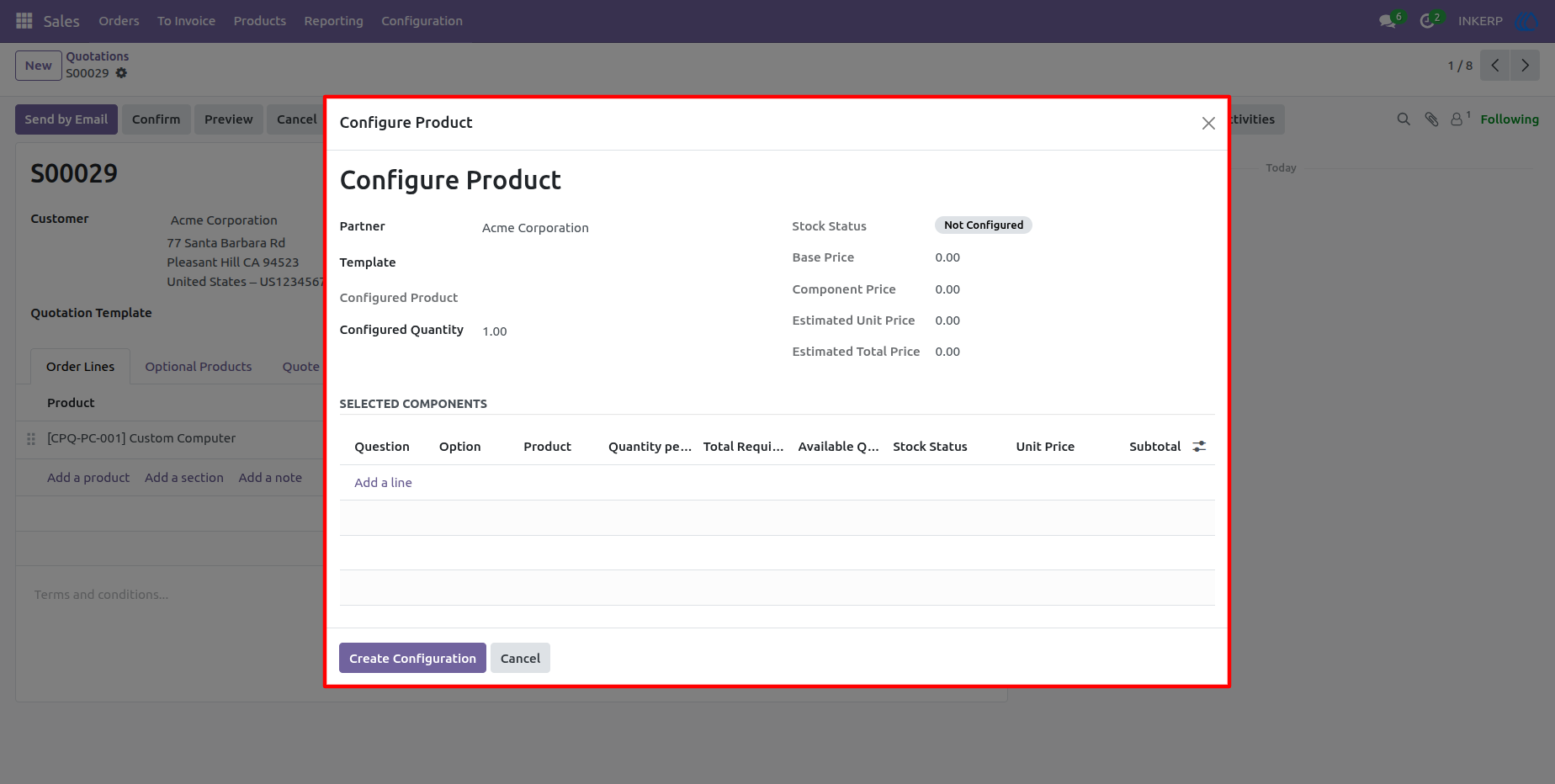
12.) Empty Product Configurator
The configurator opens with the customer and configured quantity ready while the product template and component selections are still empty. Users can choose the required template and add components before creating the final configuration.
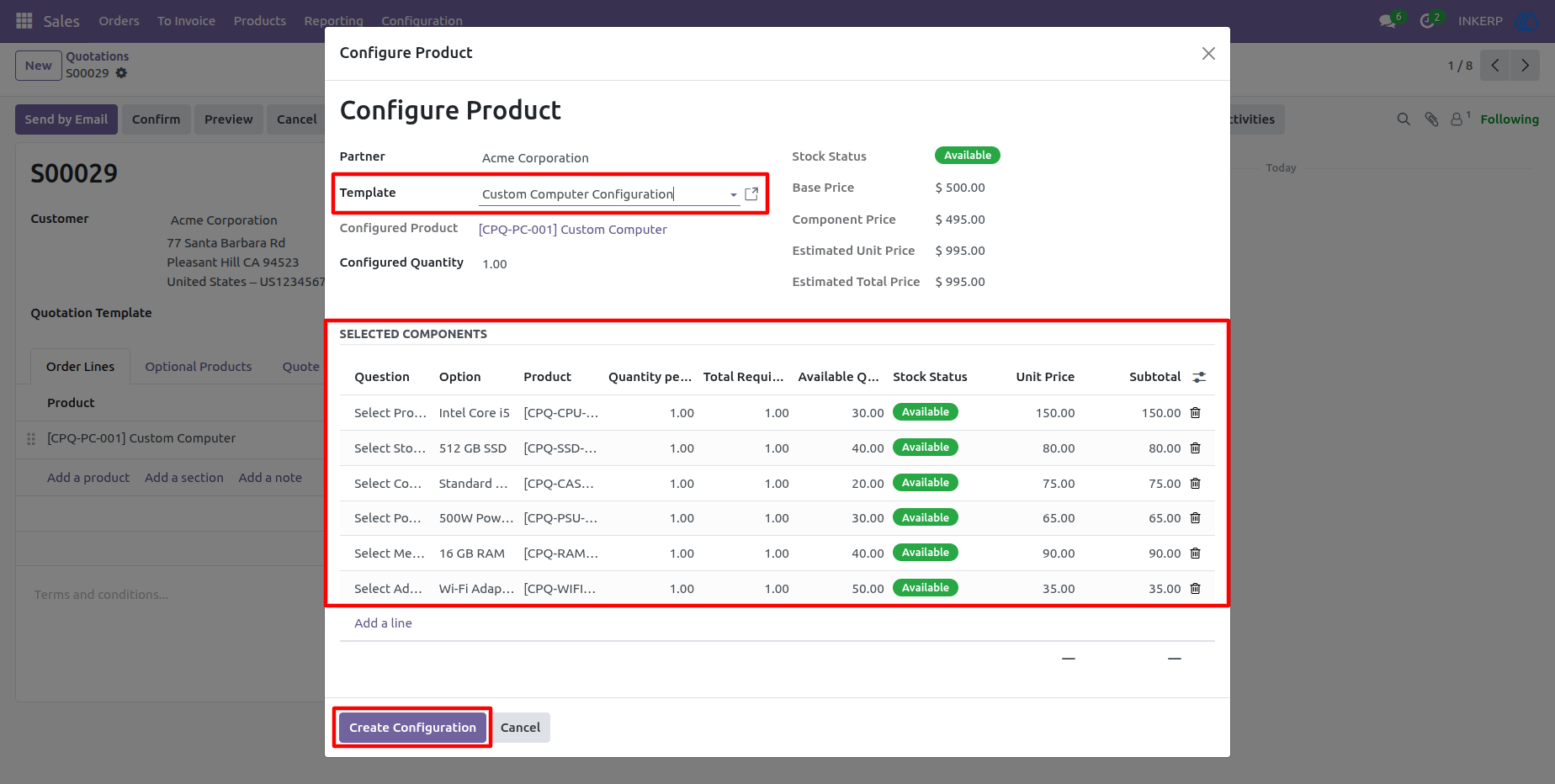
13.) Configurator with Selected Components
After selecting a template and options, the configurator calculates component pricing, estimated unit price, total price, required quantities, available quantities, and stock status. This gives the salesperson immediate visibility into the commercial and inventory impact of the selected configuration.
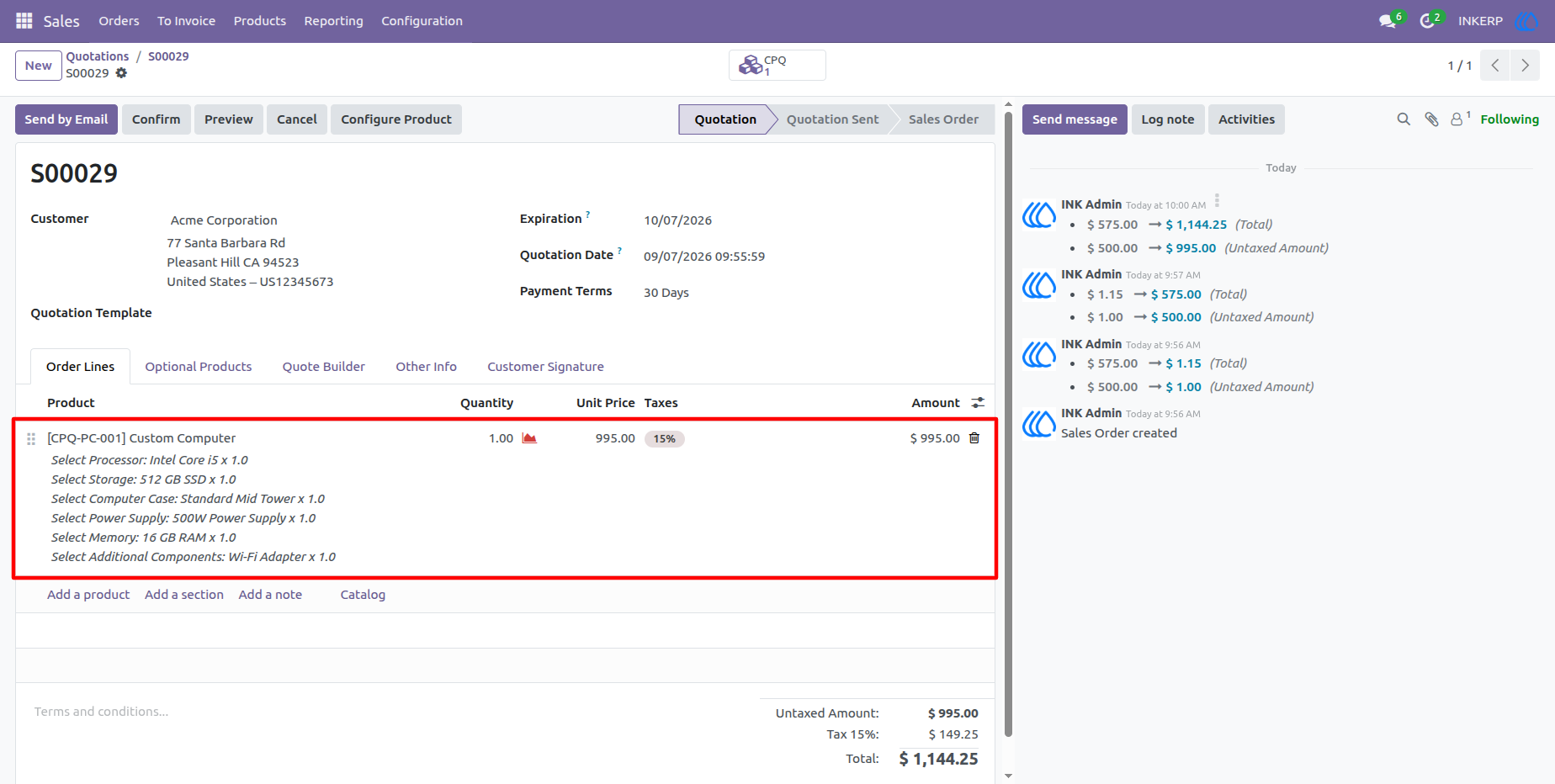
14.) Configured Product Added to Quotation
Once the configuration is created, the configured product is added to the quotation together with its calculated selling price and selected component details. The quotation can then continue through the normal sales process using the CPQ result.
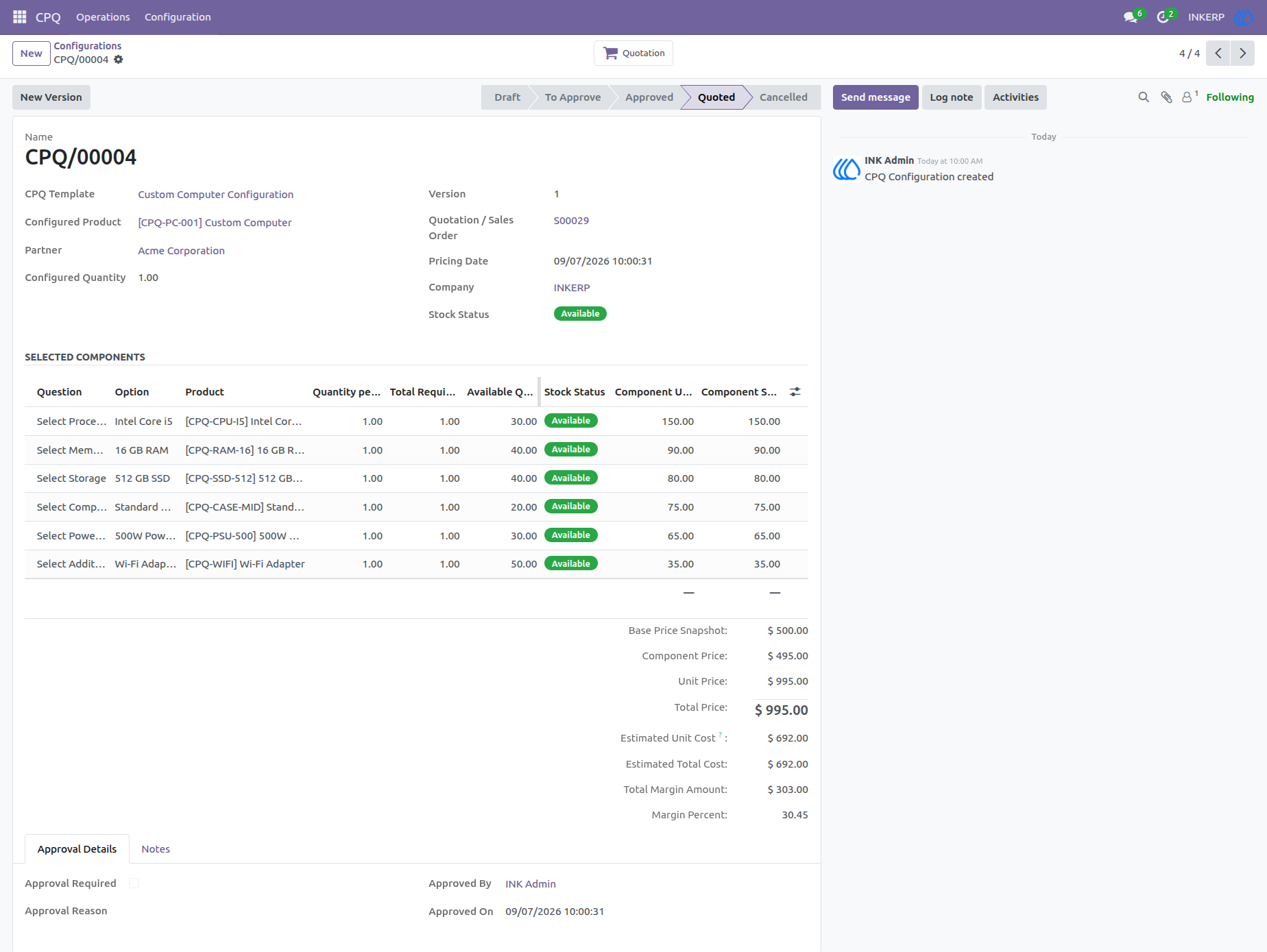
15.) CPQ Configuration Record
The configuration record stores the complete snapshot of the selected product, components, quantities, prices, stock information, approval information, and linked quotation. The status workflow also makes it easy to track whether the configuration is in Draft, To Approve, Approved, Quoted, or Cancelled state.
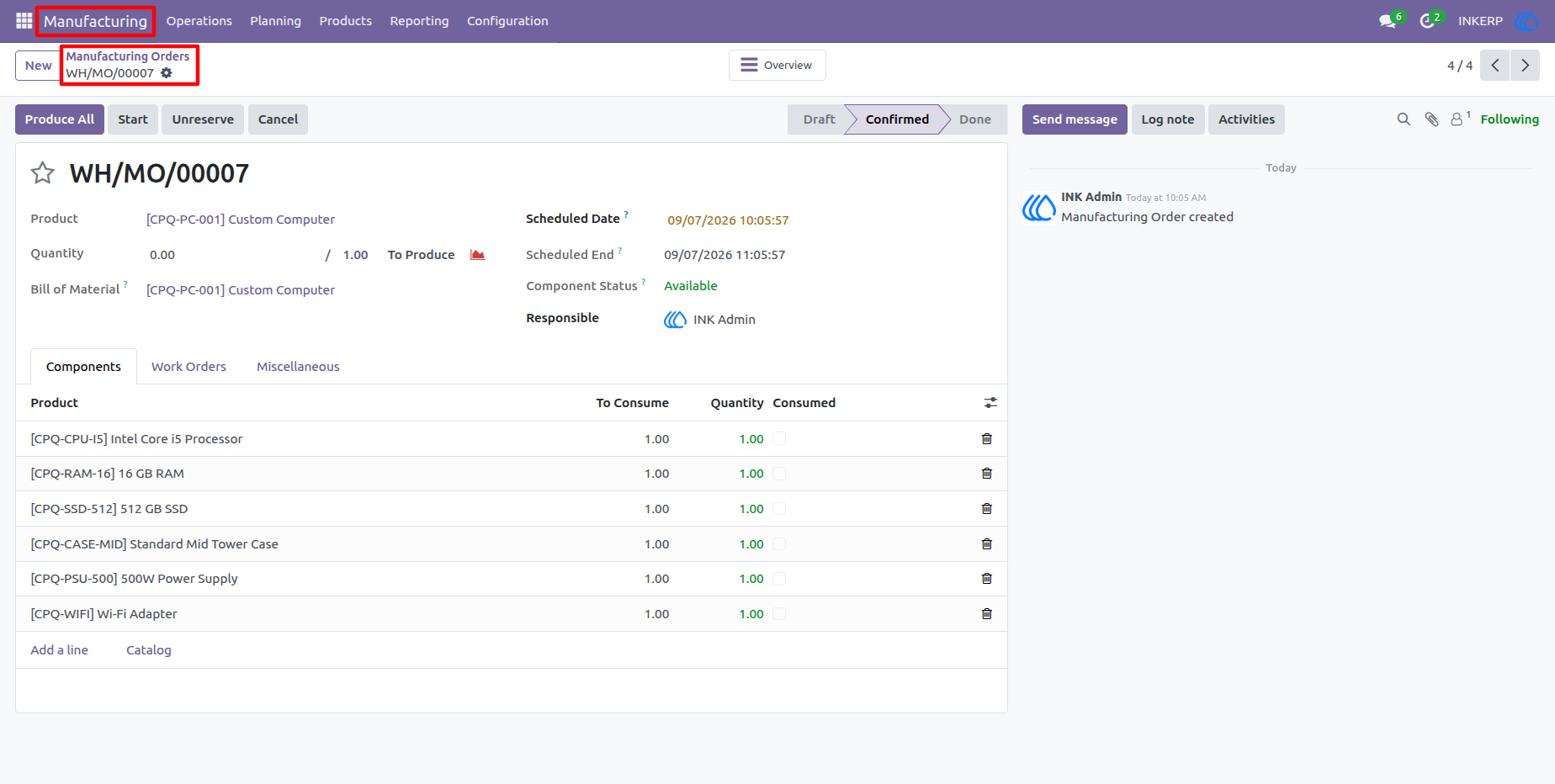
16.) Manufacturing Order from CPQ Configuration
The manufacturing order uses the configuration-specific product and BOM generated from the selected components. Production users can review the required components, quantities, availability, and manufacturing status before starting production.
User Guide