

Our Most Suggested Products


Bulk Confirm Repair Orders
The Bulk Confirm module enables the simultaneous validation of multiple draft maintenance requests to accelerate high-volume processing. Upon execution, the system processes selected records, updating their operational status to confirmed while automatically calculating necessary component availability. If stock is insufficient, the system instantly triggers a consolidated warning message to prevent invalid confirmations, eliminating individual processing inefficiencies.
 Features
 Screenshots
 Support
 Service
Features
Bulk Confirm Repair Orders
The Bulk Confirm module enables the simultaneous validation of multiple draft maintenance requests to accelerate high-volume processing. Upon execution, the system processes the selected records, updating their operational status to confirmed while automatically calculating necessary component availability; if stock is insufficient for any required parts, the system instantly triggers a consolidated warning message to prevent invalid confirmations. This batch operation streamlines maintenance management by eliminating the inefficiencies of individual order processing.
Screenshot
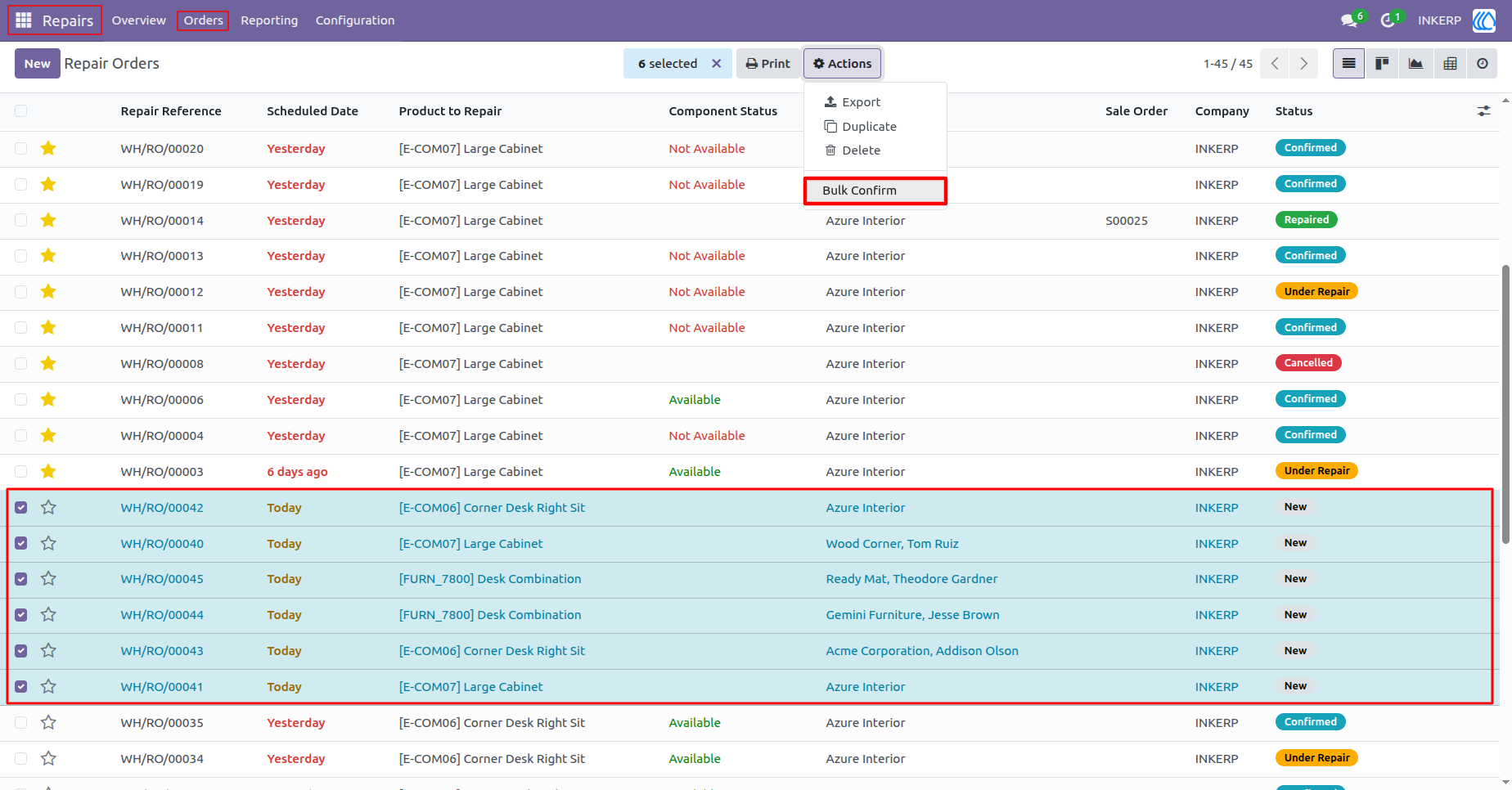
1.) Bulk Confirm Repair Orders
The Bulk Confirm functionality enables the simultaneous validation of multiple draft maintenance requests to accelerate high-volume processing. Upon execution from the actions menu, the system evaluates the selected pending repair orders, updating their operational status to confirmed while automatically validating required component availability. This batch operation streamlines maintenance management workflows by eliminating the administrative inefficiencies associated with individual order confirmation.
Navigation : Repairs › Orders
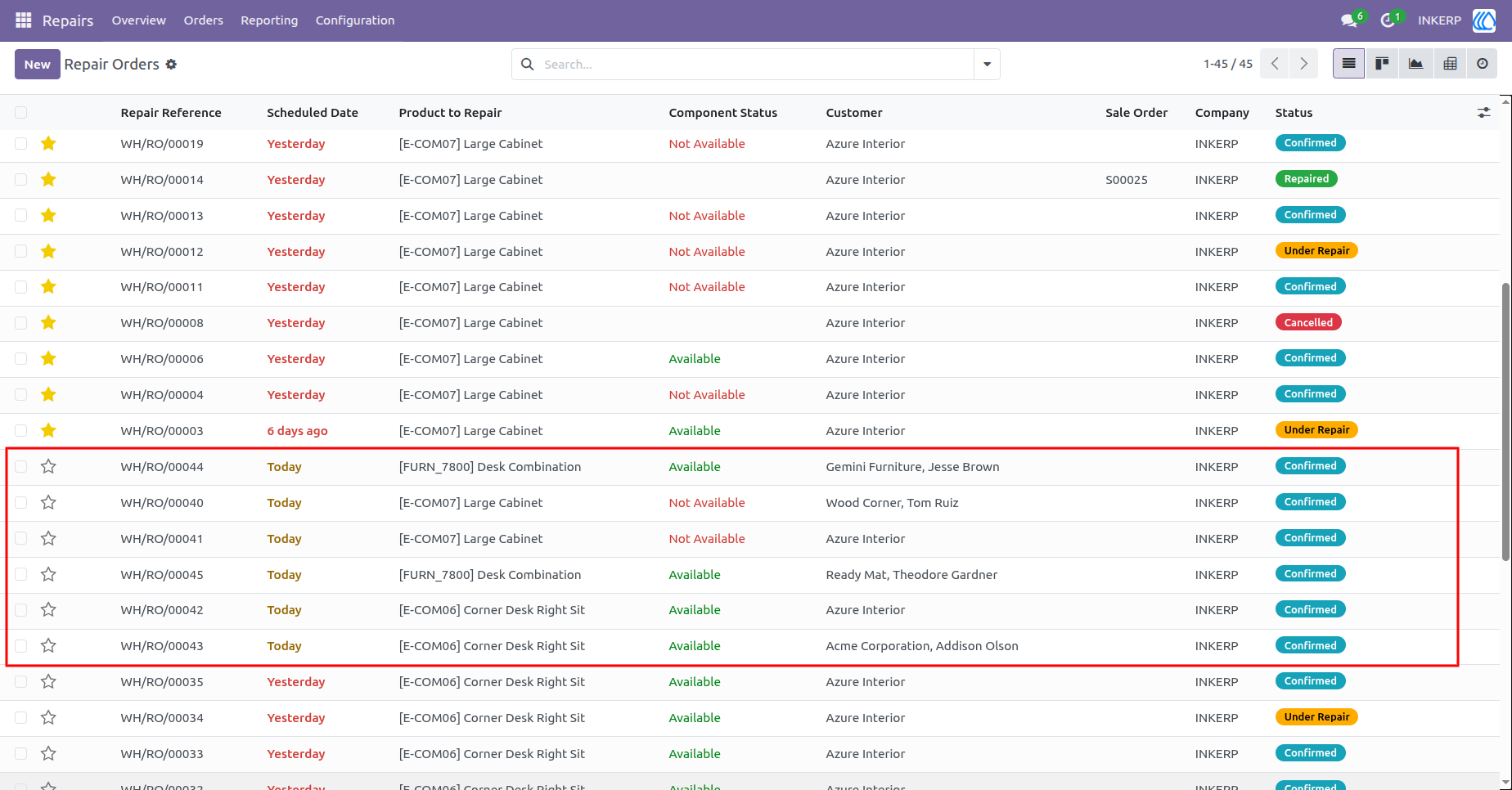
2.) Bulk Confirm Repair Orders Execution Result
Following the batch execution, the system successfully transitions the selected maintenance requests from their initial draft state to confirmed. This automated progression updates the operational status across all targeted records simultaneously while validating the necessary component allocations. Administrators can instantly verify the state changes within the centralized registry, ensuring streamlined processing without manual intervention.
Navigation : Repairs › Orders
User Guide