

Our Most Suggested Products


BOM Product Image In View And Report
BOM Product Image In View And Report adds the ability to display product images directly in Bills of Material, Manufacturing Orders, and reports. This makes documentation more visual and easier to understand, ensuring quick product identification during production. The feature can be enabled or disabled anytime through the settings for flexible control.
 Features
 Screenshots
 Support
 Service
Features
Product Images in Bills of Materials
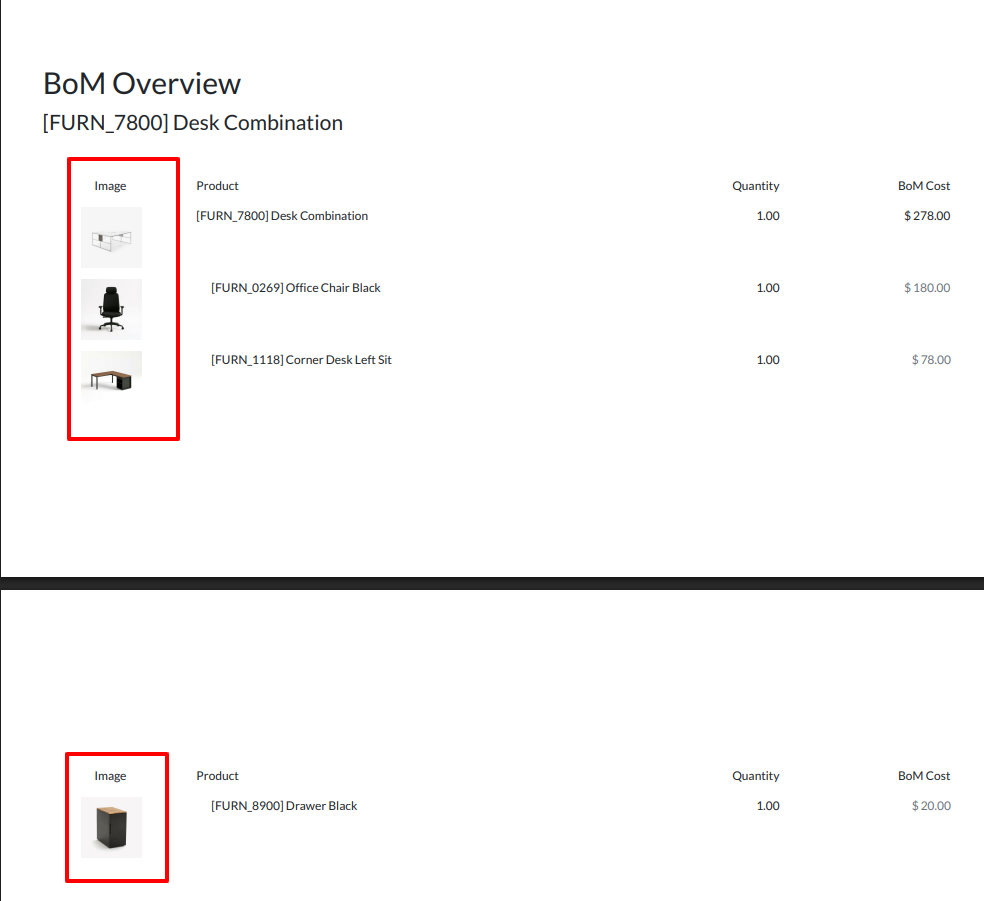
Display product images directly within Bills of Material (BOM) to make component identification faster and more accurate. This visual enhancement helps production teams quickly recognize products without relying solely on product names or codes.
Visual Manufacturing Orders
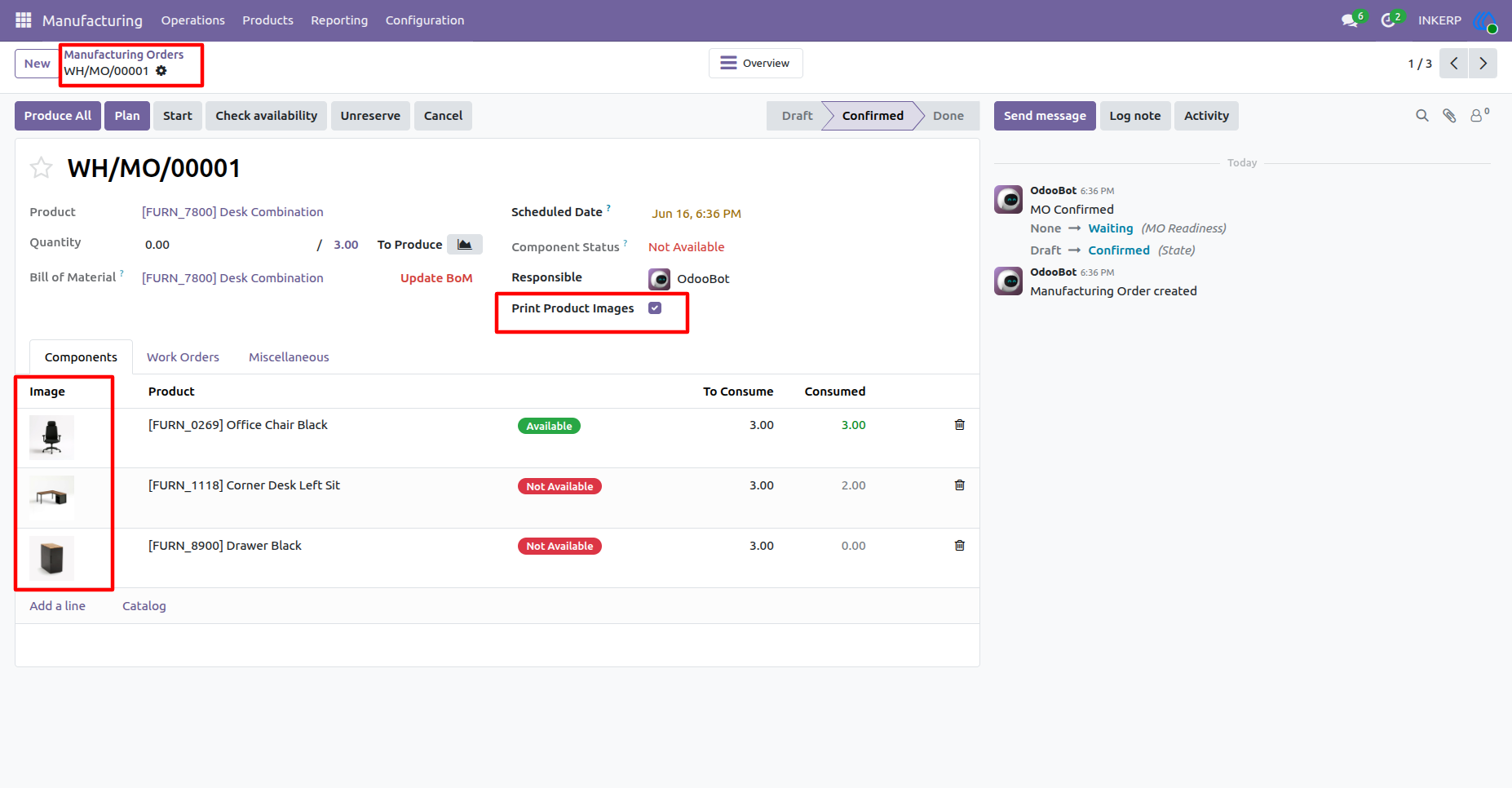
Show product images in Manufacturing Orders to provide a clearer and more user-friendly production workflow. Operators can instantly verify products and components, reducing confusion and improving efficiency on the shop floor.
Flexible Image Display Settings
Enable or disable product image visibility at any time through the settings menu. This configurable option allows businesses to customize the feature according to their operational needs and reporting preferences.
Screenshot
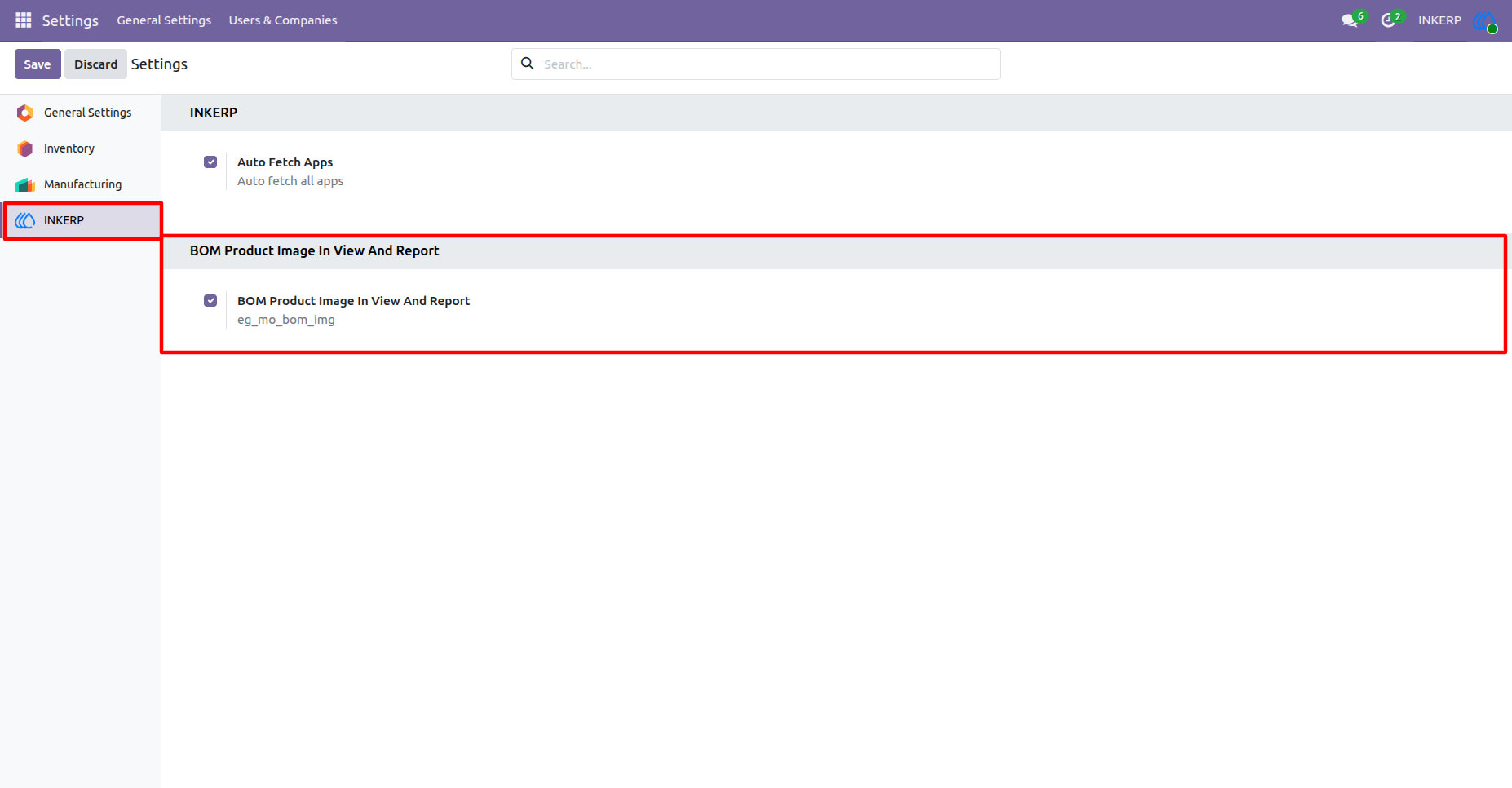
1.) Enable BOM Product Image In View And Report :
By default BOM Product Image In View And Report is enabled and functionality of app only work if enabled, but if want to disable then it is possible
2.) Product Image in Manufacturing Orders :
3.) Product Image in Manufacturing Orders Report :
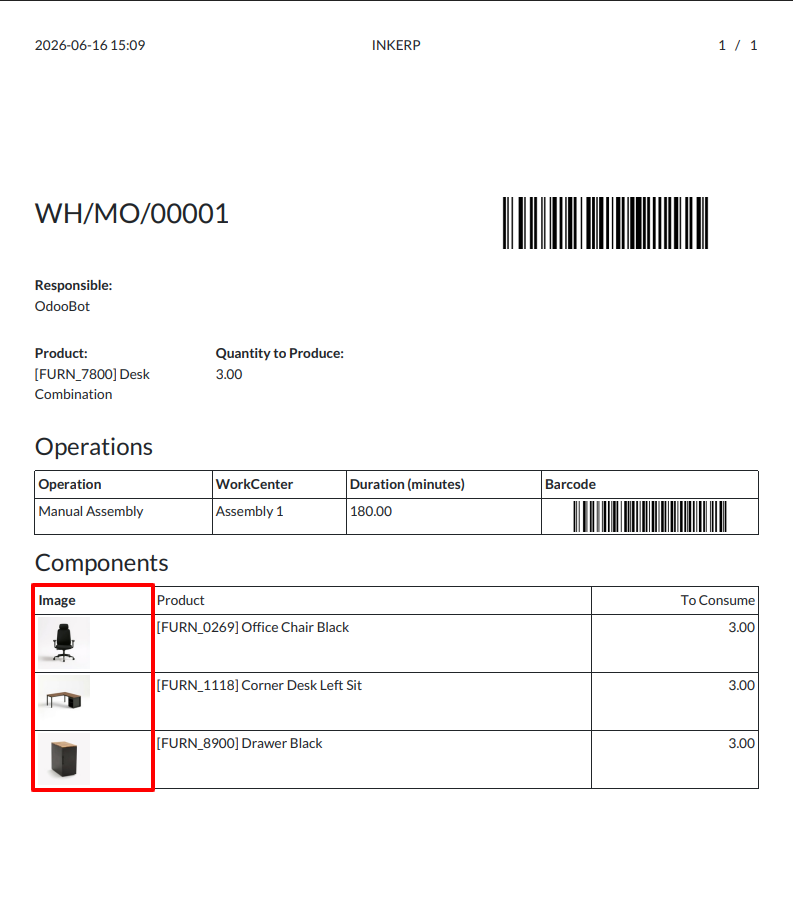
4.) Product Image in Bill of Materials :
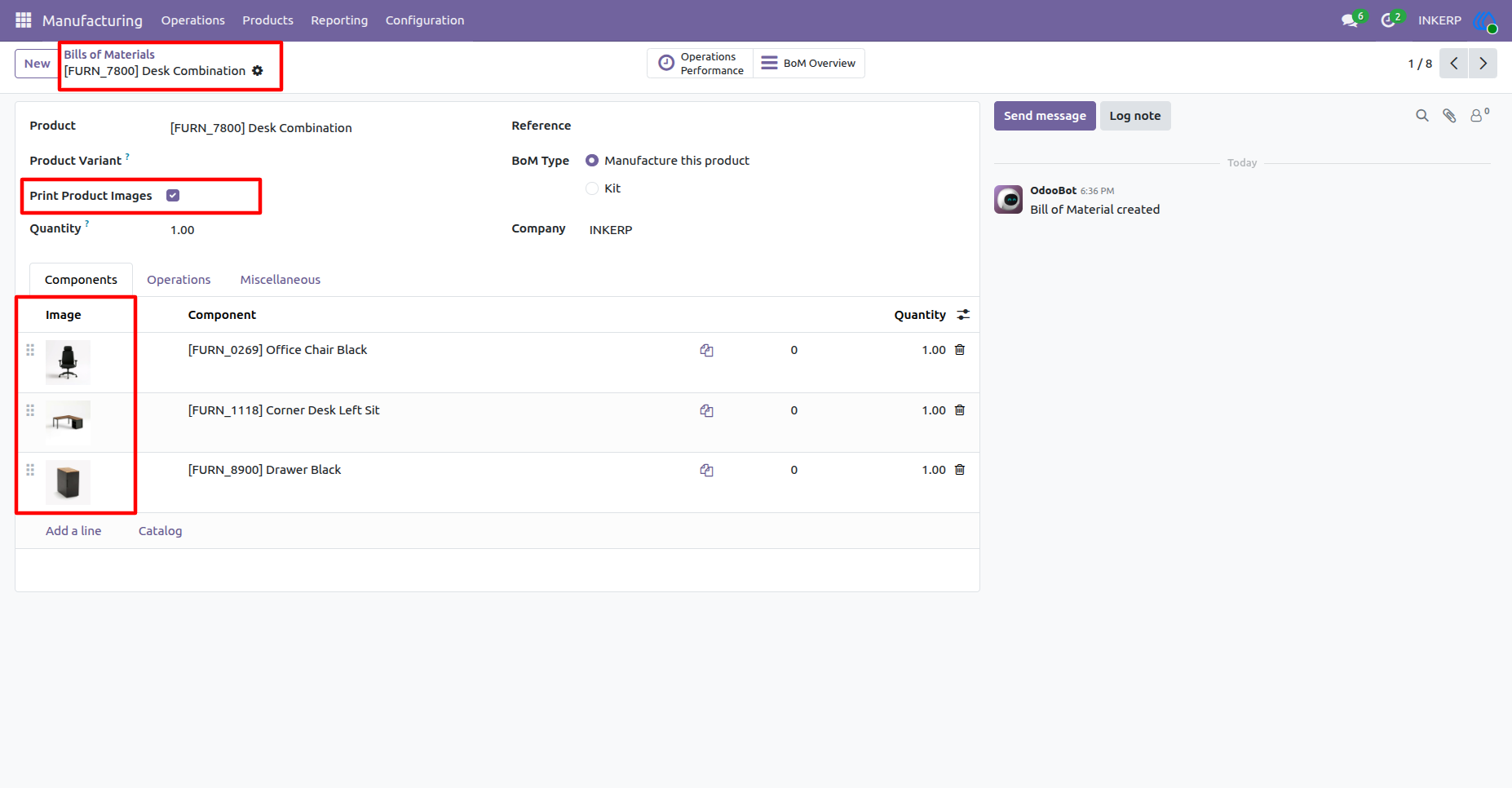
5.) Product Image in Bill of Materials Report :
User Guide