

Our Most Suggested Products


Amount In Words
The "Amount In Words" app converts numerical amounts into written words for financial documents, enhancing clarity and professionalism. It supports multiple currencies and languages, ensuring invoices, sales orders, and purchase orders meet customer and vendor preferences.
 Features
 Screenshots
 Support
 Service
Features
Multi-Currency Support
The app allows users to configure the primary currency for their organization, ensuring that all financial documents reflect the correct monetary format. By supporting multiple currencies, it ensures that users can generate invoices, sales orders, and purchase orders that align with the regional preferences of customers and vendors.
Language Customization for Invoices and Orders
With this feature, you can tailor the language settings for sales invoices, purchase orders, and vendor bills. It allows you to display these documents in the preferred language of your customers or vendors, ensuring clear and localized communication.
PDF Reports with Amounts in Words
The app generates PDF reports for both sales and purchase orders that include amounts expressed in words. This feature is particularly beneficial for organizations aiming to meet legal or regulatory requirements, or simply for improving the readability and professionalism of their reports.
Screenshot
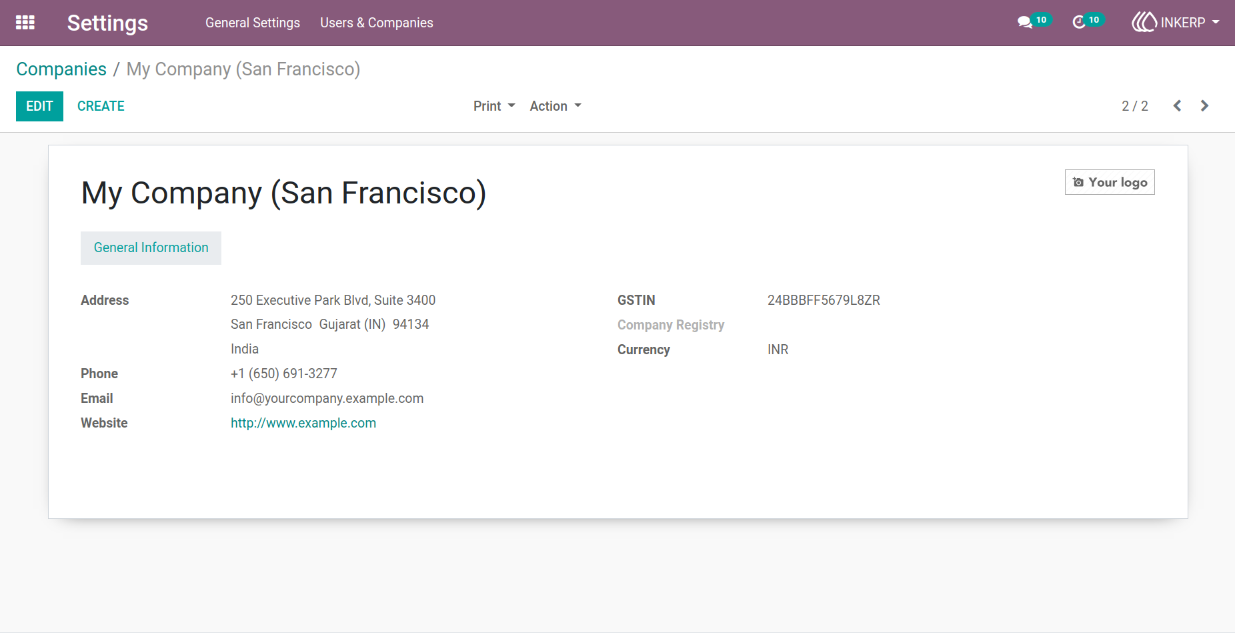
1.) Company Currency Settings
Set the primary currency for the company for accurate financial rep
Navigation : Settings › Users & Companies › Companies
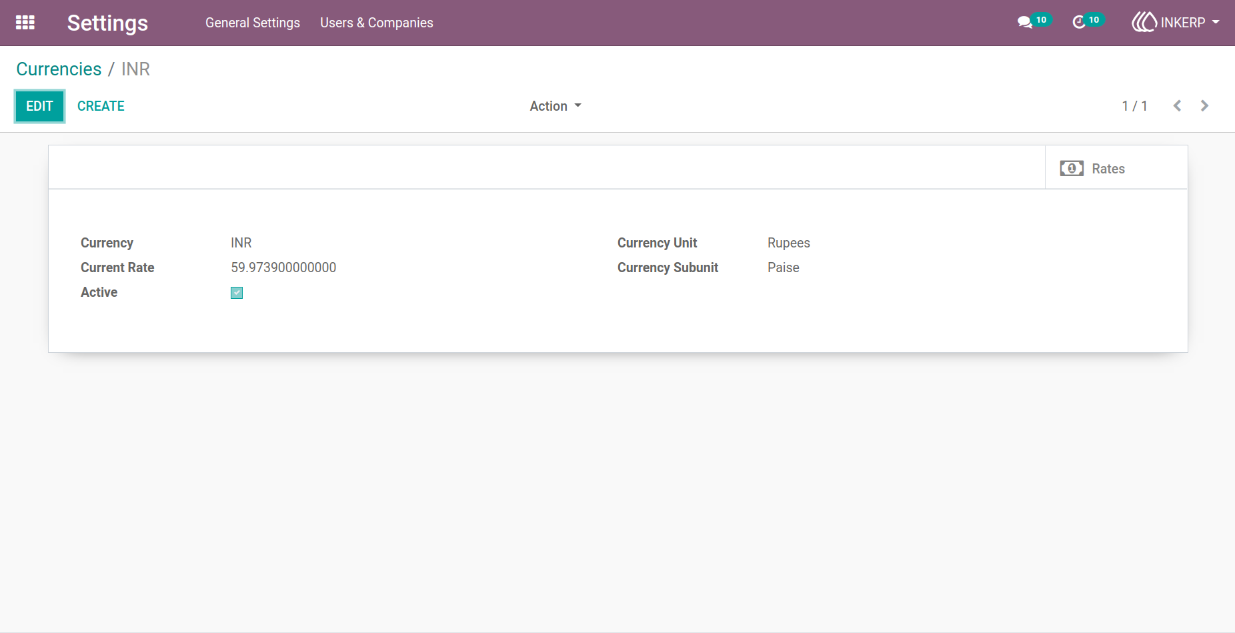
2.) Currency Configuration
Define unit, subunit, separator, and finance closing text for proper currency formatting.
3.) Customer Language Preference
Specify the preferred language for each customer or vendor to improve communication.
Navigation : Sales › Orders › Customers
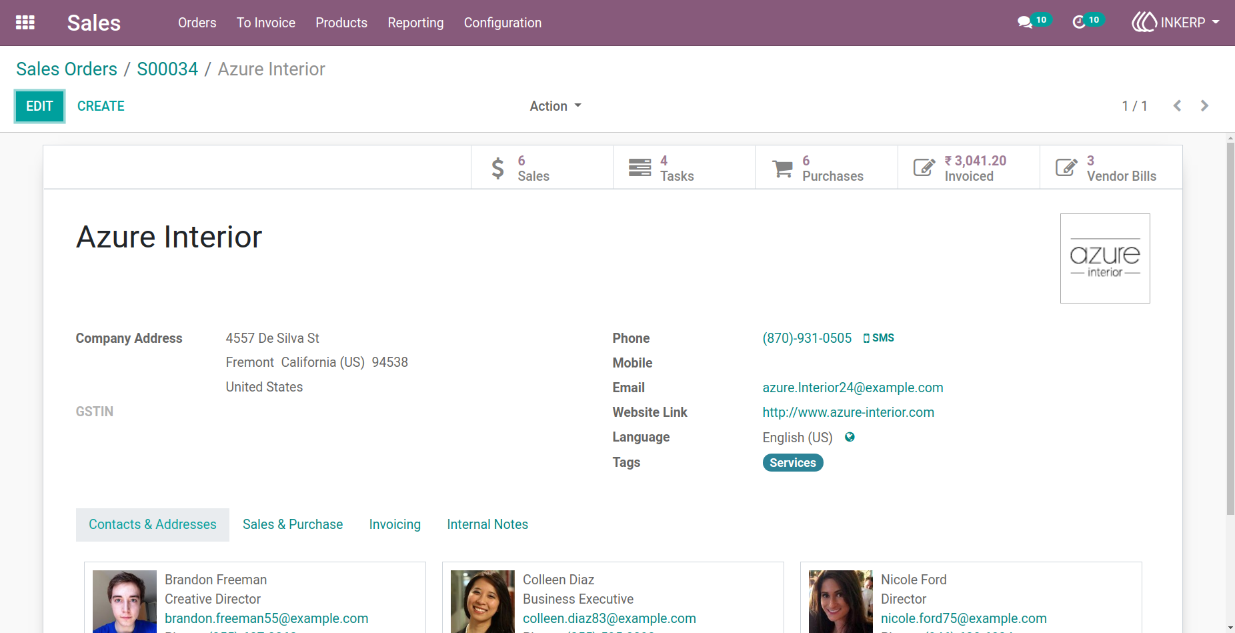
4.) Sales Order Language Setting
Display the sales order in the customer’s selected language (e.g., English (UK)).
Navigation : Sales › Orders › Orders
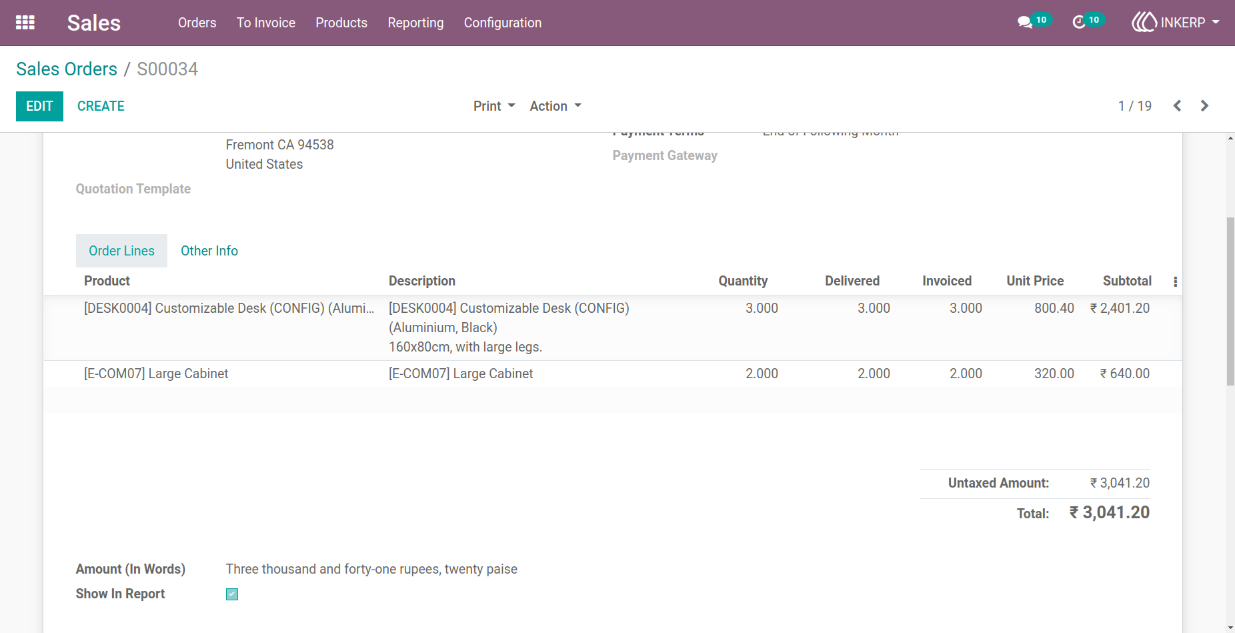
5.) Sales Order PDF Report
Generate reports of sales orders that include amounts written in words for clarity.
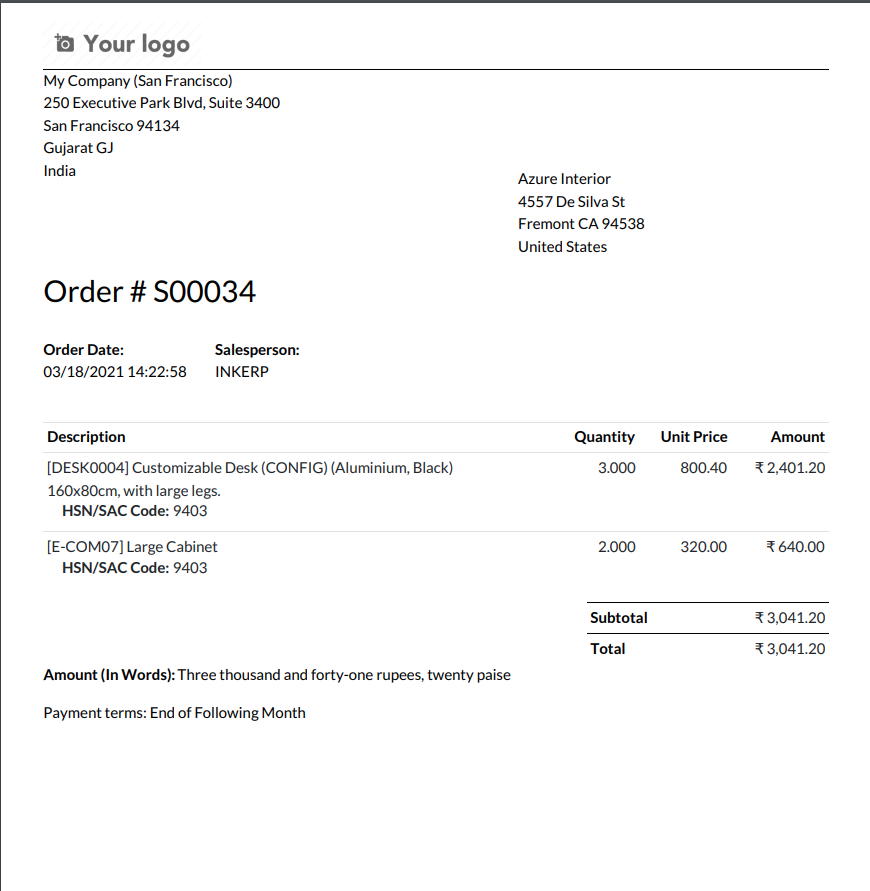
6.) Purchase Order Language Setting
Display purchase orders in the vendor's preferred language (e.g., English (UK)).
Navigation : Purchase › Orders › Purchase Orders
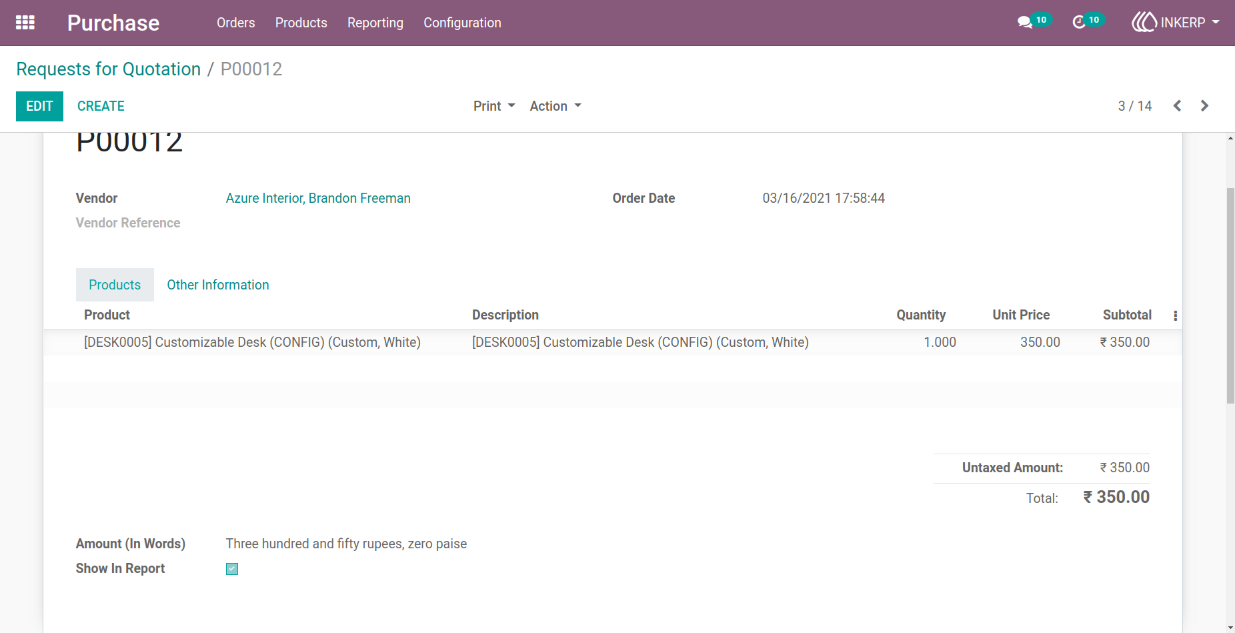
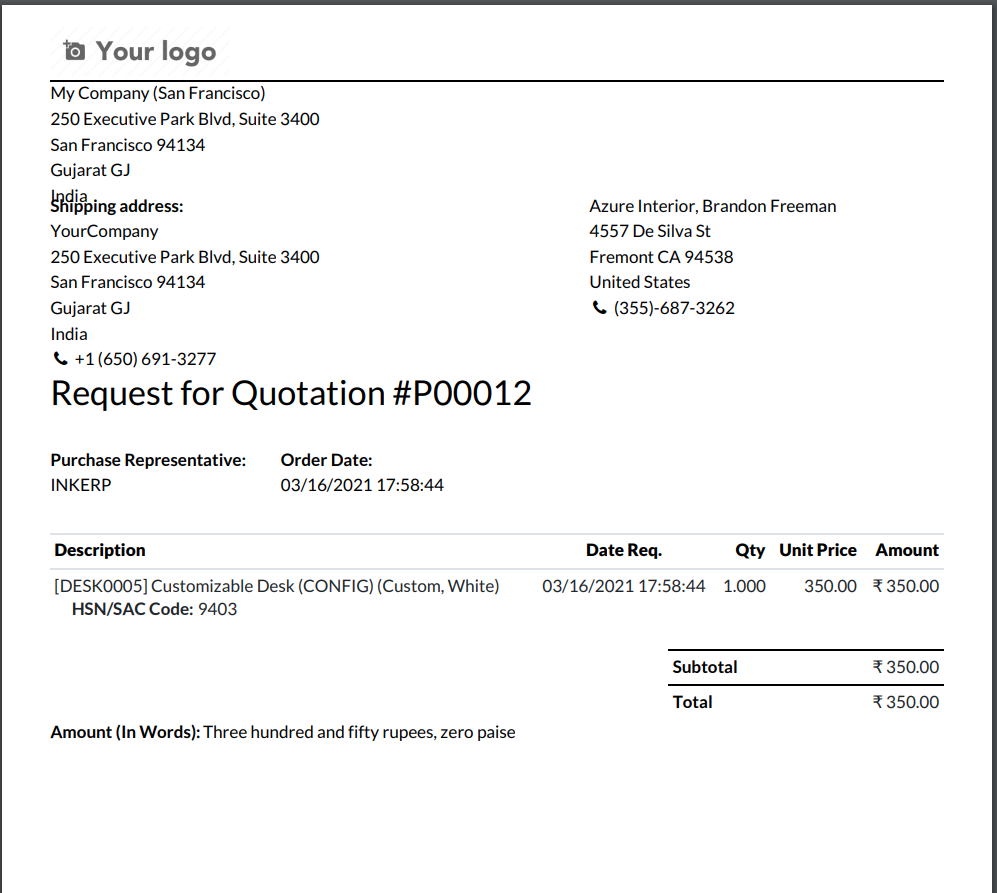
7.) Purchase Order PDF Report
Generate reports of purchase orders with amounts expressed in words.
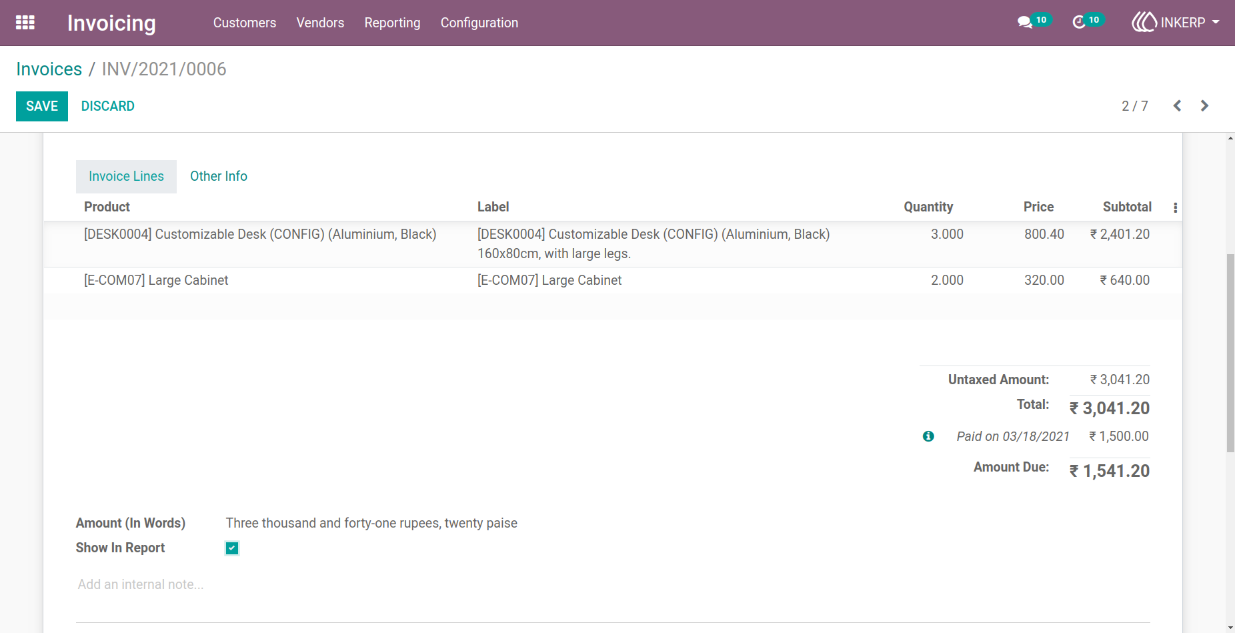
8.) Customer Invoice Language Setting
Display sales invoices in the customer's preferred language (e.g., English (UK)).
Navigation : Invoicing › Customers › Invoices
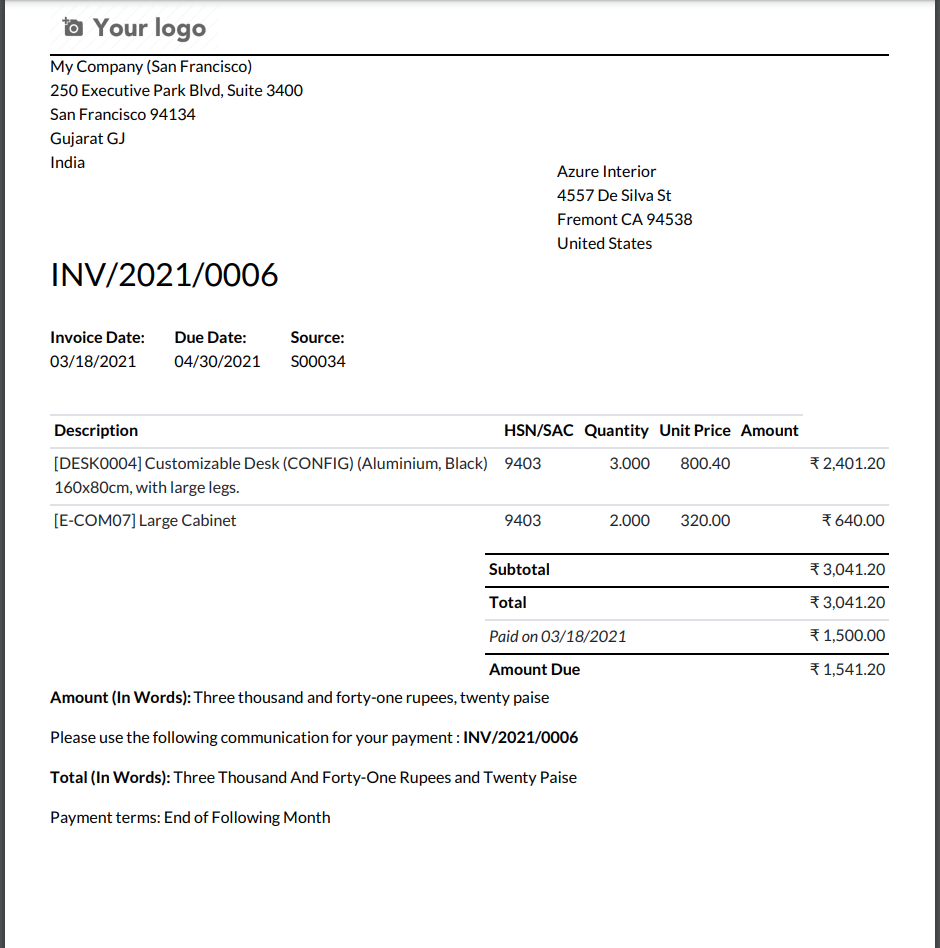
9.) Customer Invoice PDF Report
Create sales invoice reports with amounts written in words for better readability.
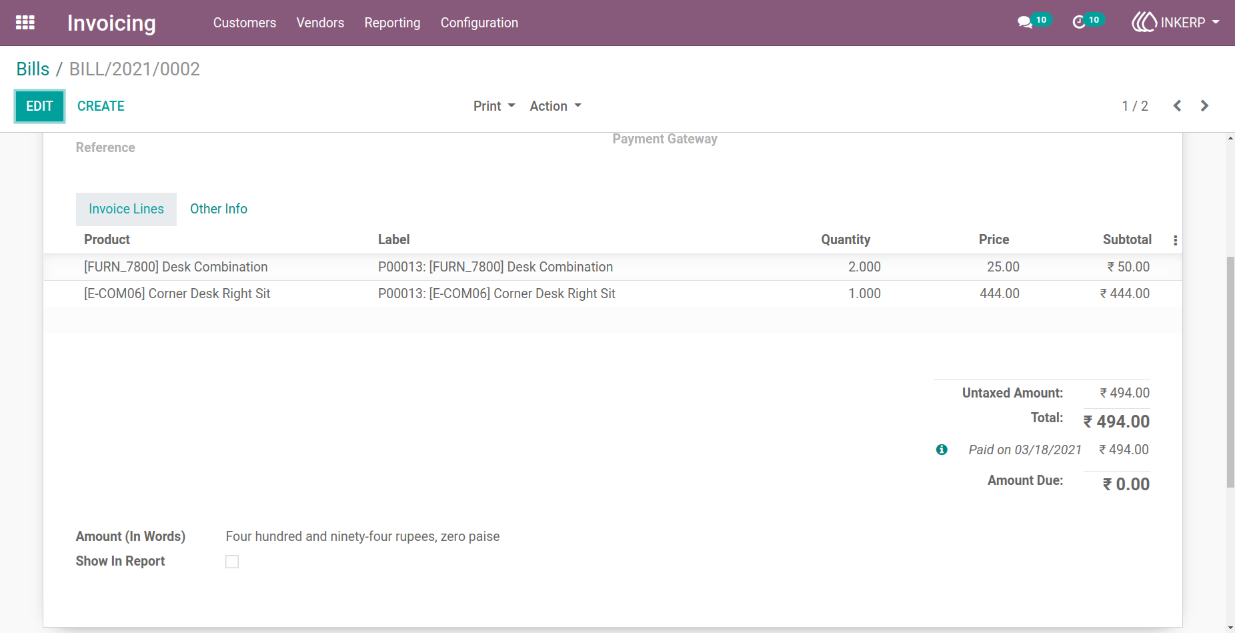
10.) Vendor Bill Language Setting
Display purchase invoices in the vendor's preferred language (e.g., English (UK)).
Navigation : Invoicing › Vendors › Bills
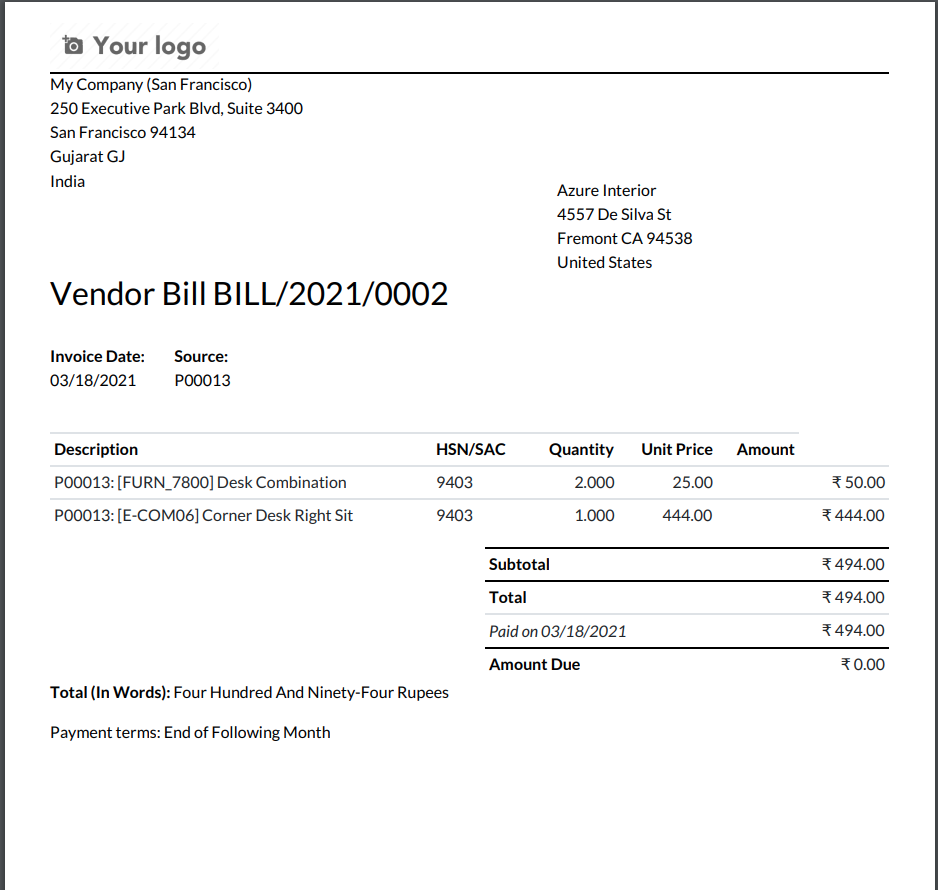
11.) Vendor Bill PDF Report
Generate purchase invoice reports that include amounts expressed in words.
User Guide