

Our Most Suggested Products


Advance Freight Management
Advance Freight Management is a comprehensive, centralized ERP solution designed to streamline the entire lifecycle of global logistics operations. The platform integrates core modules for managing quotations, booking conversions, and shipment execution, ensuring seamless coordination between shippers, consignees, and transport partners. By providing automated documentation tools and a dedicated client portal, it enhances operational transparency, simplifies financial billing processes, and maintains rigorous tracking for both air and ocean freight.
Video Tutorial
 Features
 Screenshots
 Support
 Service
Features
Shipment Management
Track and manage the full lifecycle of cargo movements from initial draft to final delivery. This system centralizes logistics data, allowing users to monitor status updates, carrier assignments, and transit milestones in real-time.
Booking Operations
Convert freight quotations into actionable transport orders seamlessly within the platform. This module enables operators to verify vessel schedules, cargo specifications, and destination details before finalizing shipments.
Quotation Handling
Streamline the sales process by managing shipping estimates from initial customer requests to final approval. Back-office teams itemize services and costs within order lines to provide accurate pricing to clients.
Client Portal Hub
Provide registered customers with a dedicated dashboard to independently track shipments, view bookings, and monitor requested quotations. This portal allows clients to convert approved estimates into bookings and access real-time status updates.
Logistics Network
Maintain a comprehensive directory of global partners, including freight agents, customs brokers, and logistics service providers. This network ensures seamless supply chain communication and keeps essential contact information readily available for every operation.
Financial Control
Generate and oversee customer invoices and vendor bills directly from linked shipment services. The system provides a consolidated financial overview, tracking payment statuses to ensure accurate margin analysis and efficient accounting operations.
Fleet & Port Data
Manage essential profiles for maritime vessels, air carriers, and land transport vehicles to optimize logistics planning. A centralized directory of global transit hubs ensures that all physical nodes and transport modes are correctly configured for operations.
Cargo & Compliance
Configure precise package dimensions, weights, and hazardous goods declarations to ensure safe and accurate load planning. The system also integrates customs management tools to track declaration numbers and regulatory documentation for global shipments.
Document Generation
Automatically generate and print standard industry documents, including Air Waybills, Bills of Lading, and Shipment Labels. This automation ensures that all logistical paperwork is accurate and compliant with contractual requirements.
System Configuration
Customize operational workflows by defining transit stages, insurance risk policies, and standardized Incoterms. These settings provide the foundation for consistent logistics management, enabling teams to categorize transit workflows and safeguard cargo against liabilities.
Screenshot
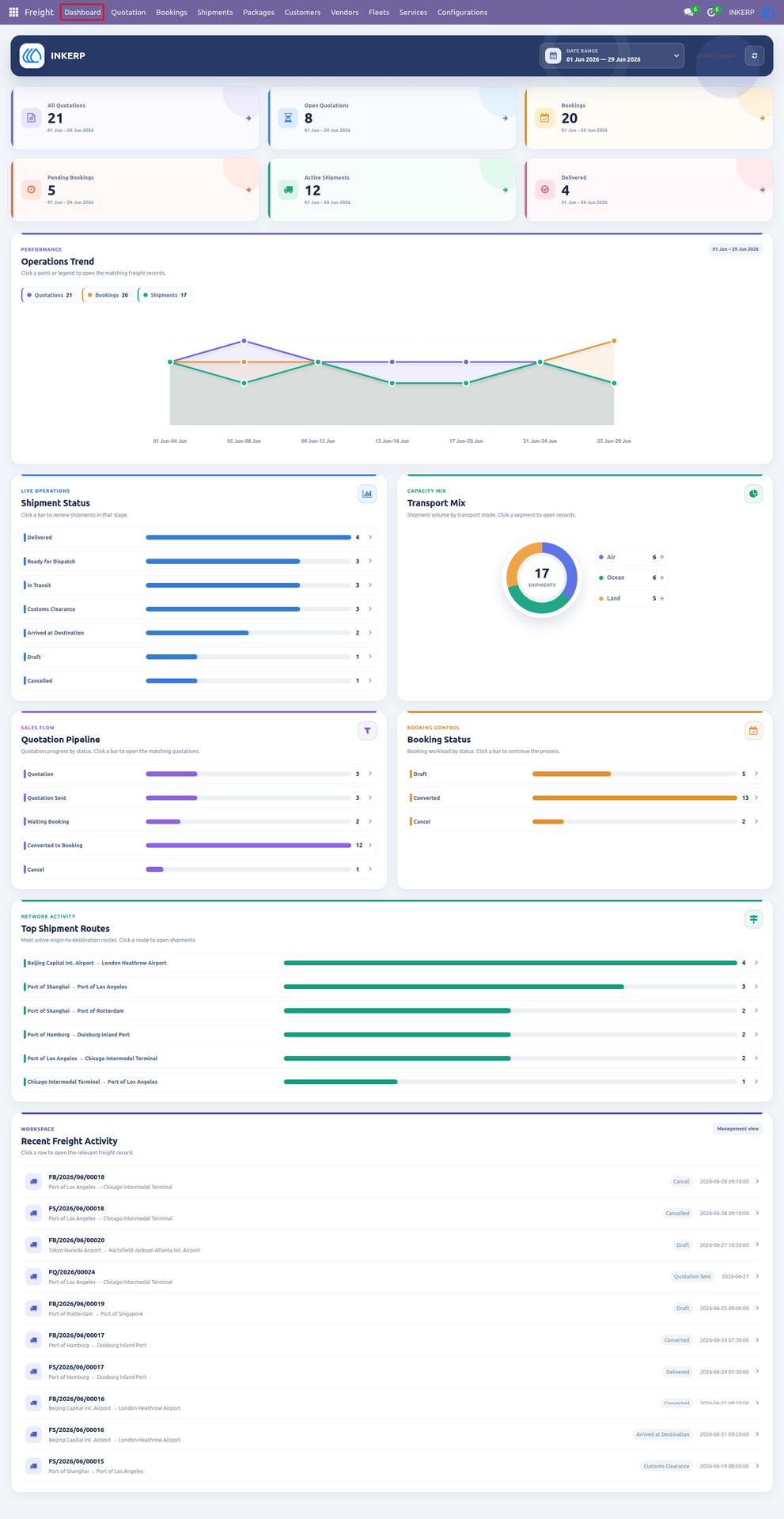
Dashboard
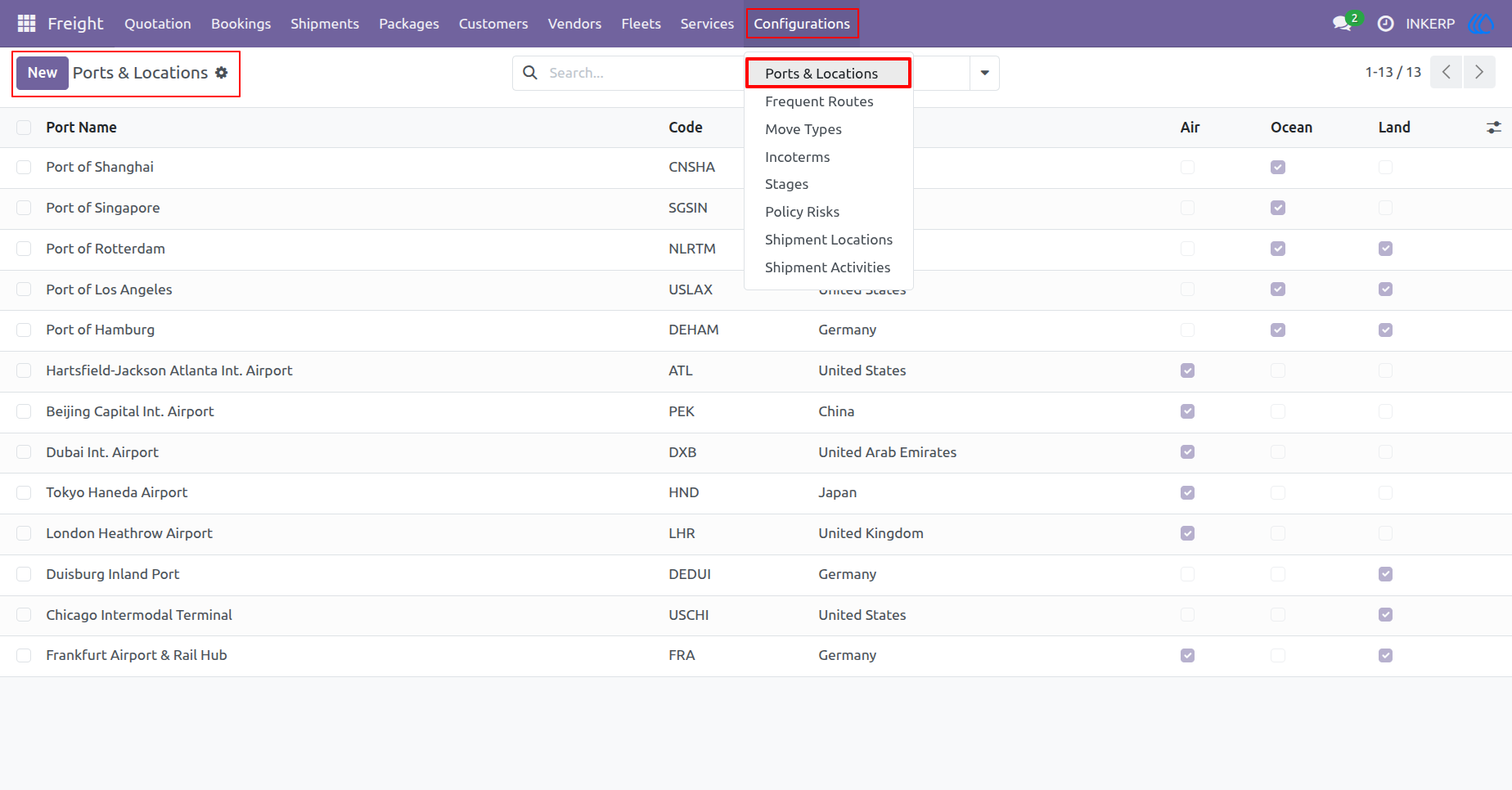
1.) Ports & Locations
Access a centralized directory of global transit hubs and destinations. Review specific identification codes and supported transport modes, or register new logistical locations to streamline freight operations.
Navigation : Freight › Configurations › Ports & Locations
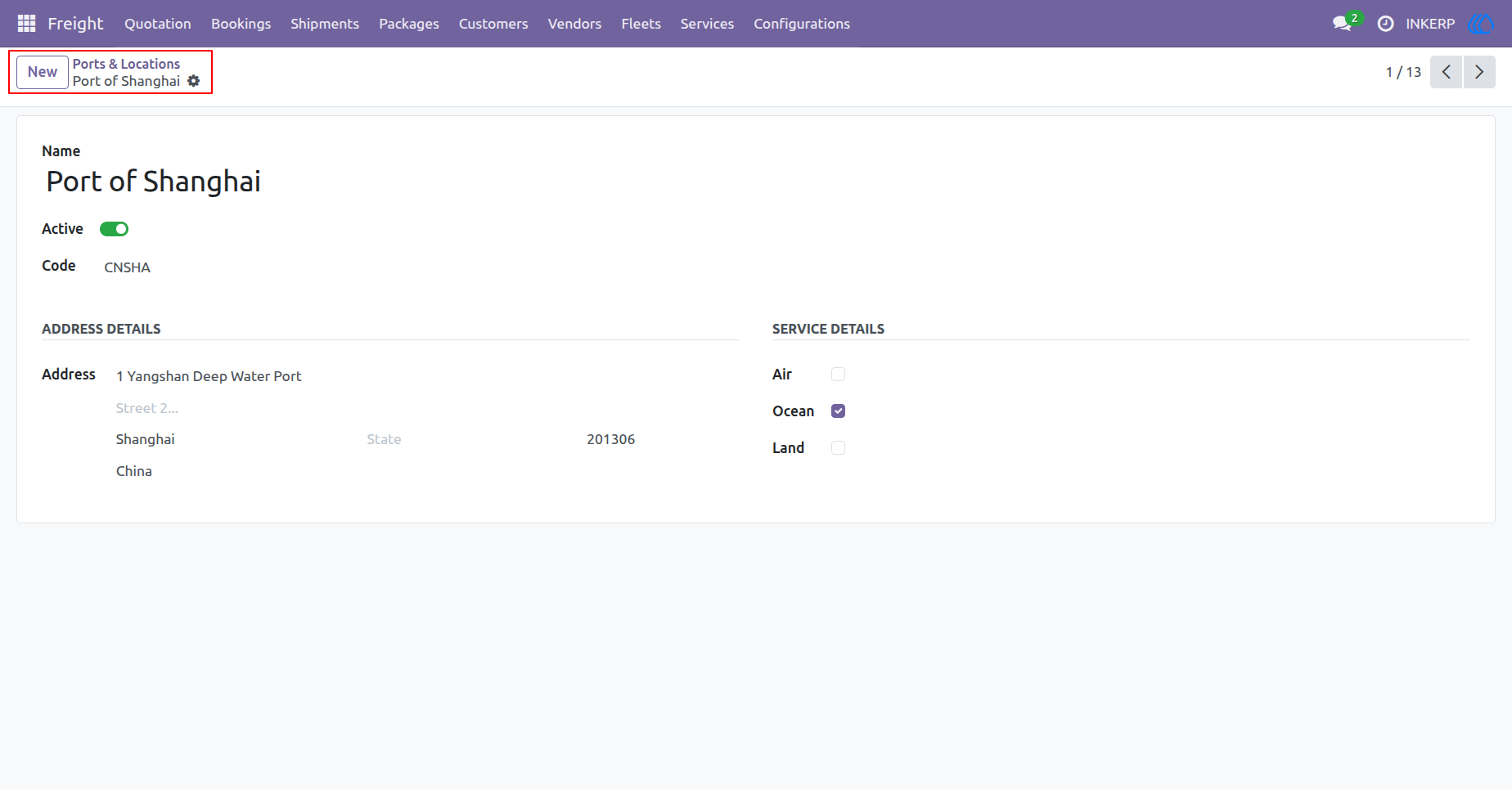
2.) Location Details
Manage specific data for a designated transit hub or port. Update full address particulars, assign standardized identification codes, and specify supported transport modes like air, ocean, or land.
Navigation : Freight › Configurations › Ports & Locations
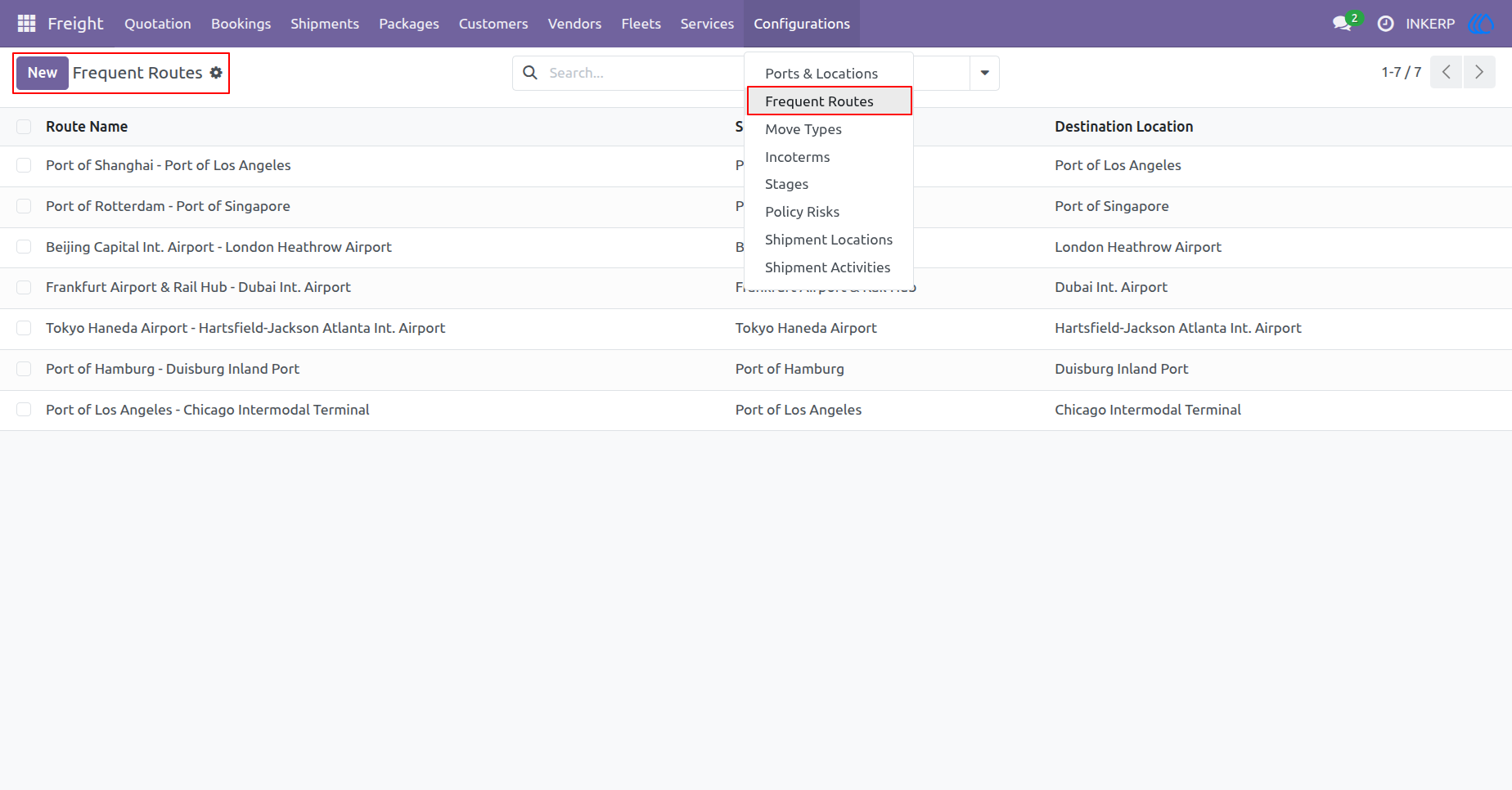
3.) Frequent Routes
View a consolidated list of your most commonly used shipping paths to accelerate the booking process. Easily establish and manage standard origin and destination pairs for repetitive freight movements.
Navigation : Freight › Configurations › Frequent Routes
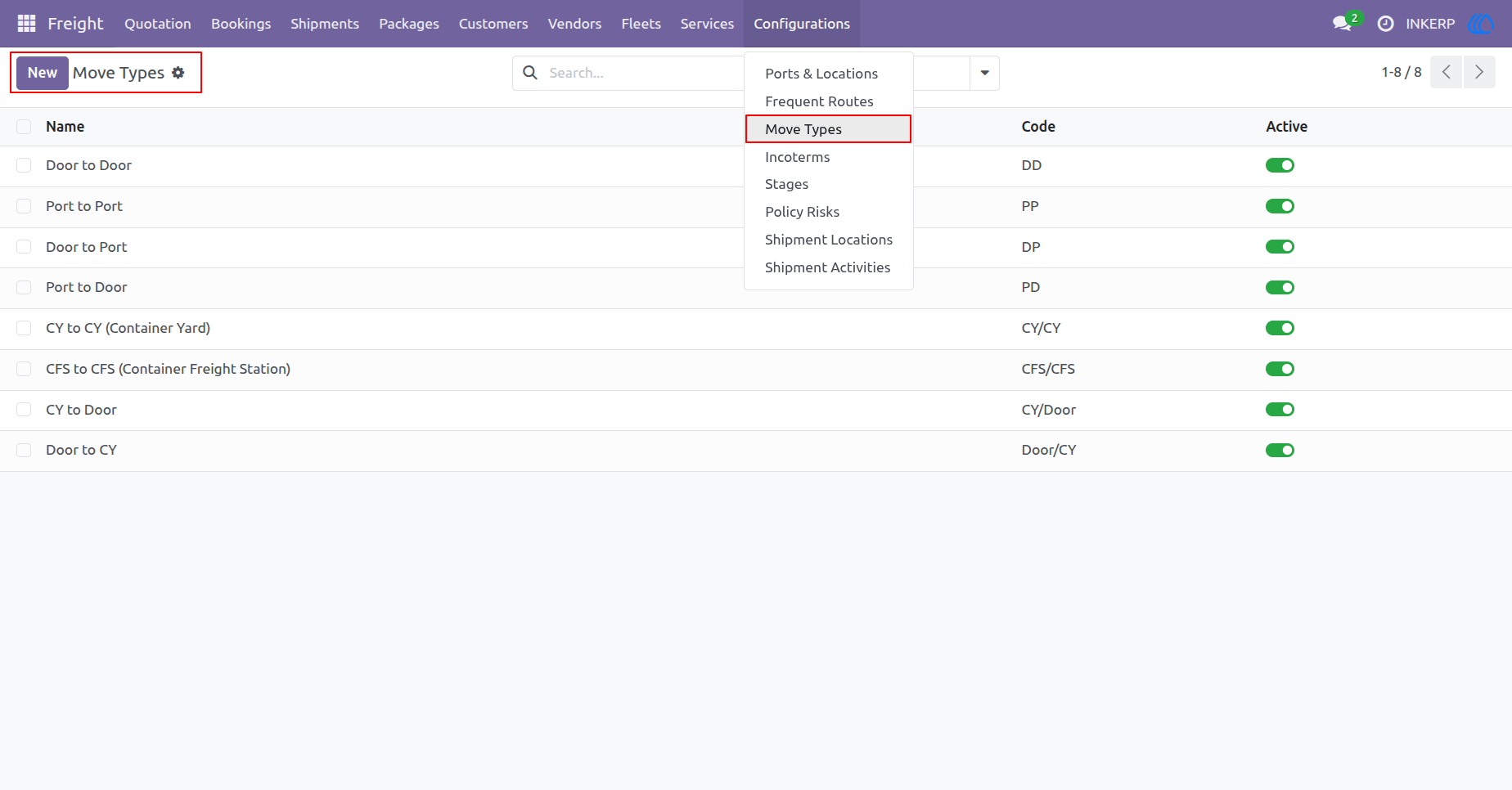
4.) Move Types Setup
Define and manage logistical movement types for your consignments, such as Door-to-Door or Port-to-Port. Establish standardized codes to categorize transit workflows and streamline shipment planning.
Navigation : Freight › Configurations › Move Types
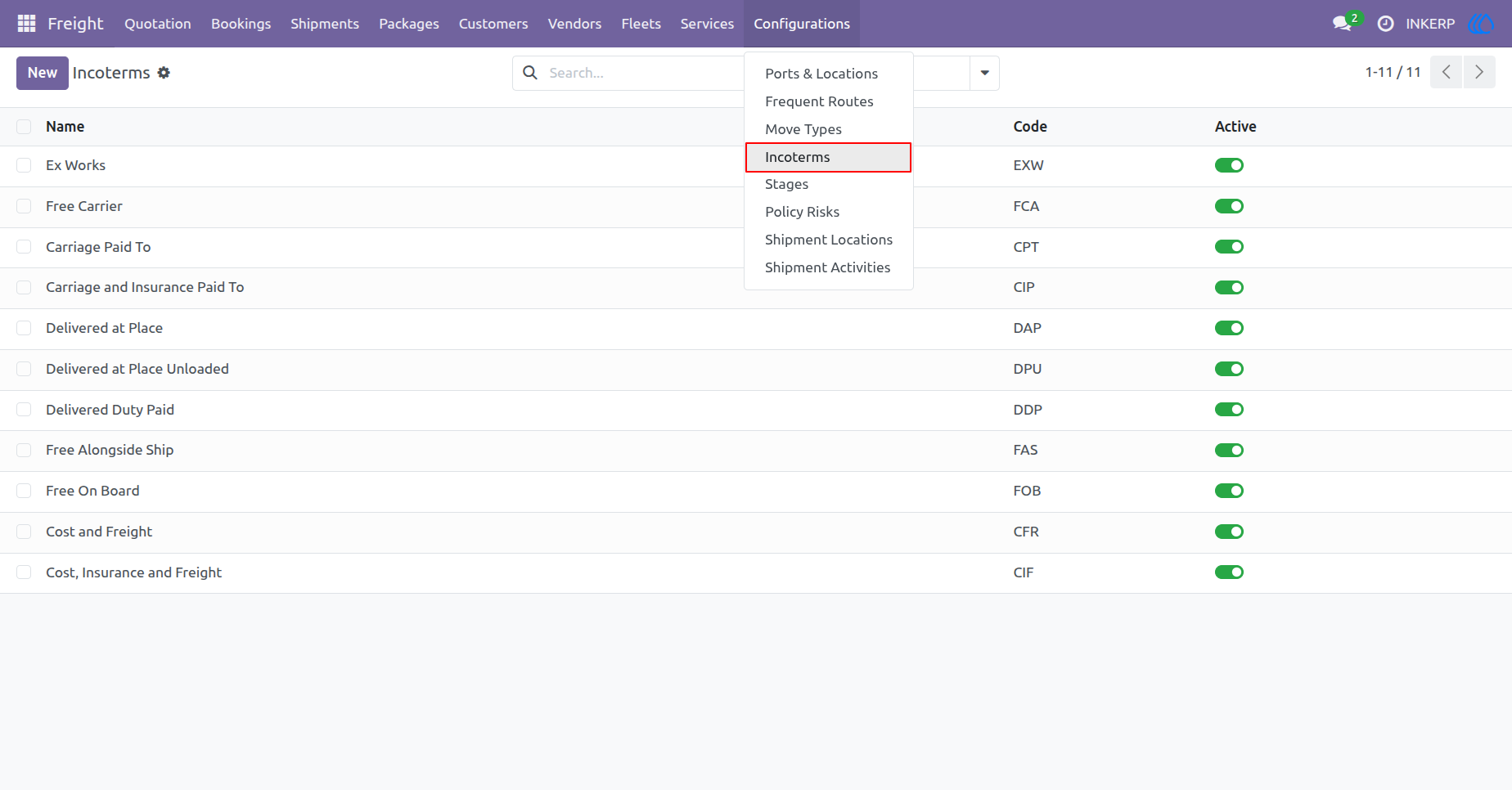
5.) Manage Incoterms
Review and maintain standardized International Commercial Terms (Incoterms) for your global shipments. Toggle active statuses and manage standard three-letter codes to accurately define buyer and seller responsibilities in freight contracts.
Navigation : Freight › Configurations › Incoterms
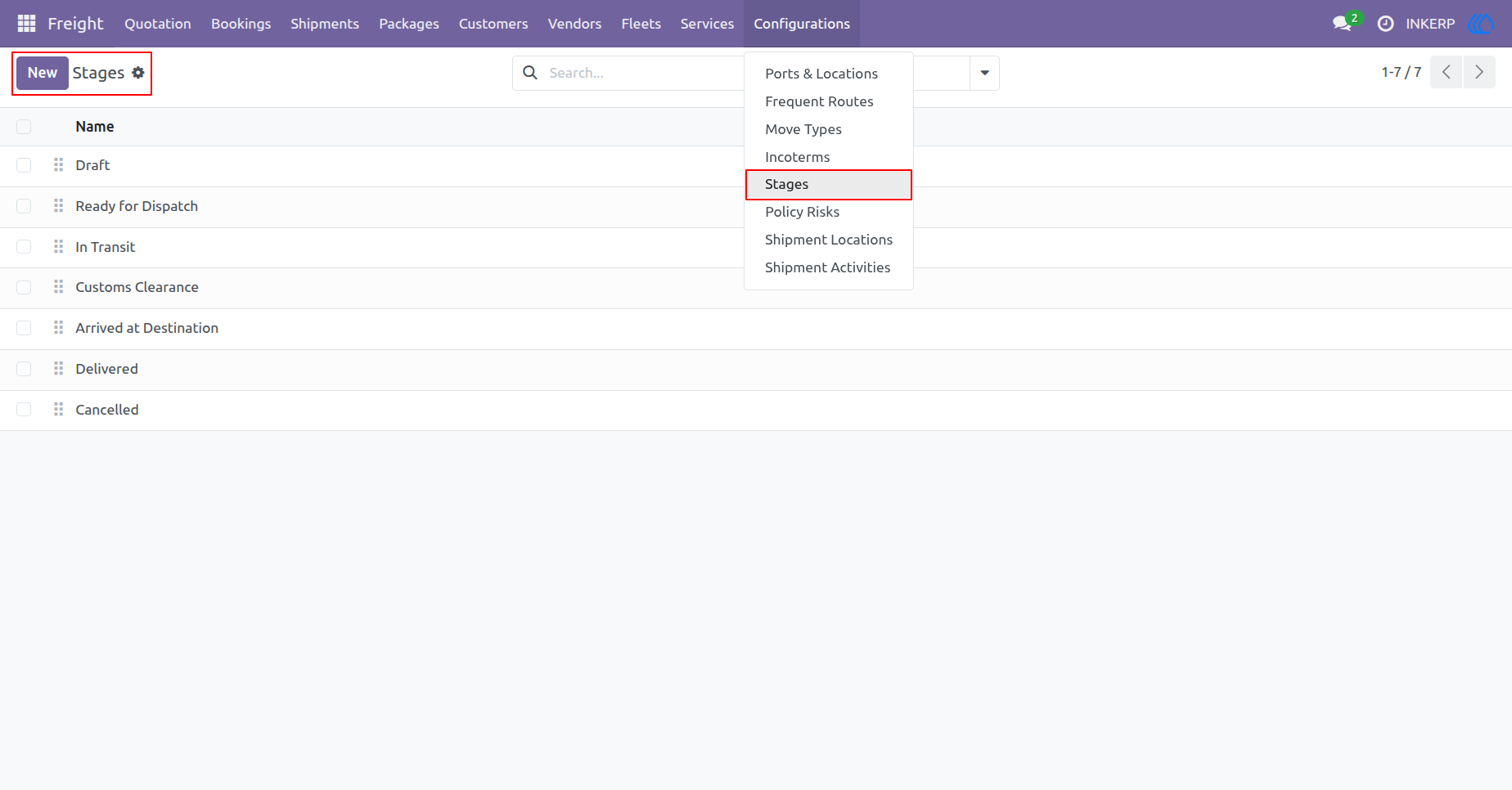
6.) Workflow Stages
Customize and sequence the lifecycle stages of your freight shipments. Organize operational workflows, from initial draft to final delivery, to ensure accurate milestone tracking across your system.
Navigation : Freight › Configurations › Stages
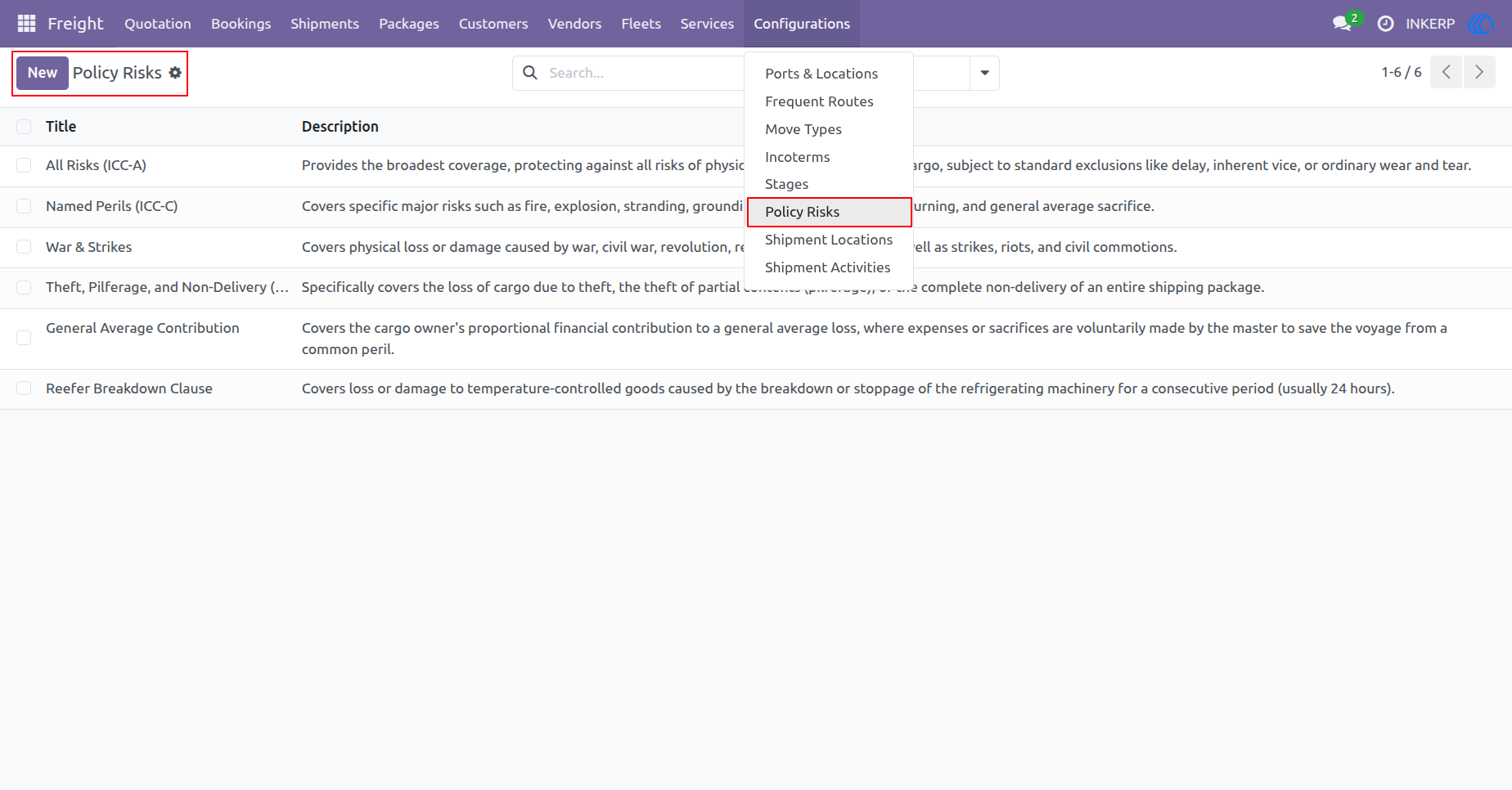
7.) Manage Policy Risks
Configure standardized insurance policy risks for your freight operations. Detail specific coverage types, such as All Risks or Named Perils, to accurately safeguard cargo against transit liabilities.
Navigation : Freight › Configurations › Policy Risks
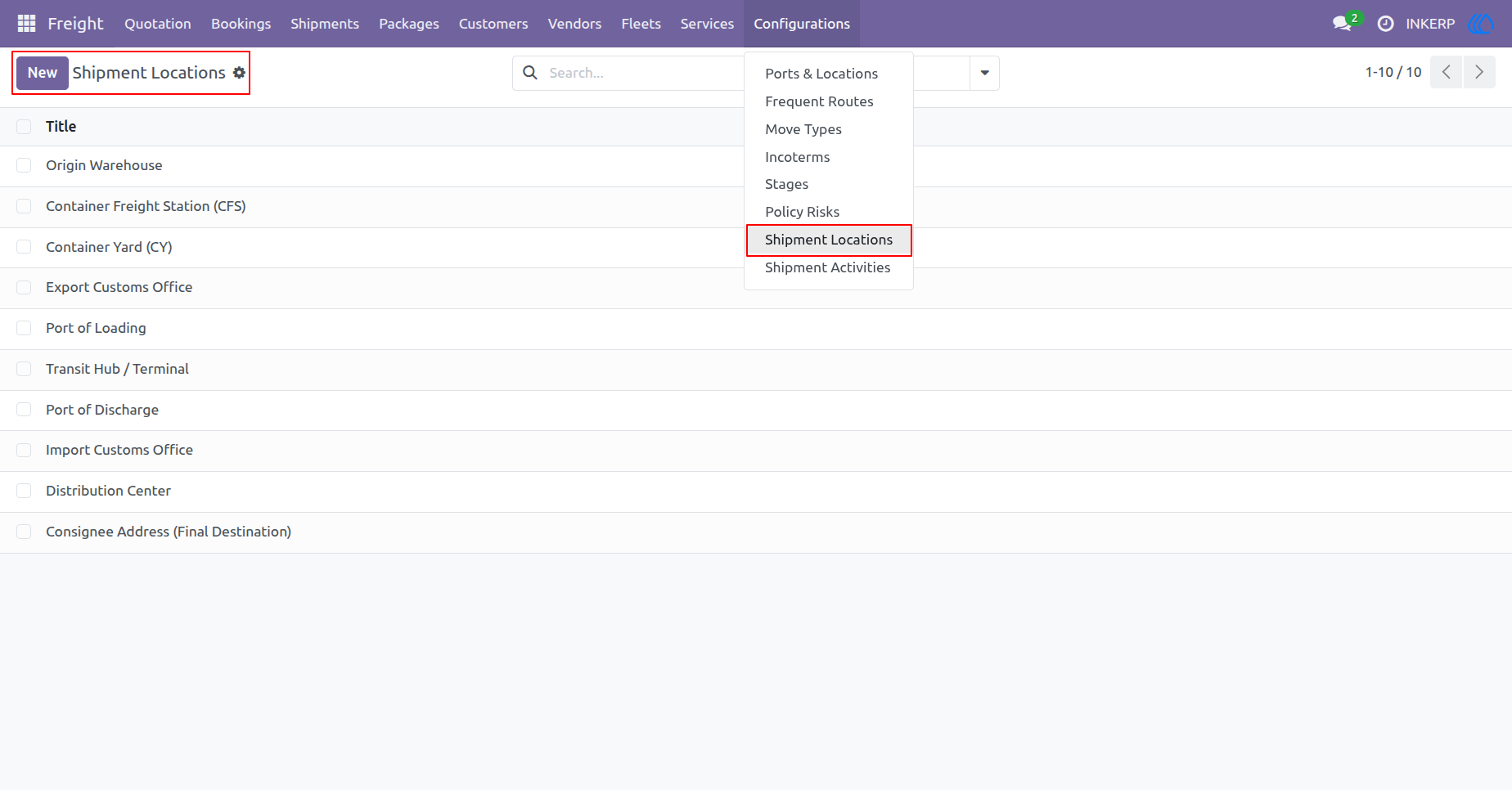
8.) Shipment Locations
Define physical checkpoints and transit nodes used for tracking cargo. Manage standard facilities like warehouses, container yards, and customs offices to accurately log freight movements.
Navigation : Freight › Configurations › Shipment Locations
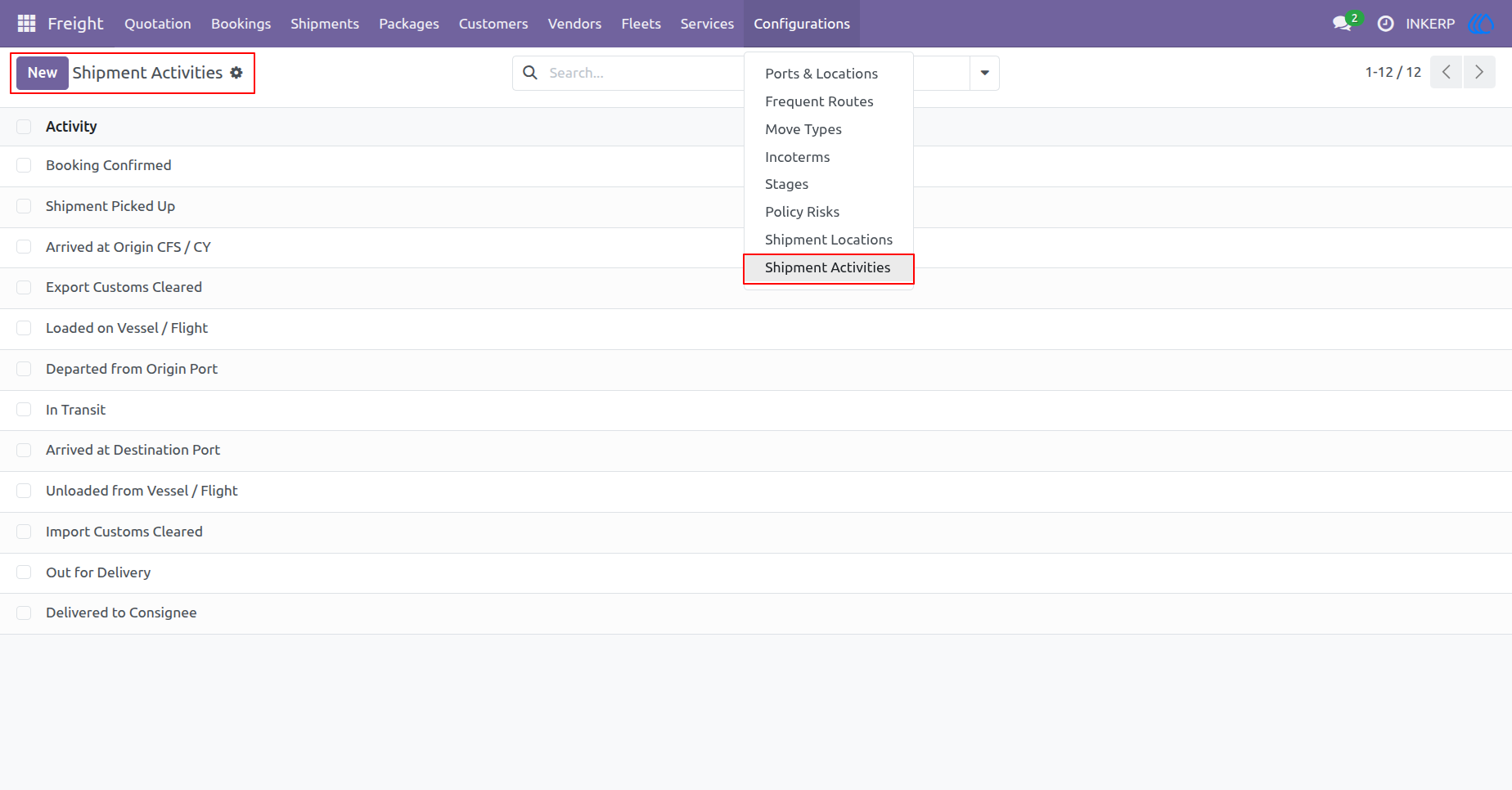
9.) Shipment Activities
Establish standardized tracking events and milestones for your logistics operations. Manage key status updates, like customs clearance and port arrivals, to provide accurate and real-time cargo visibility.
Navigation : Freight › Configurations › Shipment Activities
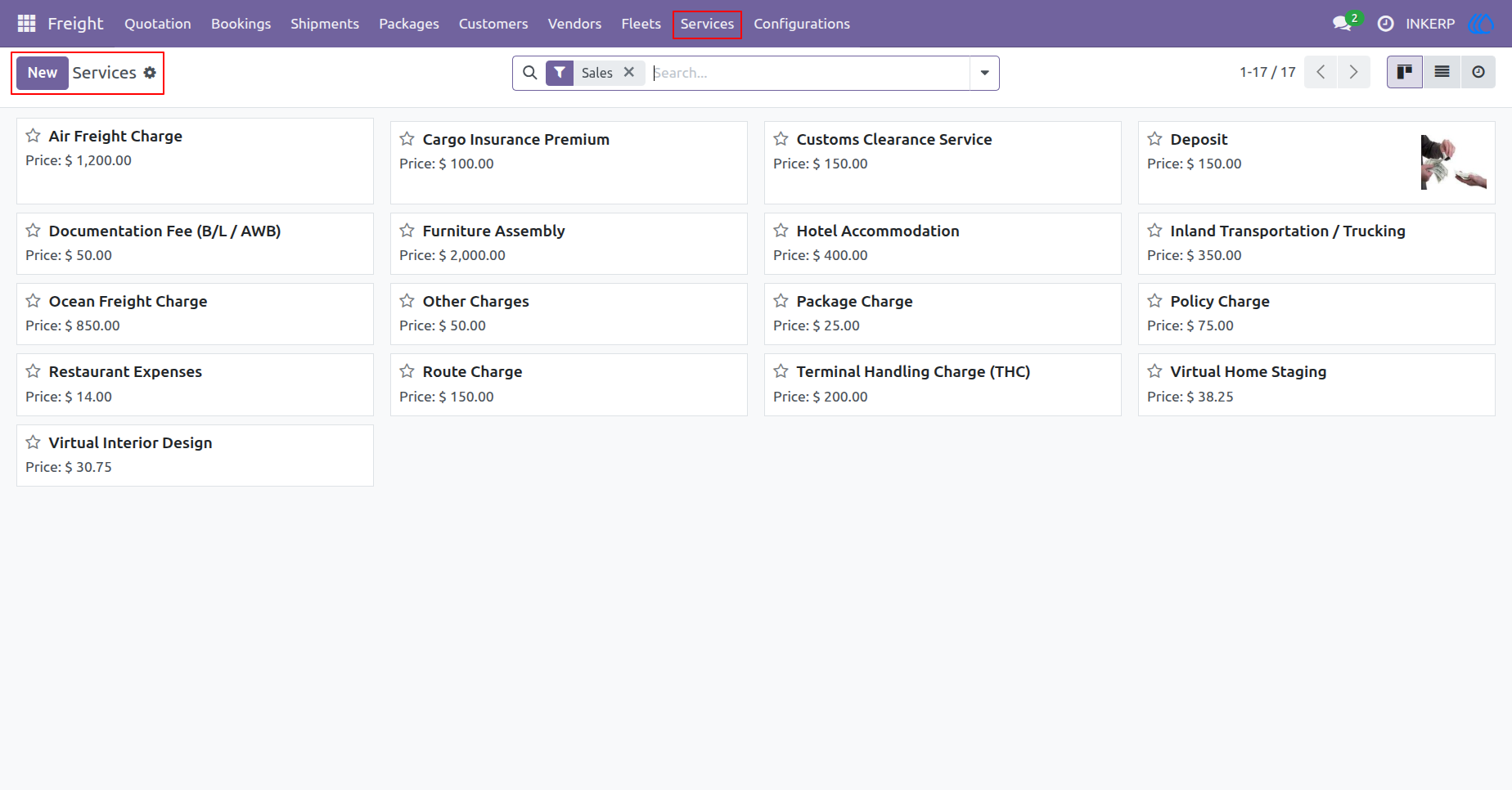
10.) Manage Services
Browse a comprehensive catalog of billable services, including standard freight charges, customs fees, and insurance premiums. Easily configure baseline pricing and add new service items to streamline your quoting and billing operations.
Navigation : Freight › Services
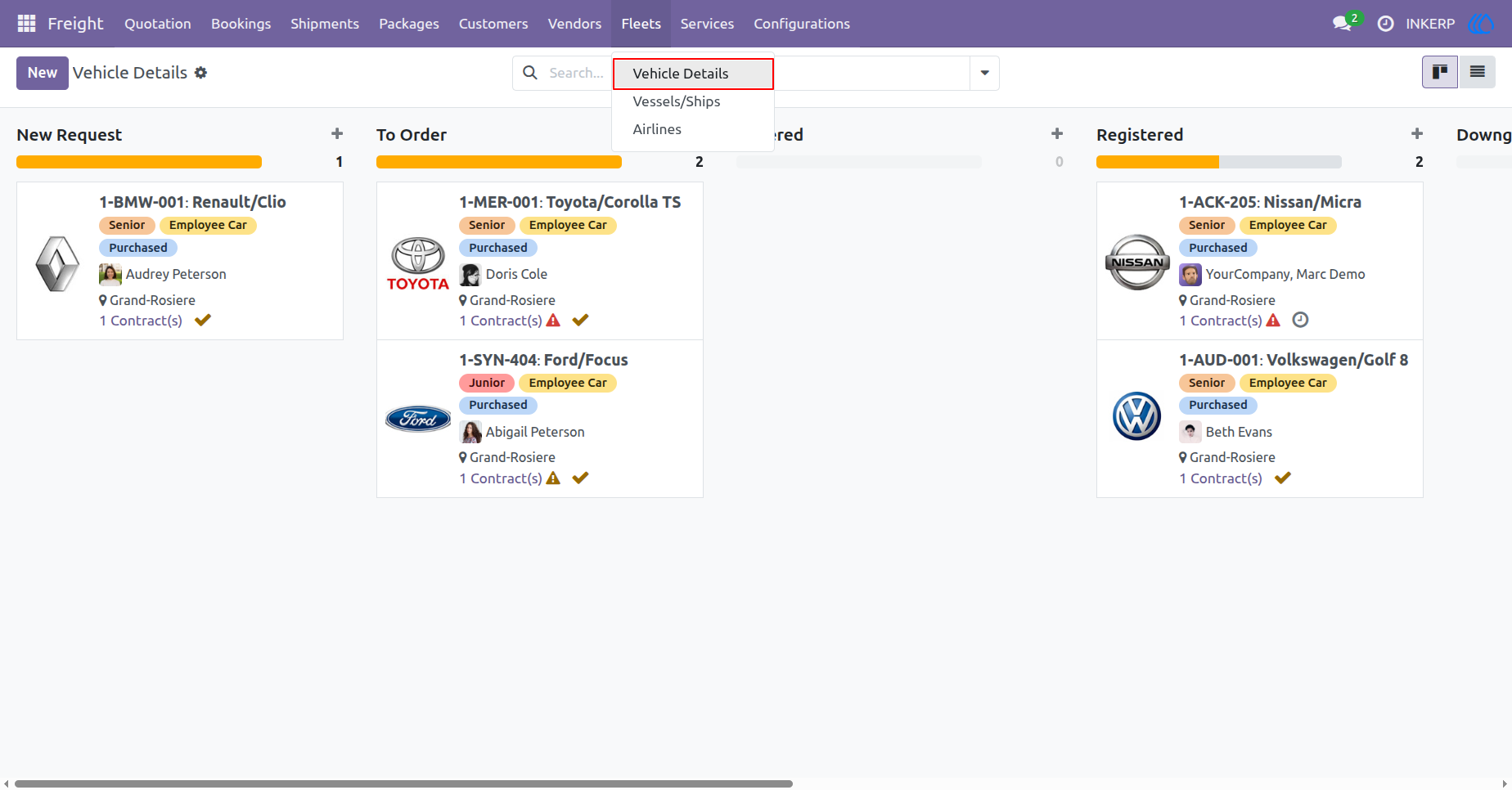
11.) Vehicle Details
Monitor and manage your company's land transportation fleet through an intuitive board. Track vehicle lifecycle statuses, oversee employee assignments, and review active logistics contracts.
Navigation : Freight › Fleets › Vehicle Details
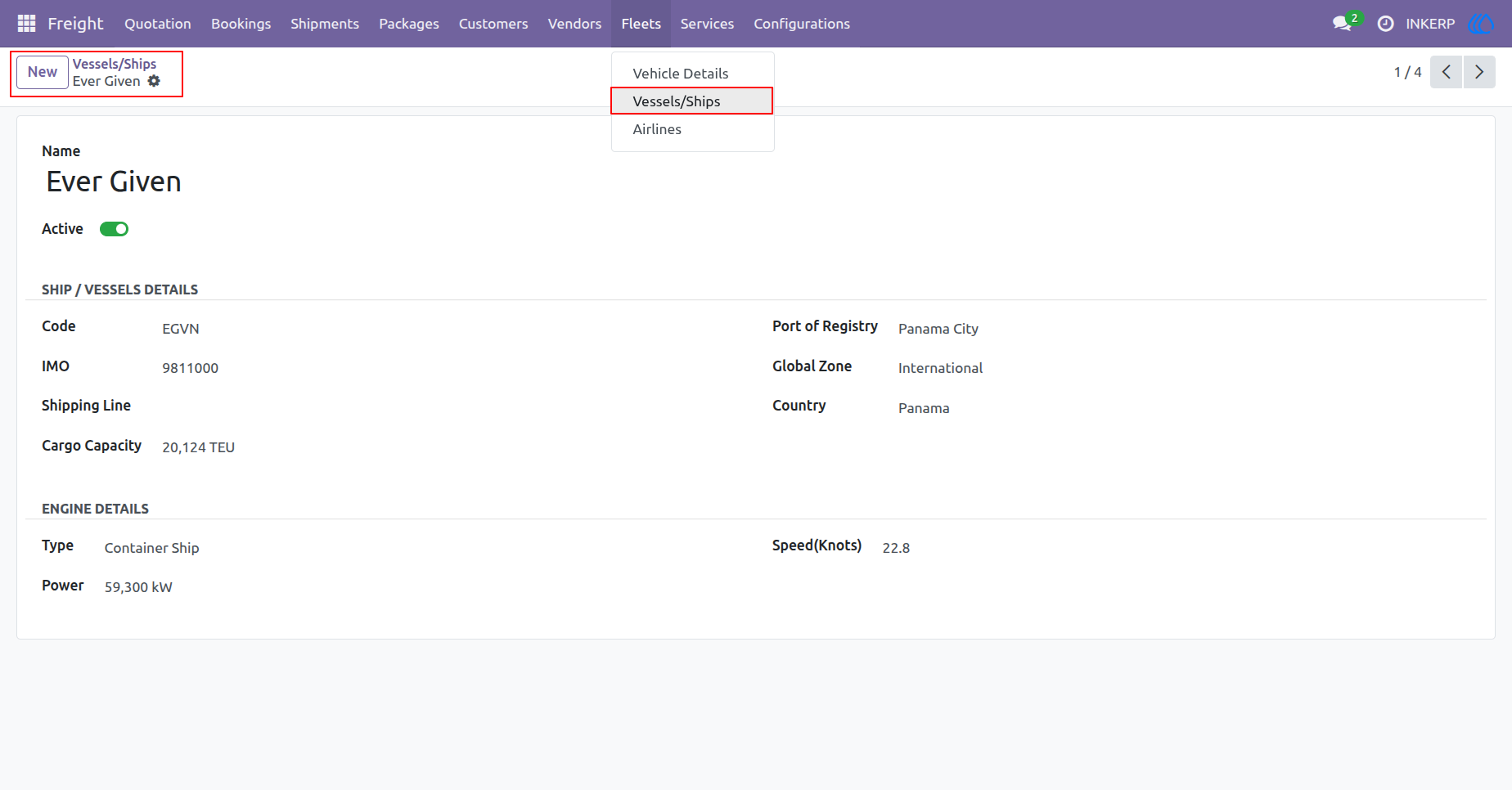
12.) Vessel Details
View and manage comprehensive profiles for maritime transport vessels. Track essential data such as IMO numbers, cargo capacity, and engine specifications to support your ocean freight operations.
Navigation : Freight › Fleets › Vessels/Ships
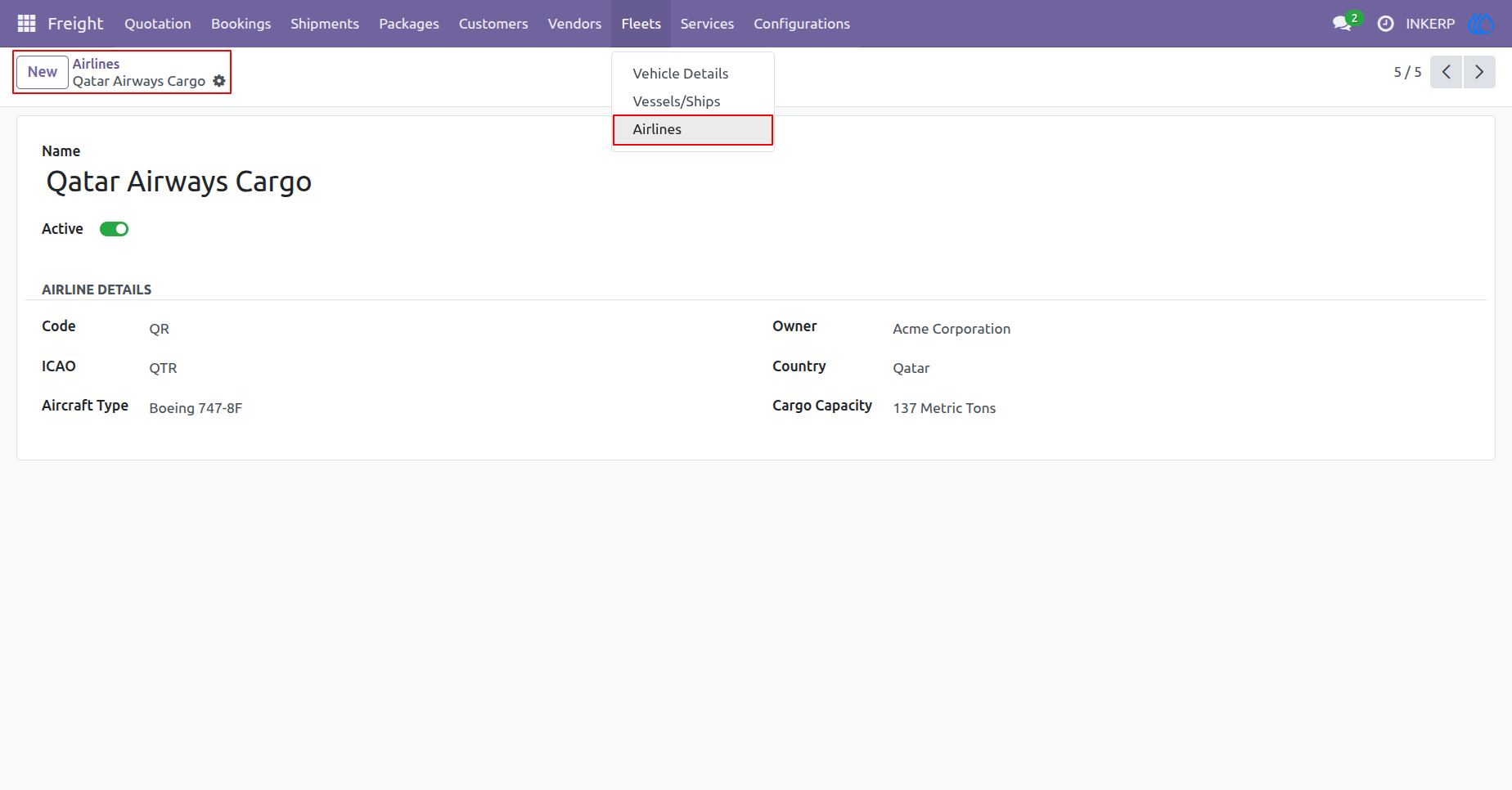
13.) Airline Details
Access and manage comprehensive profiles for air freight carriers. Maintain essential data including standardized identification codes, aircraft types, and cargo capacities to optimize your air logistics planning.
Navigation : Freight › Fleets › Airlines
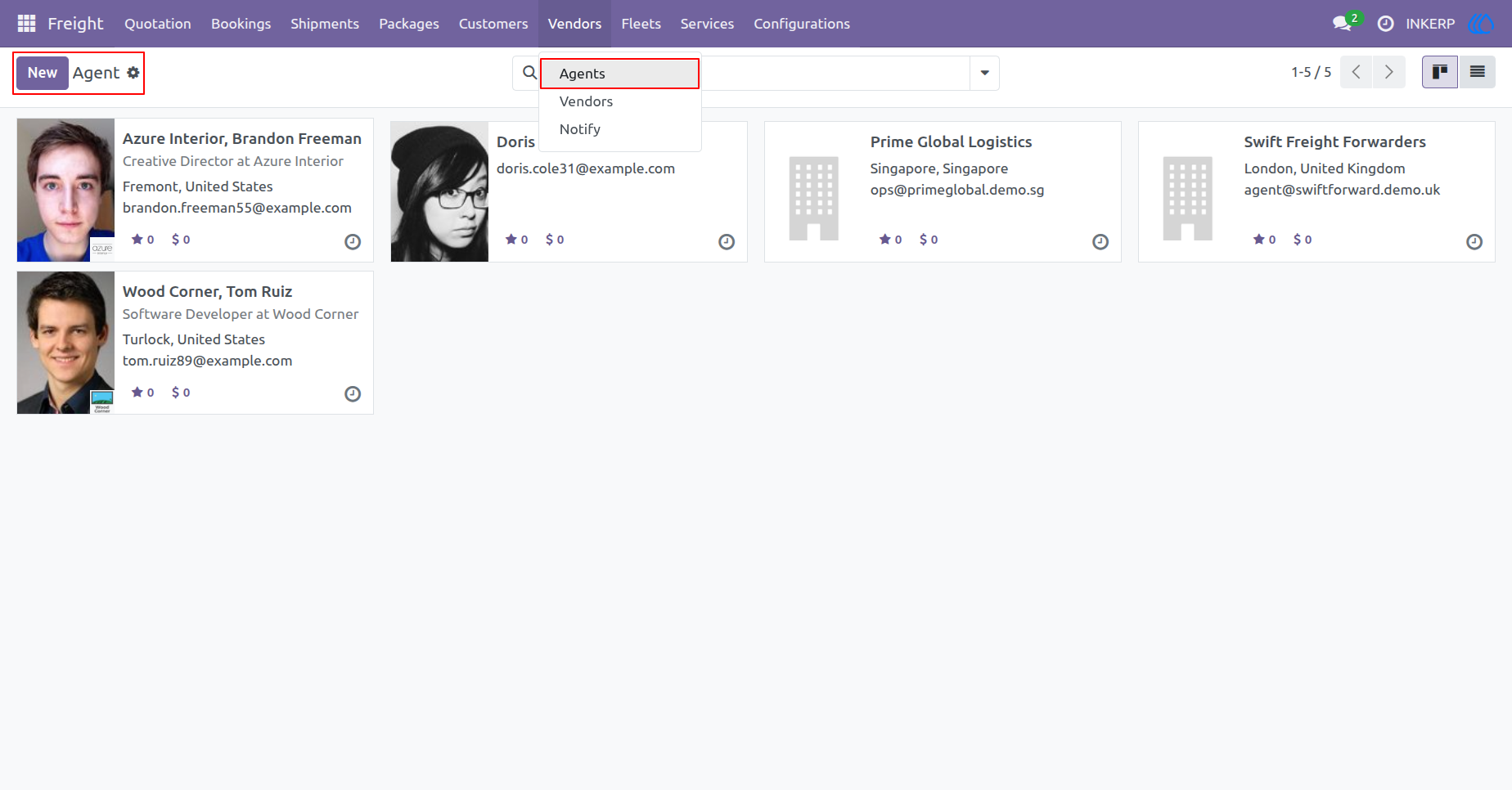
14.) Manage Agents
View and manage a comprehensive directory of your authorized freight agents and global forwarding partners. Easily access key contact details or register new agents to expand your logistics network.
Navigation : Freight › Vendors › Agents
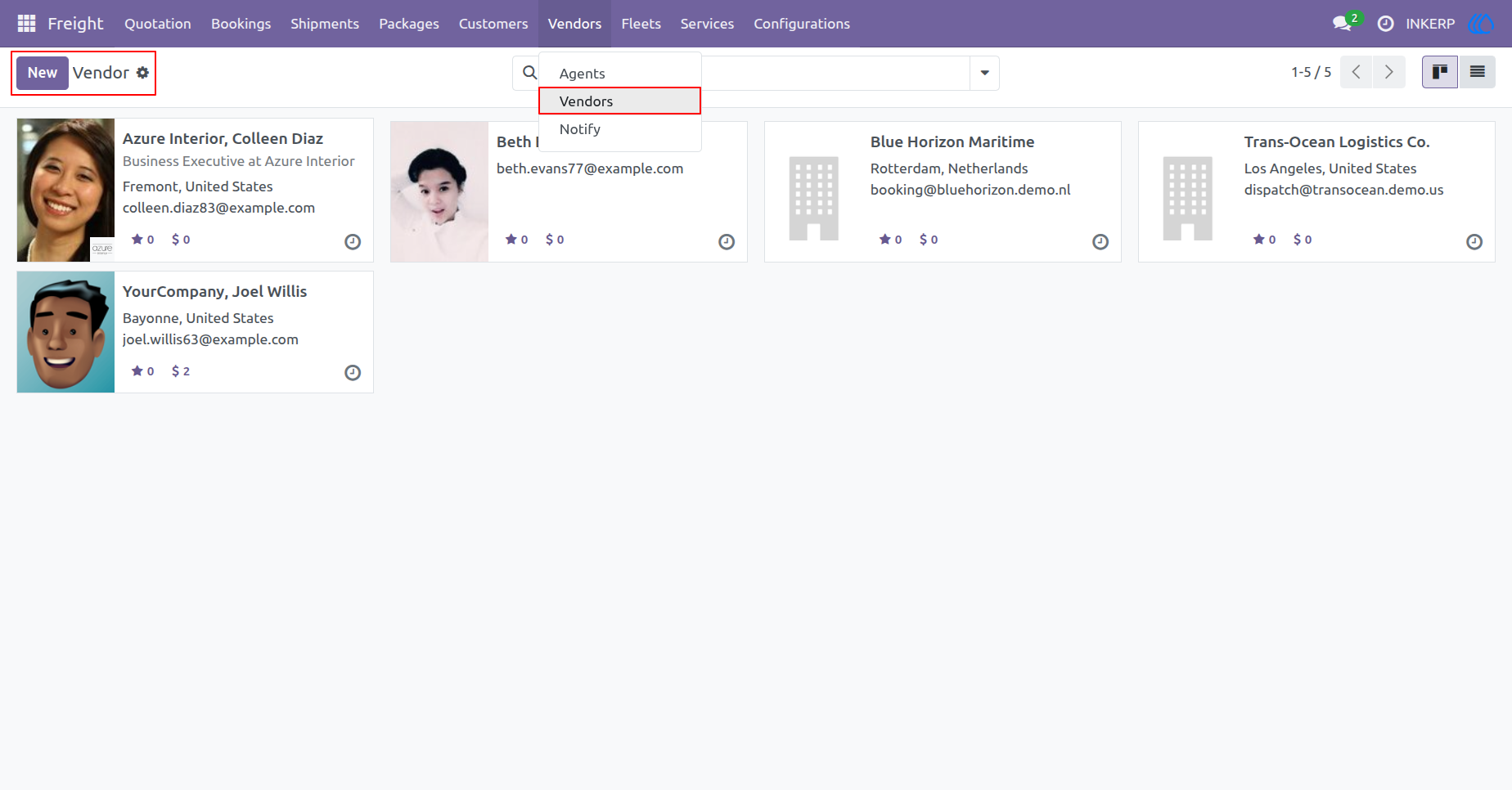
15.) Manage Vendors
View and manage your complete directory of logistics service providers and corporate vendors. Easily add new contacts or update existing company details to maintain a reliable supply chain network.
Navigation : Freight › Vendors › Vendors
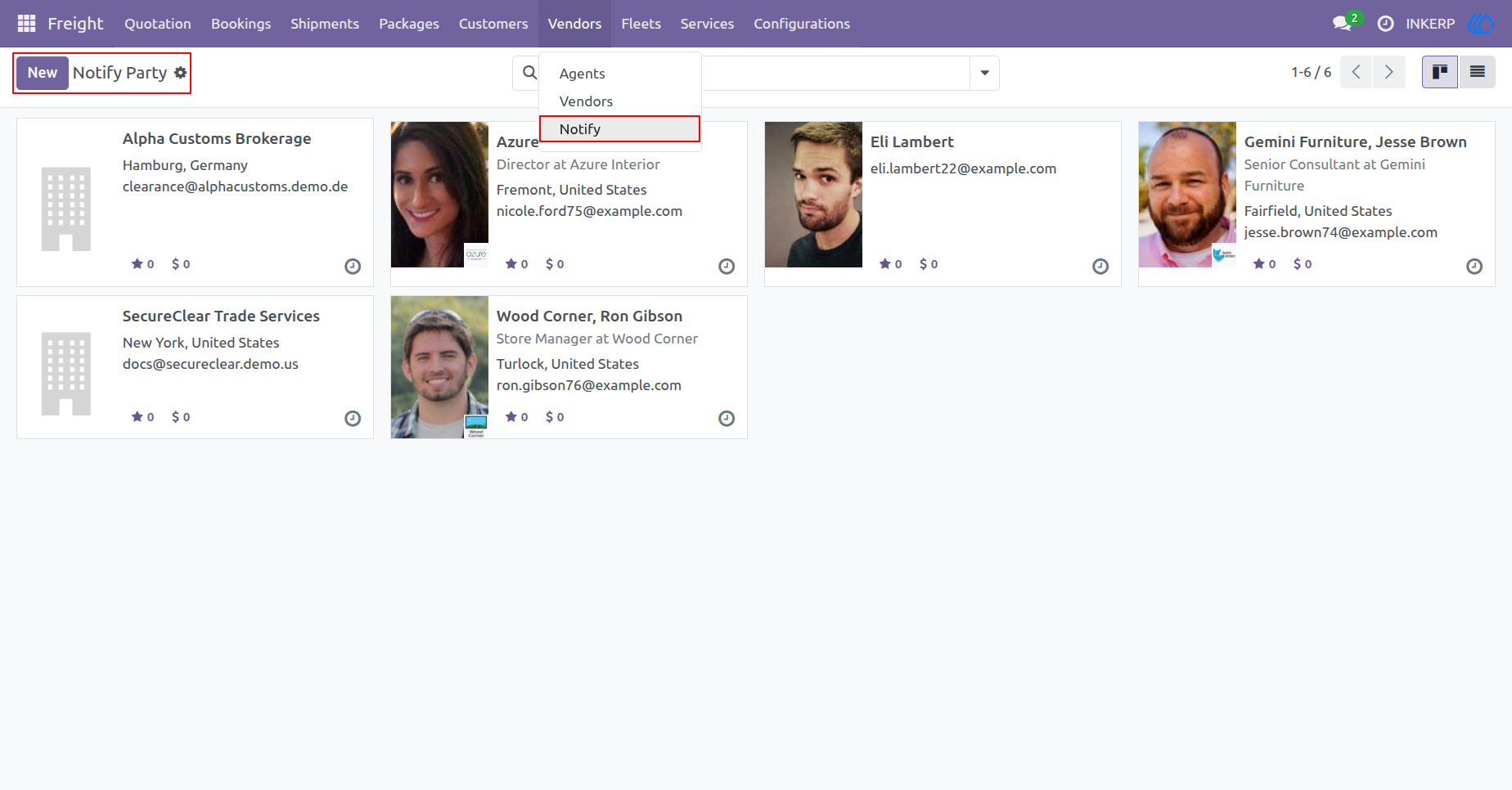
16.) Notify Parties
View and manage a centralized list of notify parties for your shipments. Easily add customs brokers or external stakeholders to ensure they receive timely arrival notices and essential freight updates.
Navigation : Freight › Vendors › Notify
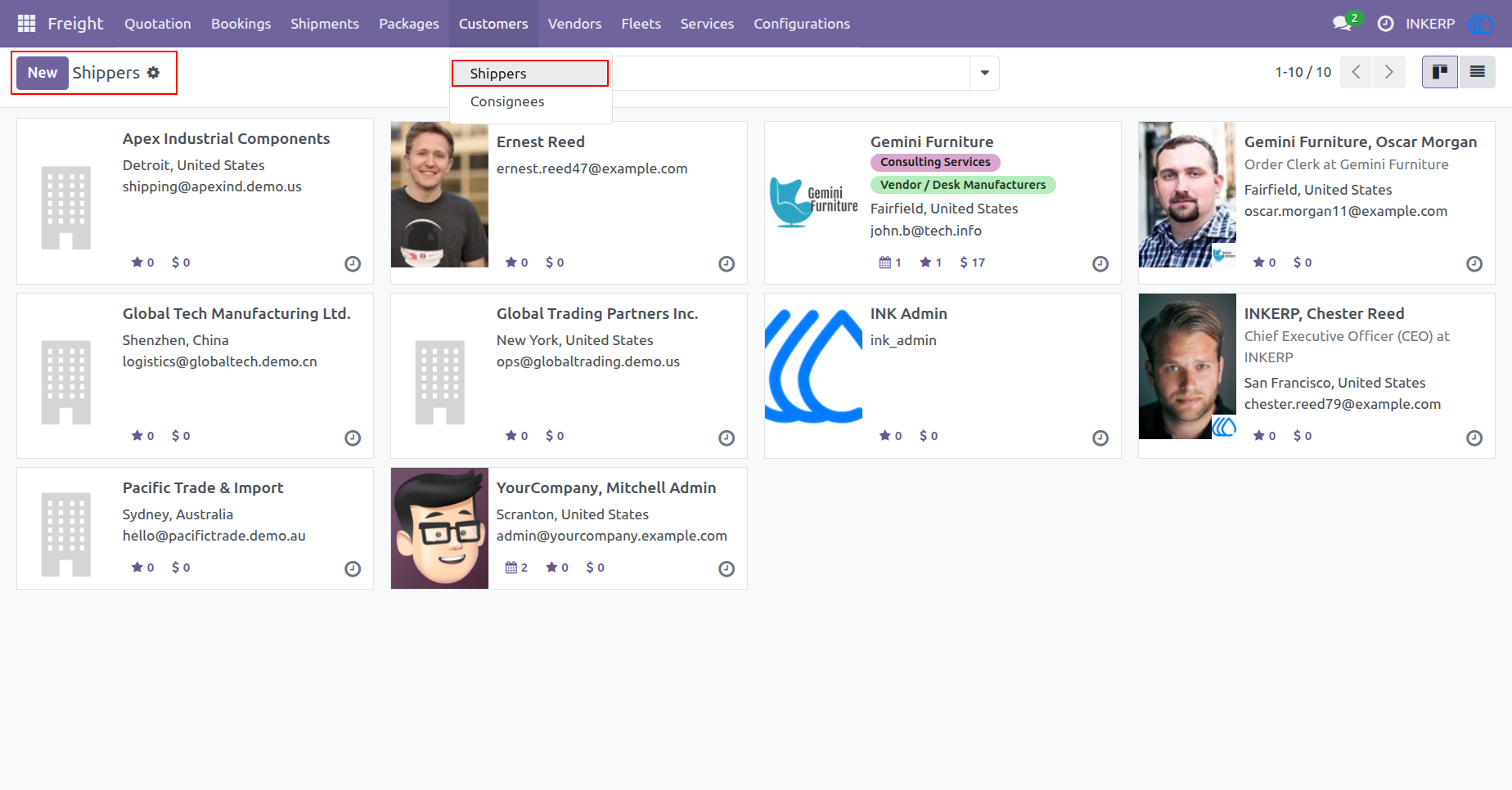
17.) Manage Shippers
Access and manage a complete directory of your freight shippers and originating clients. Add new customer profiles or update contact details to streamline the initial booking process.
Navigation : Freight › Customers › Shippers
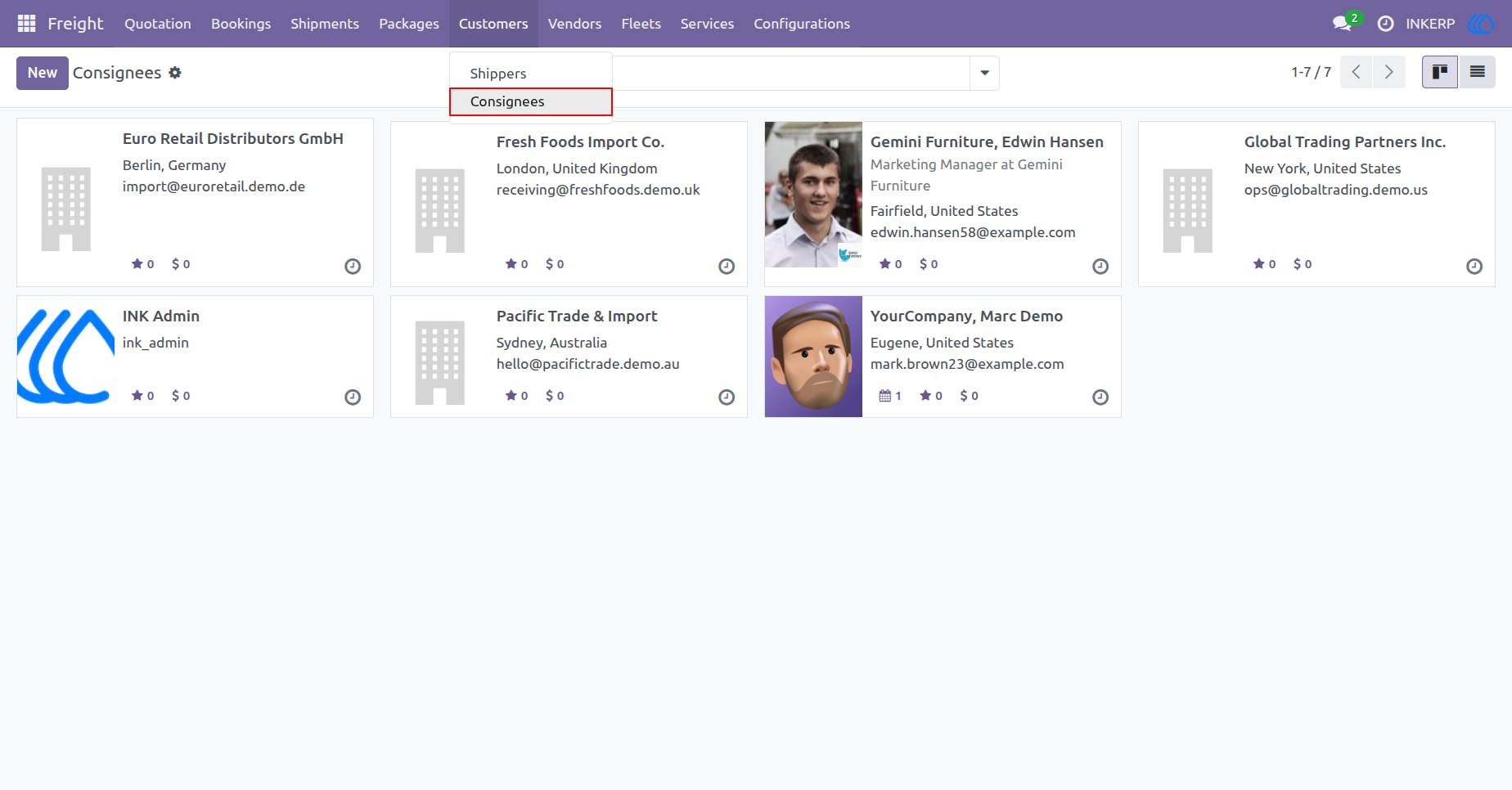
18.) Manage Consignees
Access and maintain a centralized directory of cargo receivers and destination clients. Easily register new consignee profiles to ensure accurate contact details for final delivery operations.
Navigation : Freight › Customers › Consignees
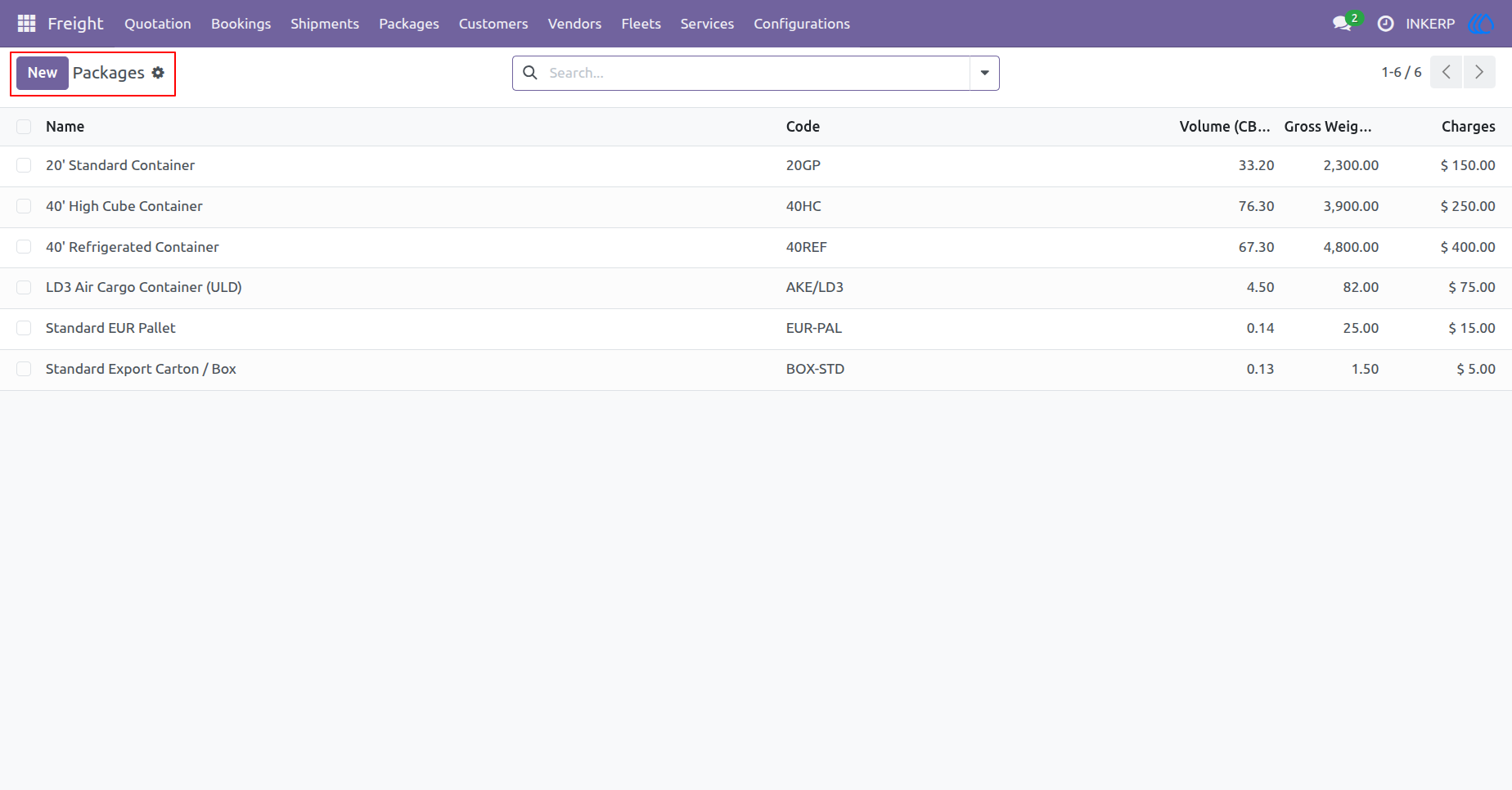
19.) Manage Packages
Maintain a comprehensive registry of standardized cargo containers and packaging units. Configure essential physical parameters including volumetric capacity (CBM), gross weight limits, and baseline handling charges to ensure accurate freight load planning and pricing.
Navigation : Freight › Packages
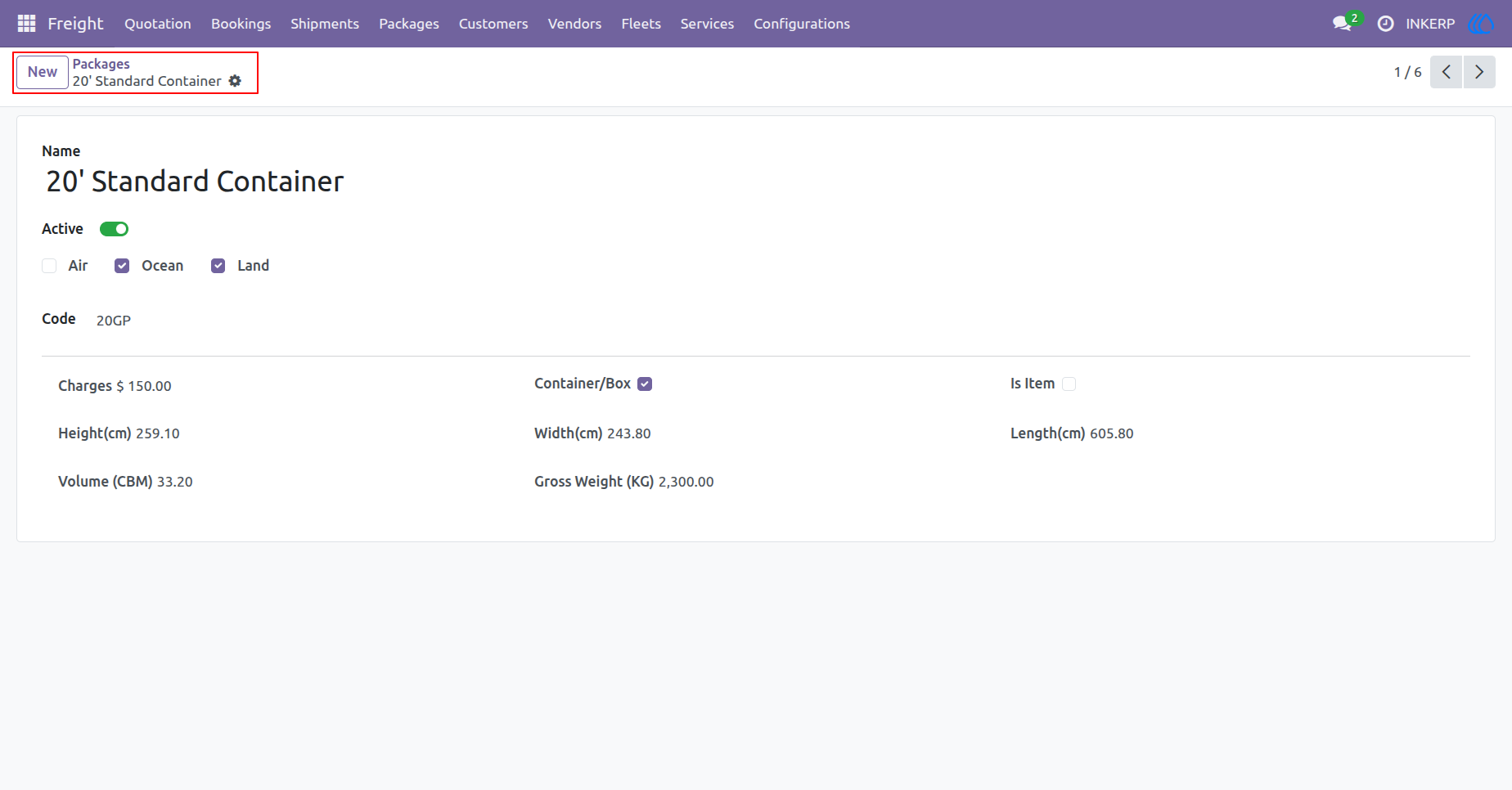
20.) Package Details
Access and manage detailed specifications for individual freight containers or packaging units. Configure precise physical dimensions, volumetric capacity, and gross weight constraints. Designate supported transportation modes and assign baseline handling charges to ensure accurate logistical planning.
Navigation : Freight › Packages
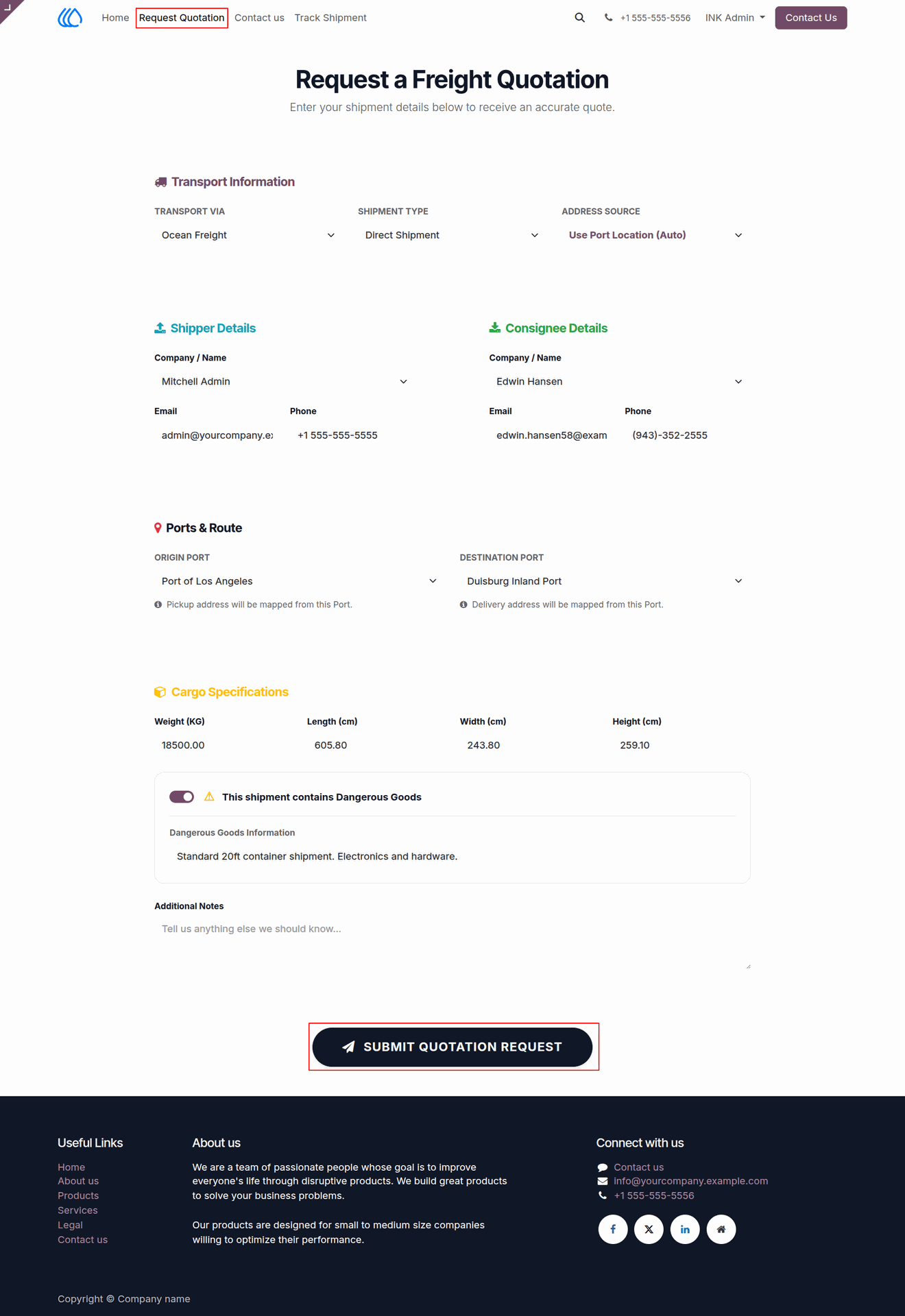
21.) Request a Freight Quotation
Enable clients to independently request shipping estimates through a public web portal. Capture essential transport requirements, including shipper and consignee details, routing ports, and specific cargo dimensions or hazards, to streamline the initial quoting process.
Navigation : Website › Request Quotation
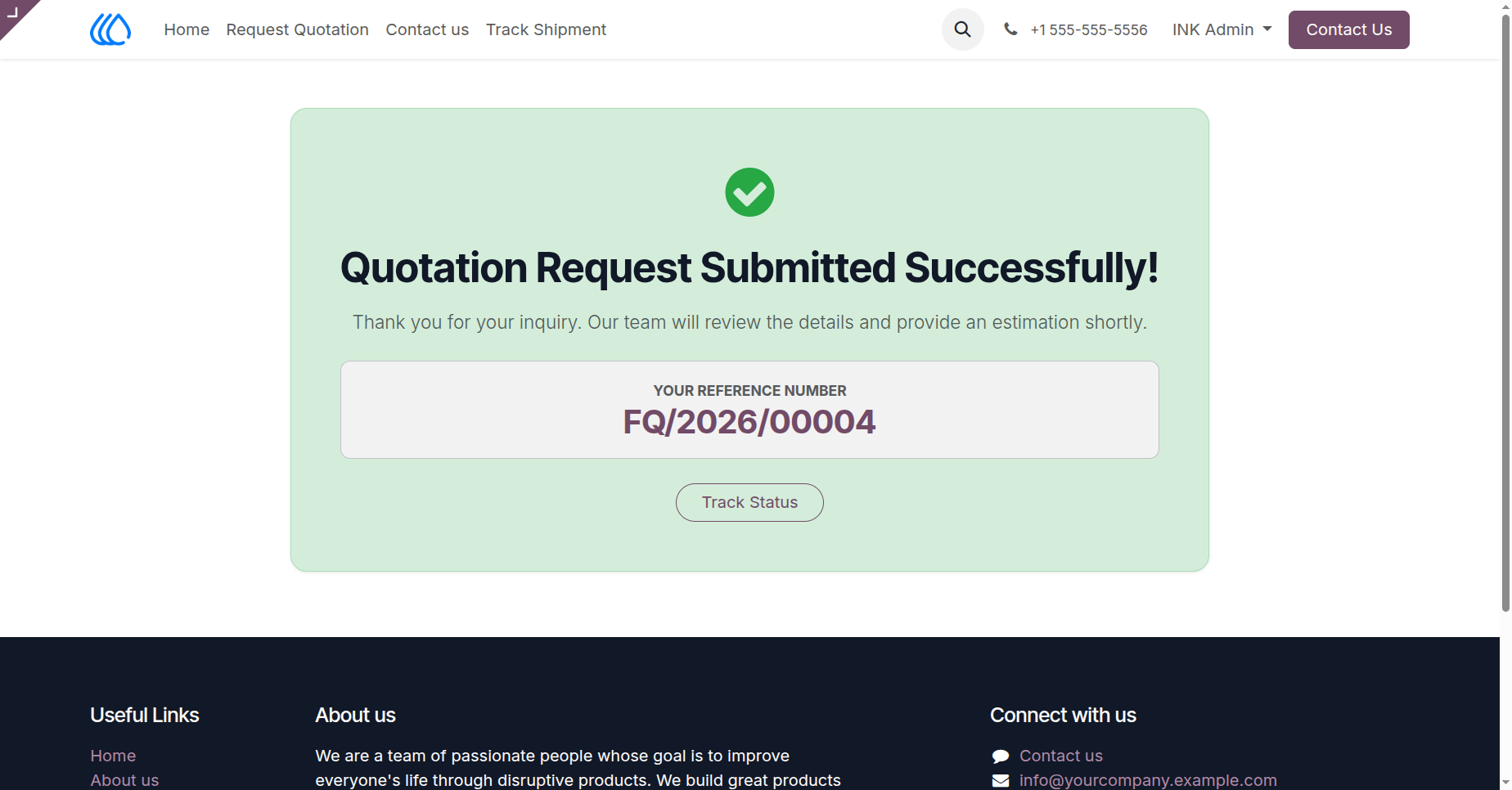
22.) Quotation Request Success
Display a confirmation message to clients upon the successful submission of their freight quotation request. Provide a unique reference number for their inquiry and offer a direct link to track the status of their request.
Navigation : Website › Request Quotation › Success
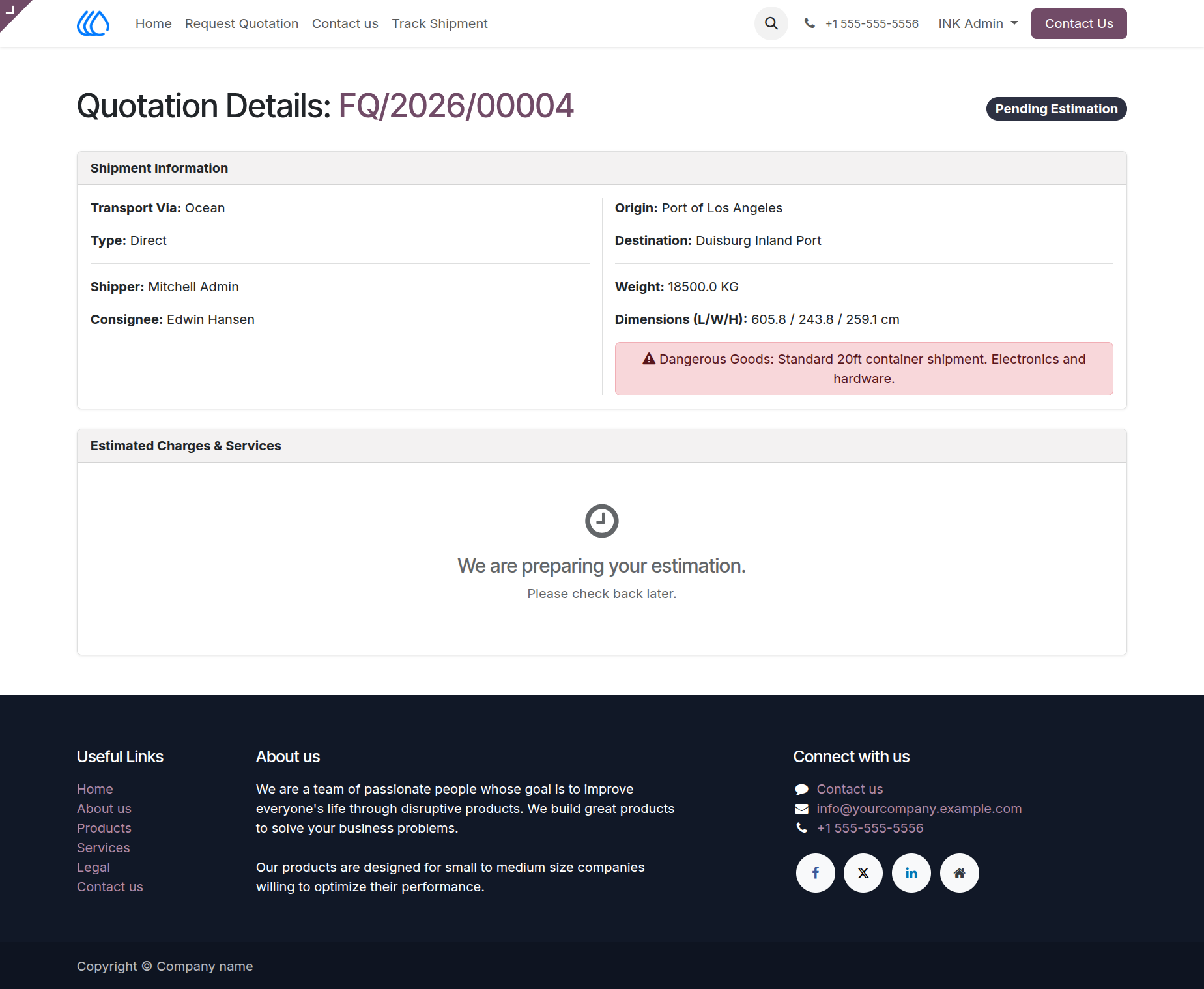
23.) Client Quotation Details
Allow clients to review the specifications of their submitted freight quotation requests through the customer portal. Display essential shipment data, route details, and alert them to the pending status of their estimated charges while the back-office prepares the final quote.
Navigation : Website › Request Quotation
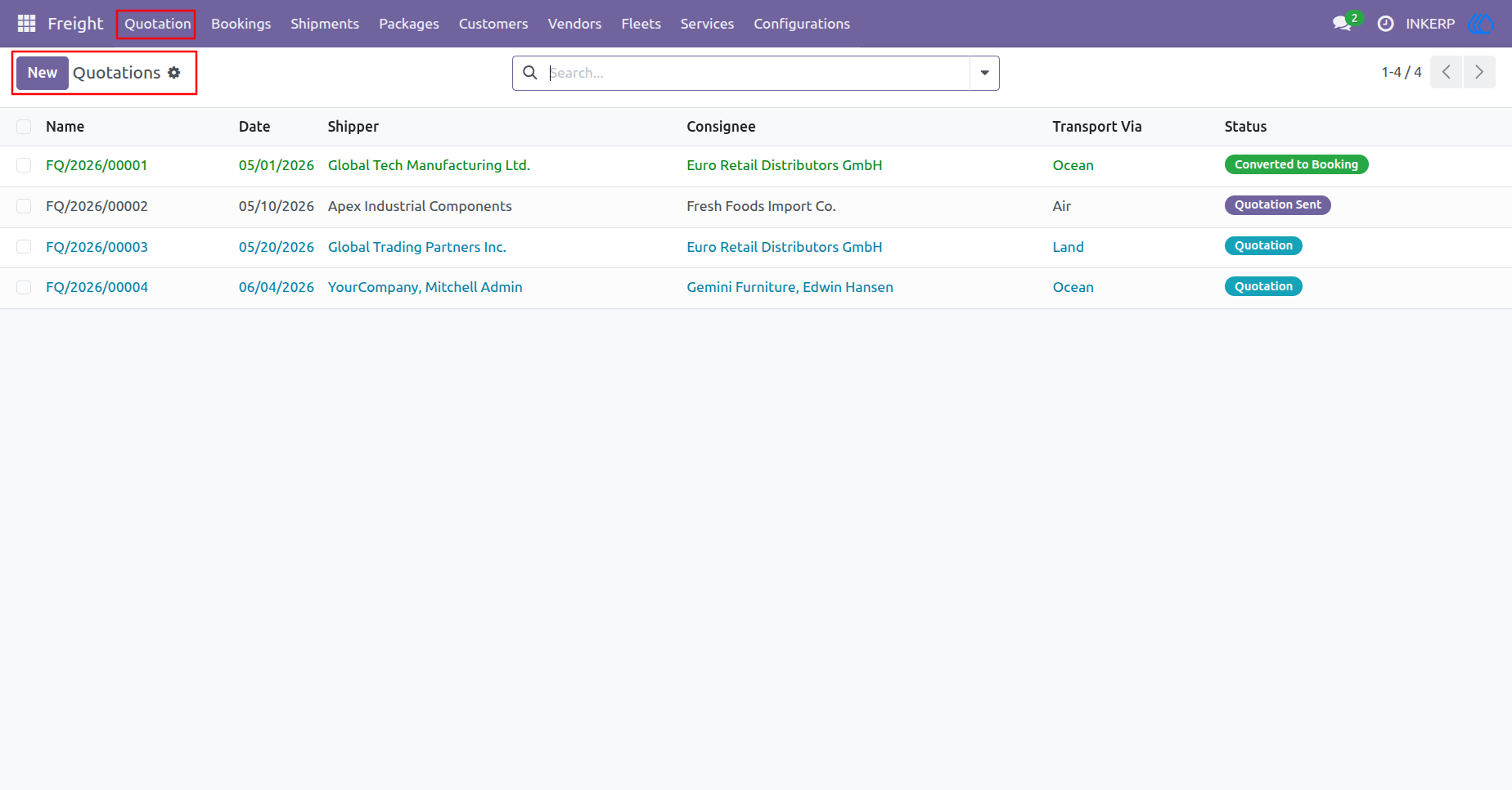
24.) Manage Quotations
Review and manage a centralized list of all freight quotations. Track the lifecycle of shipping estimates from initial requests to finalized bookings, and monitor key details such as transport modes, shippers, and consignees to streamline your sales operations.
Navigation : Freight › Quotation
25.) Quotation Details
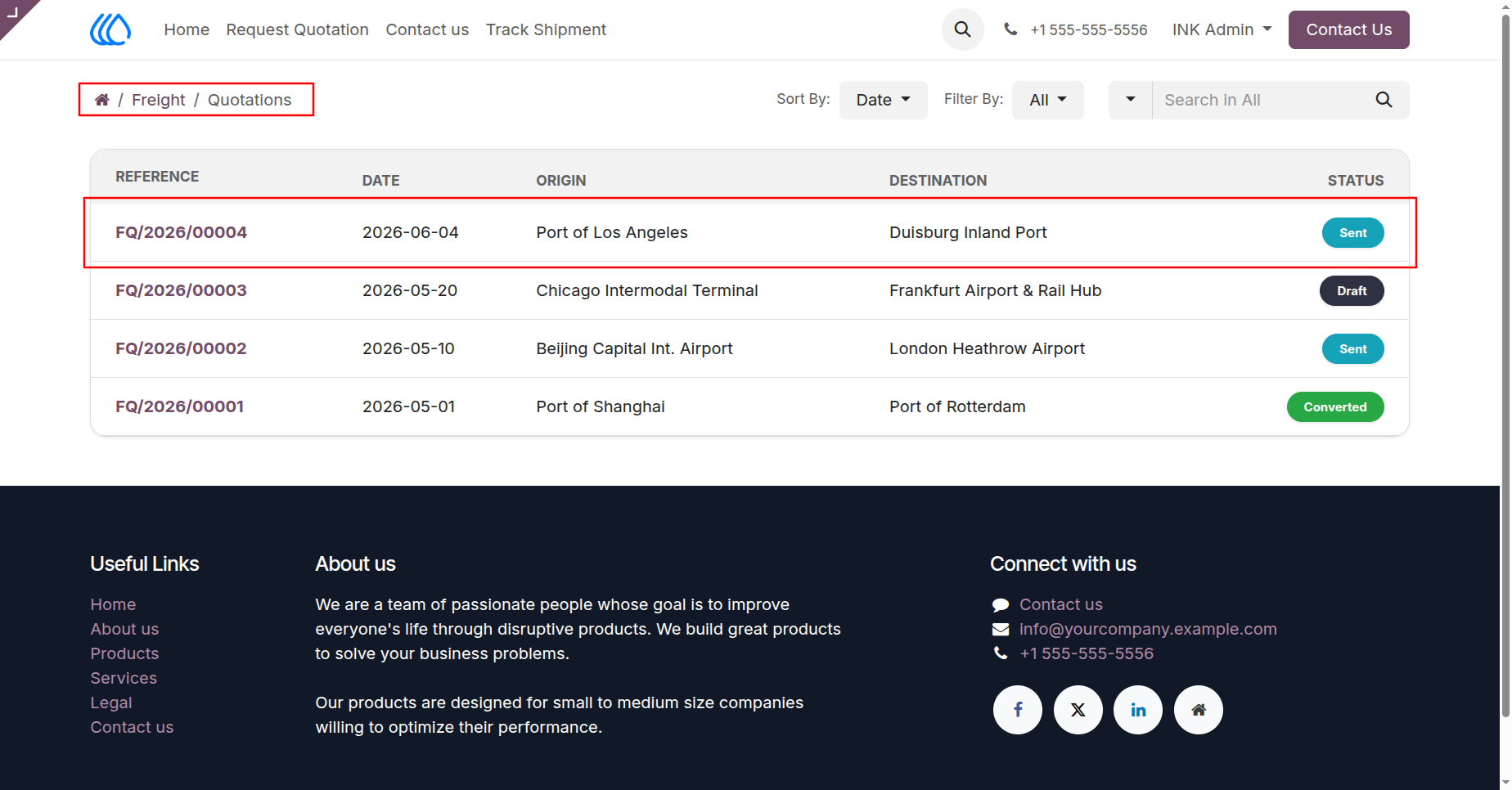
Review and process specific freight quotation requests, including those submitted directly from the web portal. Itemize billable services and estimated costs within the order lines, verify transport routing, and officially send the detailed quote to the client for approval.
Navigation : Freight › Quotation
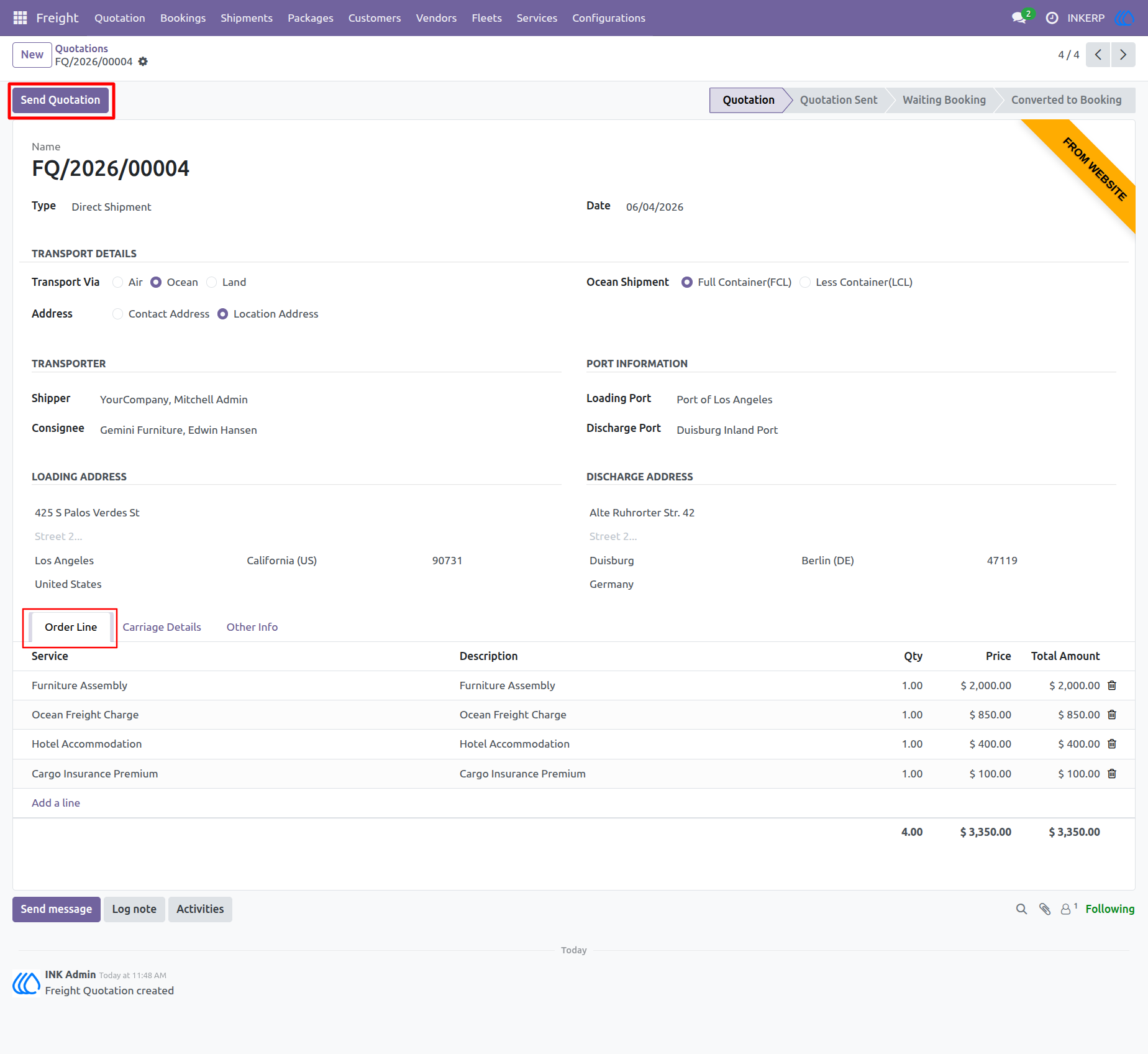
26.) My Account Dashboard
Provide registered clients with a centralized hub within their user portal to oversee their logistics activities. From this section, customers can easily launch a dedicated freight dashboard to conveniently track active shipments, review bookings, and monitor requested quotations all in one place.
Navigation : Website › My Account › Freight
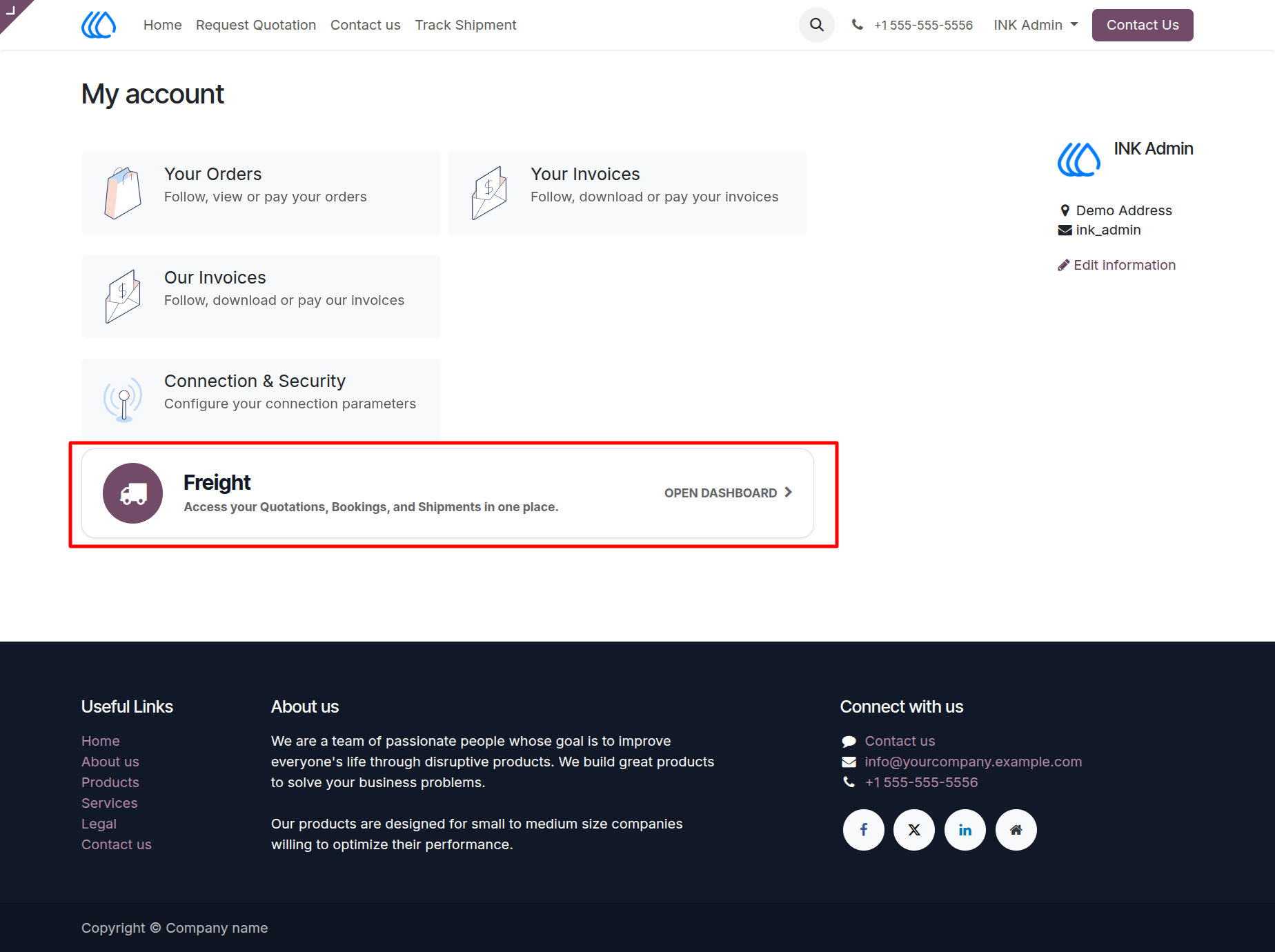
27.) Client Freight
Access a centralized client portal to oversee your logistics operations. Use the dedicated dashboard to navigate to the Quotations section, where you can review requested estimates, track pricing for upcoming cargo movements, and monitor pending inquiries.
Navigation : Website › My Account › Freight
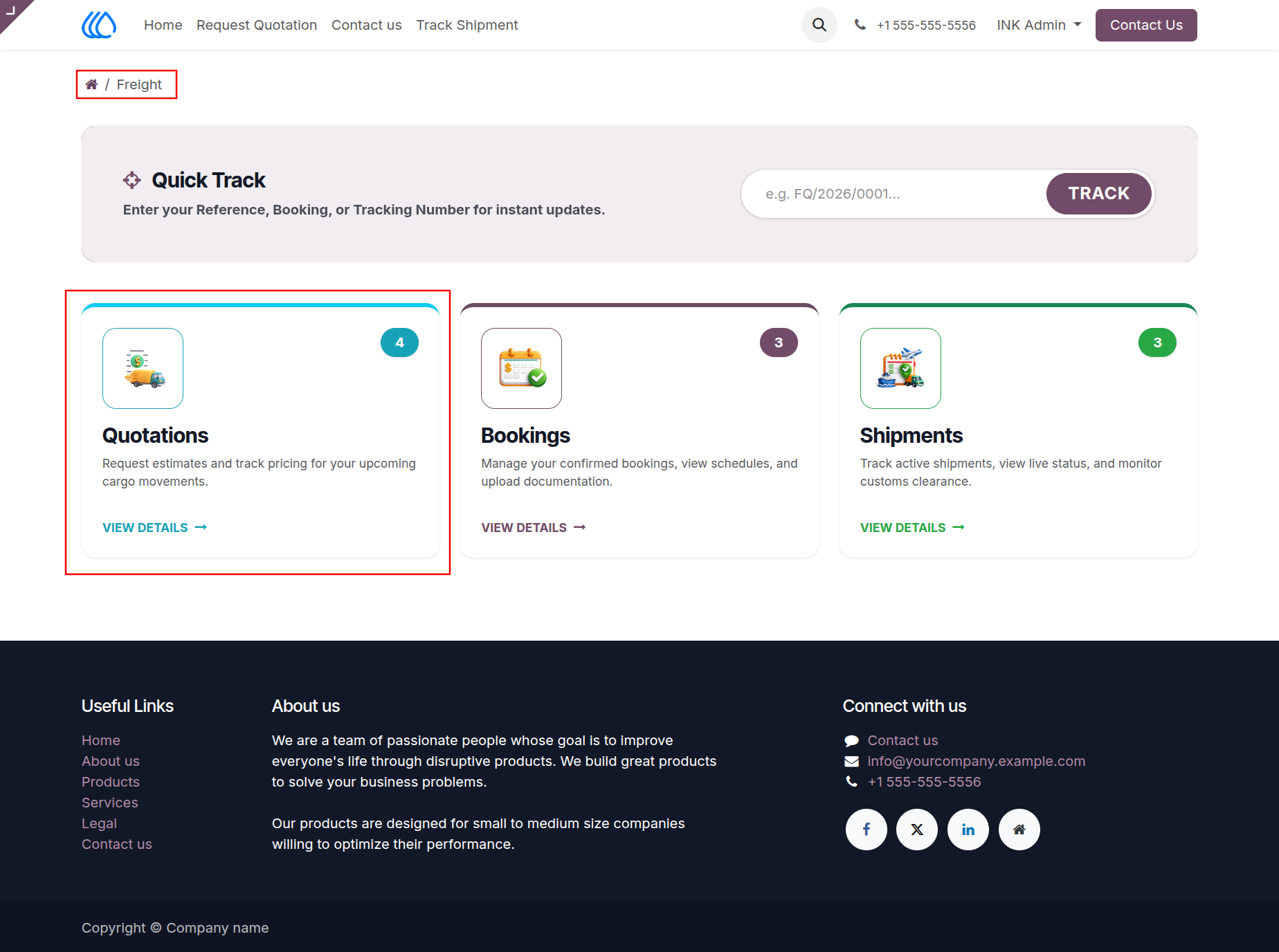
28.) Client Quotations List
Enable clients to view and track all their submitted freight quotation requests through a centralized list within their customer portal. Monitor the current status of each inquiry, such as "Draft," "Sent," or "Converted," and quickly reference origin and destination details for upcoming shipments.
Navigation : Website › Freight › Quotations
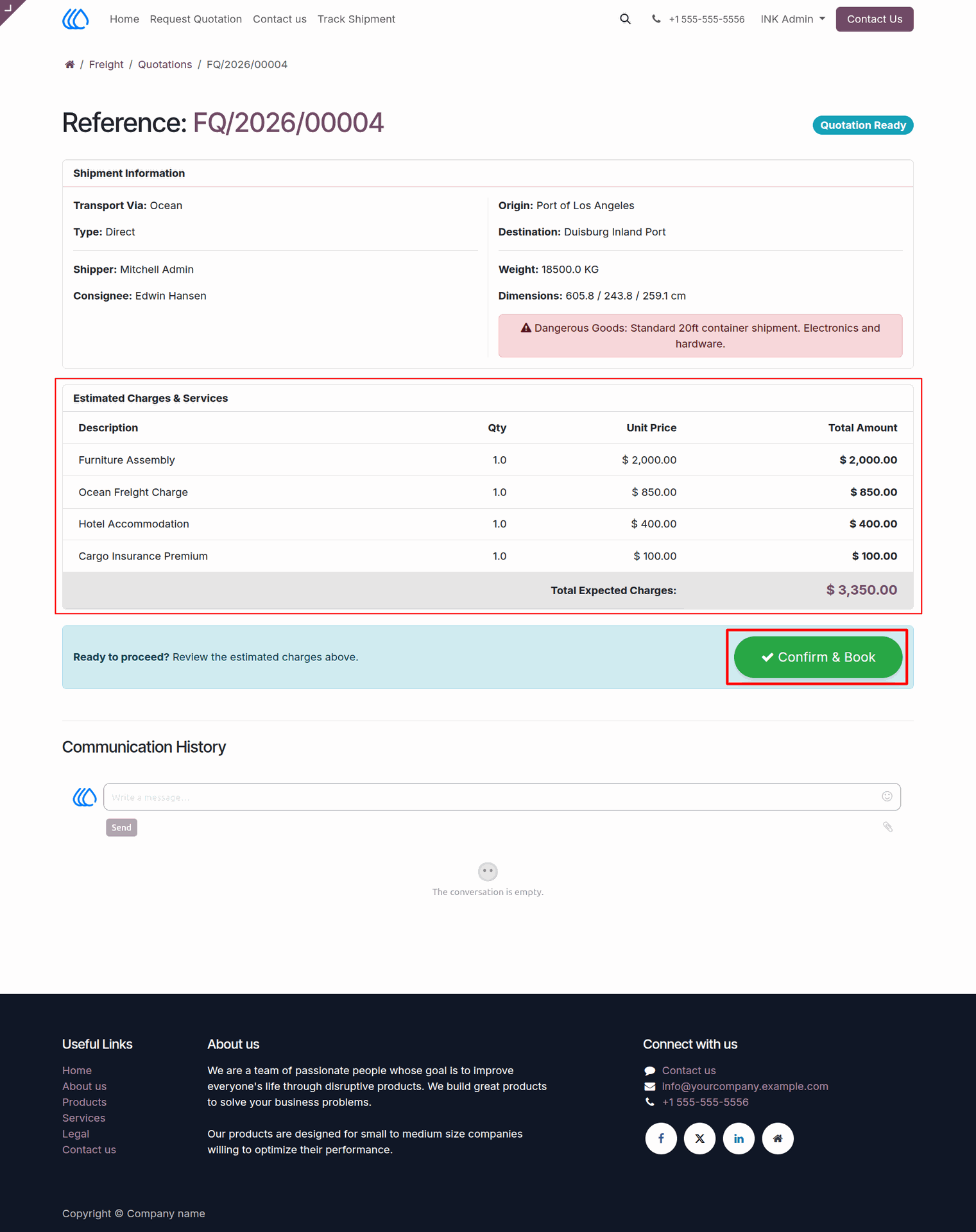
29.) Client Quotation Review
Allow clients to review completed freight quotations directly within their customer portal. Users can examine itemized estimated charges for logistics services and seamlessly convert approved quotes into active bookings with a single confirmation click.
Navigation : Website › Freight › Quotations
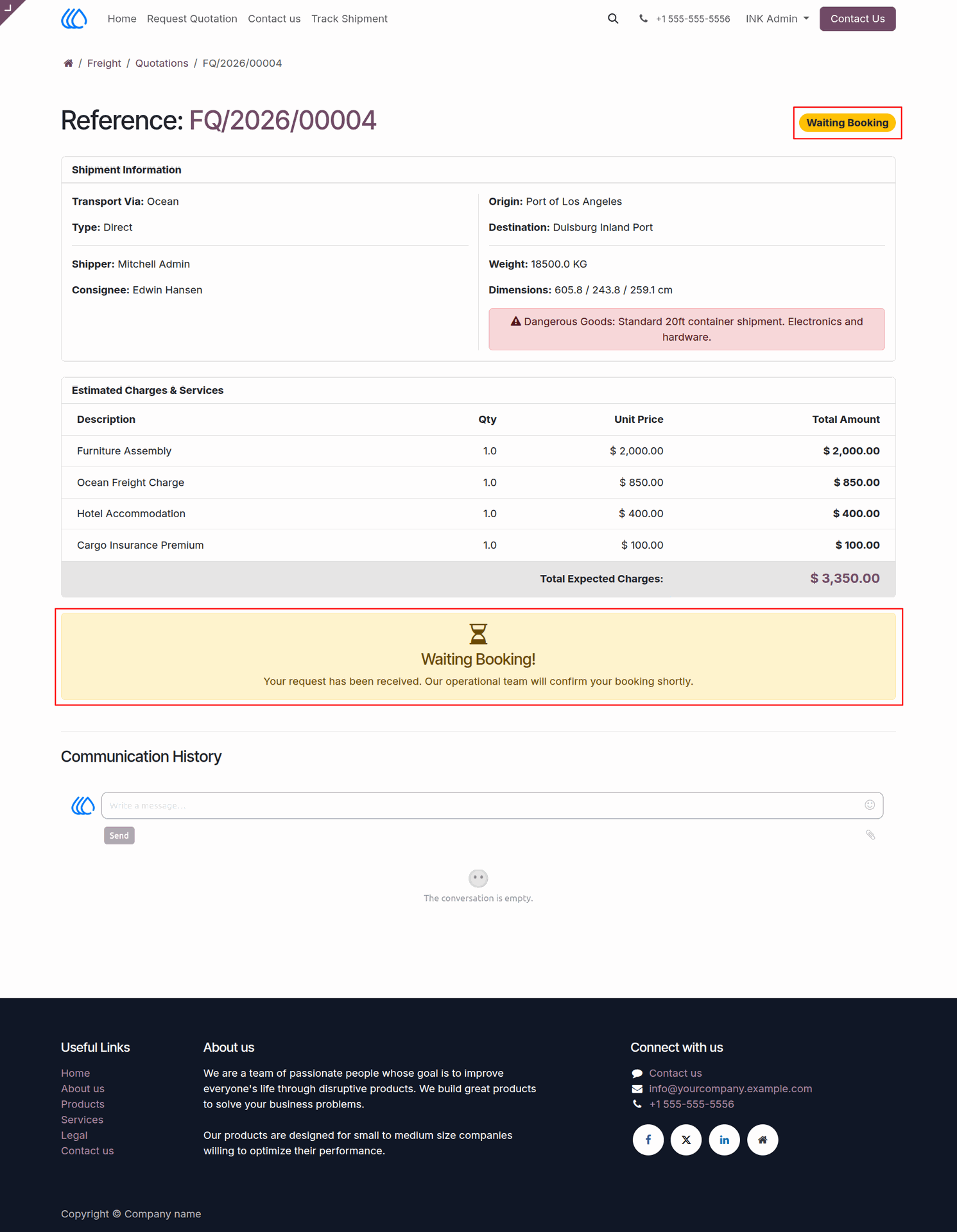
30.) Client Quotation - Waiting Booking
Provide clients with a clear status update after they confirm a freight estimate. Display a "Waiting Booking" notification to assure them that their request is being processed by the operational team, while continuing to present all finalized shipment details and agreed-upon charges.
Navigation : Freight › Quotations
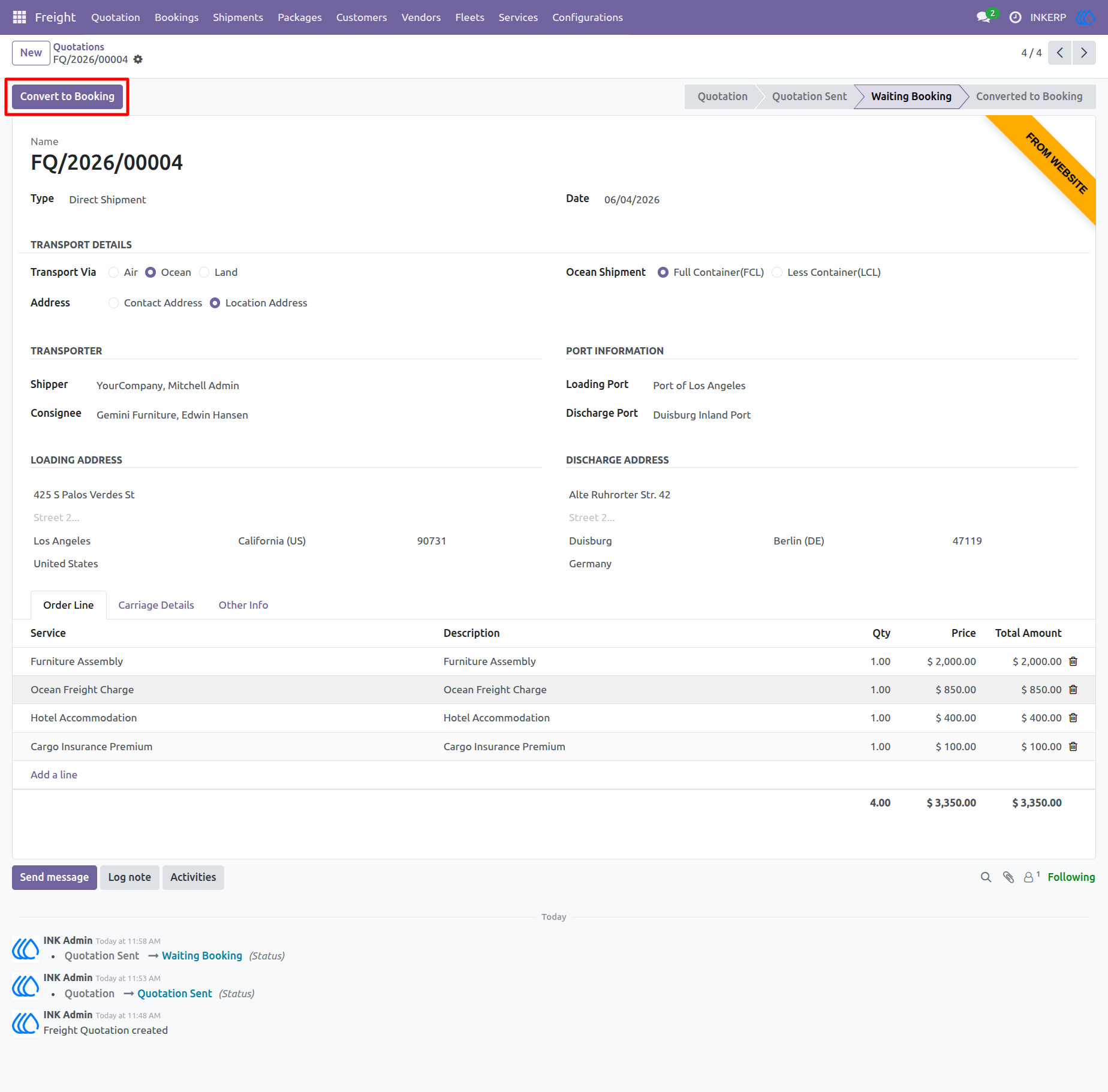
31.) Convert Quotation to Booking
Finalize approved freight estimates by converting them into actionable logistics bookings. Once a client confirms a quotation and it enters the "Waiting Booking" stage, use this feature to seamlessly generate the official booking record and initiate the shipment execution process.
Navigation : Freight › Quotations
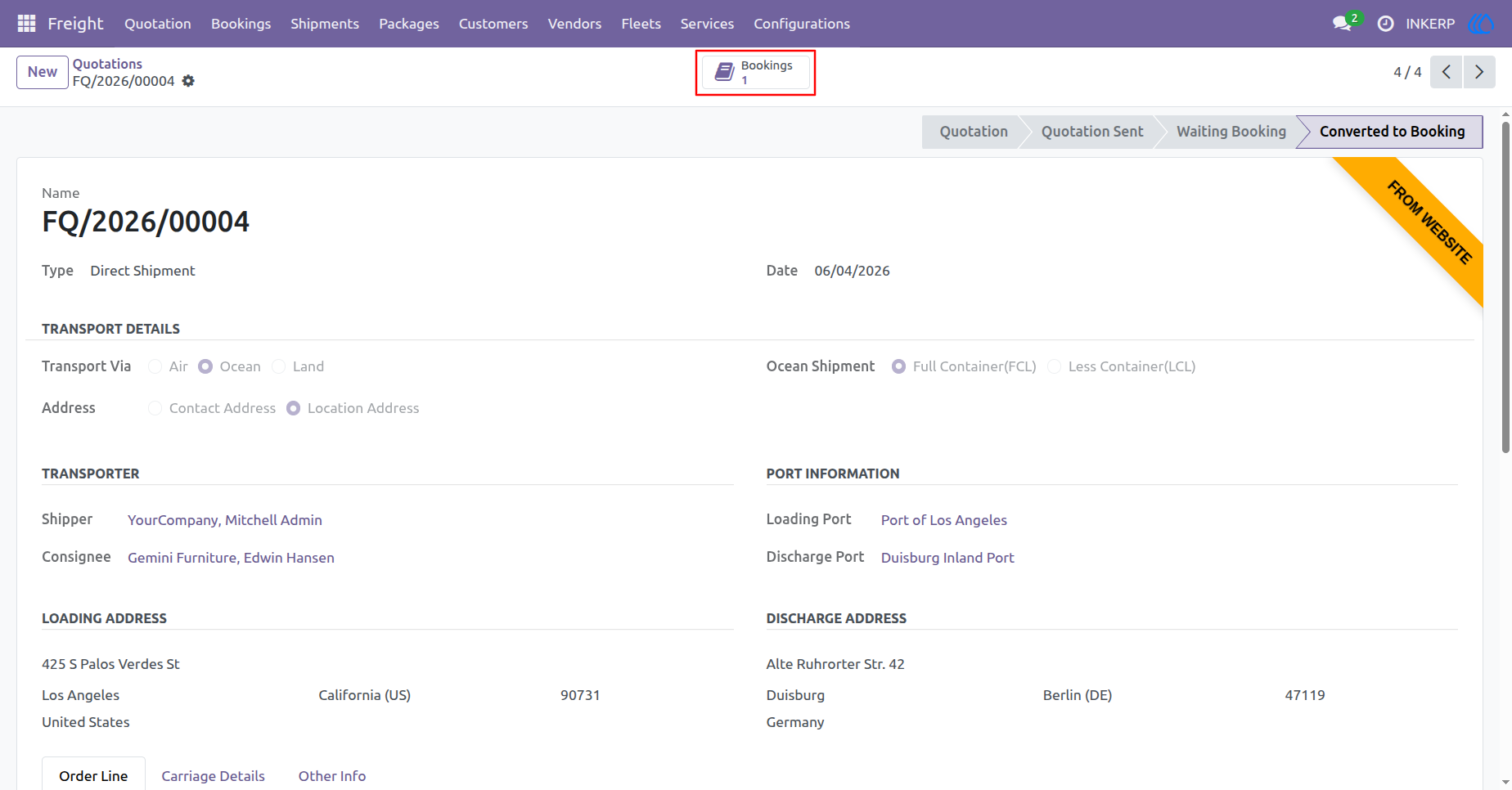
32.) Access Linked Bookings
Seamlessly navigate between related logistics records. Once a freight quotation has been successfully converted, use the integrated smart button at the top of the page to instantly access and manage the newly generated booking record.
Navigation : Freight › Quotations
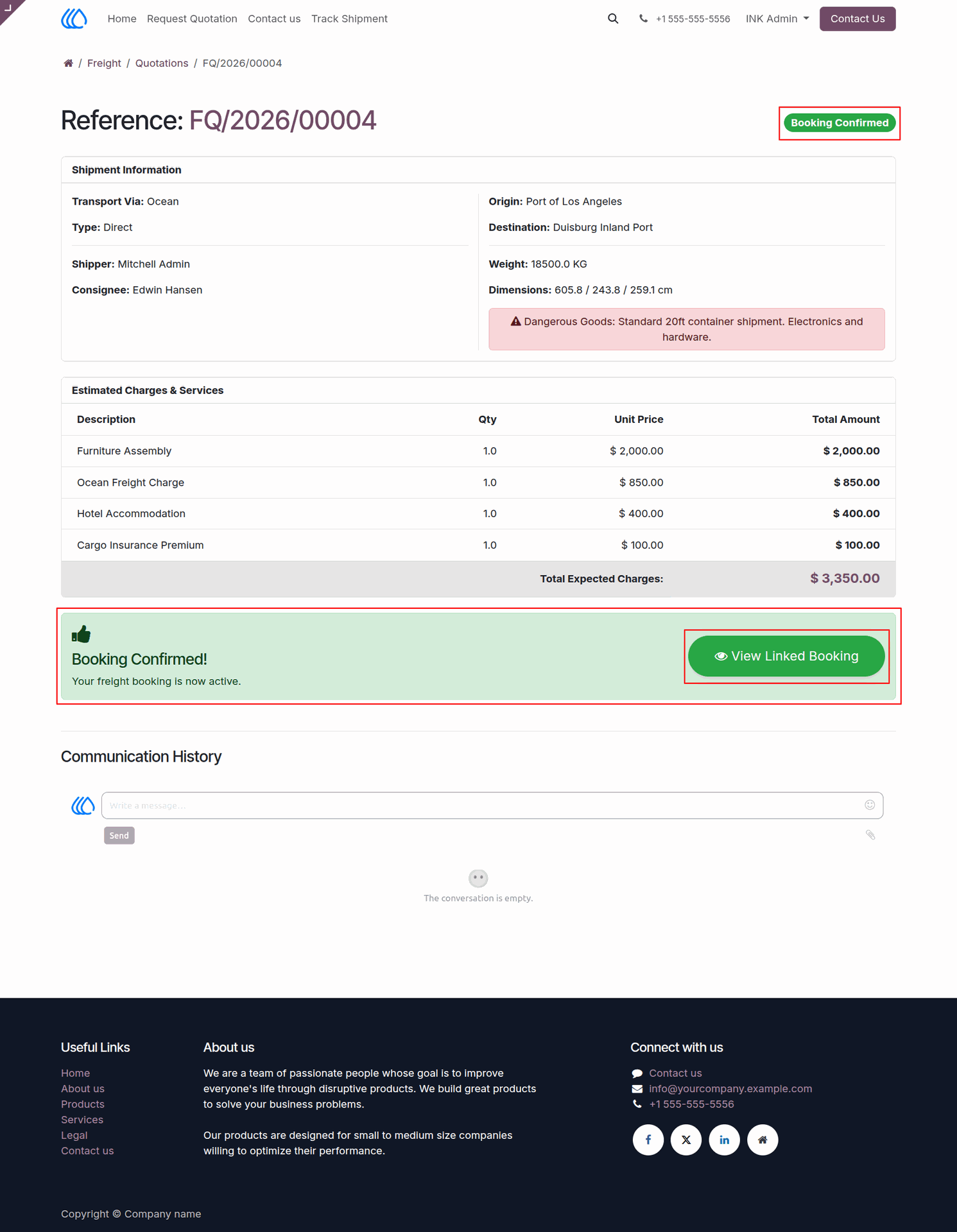
33.) Client Quotation - Booking Confirmed
Notify clients when their requested freight quotation has been officially processed and converted into an active booking. Display a "Booking Confirmed" status update within their customer portal and provide a convenient link to navigate directly to their newly generated logistics booking details.
Navigation : Website › Freight › Quotations
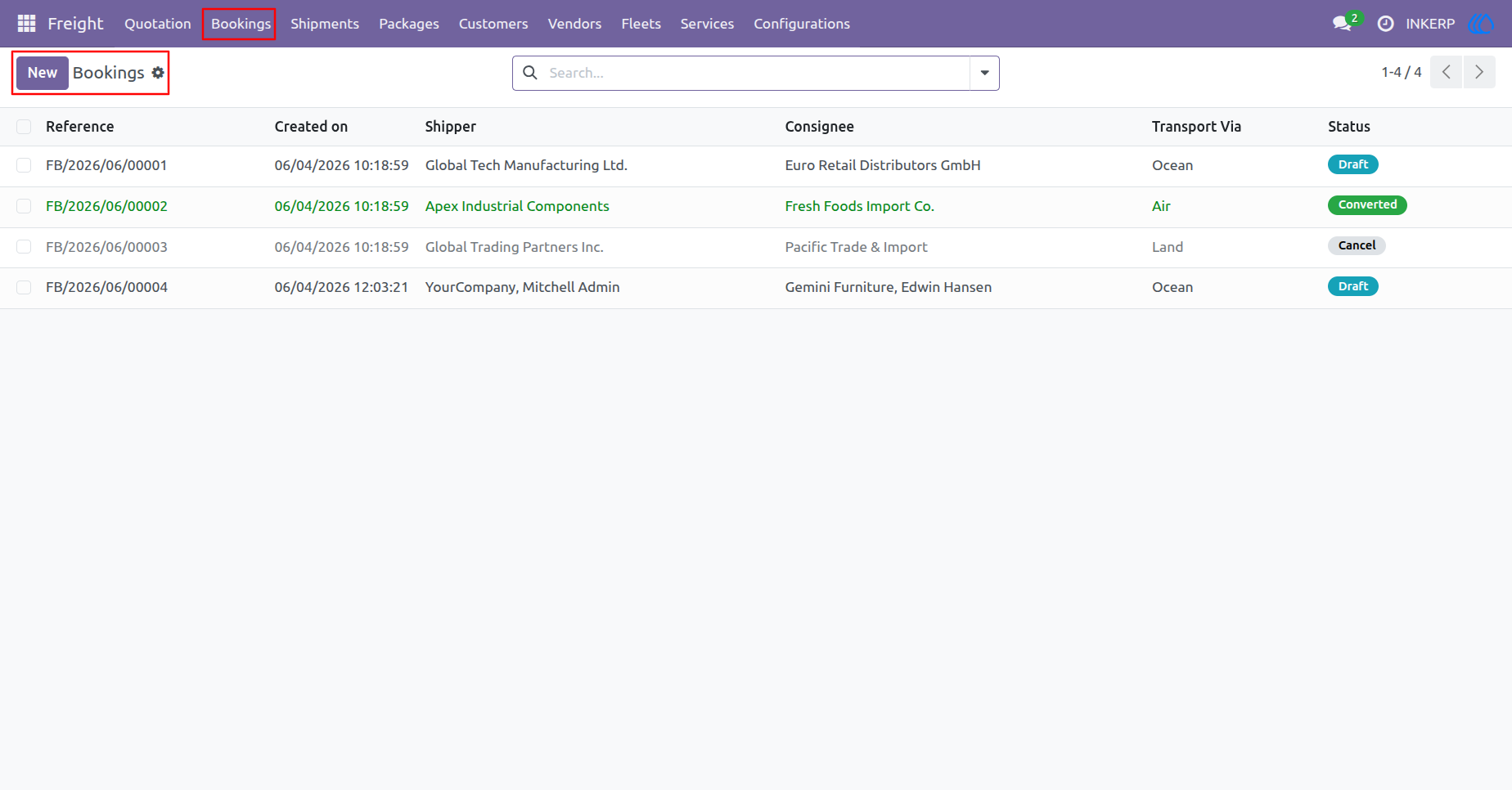
34.) Manage Bookings
View and manage a comprehensive list of all active and historical freight bookings. Track the current status of your transport orders, from initial drafts to converted shipments, and quickly reference key details such as shippers, consignees, and transportation modes to streamline your logistics operations.
Navigation : Freight › Bookings
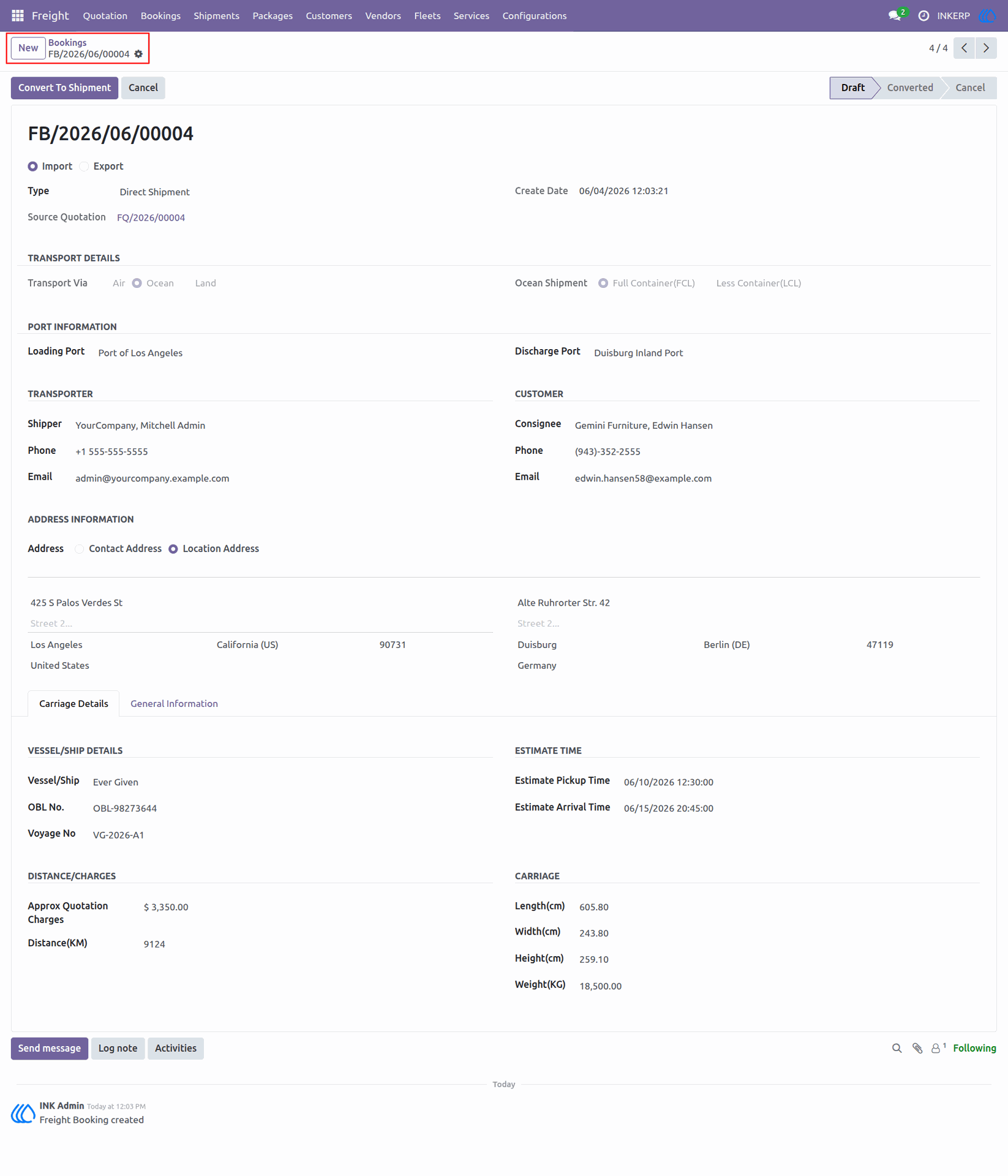
35.) Booking Details
Review and manage the comprehensive details of a specific freight booking. Finalize essential transport logistics, including assigning vessel information, setting estimated pickup and arrival schedules, and verifying cargo dimensions before converting the booking into an active shipment.
Navigation : Freight › Bookings
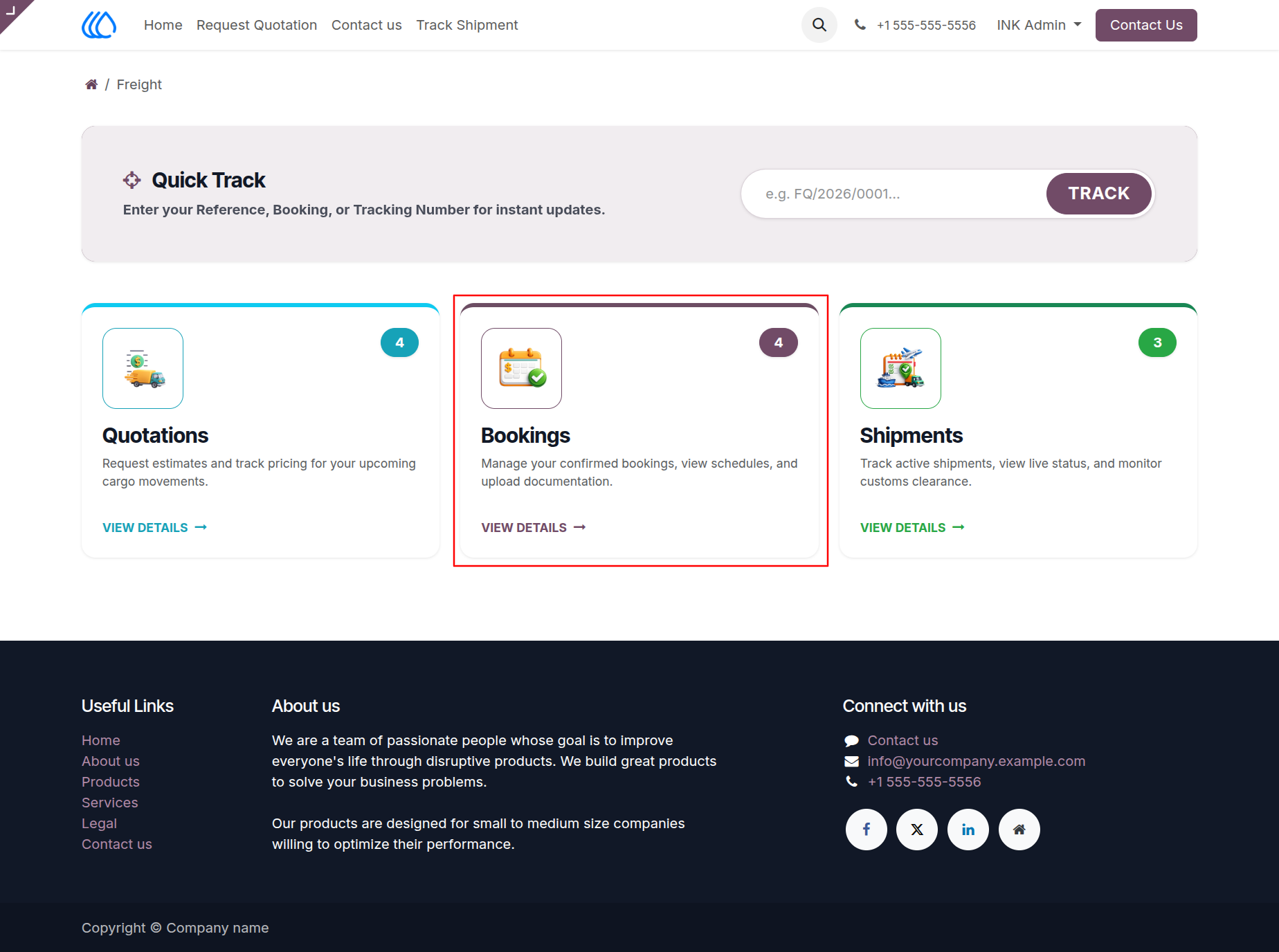
36.) Client Freight Dashboard - Bookings
Navigate the centralized client portal to manage ongoing logistics operations. Access the dedicated Bookings section from the dashboard to oversee confirmed transport orders, review upcoming vessel schedules, and manage essential documentation for your active cargo movements.
Navigation : Website › Freight › Bookings
37.) Client Bookings List
Enable clients to view and track all their freight bookings through a centralized list within their customer portal. Monitor the current status of each transport order, such as "Draft," "Converted," or "Cancel," and quickly reference origin, destination, and transport mode details for ongoing shipments.
Navigation : Freight › Bookings
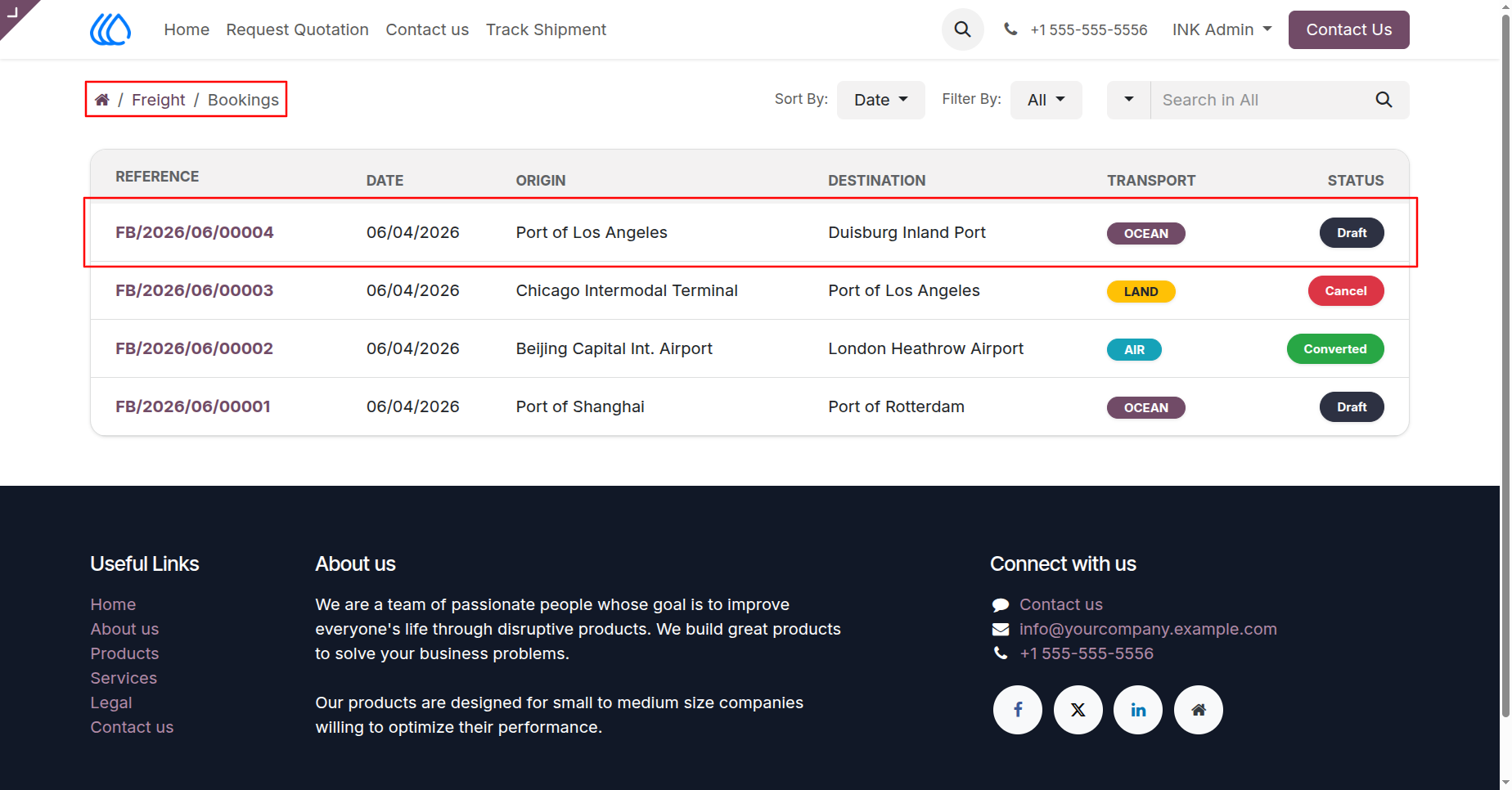
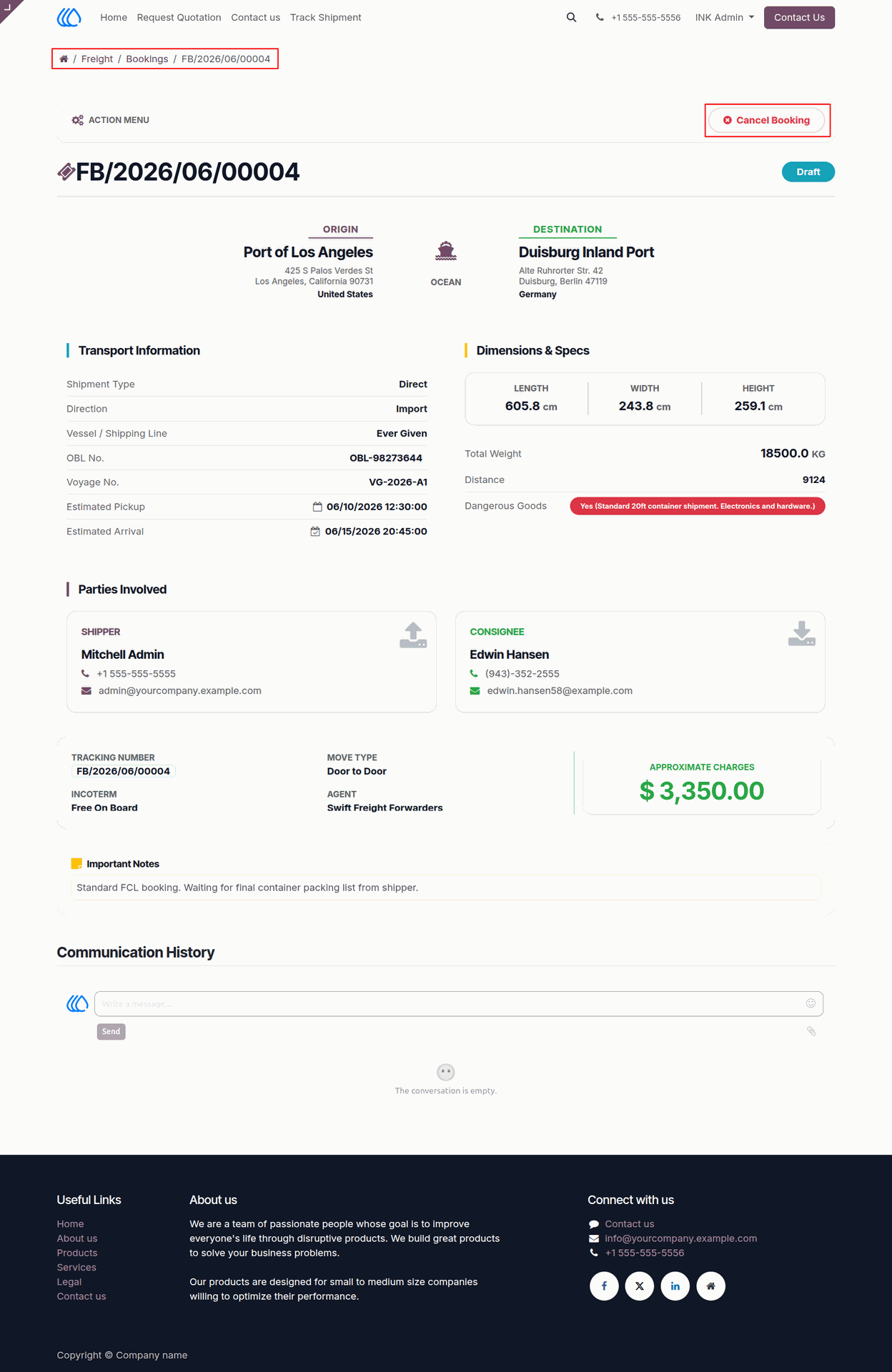
38.) Client Booking Details
Allow clients to review the comprehensive details of their specific freight bookings directly within the customer portal. From this detailed view, users can examine transport schedules, cargo specifications, and involved parties, as well as utilize the action menu to easily cancel the booking if necessary.
Navigation : Website › Freight › Bookings
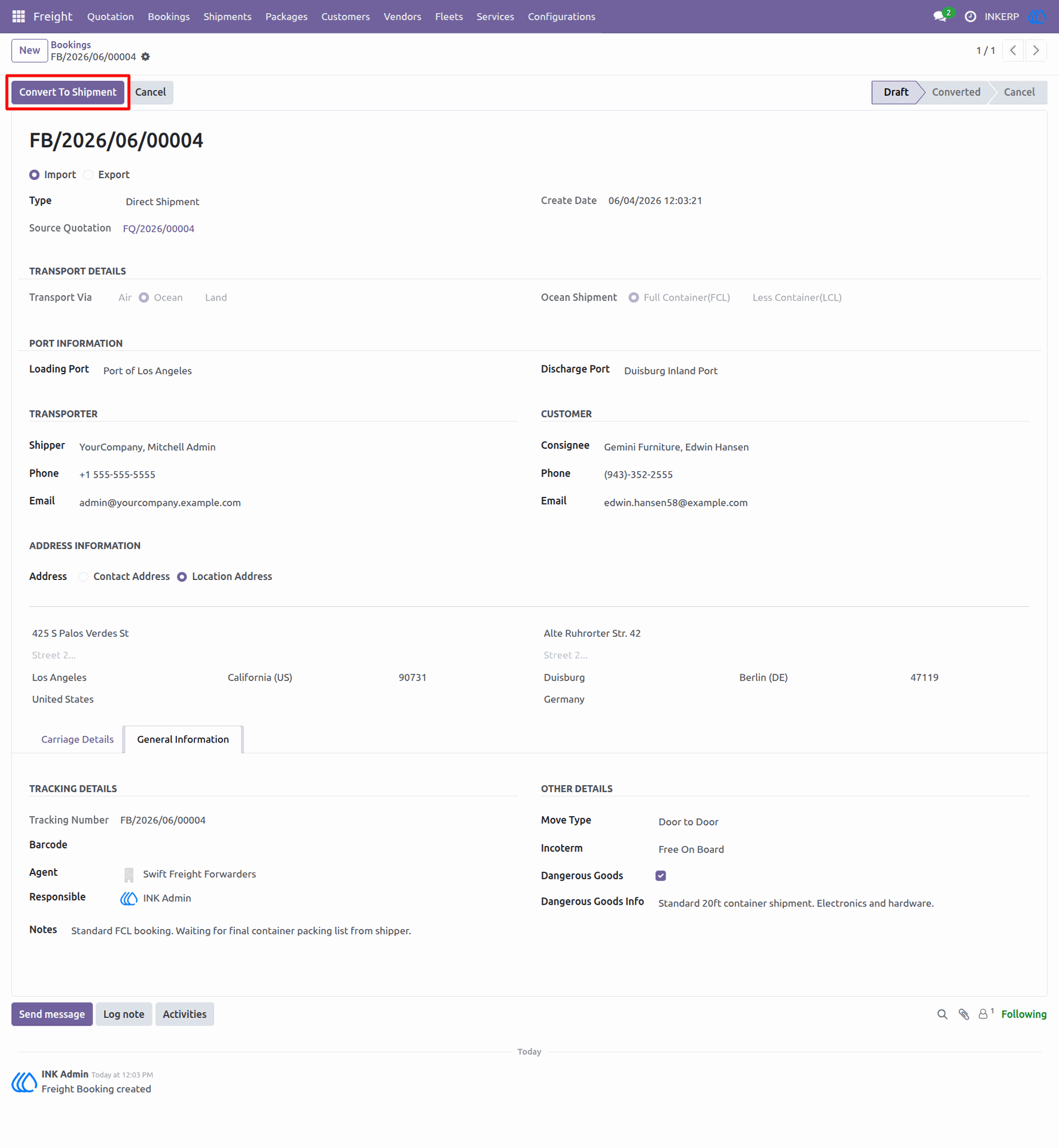
39.) Convert Booking to Shipment
Transition a finalized freight booking into an active shipment record. Once all necessary transport details, carrier assignments, and general information are verified on the booking, use this feature to initiate the execution phase and begin actively tracking the cargo movement.
Navigation : Freight › Bookings
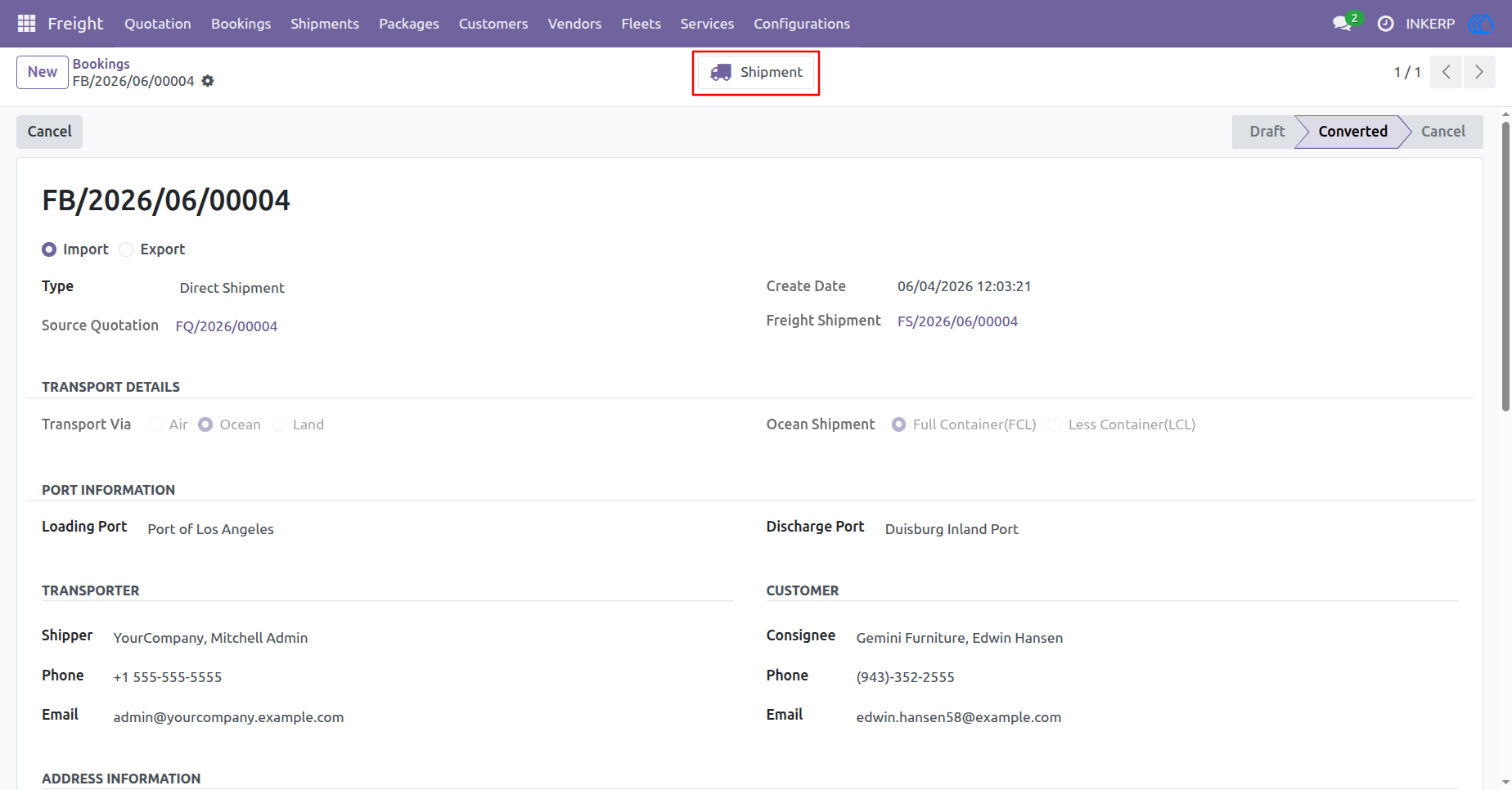
40.) Access Linked Shipment
Seamlessly navigate between related logistics records. Once a freight booking has been successfully converted, use the integrated smart button at the top of the page to instantly access and manage the newly generated active shipment record.
Navigation : Freight › Bookings
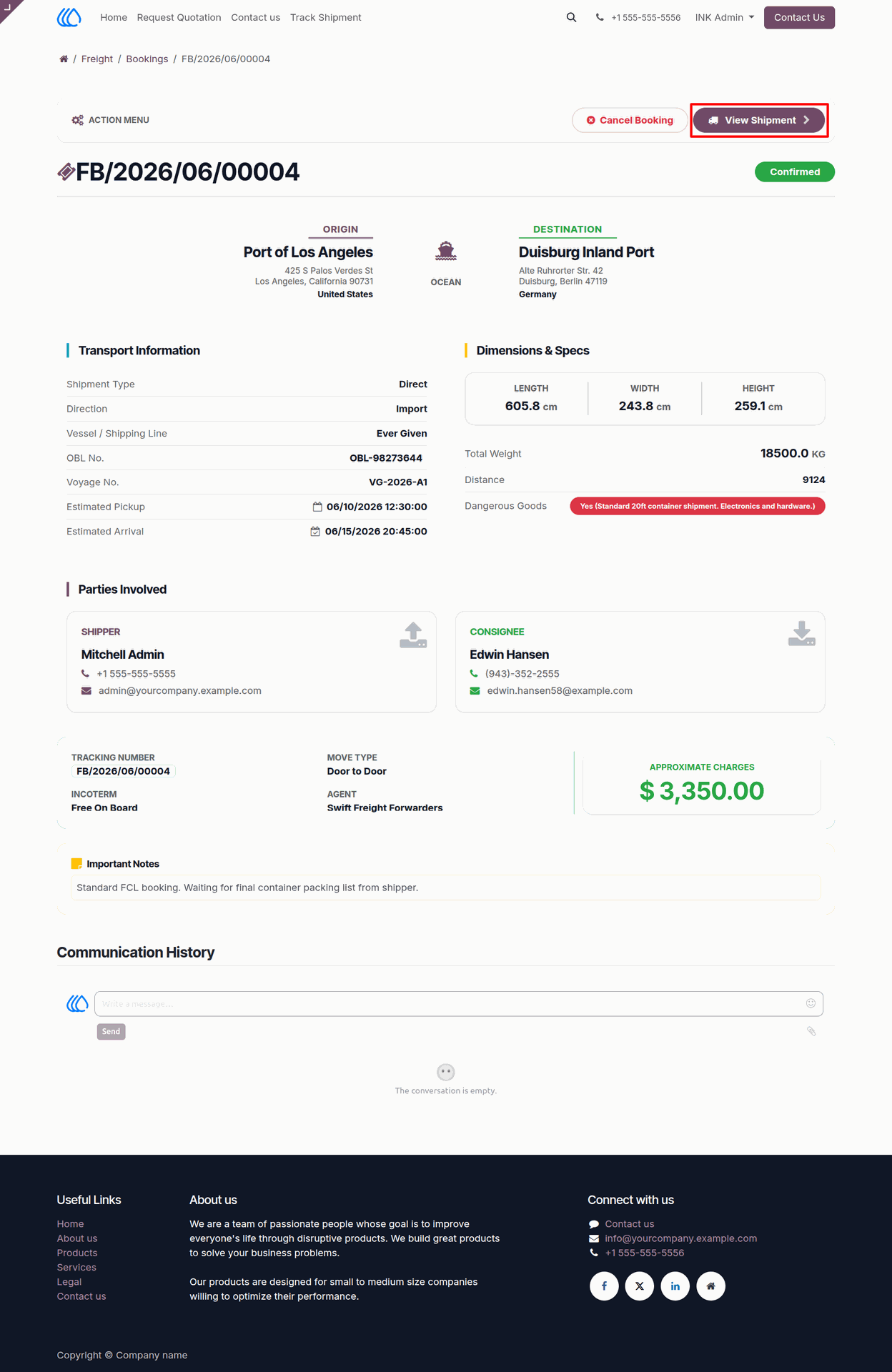
41.) Client Booking - View Linked Shipment
Enable clients to seamlessly transition from tracking a booking to monitoring an active shipment. Once a transport order is confirmed, users can click the "View Shipment" button within the action menu of their customer portal to instantly access live tracking and detailed updates for their moving cargo.
Navigation : Website › Freight › Bookings
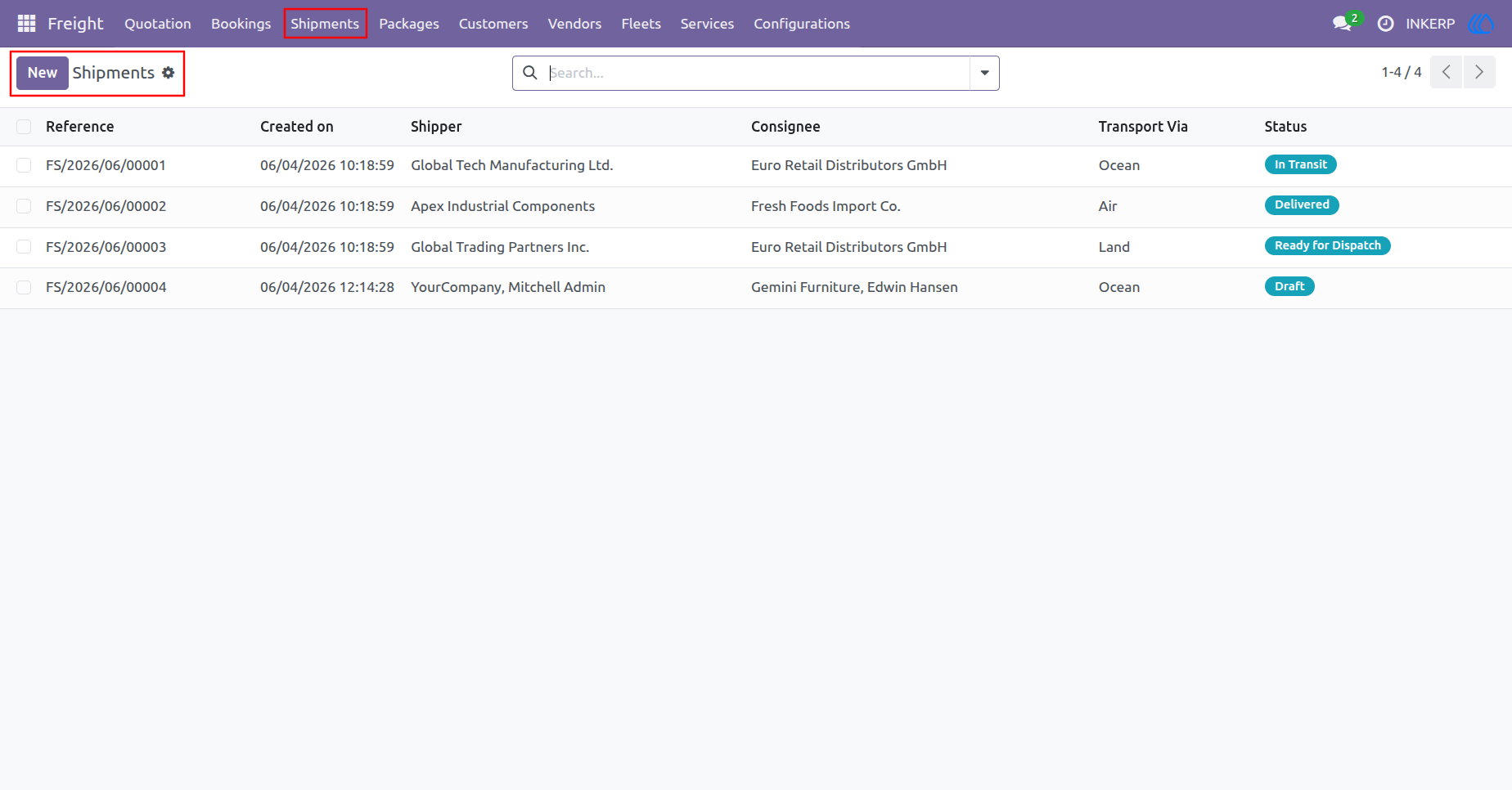
42.) Manage Shipments
View and manage a comprehensive list of all active and historical freight shipments. Track the current status of your cargo movements, such as "Draft," "In Transit," or "Delivered," and quickly reference key details like shippers, consignees, and transportation modes to effectively monitor your logistics operations.
Navigation : Freight › Shipments
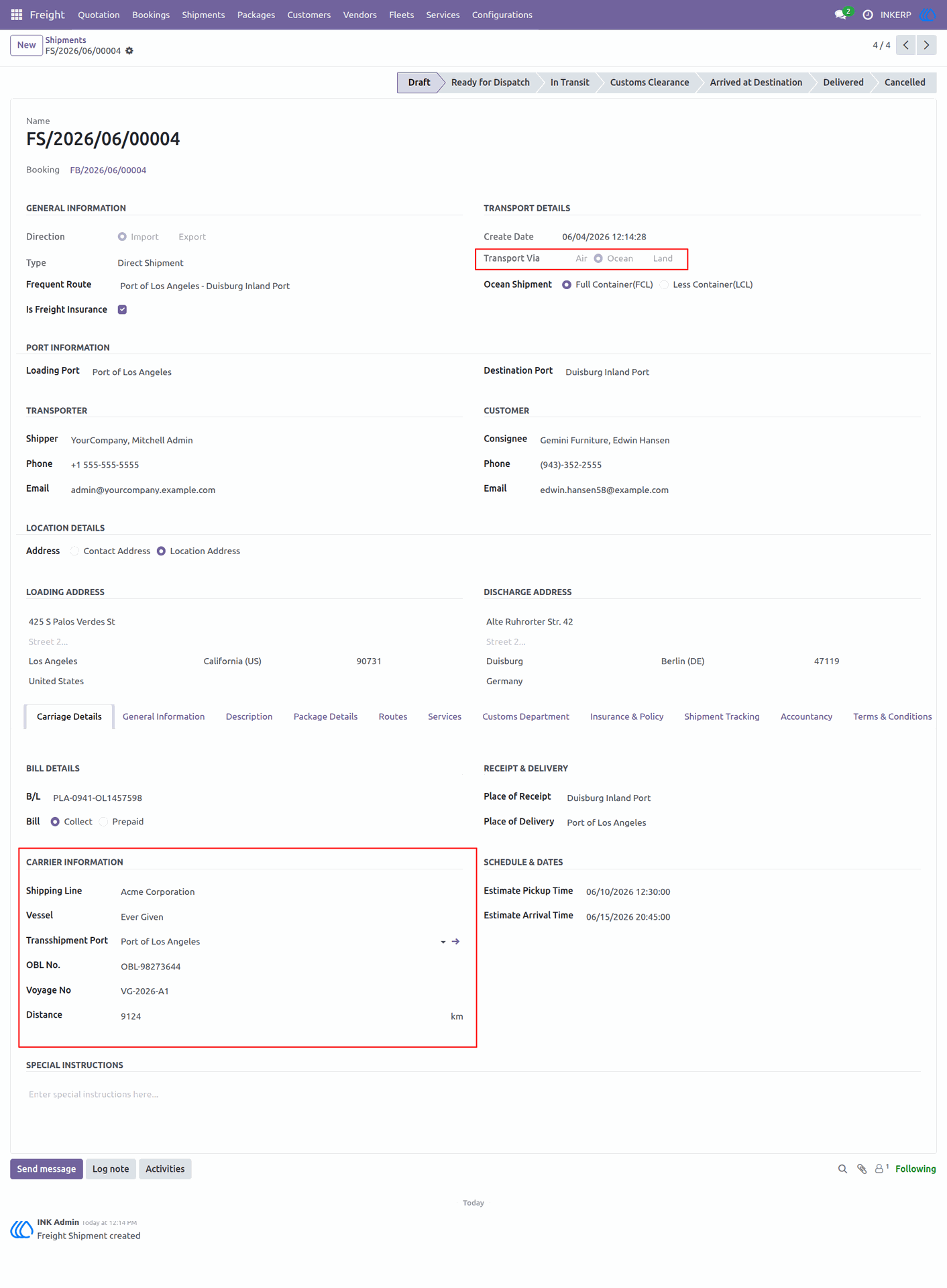
43.) Shipment Details
The shipment details view is used to manage the execution phase of logistics operations. Functionalities include verifying transport modes and routing, tracking carrier information such as vessel and voyage numbers, monitoring schedule pickup and arrival times, and managing financial billing and delivery terms.
Navigation : Freight › Shipments
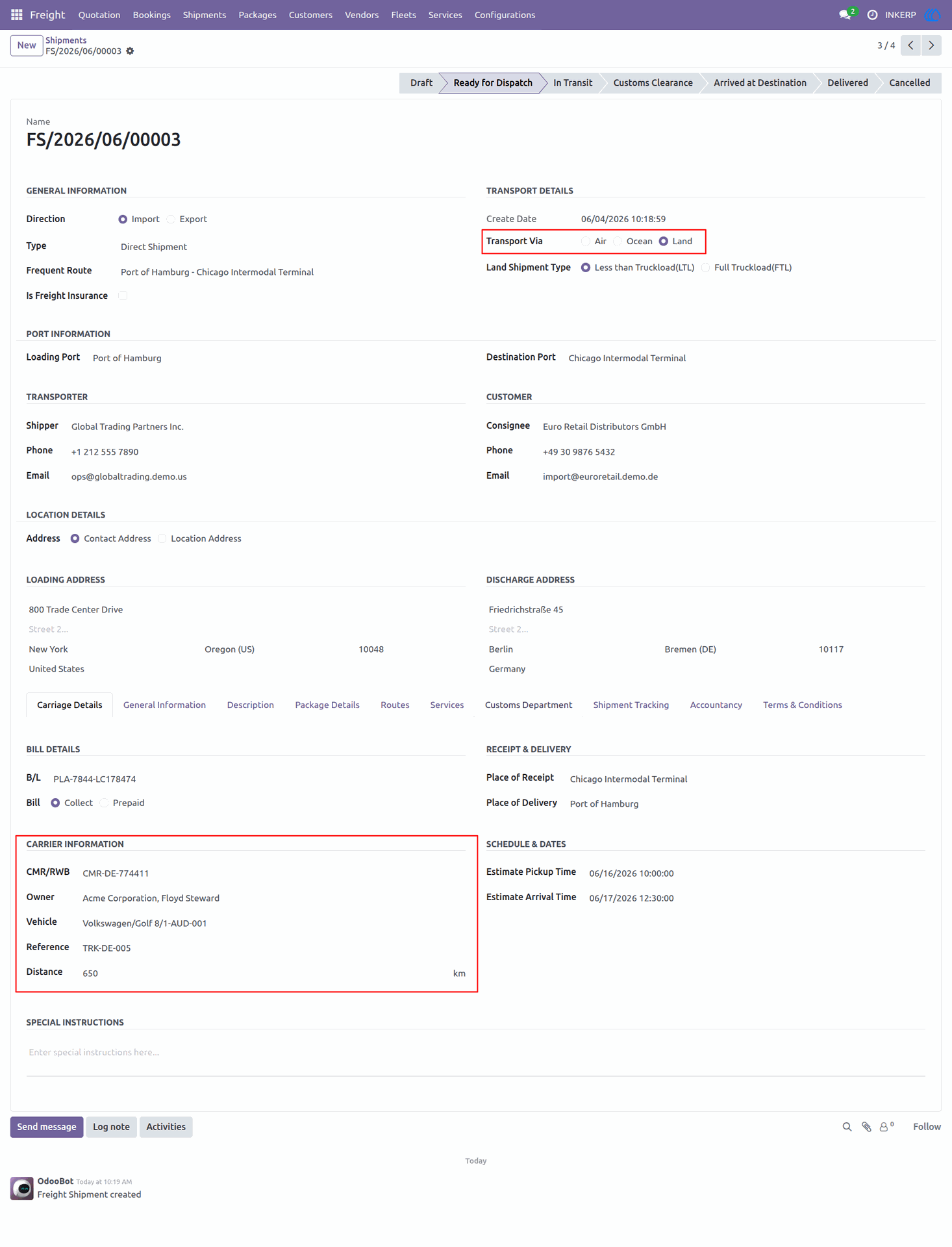
44.) Shipment Dispatch
This interface provides a comprehensive overview of shipments currently marked as ready for dispatch. It allows for the efficient management of essential logistics data, including carrier specifications, transport schedules, and delivery details, ensuring smooth operational transitions.
Navigation : Freight › Shipments
45.) Delivered Shipment
This interface displays the final status and comprehensive details of a completed shipment marked as "Delivered." It allows users to review the finalized transport data, including air carrier information, schedule performance, and verified delivery receipt details for historical records.
Navigation : Freight › Shipments
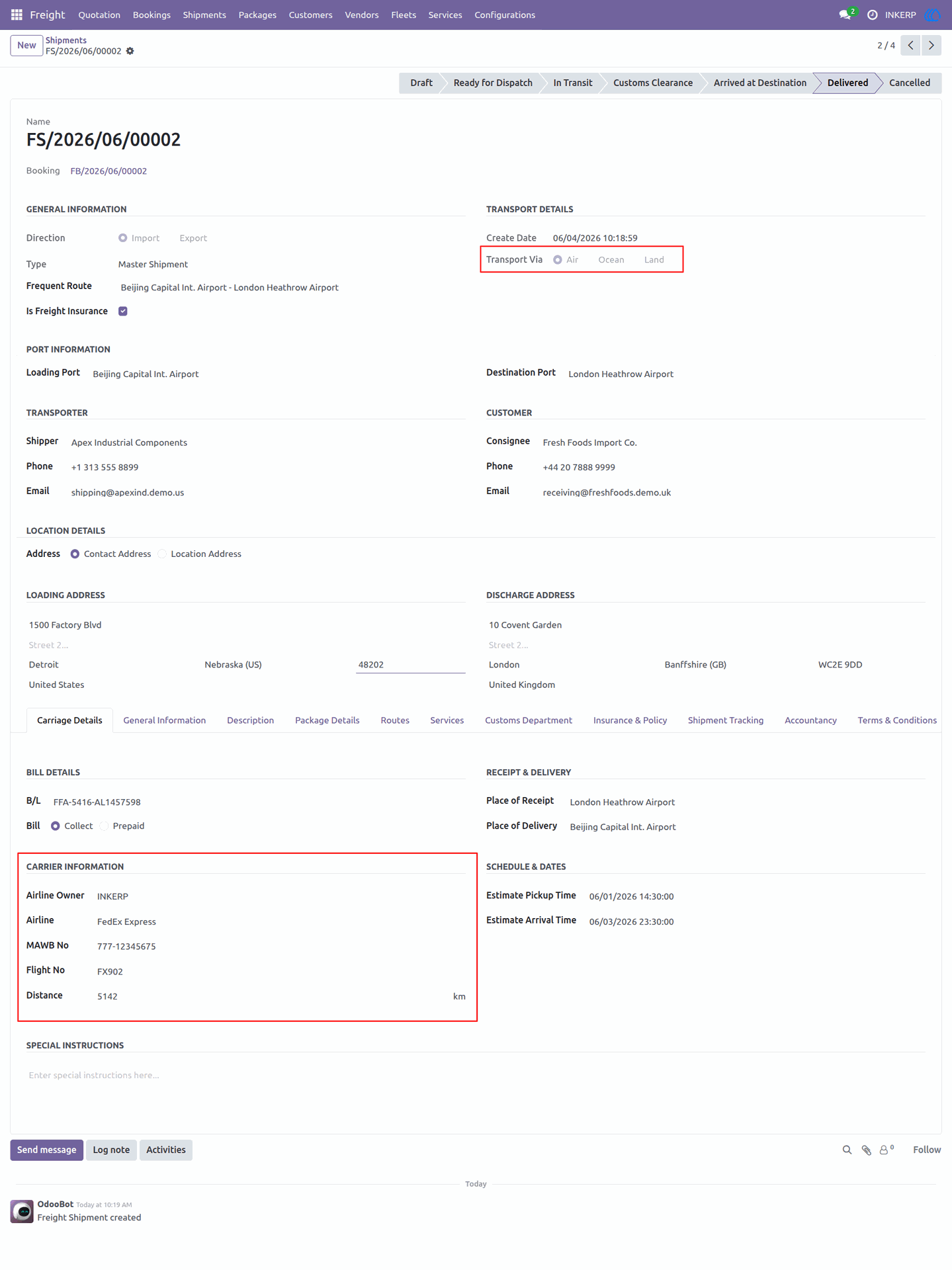
46.) General Shipment Info
This interface provides a comprehensive overview of a shipment's primary data, including tracking numbers, agent assignments, and regulatory details. It serves as a centralized hub to review essential information such as Incoterms, hazardous goods status, and documentation requirements.
Navigation : Freight › Shipments
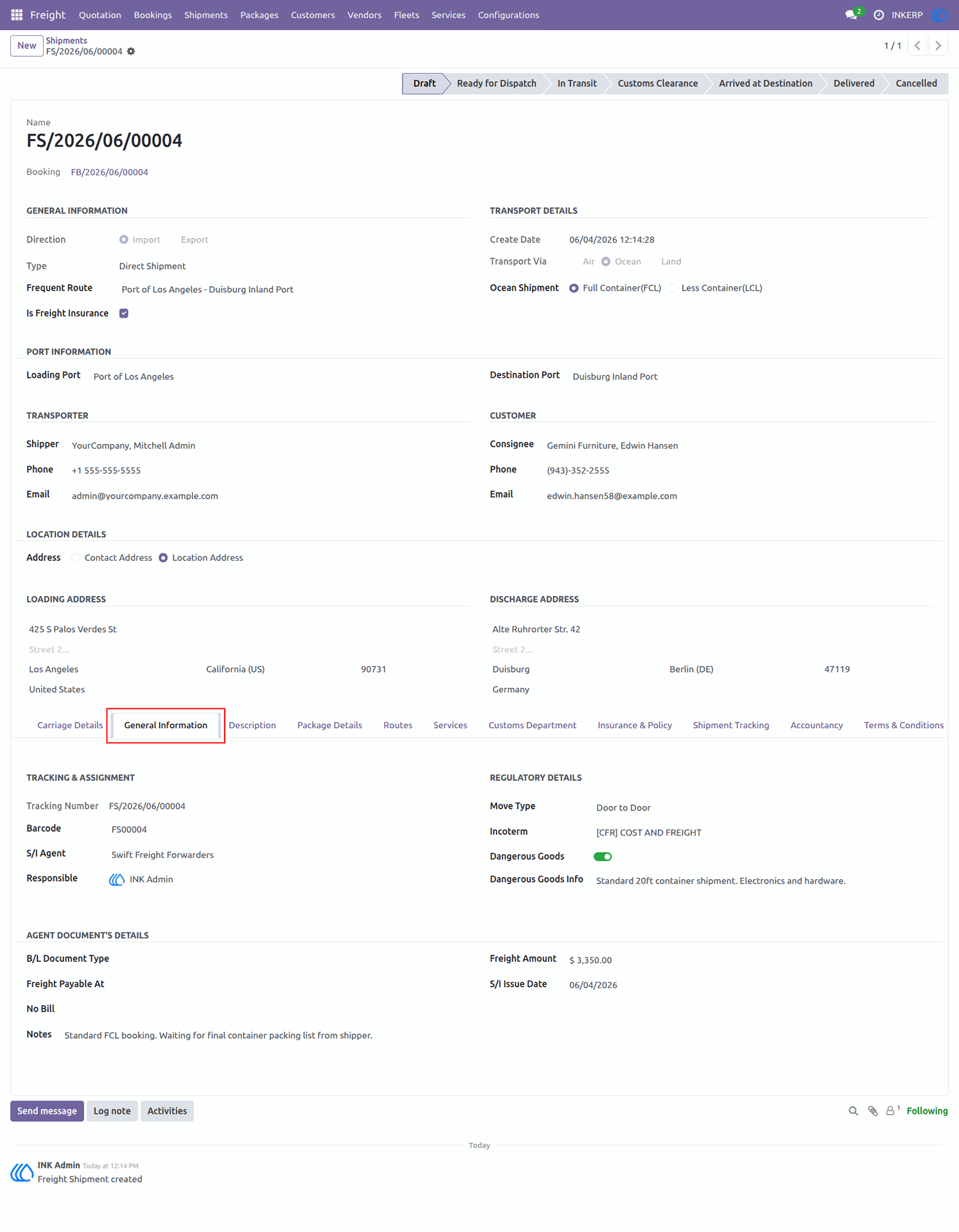
47.) Shipment Description
This interface allows for the detailed documentation of cargo specifics provided by the shipper. It provides a dedicated space to record goods particulars, such as container contents and package types, ensuring accurate information is maintained throughout the shipping process.
Navigation : Freight › Shipments
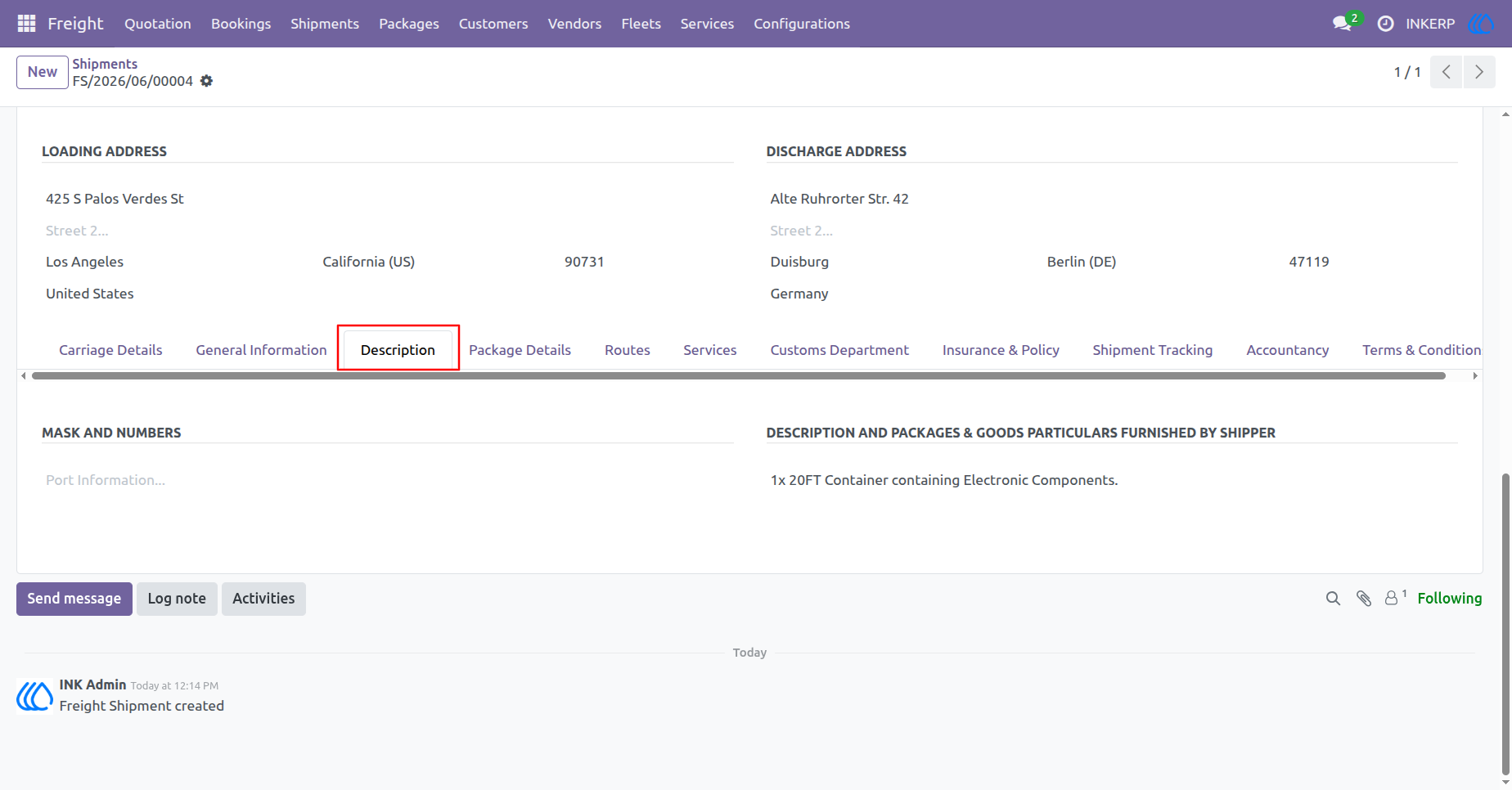
48.) Package Details
This interface enables the precise management of cargo within a shipment. Users can record specific package types, container numbers, sizes, weights, and volumes to ensure accurate logistics tracking and billing.
Navigation : Freight › Shipments
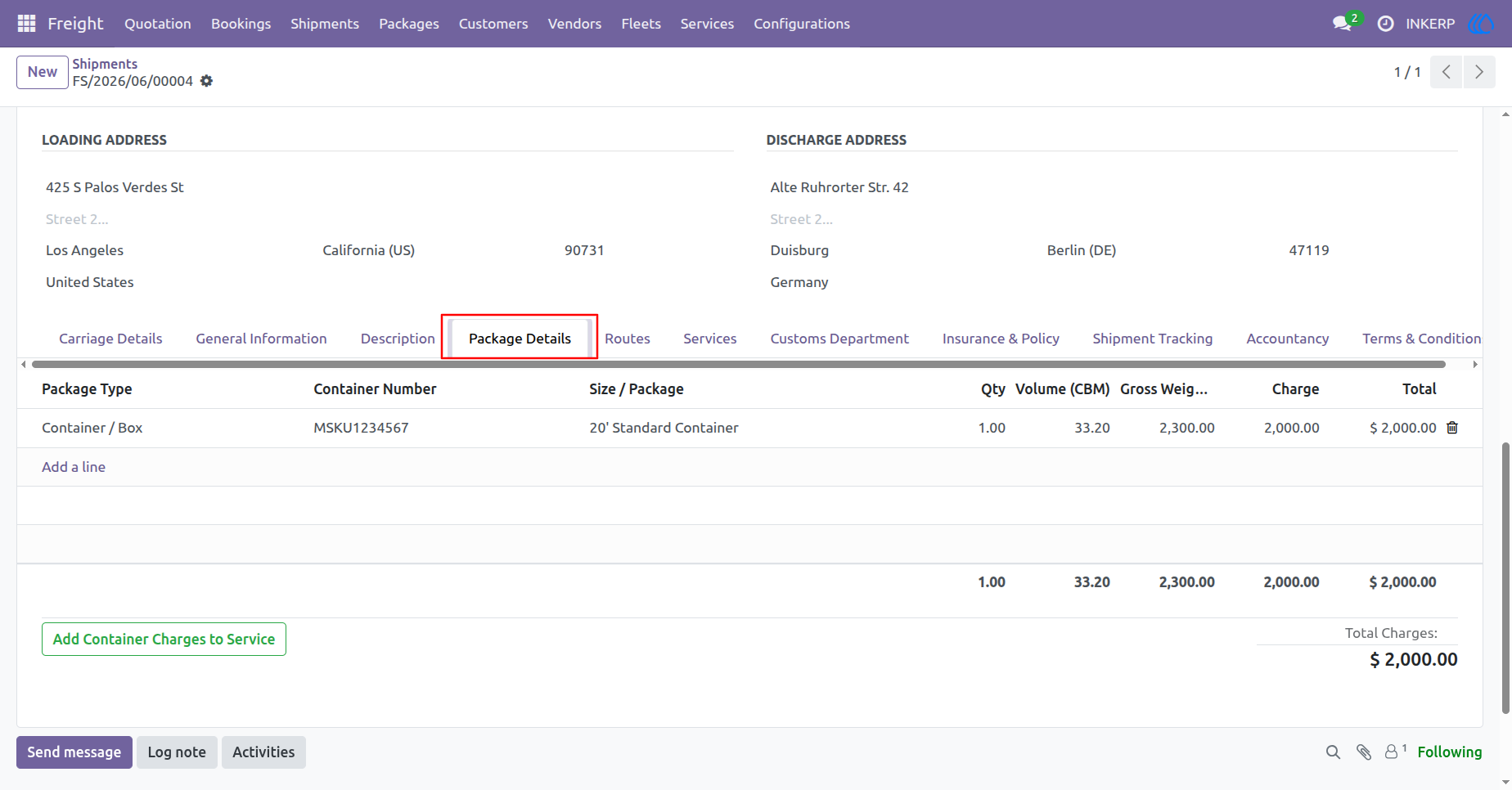
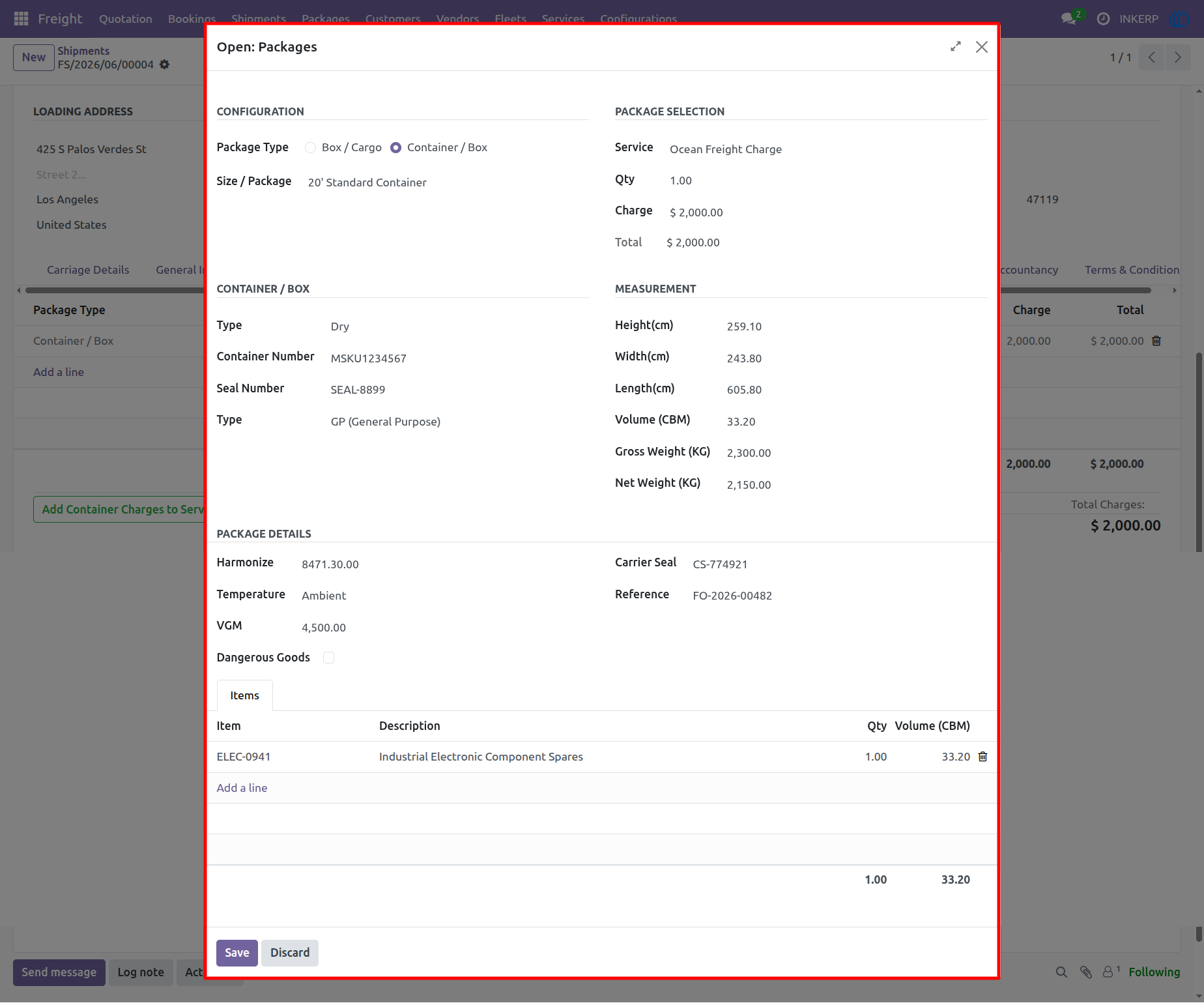
49.) Package Configuration
This modal window allows for the detailed configuration of container or cargo packages. Users can input specific measurements, container identification, and harmonized codes, as well as itemize the goods contained within for accurate inventory and shipment tracking.
Navigation : Freight › Shipments
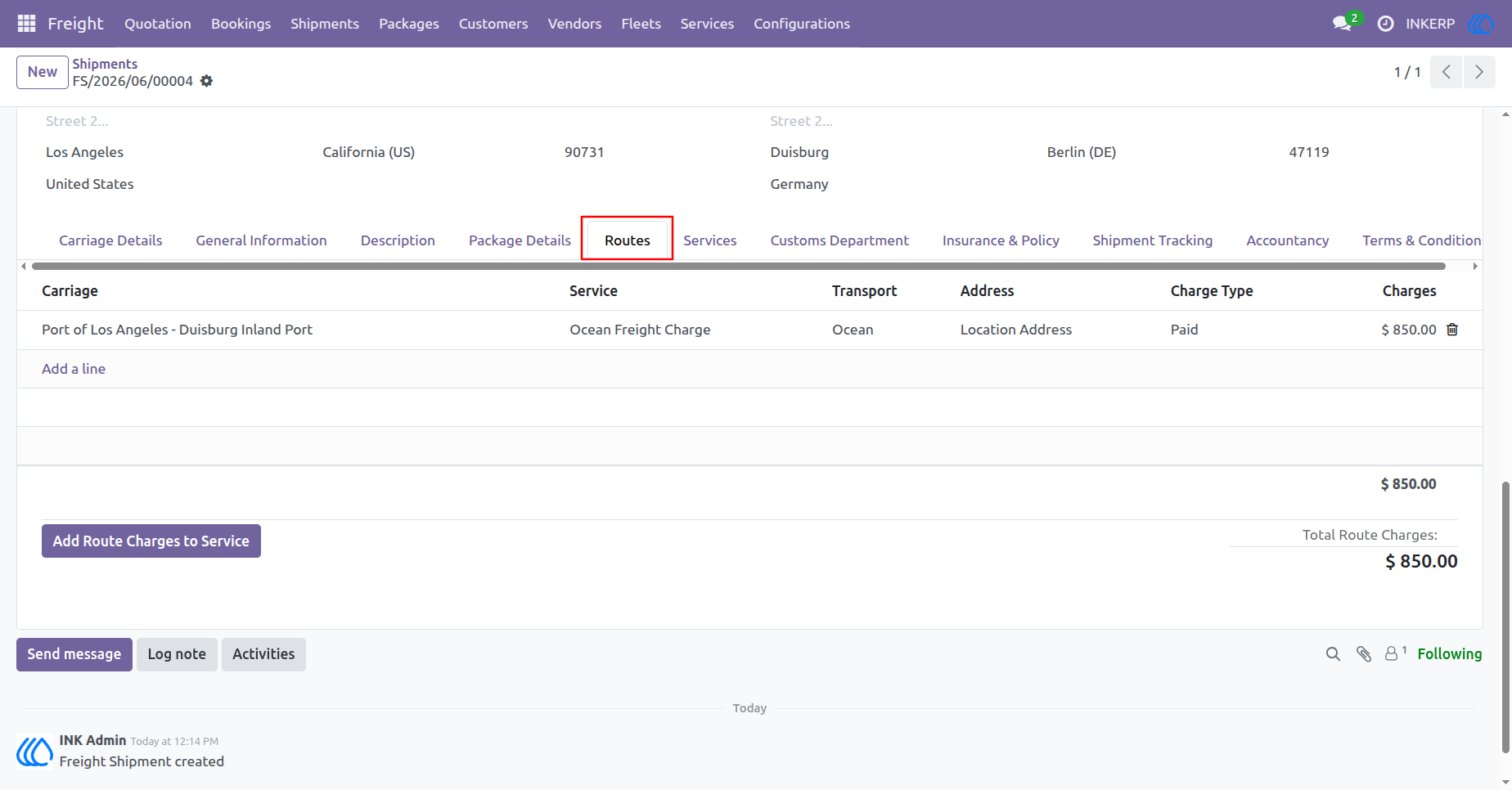
50.) Route Management
This interface provides a detailed view of the specific shipping routes assigned to a shipment. It enables the tracking of route segments, associated transport services, and financial data such as charge types and amounts for each leg of the journey.
Navigation : Freight › Shipments
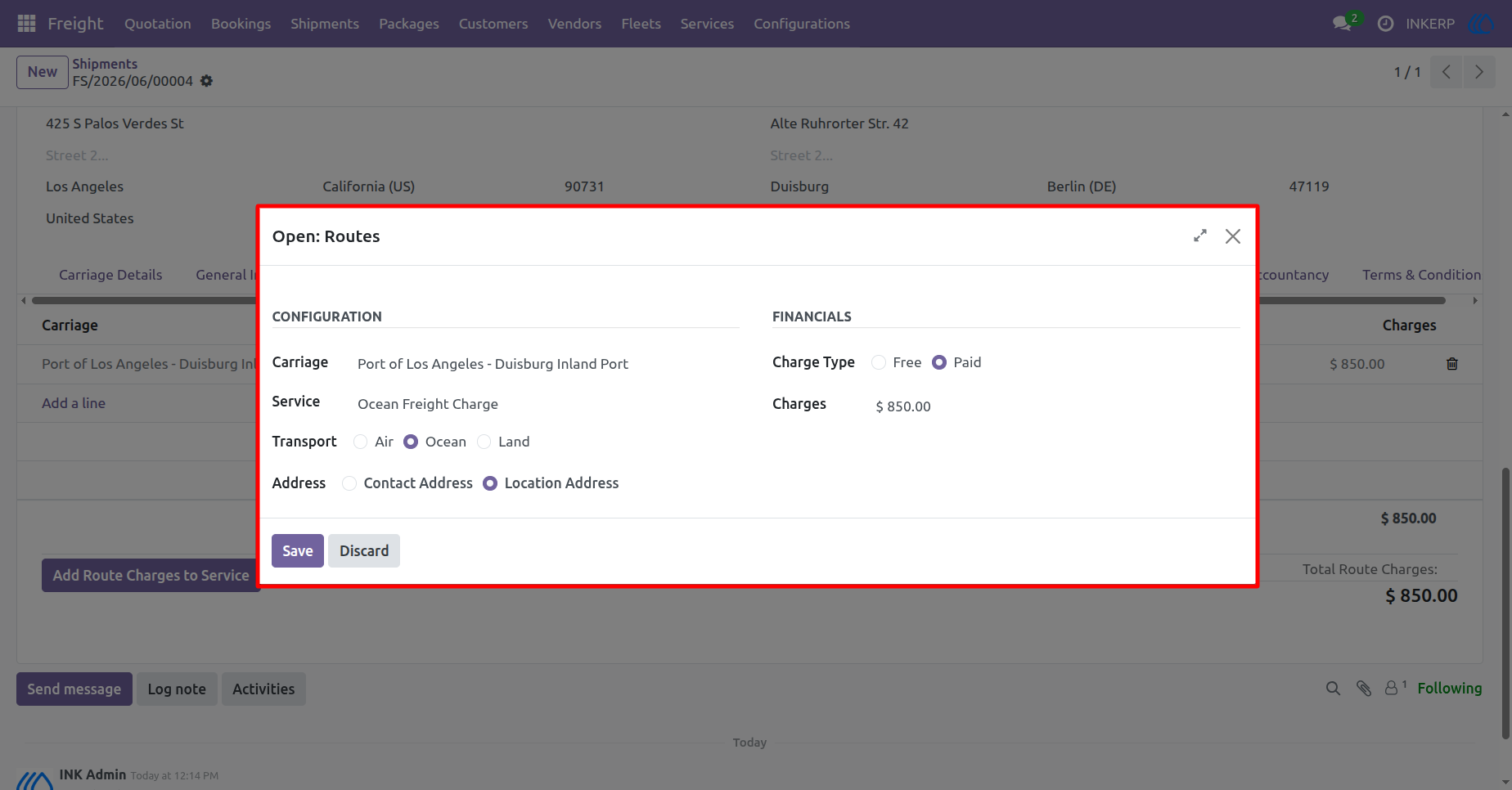
51.) Configure Routes
This modal facilitates the detailed configuration of individual shipping routes. Users can specify the carriage path, select the transport service and mode, define the address type, and manage financial details such as charge types and amounts.
Navigation : Freight › Shipments
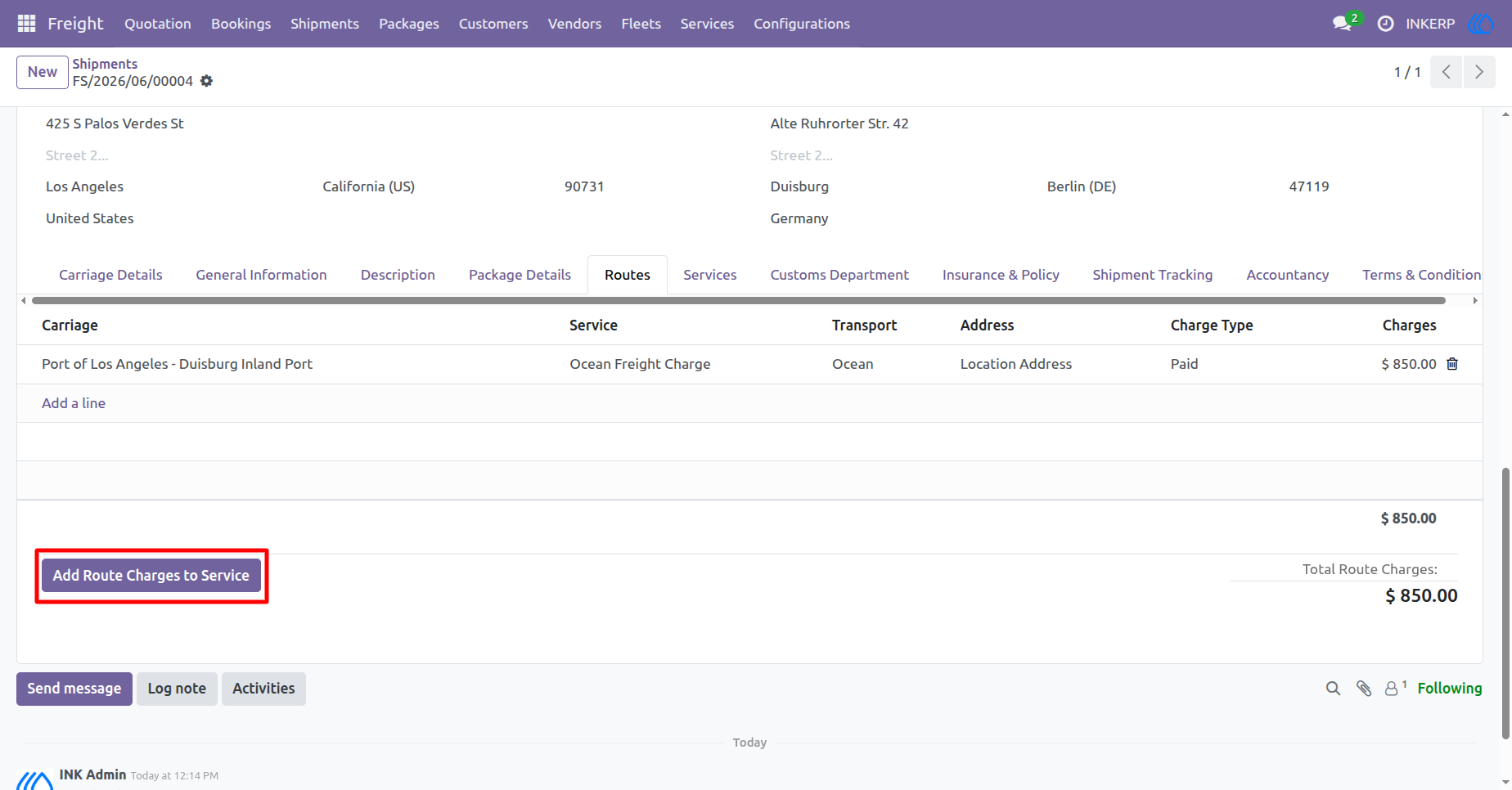
52.) Add Route Charges
This interface allows users to add specific charges associated with shipping routes. Clicking the button enables the inclusion of additional costs for services rendered throughout the transportation process, ensuring comprehensive financial tracking.
Navigation : Freight › Shipments
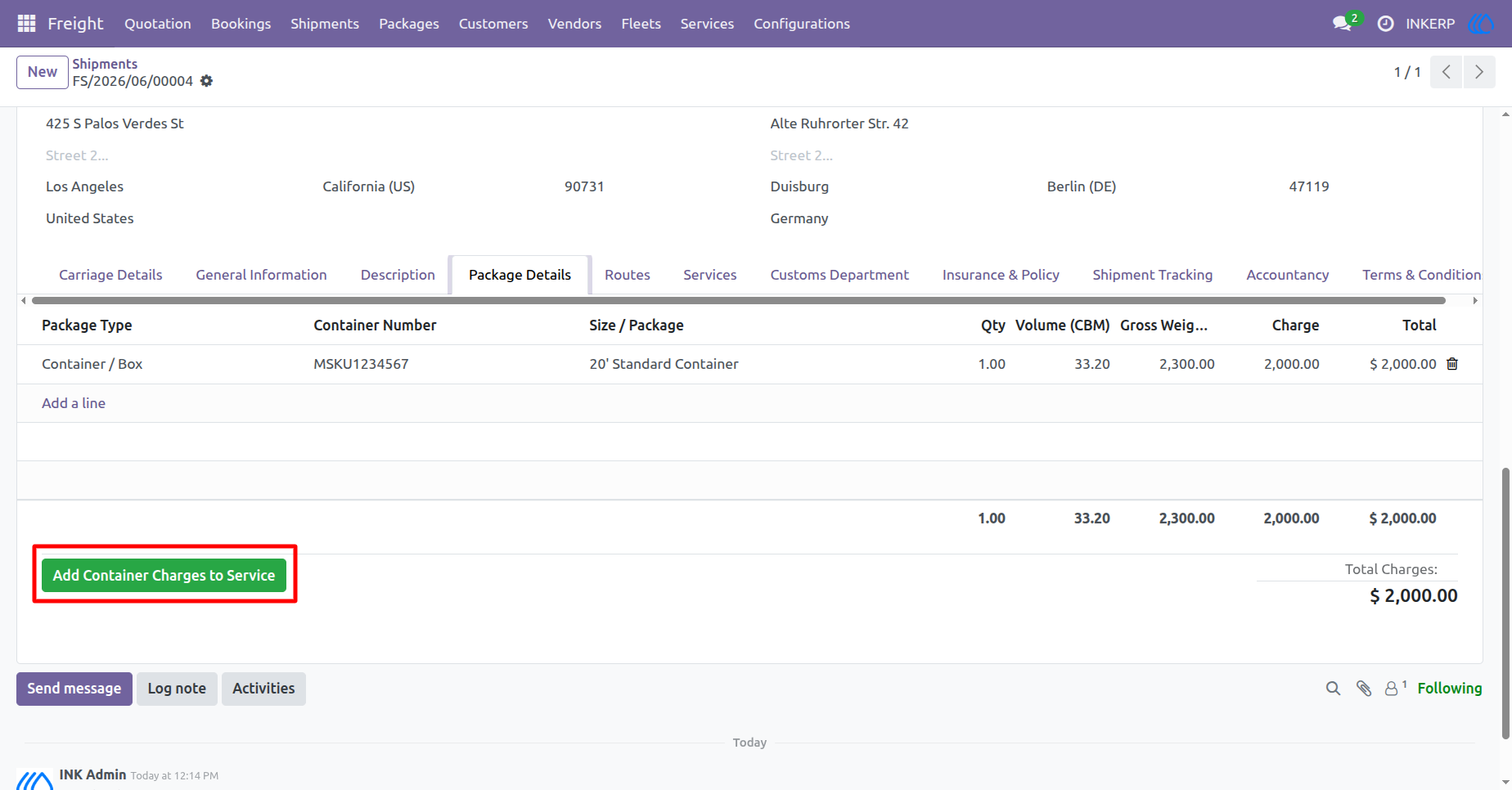
53.) Add Container Charges
This interface allows users to add specific container-related charges to the shipment service. Clicking this button enables the formal inclusion of costs associated with containerized goods, facilitating precise financial documentation.
Navigation : Freight › Shipments
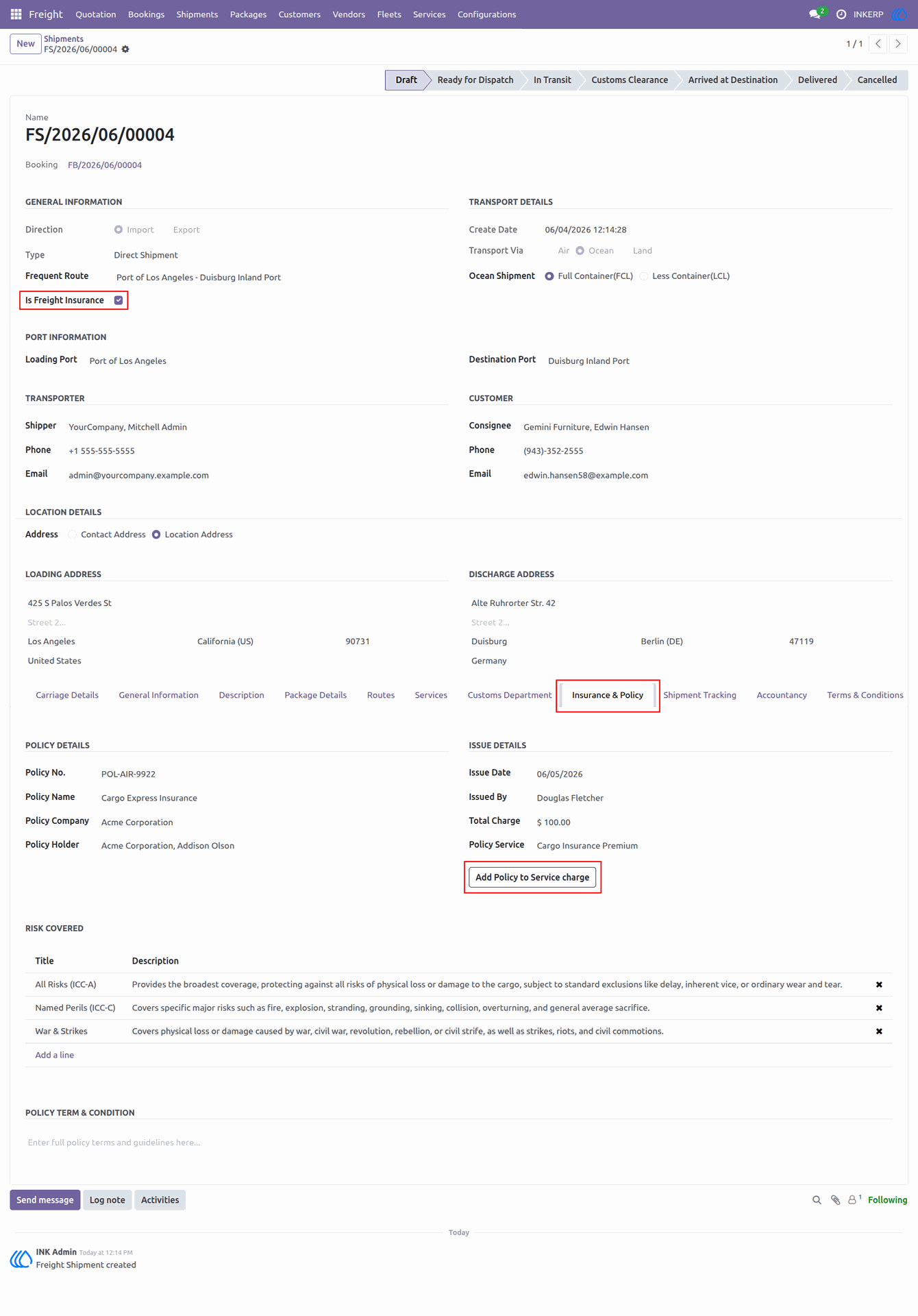
54.) Insurance & Policy
This interface allows for the comprehensive management of freight insurance policies. Users can document detailed policy information, track insurance coverage risks, and add policy costs directly to the service charges.
Navigation : Freight › Shipments
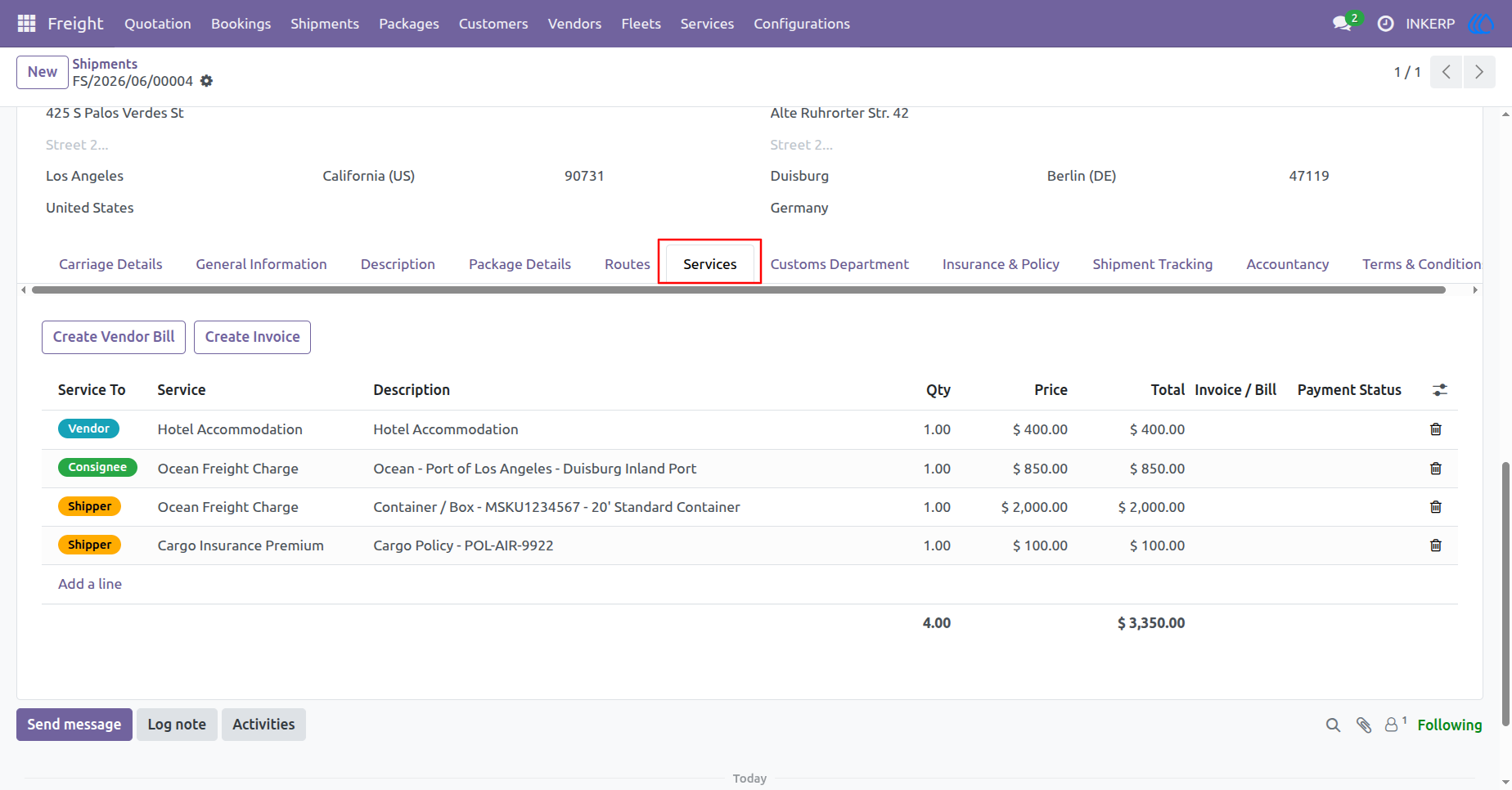
55.) Shipment Services
This interface allows users to manage and itemize all services linked to a shipment. It provides functionality to view service descriptions, quantities, and pricing, as well as the ability to initiate the creation of vendor bills or customer invoices.
Navigation : Freight › Shipments
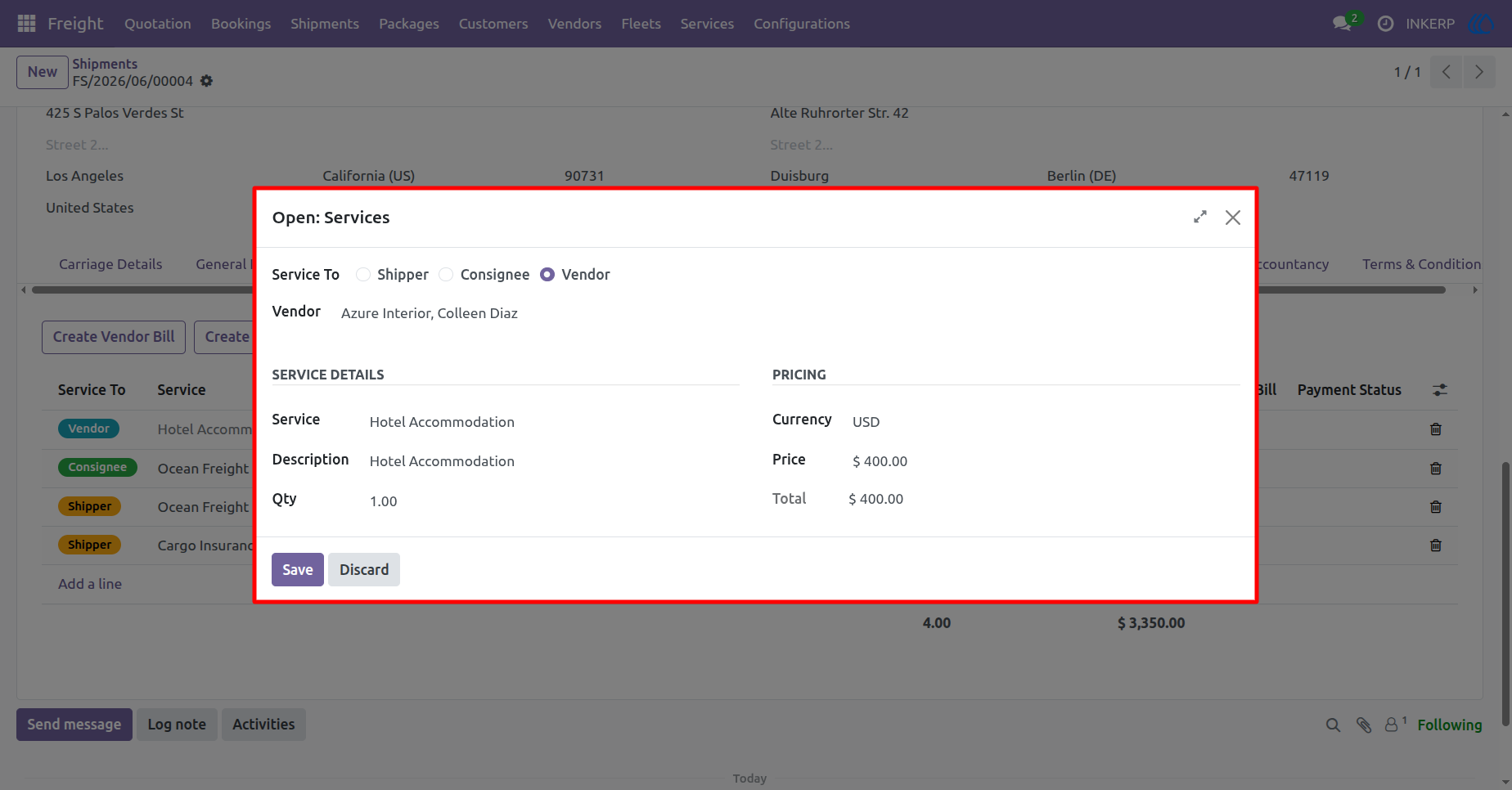
56.) Configure Service
This modal is used to define specific service details for a shipment. Users can assign the service to a shipper, consignee, or vendor, provide descriptions, and set pricing details including currency and quantity.
Navigation : Freight › Shipments
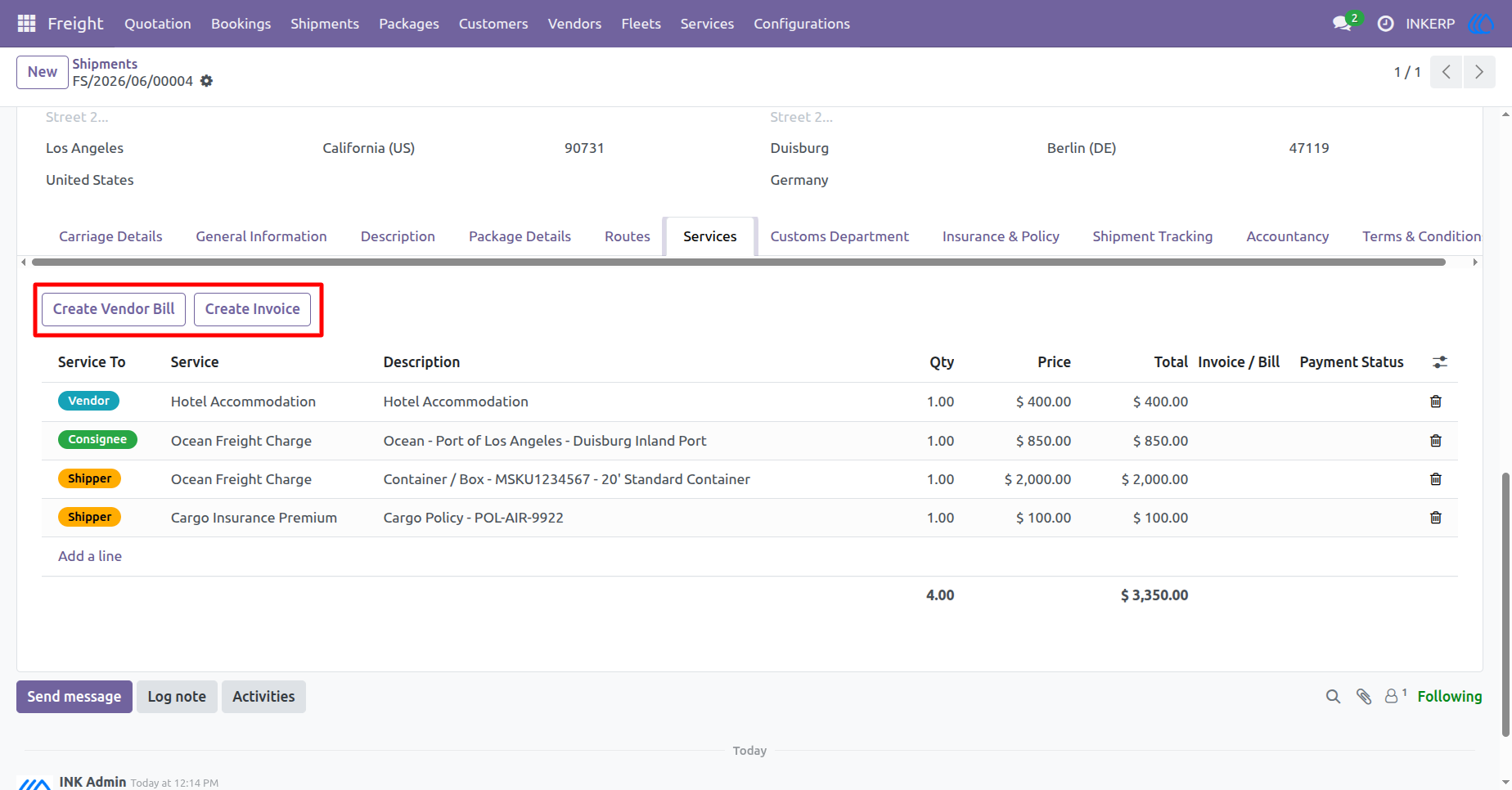
57.) Billing Operations
This interface enables the seamless creation of financial documents directly from shipment services. Users can utilize the action buttons to generate vendor bills for expenses or create customer invoices for services rendered, ensuring streamlined financial management.
Navigation : Freight › Shipments
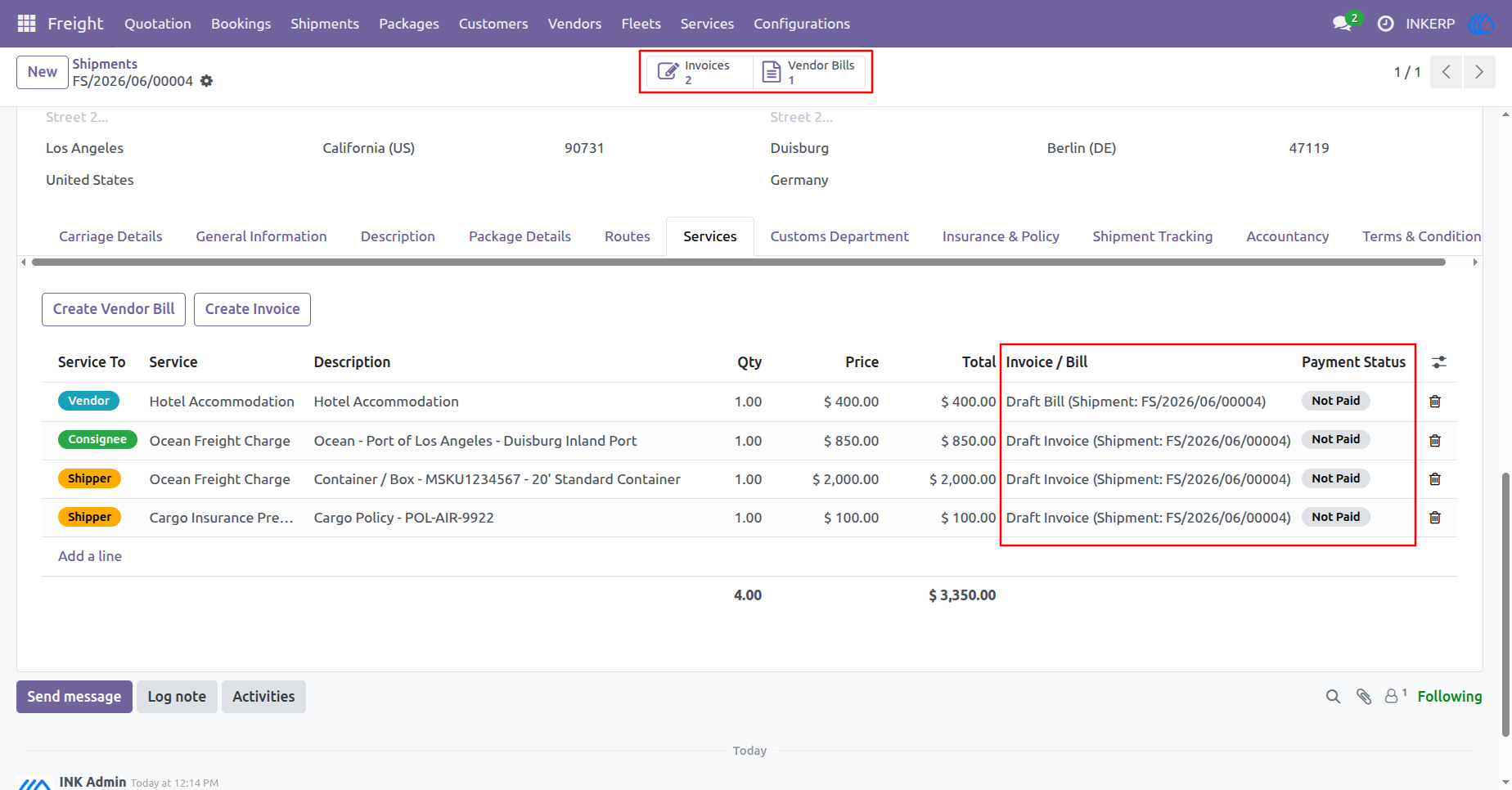
58.) Financial Overview
This interface provides a consolidated view of financial documents linked to a shipment. It allows users to quickly access associated invoices and vendor bills, while displaying the current payment status for each service line item.
Navigation : Freight › Shipments
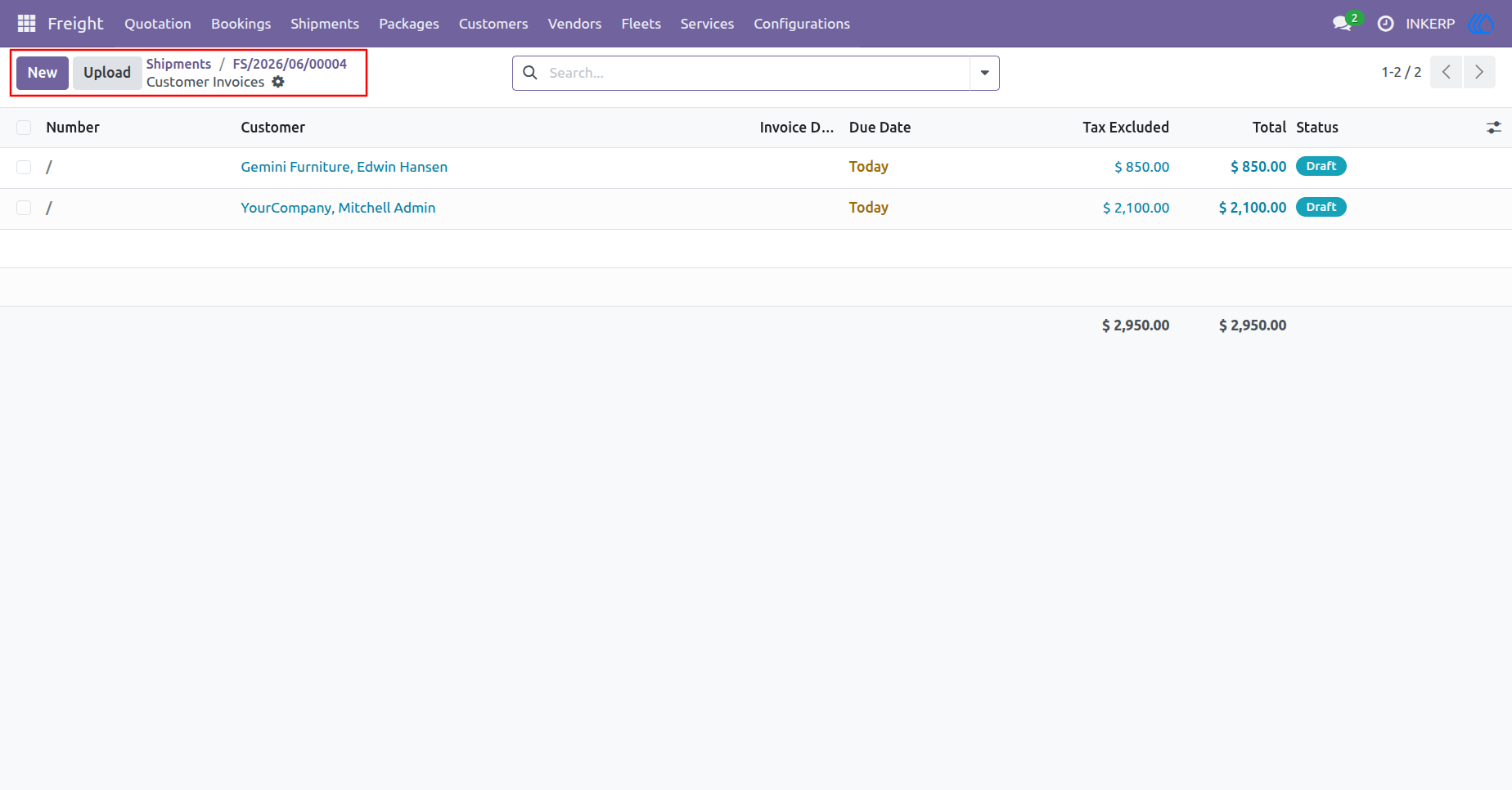
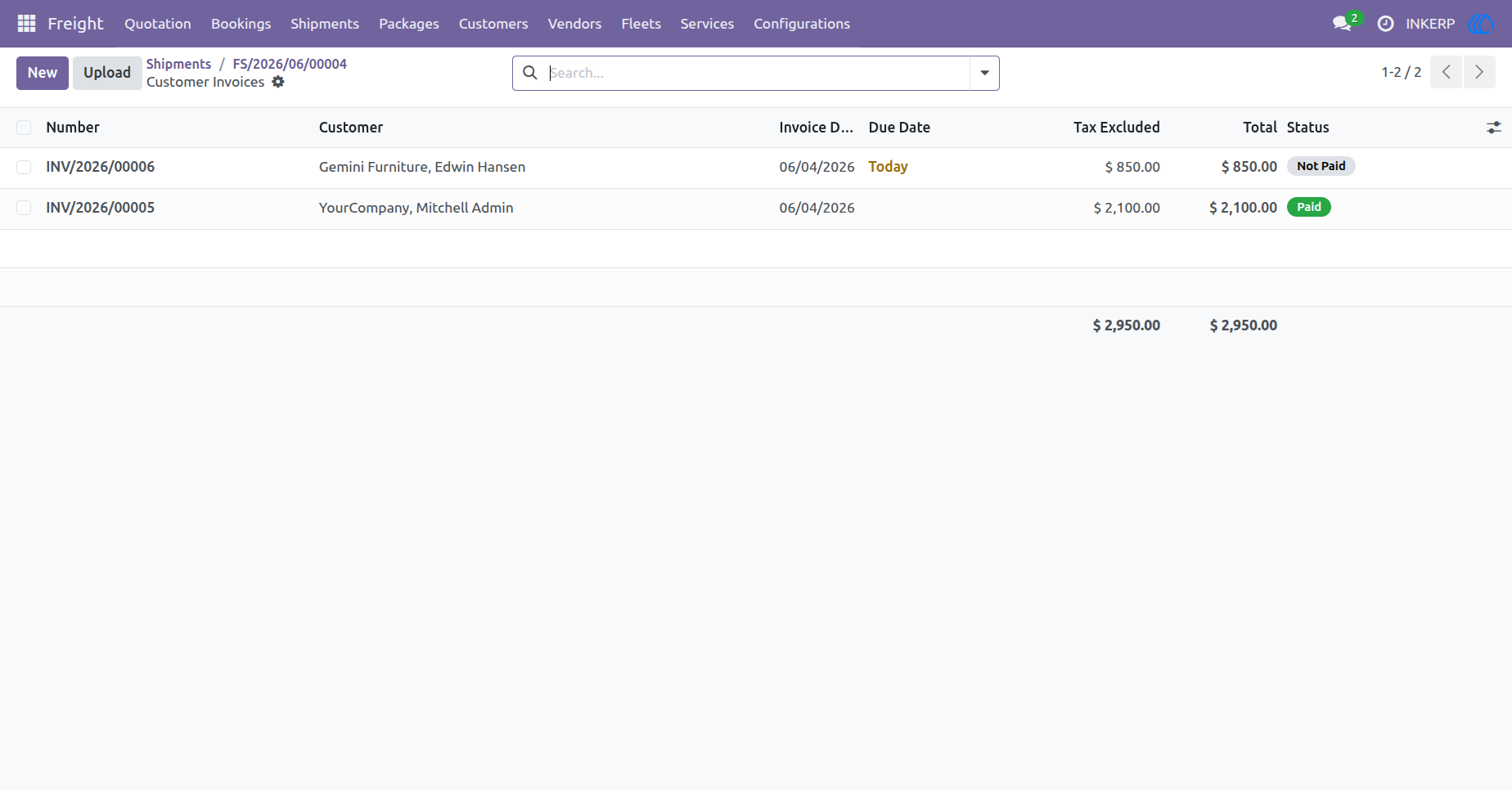
59.) Customer Invoices
This view displays a list of customer invoices associated with a specific shipment. It provides a centralized overview to manage and review invoice details, including customer names, total amounts, and current status.
Navigation : Freight › Shipments
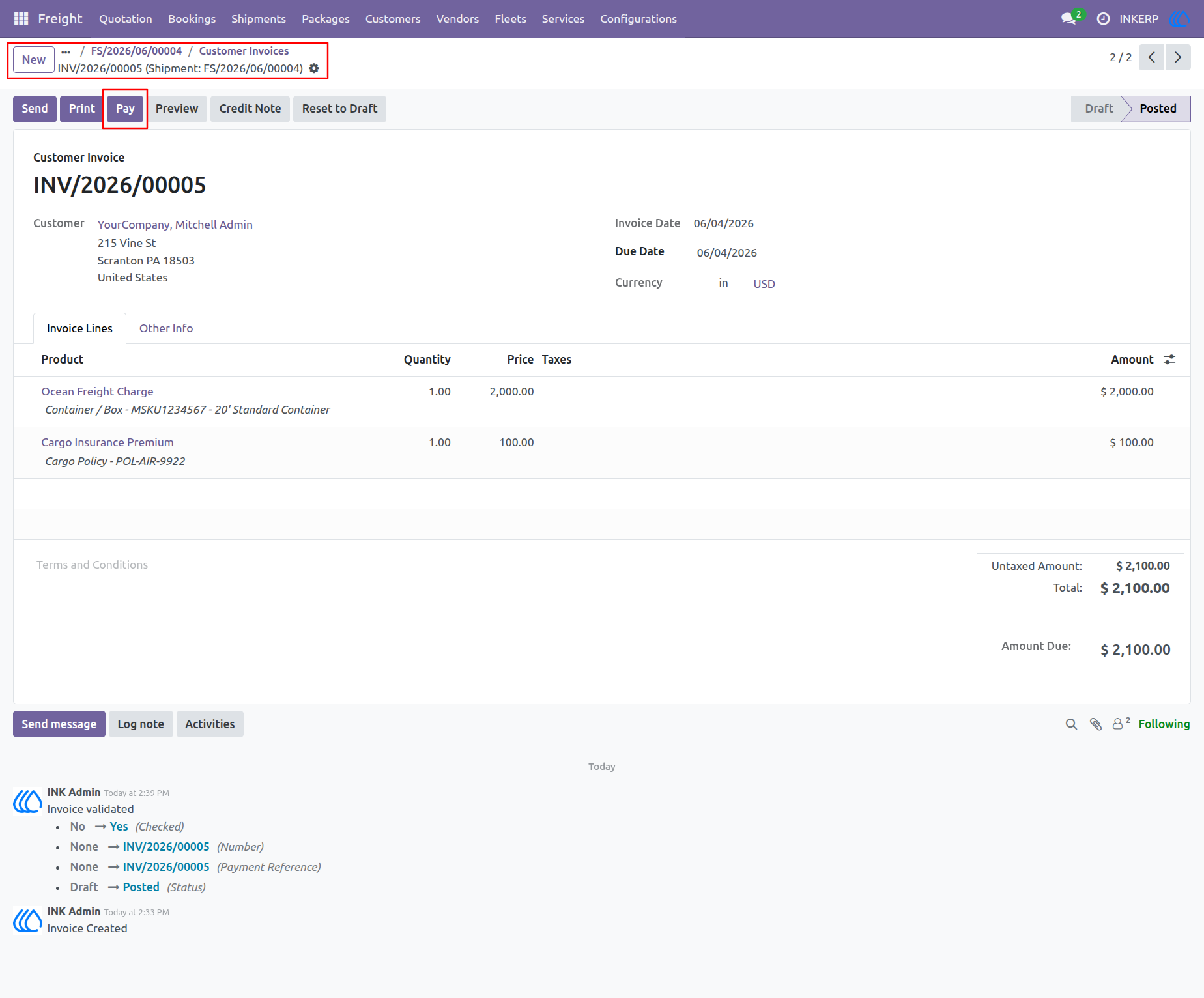
60.) Customer Invoice Detail
This view displays the details of a specific posted customer invoice, showing information such as the customer, invoice date, due date, and a breakdown of line items with their respective quantities and prices. Users can perform actions on the invoice, such as registering a payment, printing the document, or creating a credit note.
Navigation : Freight › Shipments
61.) Customer Invoices Overview
This view presents a list of all customer invoices associated with a specific shipment, displaying key information such as invoice reference, customer, due date, and total amount. It also highlights the payment status for each invoice, indicating whether they are paid or not paid.
Navigation : Freight › Shipments
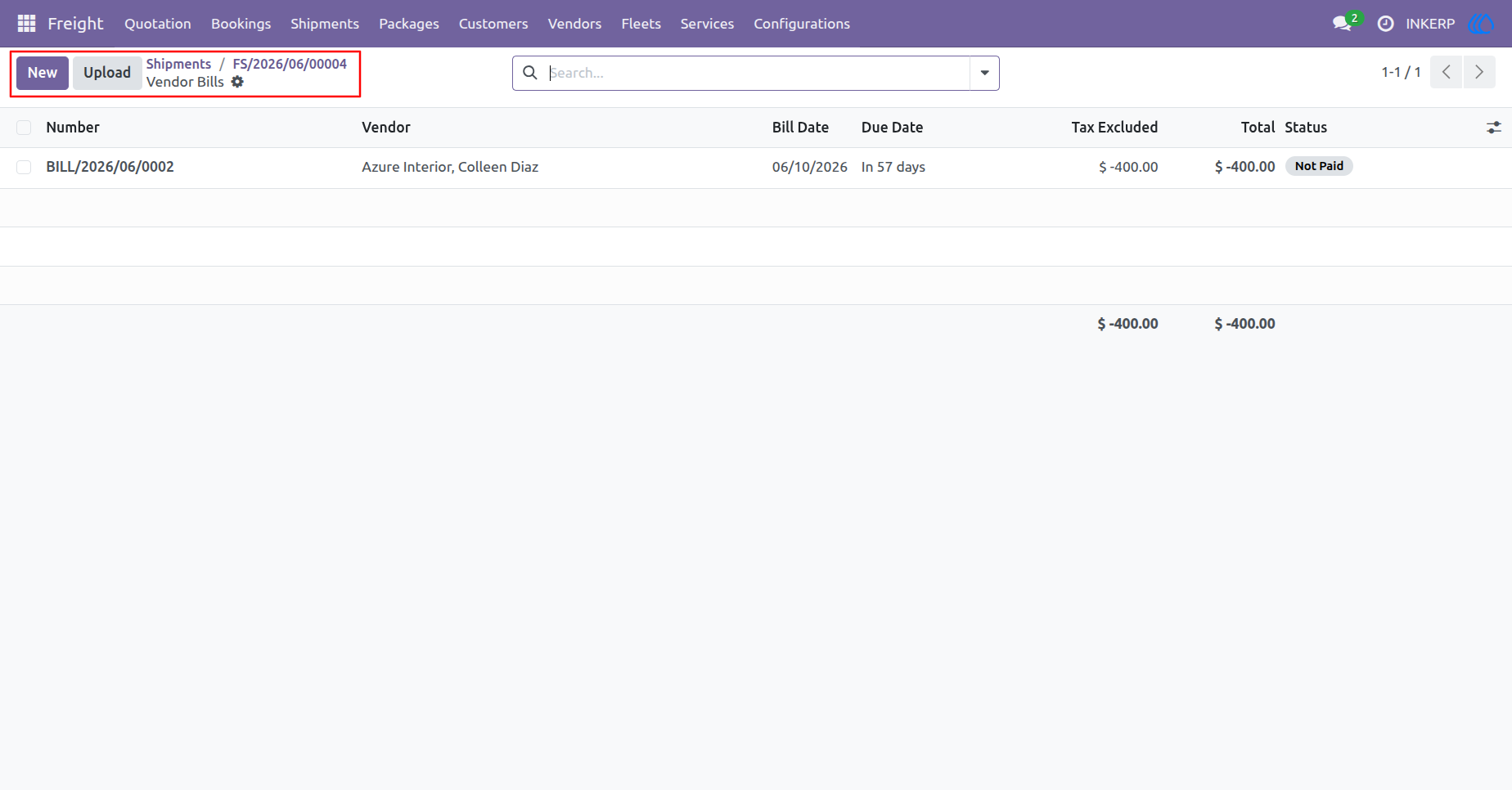
62.) Vendor Bills Overview
This interface provides a list view of vendor bills associated with a specific shipment. It allows users to track essential information including the bill reference, vendor name, bill date, due date, total amount, and current payment status.
Navigation : Freight › Shipments
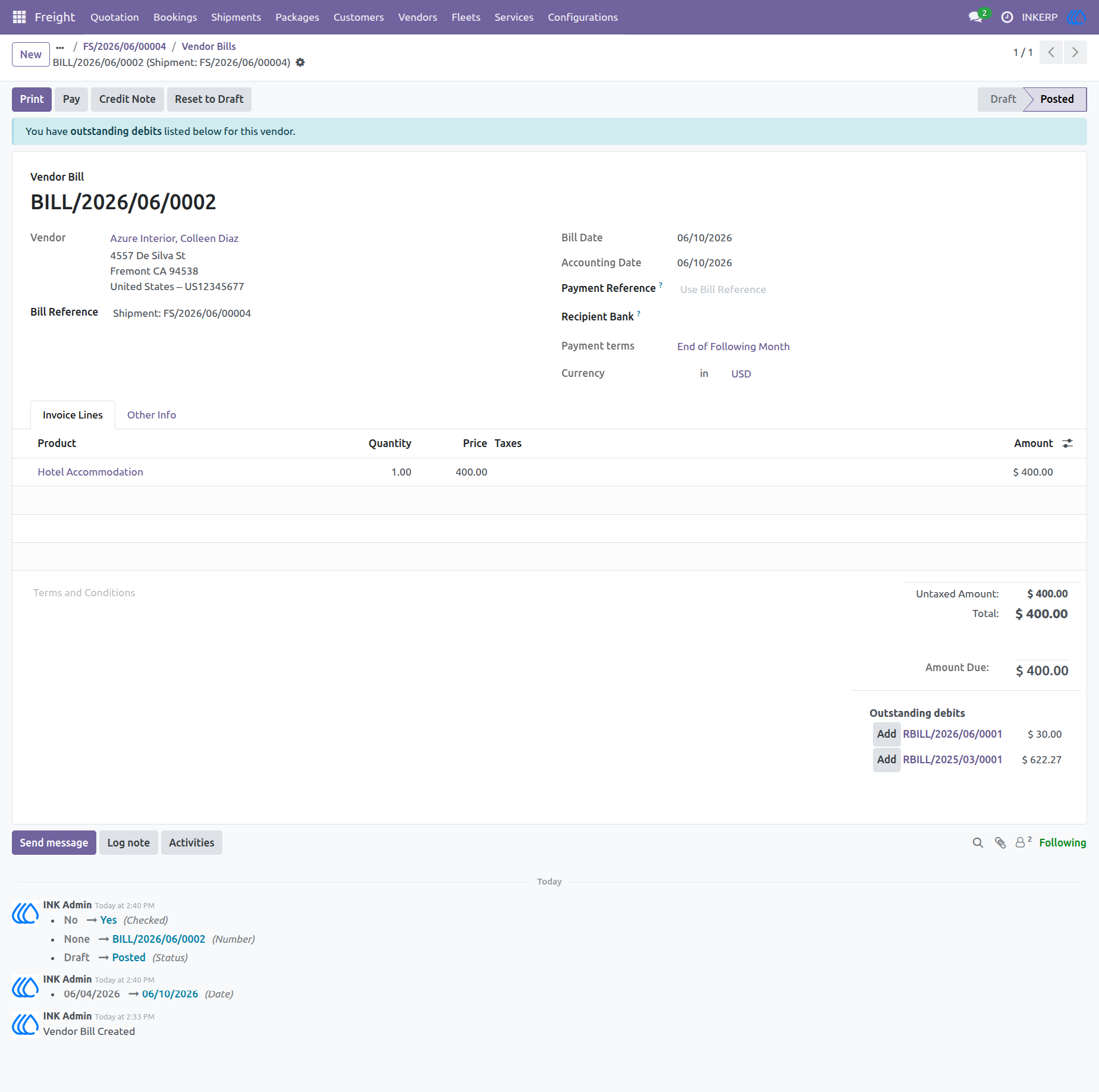
63.) Vendor Bill Detail
This view displays the details of a specific posted vendor bill, including the vendor name, bill date, payment terms, and a breakdown of line items such as "Hotel Accommodation." It provides options for processing payments, creating credit notes, or reverting to draft status, and also highlights any outstanding debits associated with the vendor.
Navigation : Freight › Shipments
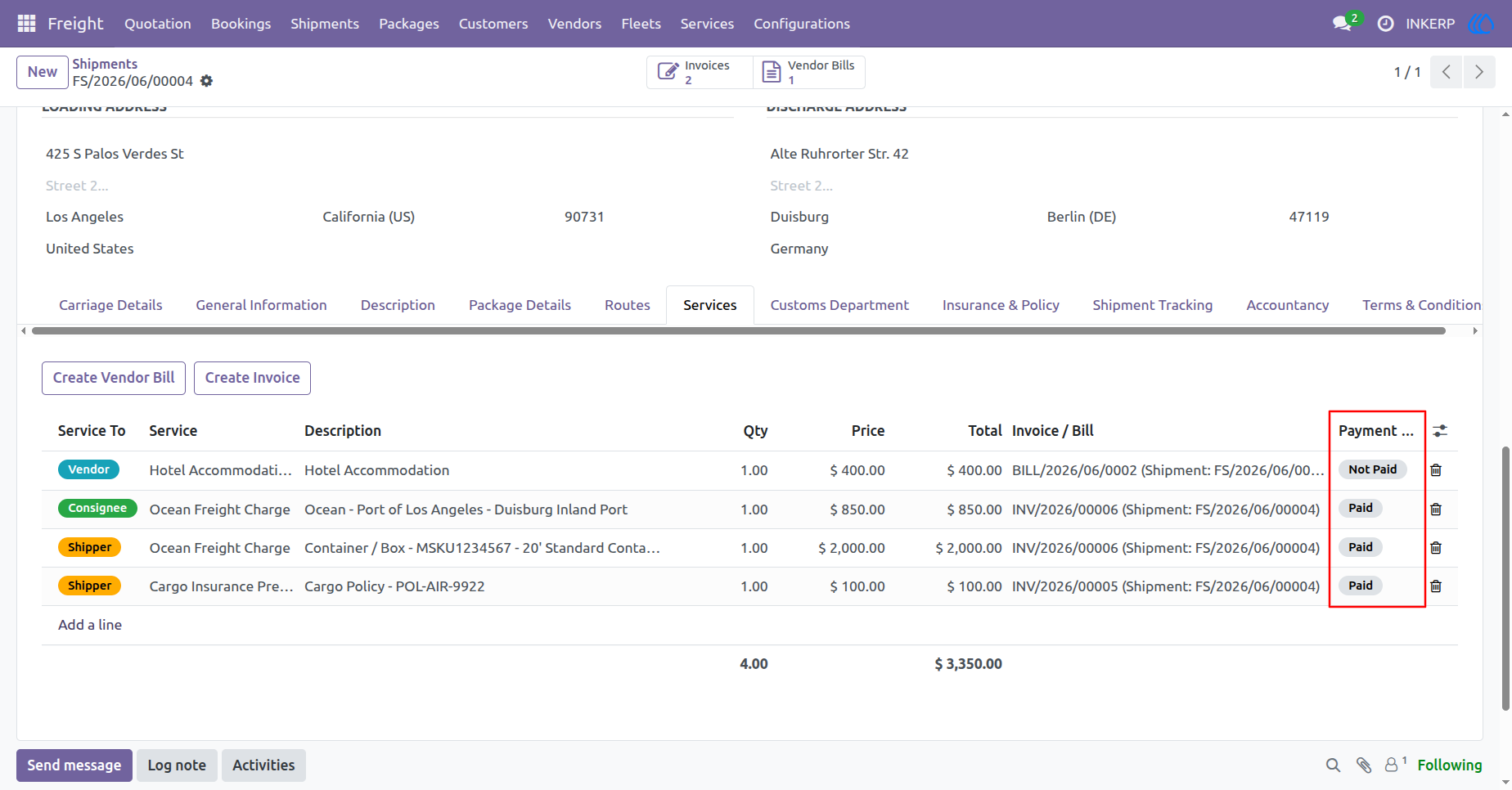
64.) Shipment Services Payment Status
This view highlights the payment status for each service line item within a shipment. It provides clear visibility into whether specific charges, such as vendor bills or customer invoices, have been marked as paid or remain not paid.
Navigation : Freight › Shipments
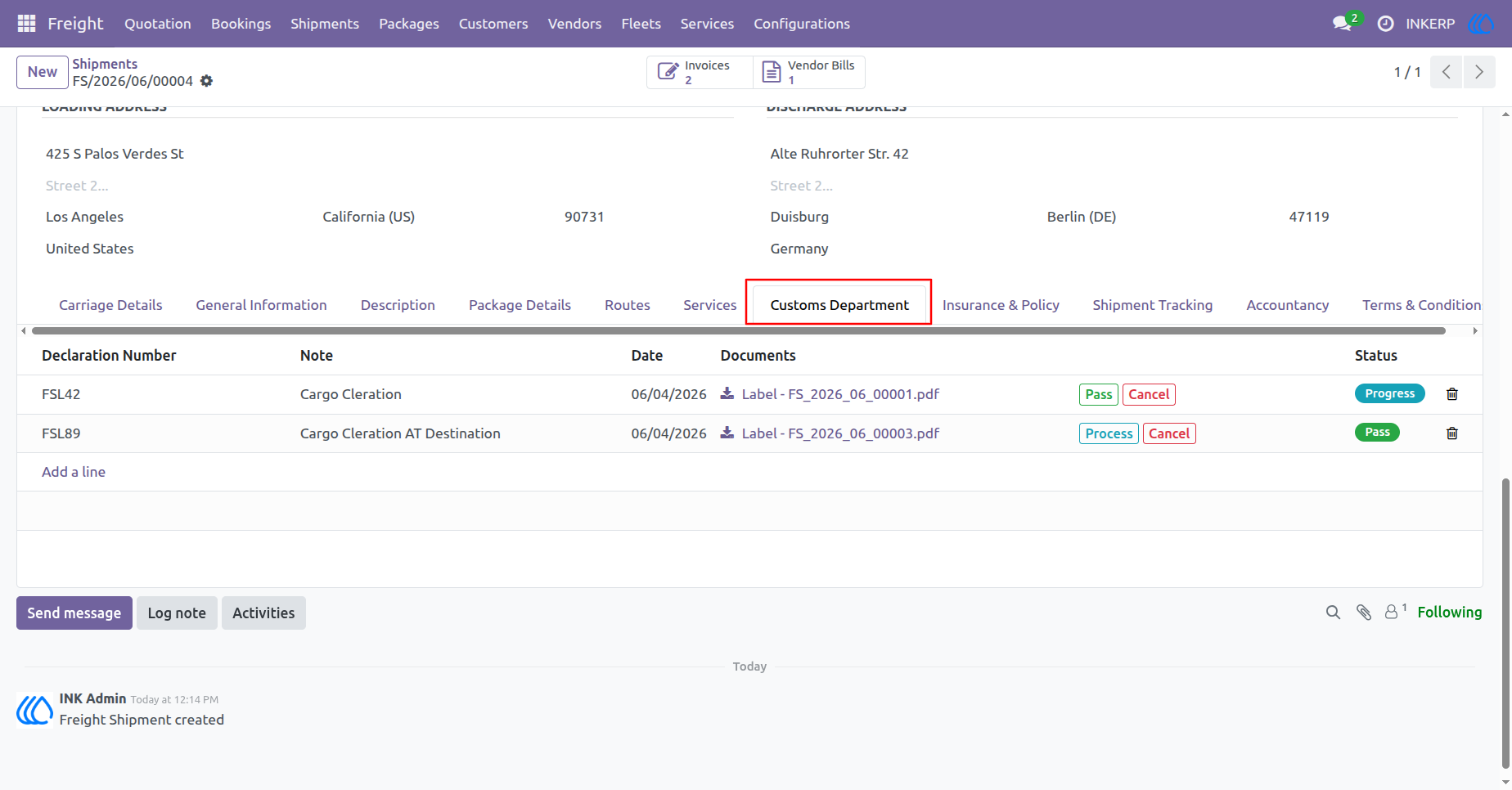
65.) Customs Department
This view allows users to manage customs declarations for a shipment. It tracks declaration numbers, associated notes, dates, relevant document downloads, and the current status of each declaration.
Navigation : Freight › Shipments
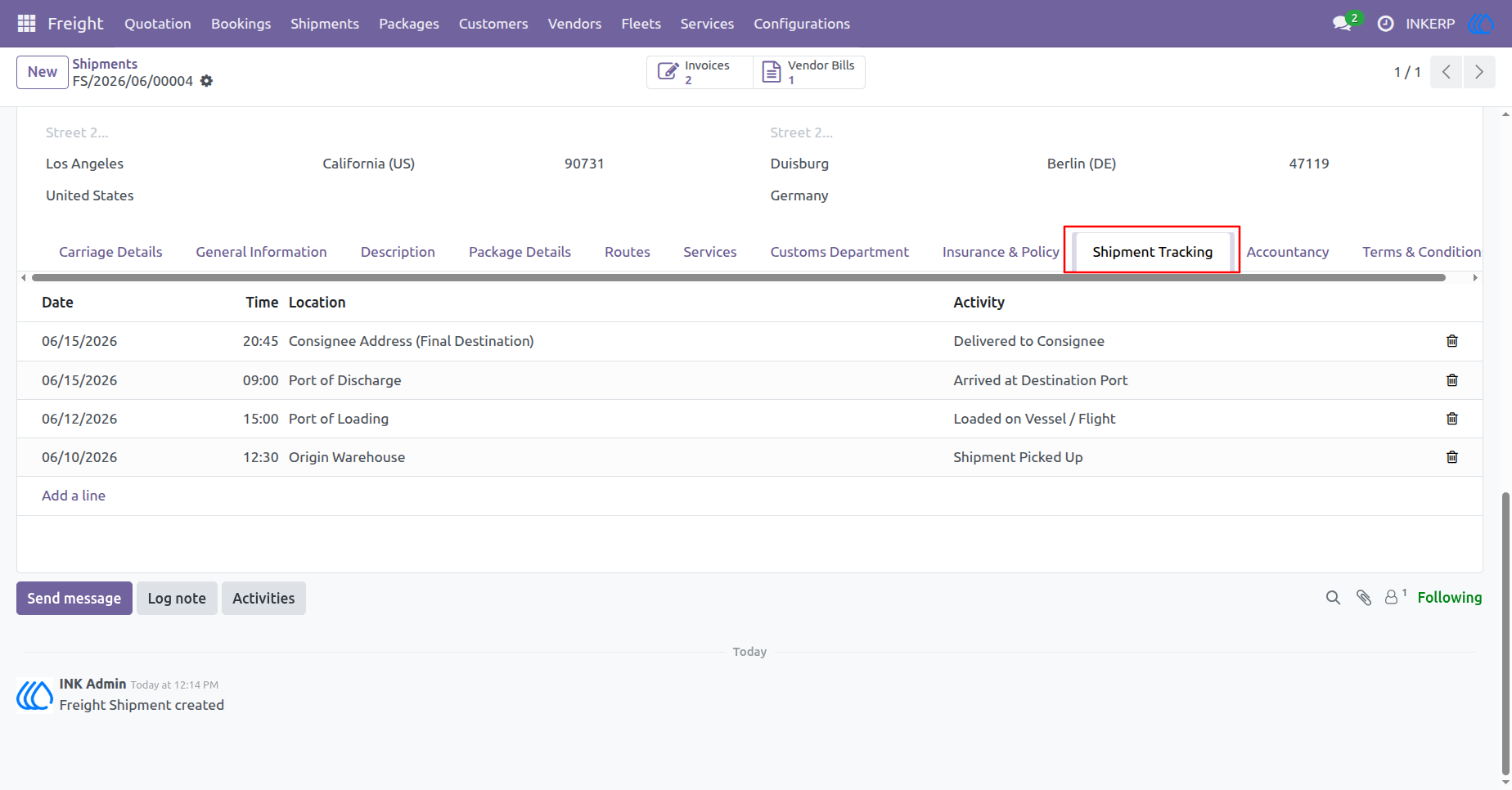
66.) Shipment Tracking
This interface enables detailed monitoring of a shipment's progress. It logs essential tracking data including the date, time, location, and specific activity for each stage of the transit process.
Navigation : Freight › Shipments
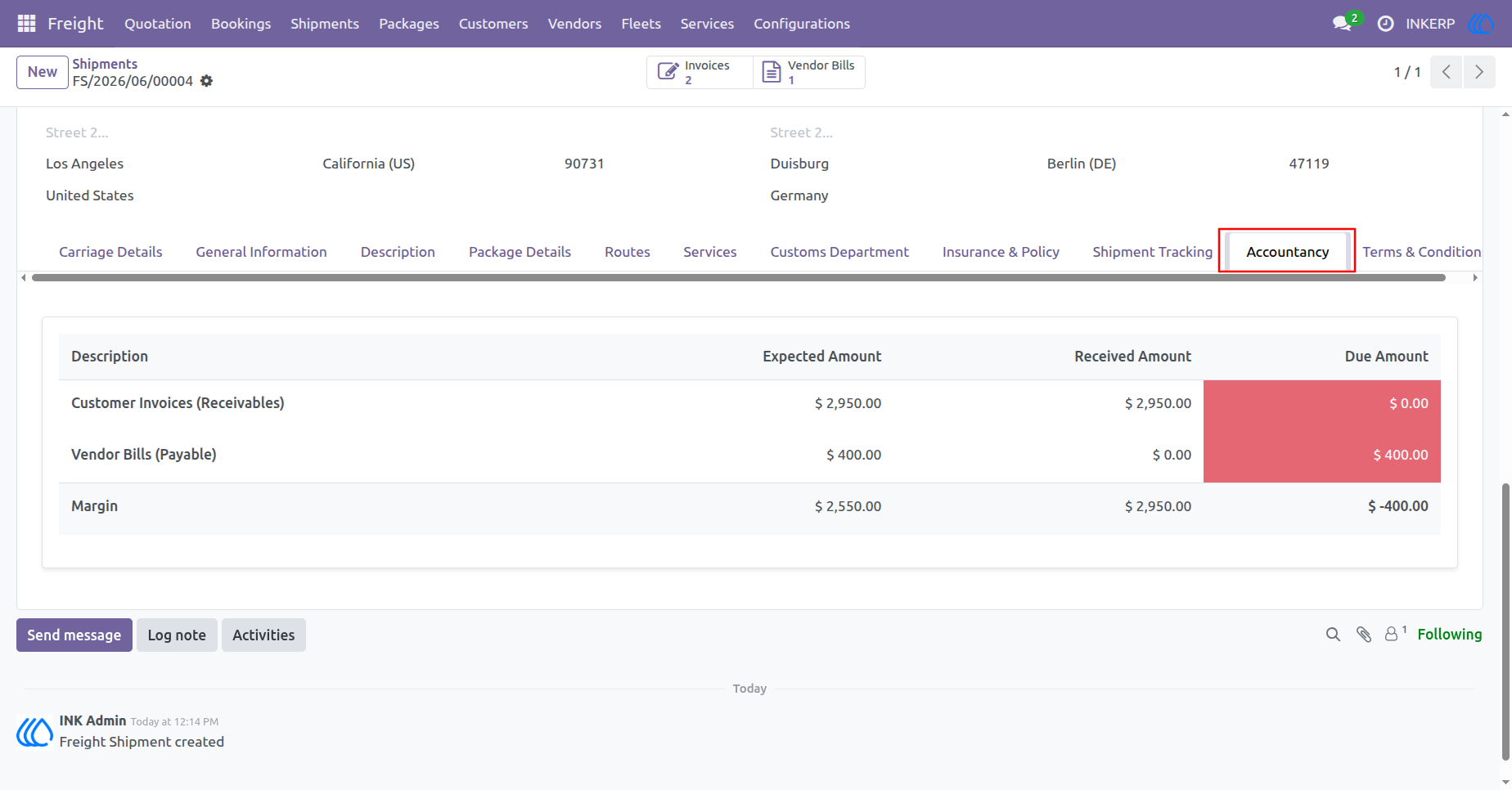
67.) Accountancy
This interface provides a financial summary for a shipment. It displays a breakdown of customer invoices (receivables), vendor bills (payables), and the calculated margin, including the expected, received, and due amounts for each category.
Navigation : Freight › Shipments
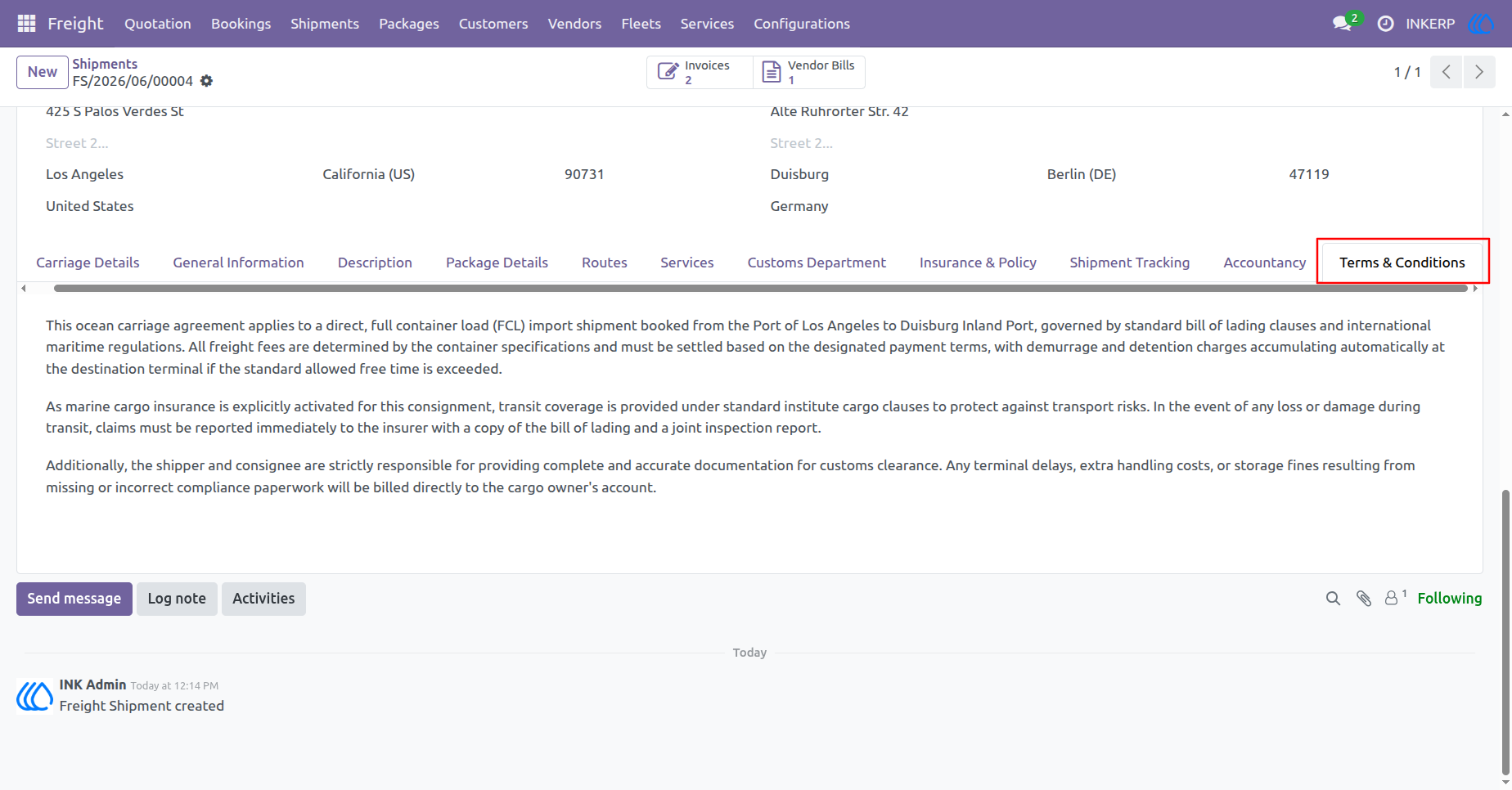
68.) Terms & Conditions
This interface outlines the contractual obligations for the shipment. It covers details regarding the ocean carriage agreement, marine cargo insurance coverage, and the responsibilities of the shipper and consignee concerning customs documentation and potential penalties.
Navigation : Freight › Shipments
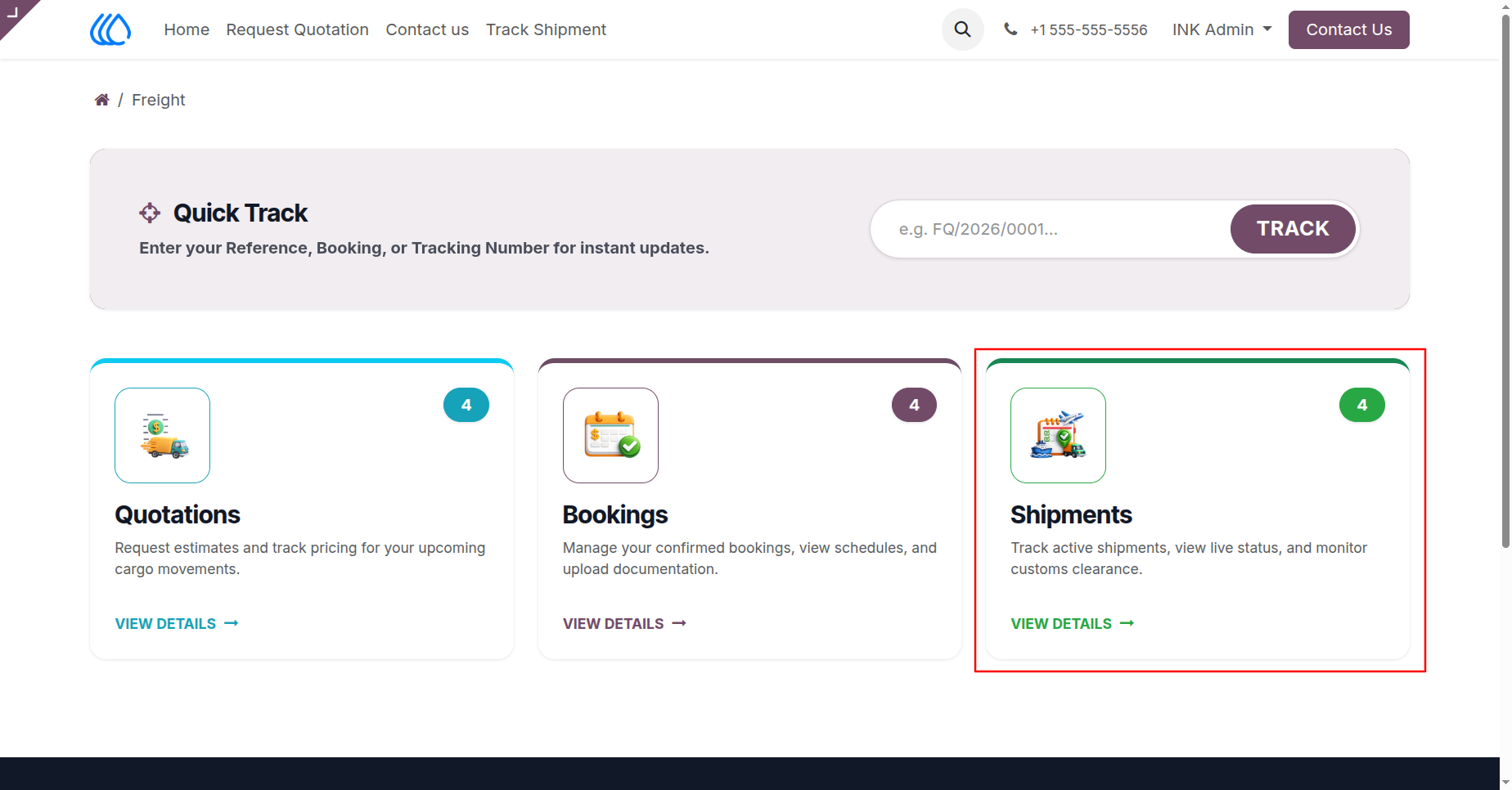
69.) Freight Portal Dashboard
This interface serves as a central dashboard for freight management. It includes a "Quick Track" feature for instant shipment updates and provides direct navigation cards for managing Quotations, Bookings, and Shipments.
Navigation : Home › Freight
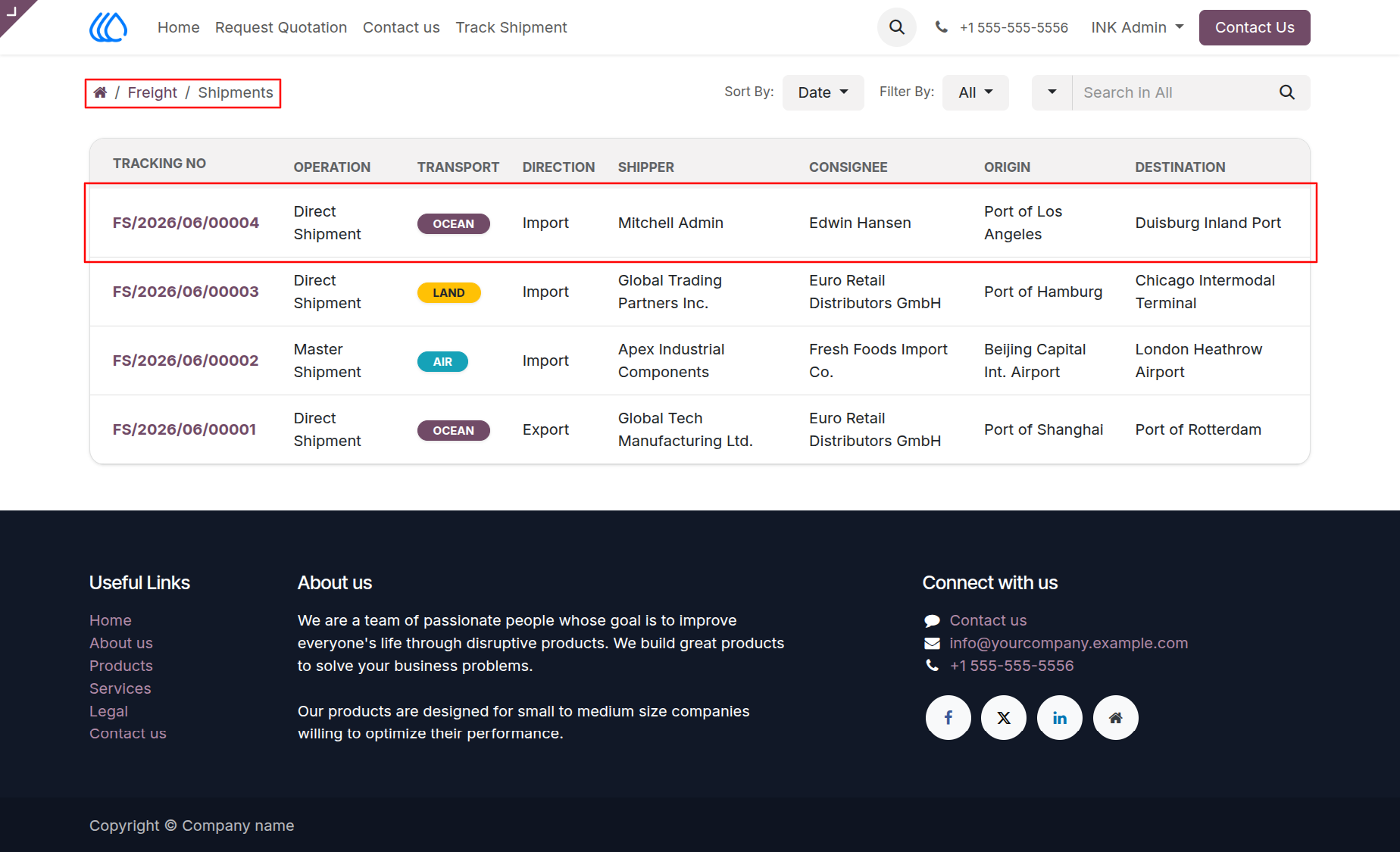
70.) Shipments List
This view displays a comprehensive list of shipments. It includes key details for each entry, such as the tracking number, operation type, transport mode, direction, shipper, consignee, origin, and destination.
Navigation : Home › Freight › Shipments
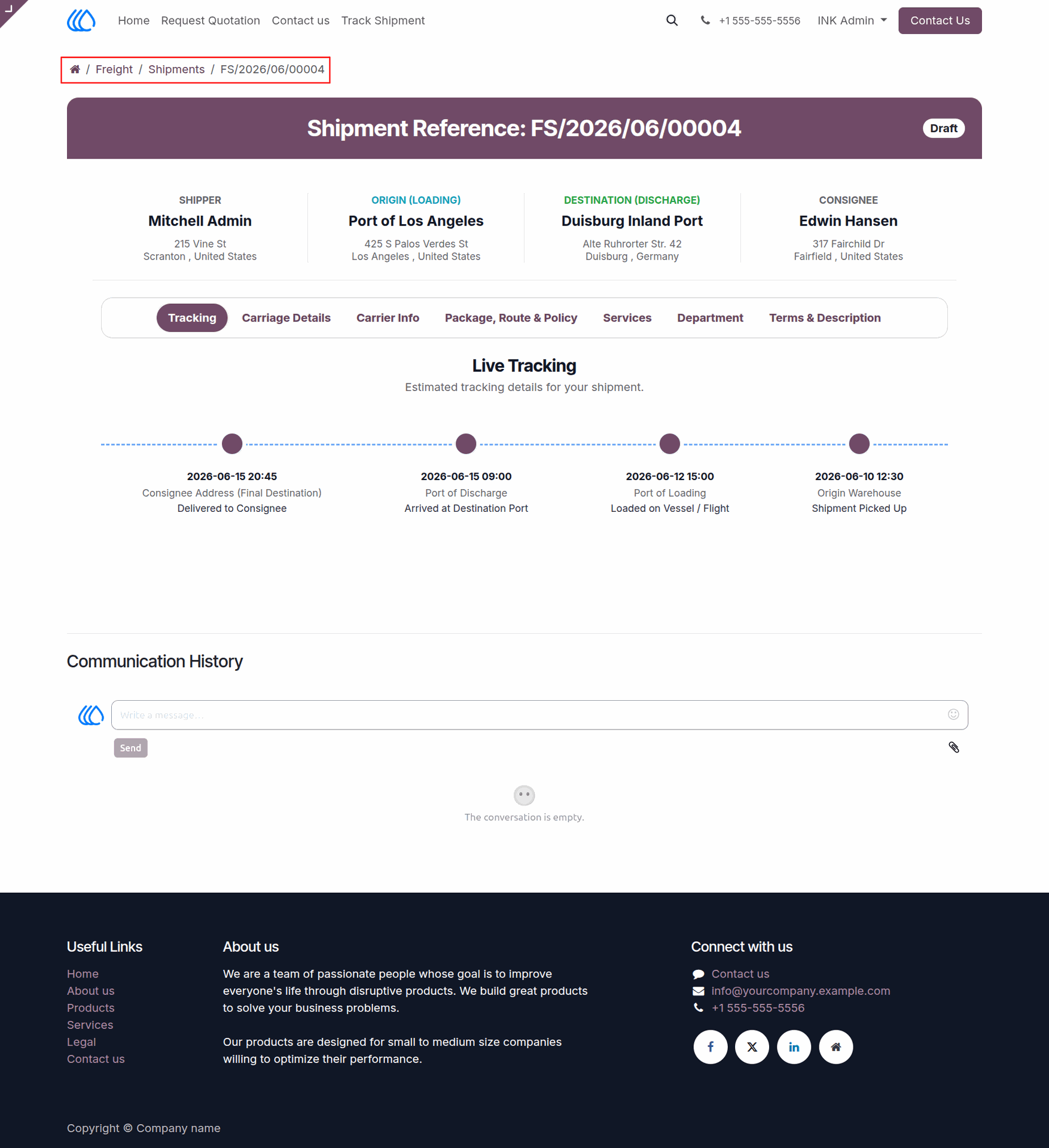
71.) Shipment Tracking Detail
This view provides a detailed overview of a specific shipment, displaying key information such as the shipper, origin, destination, and consignee. It also includes a "Live Tracking" timeline for monitoring the shipment's progress and a section for "Communication History."
Navigation : Home › Freight › Shipments
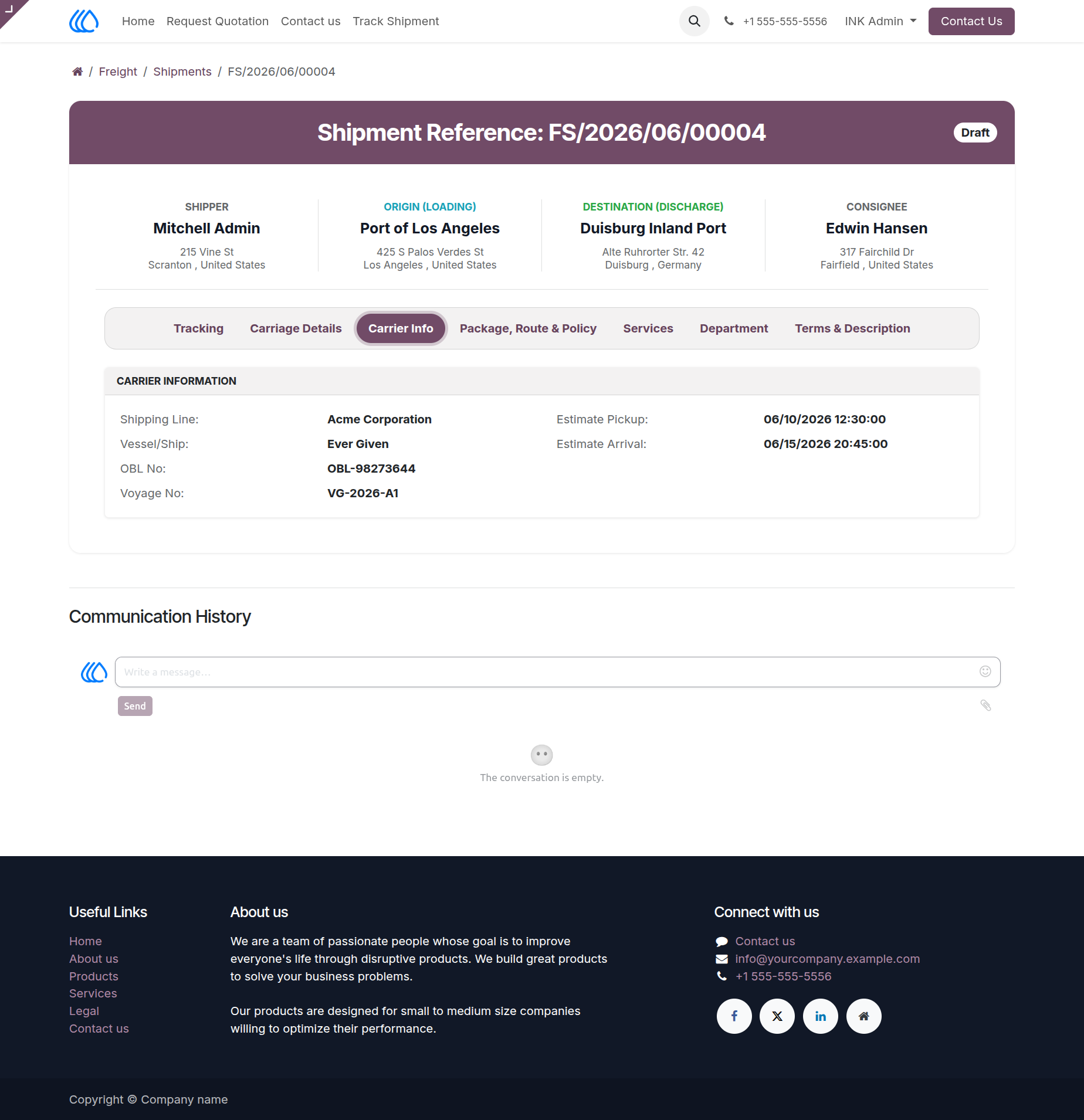
72.) Shipment Carrier Information
This view displays detailed carrier information for a specific shipment, including the shipping line, vessel name, Bill of Lading (OBL) number, and voyage number. Additionally, it provides estimated pickup and arrival dates.
Navigation : Freight › Shipments
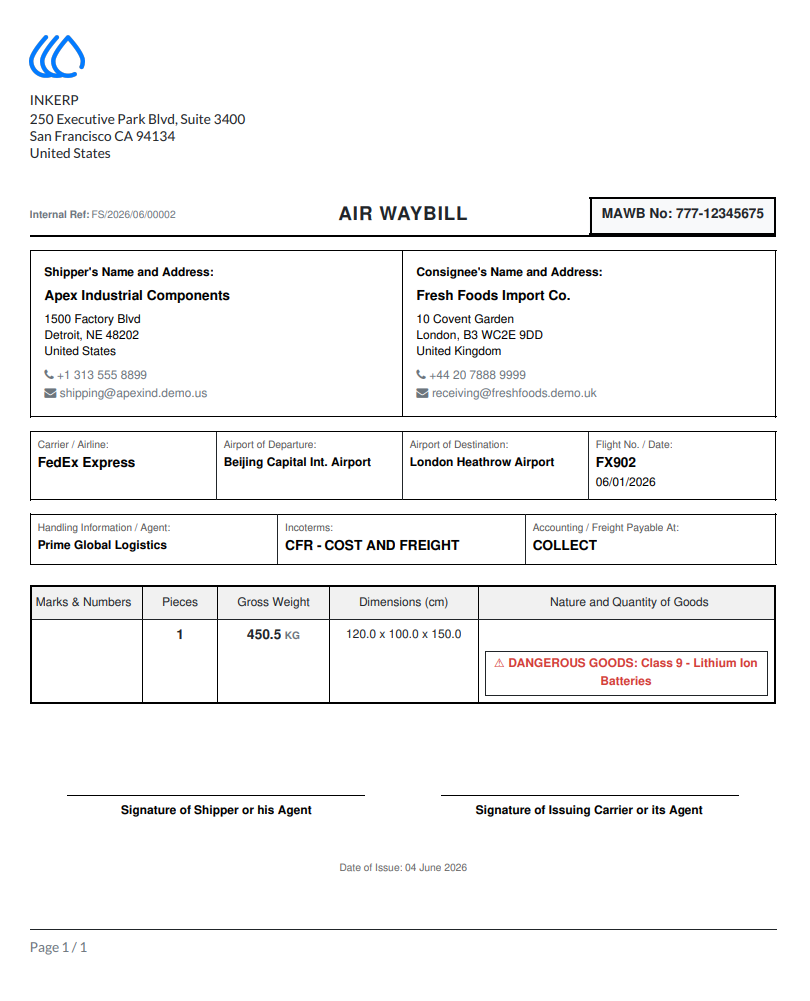
73.) Shipment Terms & Description
This view details the contractual obligations and additional notes for a shipment. It outlines terms and conditions regarding the ocean carriage agreement, cargo insurance, and responsibilities for customs documentation. It also provides a section for additional descriptions and notes, which includes mark and numbers, goods particulars, and internal notes.
Navigation : Home › Freight › Shipments
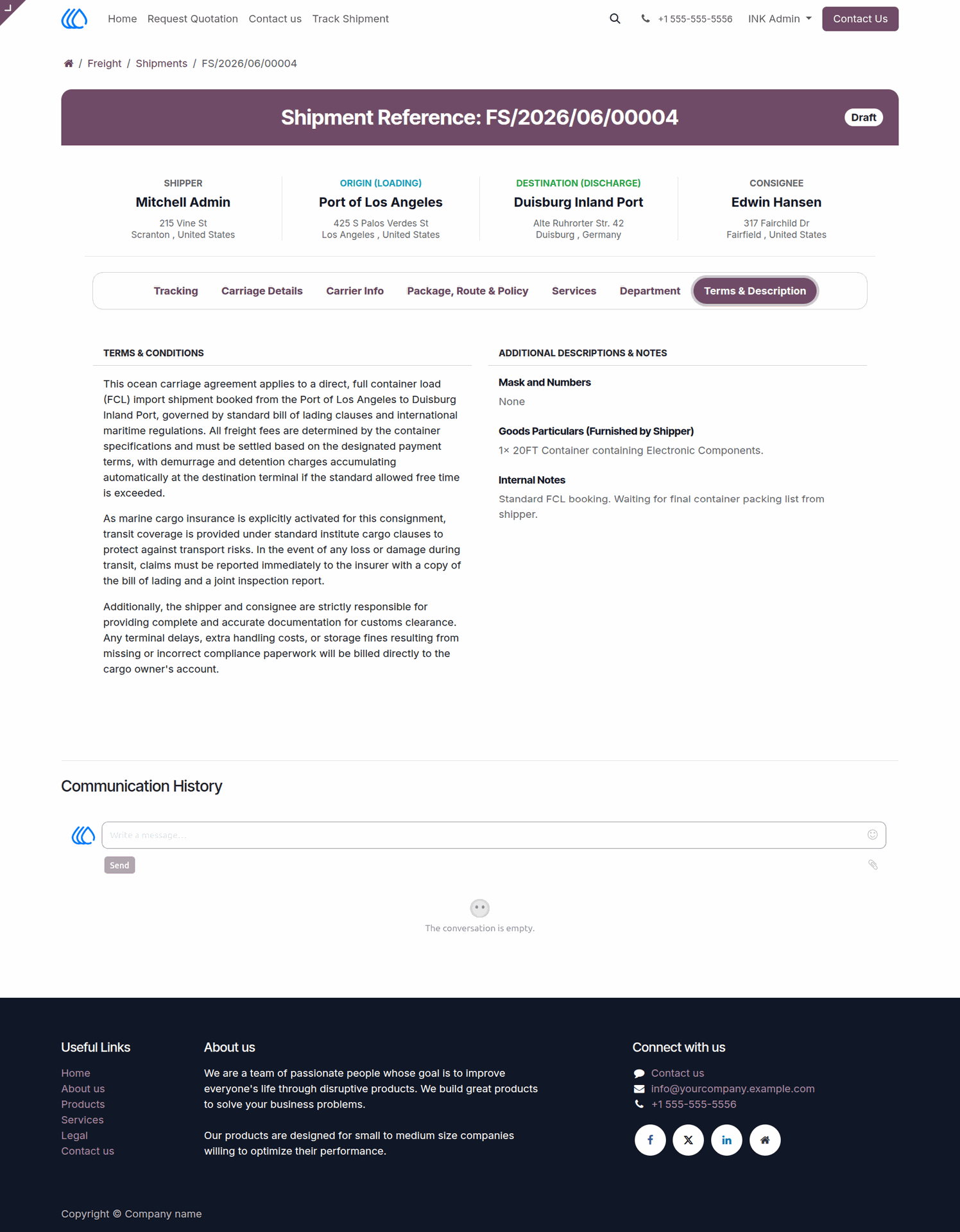
74.) Shipment Actions
This interface displays a list of shipments with multi-selection capabilities. It provides an "Actions" menu that allows users to perform bulk operations on selected shipments, such as duplicating entries, deleting items, or creating customer invoices and vendor bills.
Navigation : Freight › Shipments
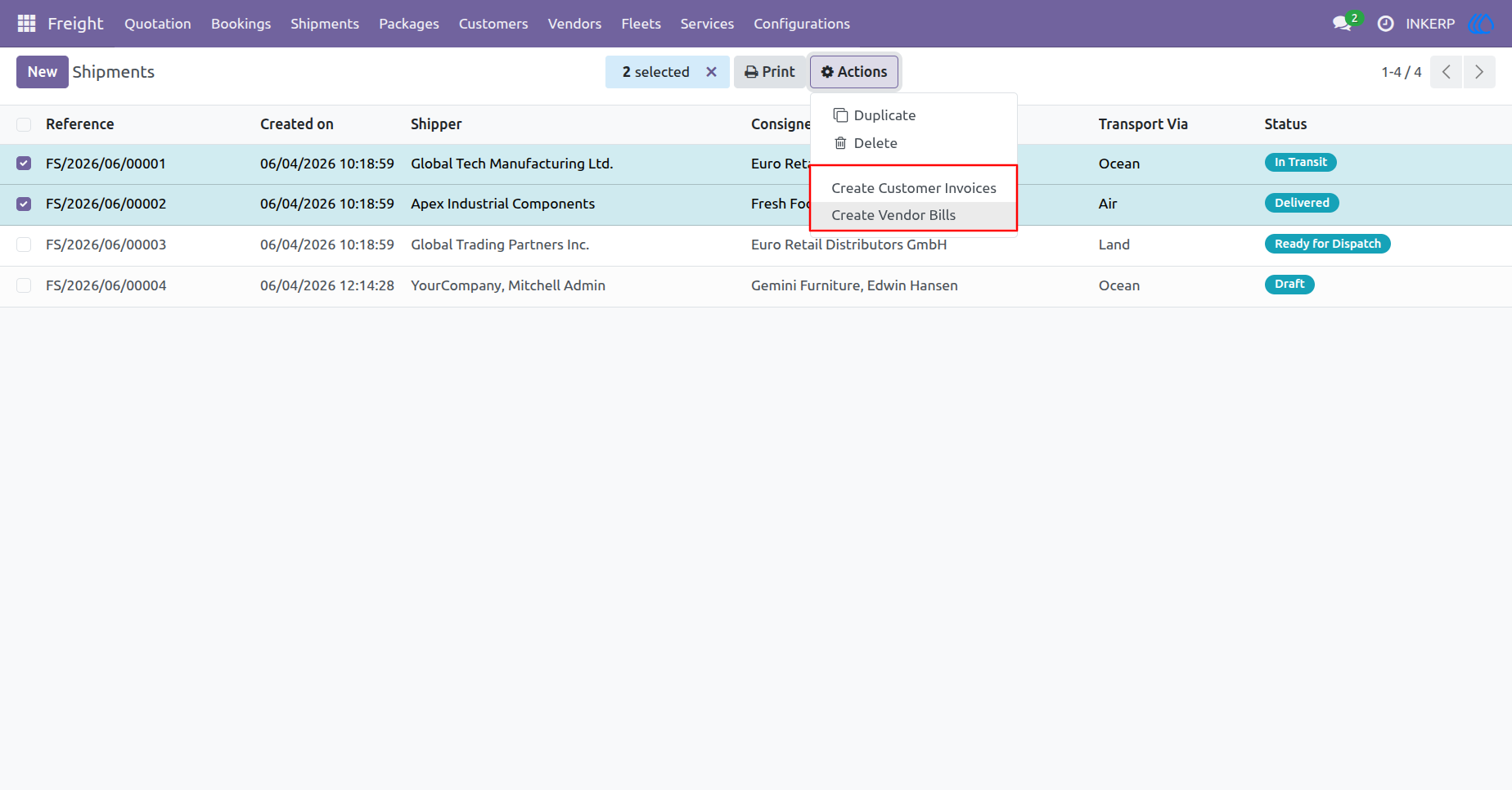
75.) Shipment Detail View
This interface displays comprehensive details for a specific shipment, including general information, transport details, port information, and customer contact data. It features a print menu with options such as Airway Bill, Bill of Lading, CMR Waybill, Shipment Instruction, and Shipment Label.
Navigation : Freight › Shipments
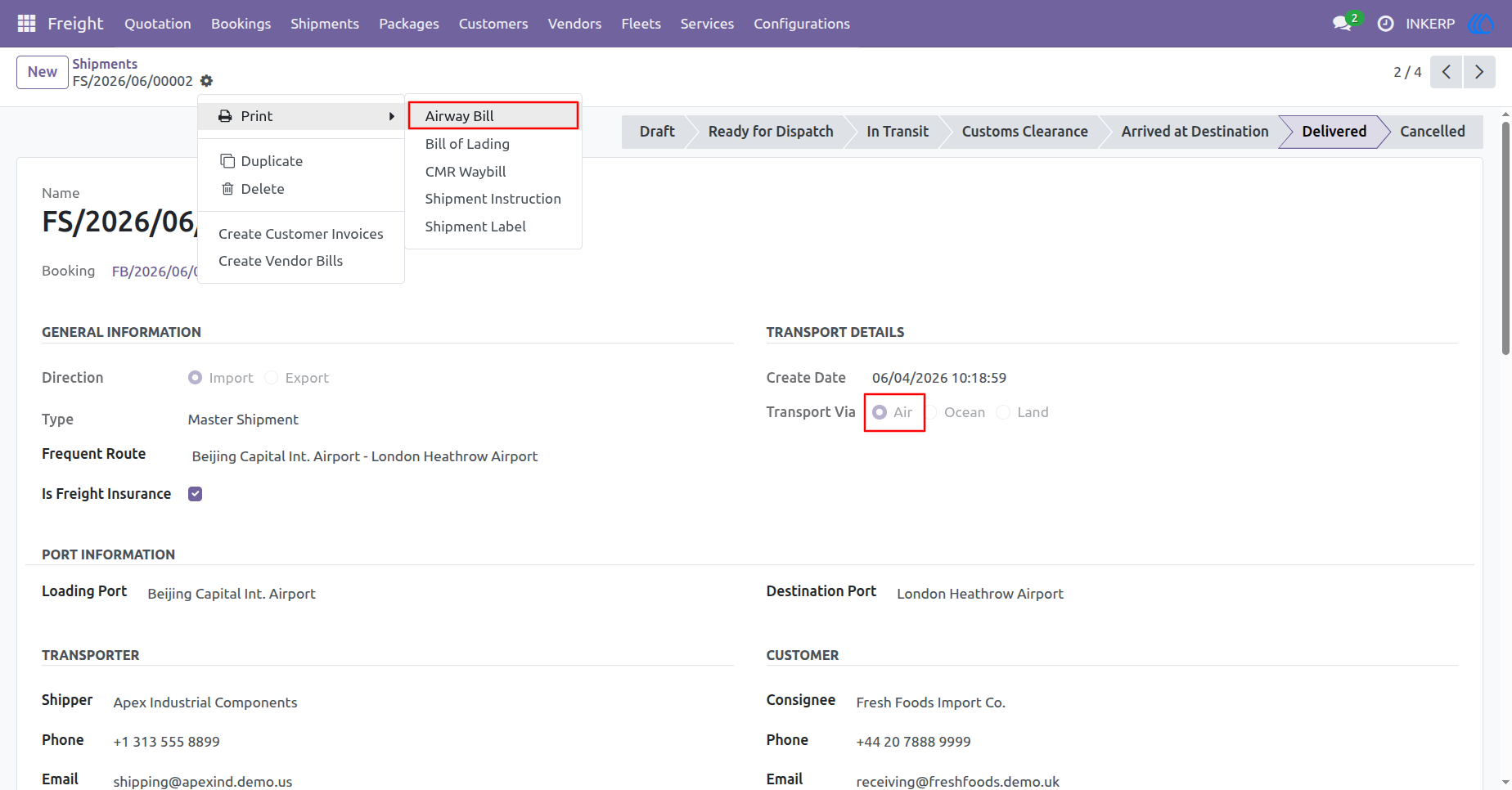
76.) Air Waybill Document
This document is an official Air Waybill for a shipment managed by INKERP. It contains essential logistics data, including details for the shipper, Apex Industrial Components, and the consignee, Fresh Foods Import Co. The document also captures carrier information regarding FedEx Express, flight FX902, and the route from Beijing Capital International Airport to London Heathrow Airport. Additionally, it outlines shipment specifics such as handling instructions, Incoterms (CFR), freight payment terms (COLLECT), and a description of the goods, which are marked as dangerous (Class 9 - Lithium Ion Batteries).
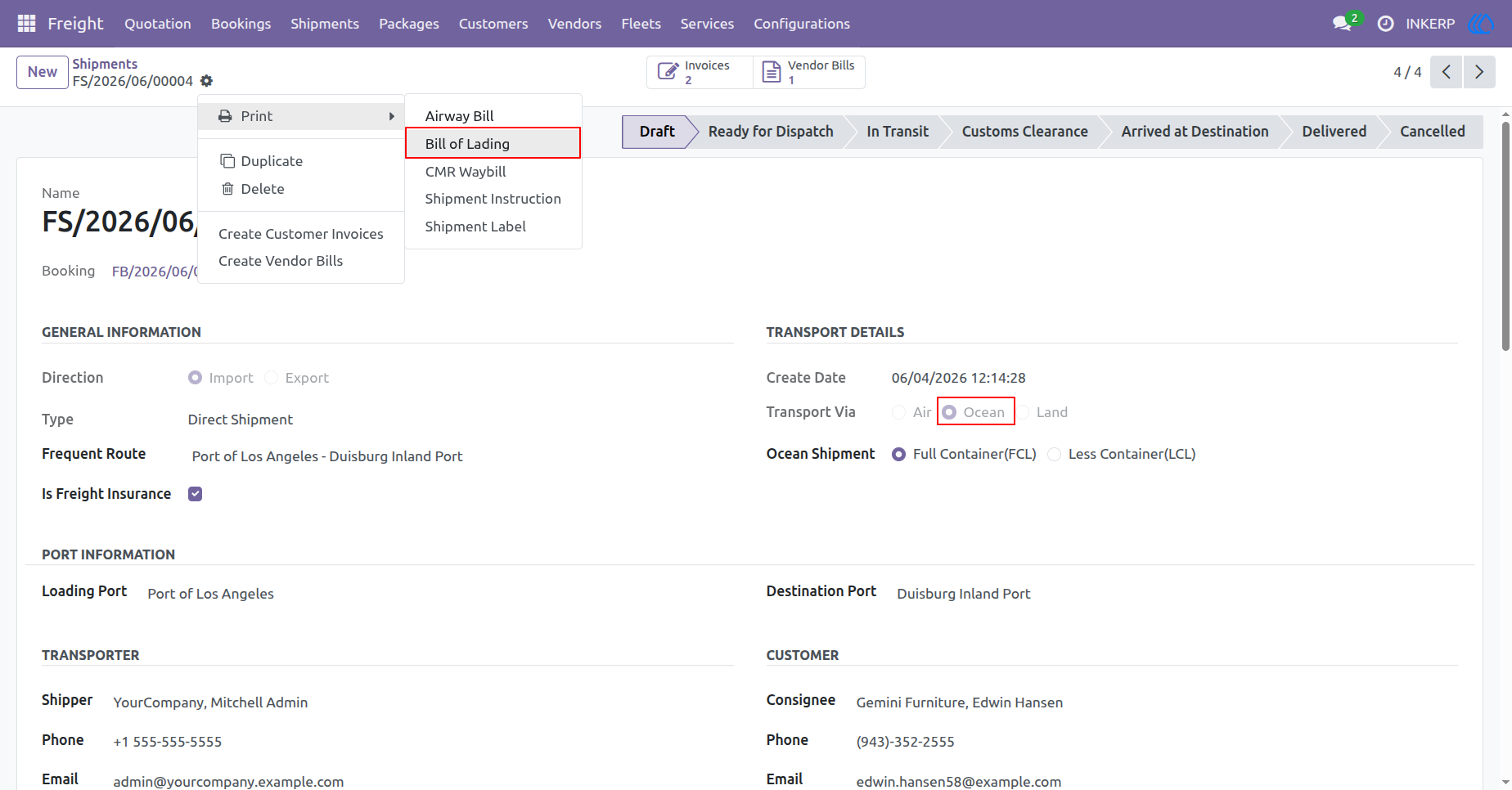
77.) Shipment Detail View
This view displays detailed information for an ocean shipment, including general shipment details, specific transport information such as FCL (Full Container Load), port information, and customer contact data. It also features a print menu with options including Airway Bill, Bill of Lading, CMR Waybill, Shipment Instruction, and Shipment Label.
Navigation : Freight › Shipments
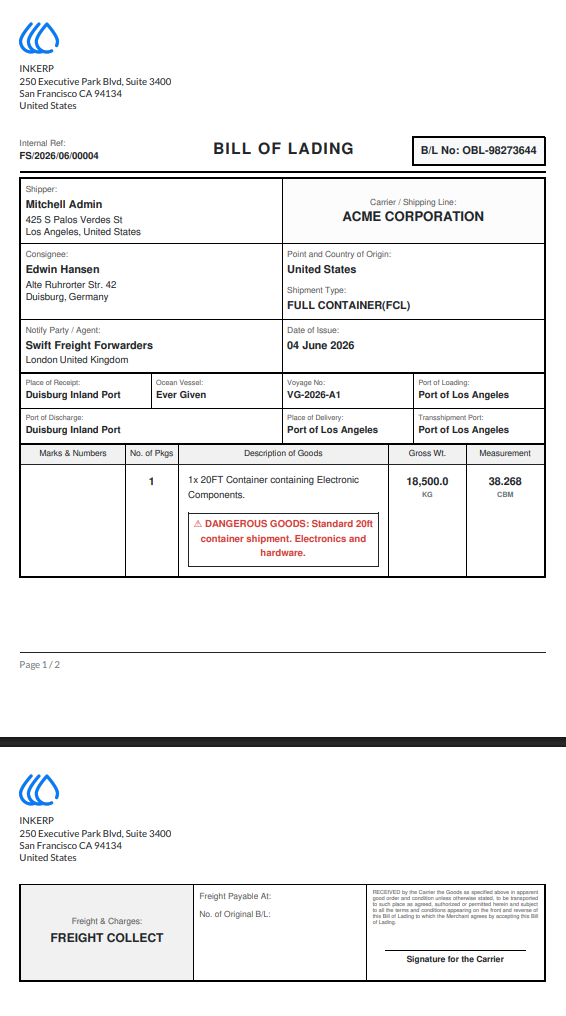
78.) Bill of Lading Document
This document is an official Bill of Lading for a shipment managed by INKERP. It contains essential logistics data, including details for the shipper, Mitchell Admin, and the consignee, Edwin Hansen. The document captures carrier information regarding ACME CORPORATION, the vessel "Ever Given," voyage number VG-2026-A1, and route details from the Port of Los Angeles to Duisburg Inland Port. Additionally, it outlines shipment specifics, such as the cargo consisting of one 20FT container containing electronic components with a gross weight of 18,500.0 KG marked as dangerous goods, as well as freight payment terms listed as "FREIGHT COLLECT".
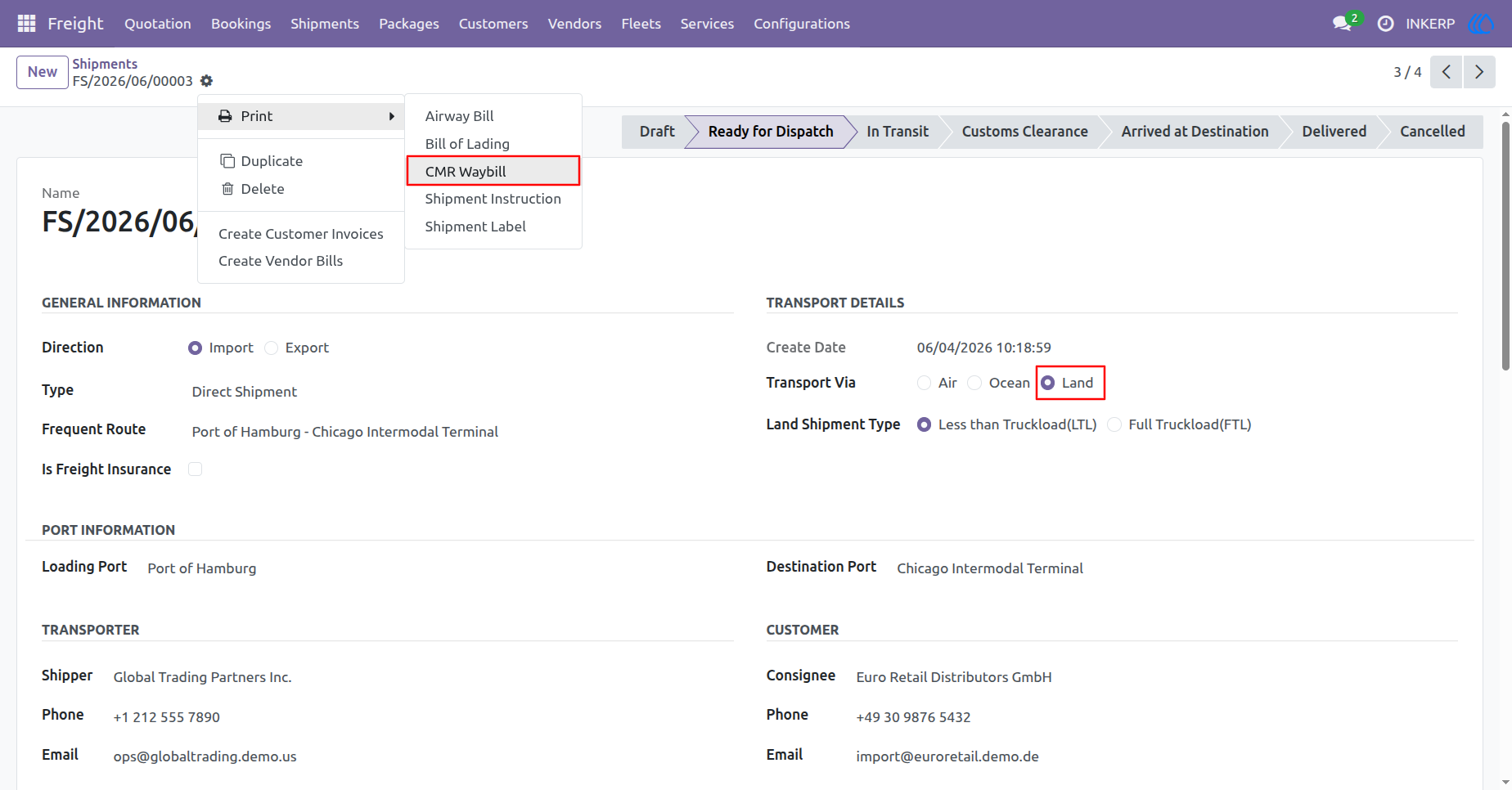
79.) Shipment Detail View
This view displays detailed information for a land shipment, including general shipment details, specific transport information such as LTL (Less than Truckload), port information, and customer contact data. It also features a print menu with options including Airway Bill, Bill of Lading, CMR Waybill, Shipment Instruction, and Shipment Label.
Navigation : Freight › Shipments
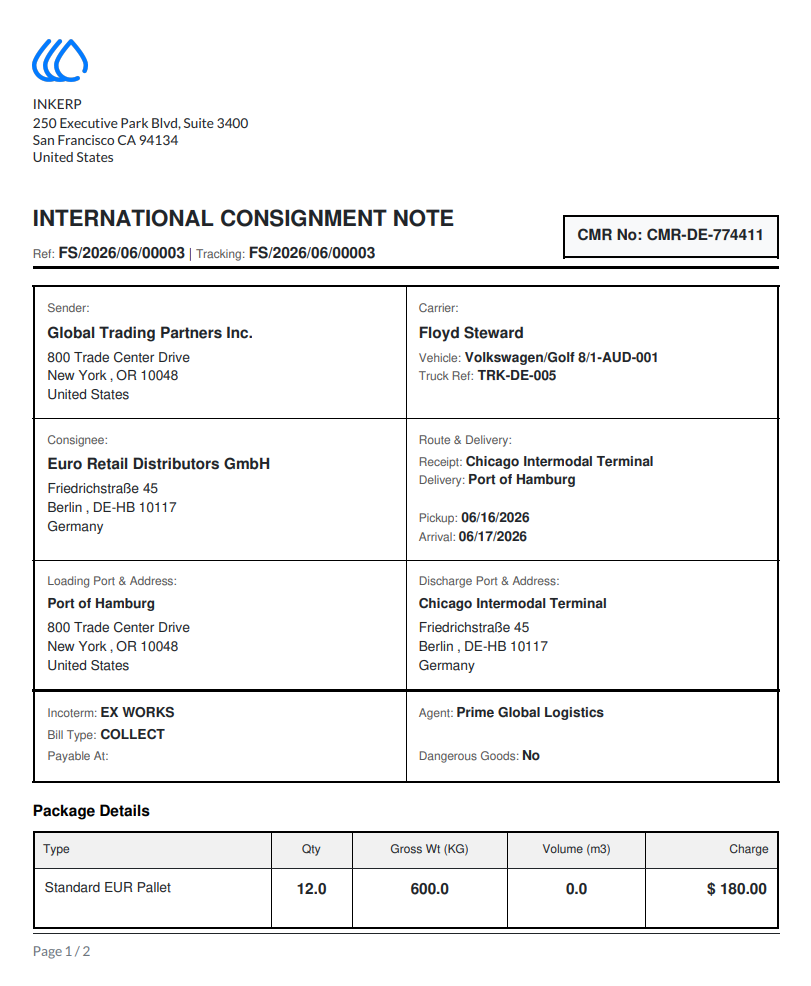
80.) International Consignment Note
This document is an International Consignment Note (CMR) for a shipment managed by INKERP. It contains essential logistics data, including details for the sender, Global Trading Partners Inc., and the consignee, Euro Retail Distributors GmbH. The document captures carrier information regarding Floyd Steward, the vehicle, and the truck reference. Furthermore, it provides data on the receipt terminal, delivery port, and scheduled pickup and arrival dates. Additionally, it outlines shipment specifics such as Incoterms (EX WORKS), bill type (COLLECT), agent details, and package details including quantity, weight, and charges.
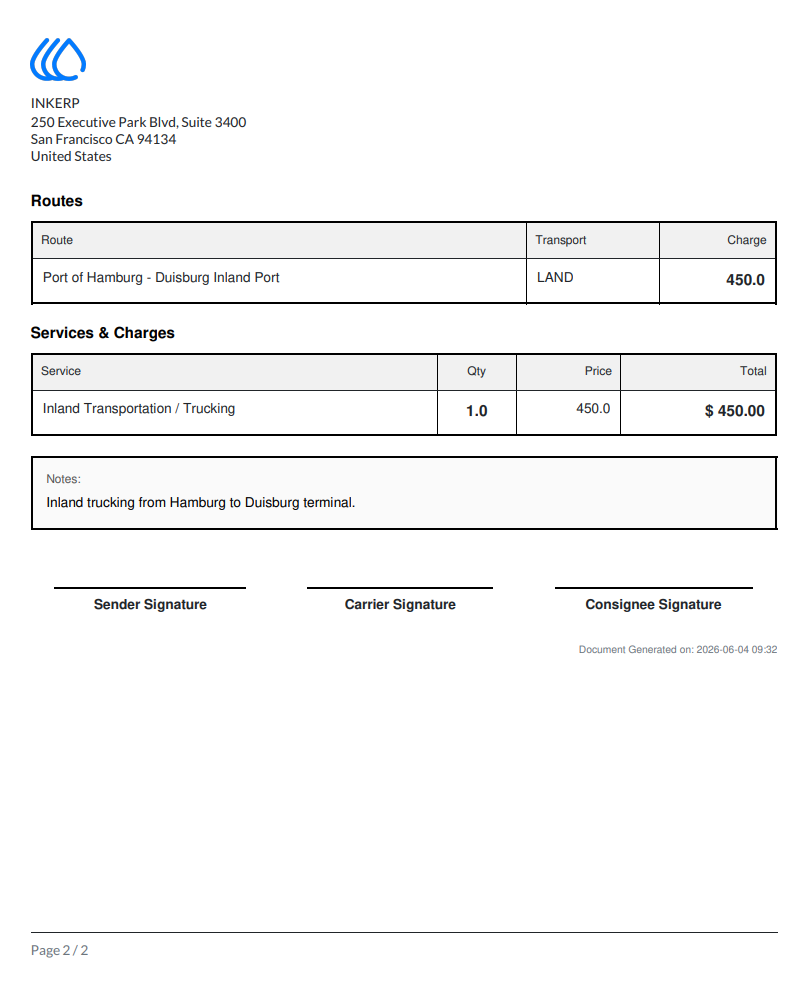
81.) Routes and Services Charges
This document outlines the route details and associated service charges for an INKERP logistics operation. It specifies the route from the Port of Hamburg to the Duisburg Inland Port via land transport, with a total charge of 450.0. The services section details an inland transportation or trucking service with a quantity of 1.0, priced at 450.0 for a total of $450.00. Additionally, a note confirms the service covers inland trucking from Hamburg to the Duisburg terminal.
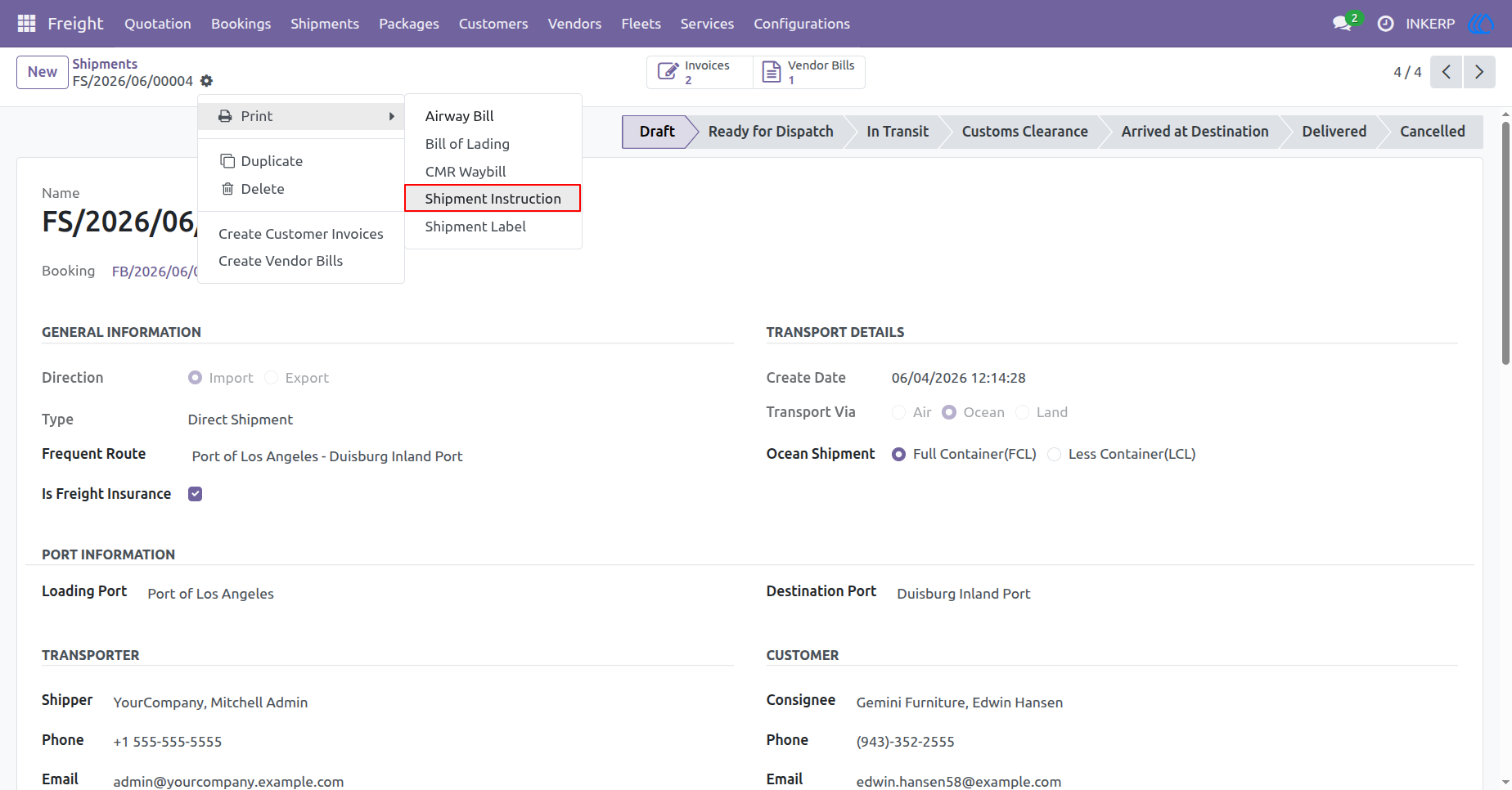
82.) Shipment Detail View
This view displays detailed information for an ocean shipment, including general shipment details, specific transport information such as FCL (Full Container Load), port information, and customer contact data. It also features a print menu with options including Airway Bill, Bill of Lading, CMR Waybill, Shipment Instruction, and Shipment Label.
Navigation : Freight › Shipments
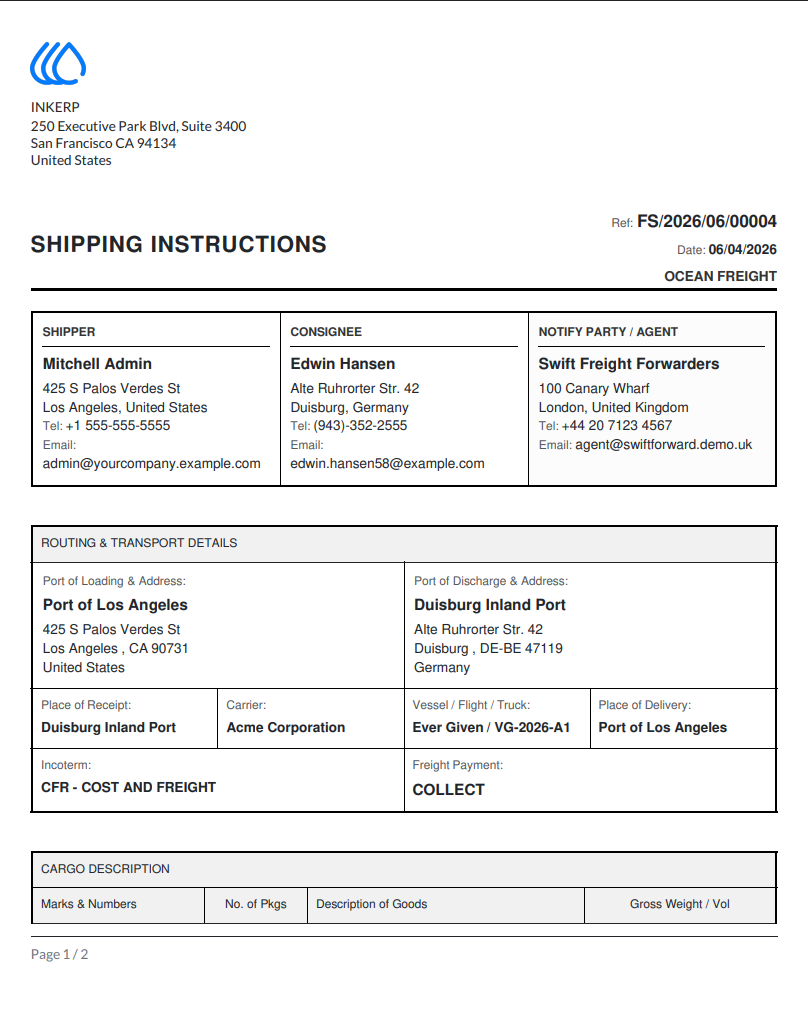
83.) Shipping Instructions Document
This document serves as an official set of shipping instructions for an ocean freight consignment managed by INKERP. It details the parties involved, listing Mitchell Admin as the shipper, Edwin Hansen as the consignee, and Swift Freight Forwarders as the notify party or agent. The routing and transport section specifies that the shipment originates from the Port of Los Angeles and is destined for the Duisburg Inland Port, with Acme Corporation identified as the carrier and the vessel designated as "Ever Given" for voyage VG-2026-A1. Additionally, it clarifies the terms and payment, identifying the Incoterm as "CFR - COST AND FREIGHT" and noting the freight payment terms as "COLLECT".
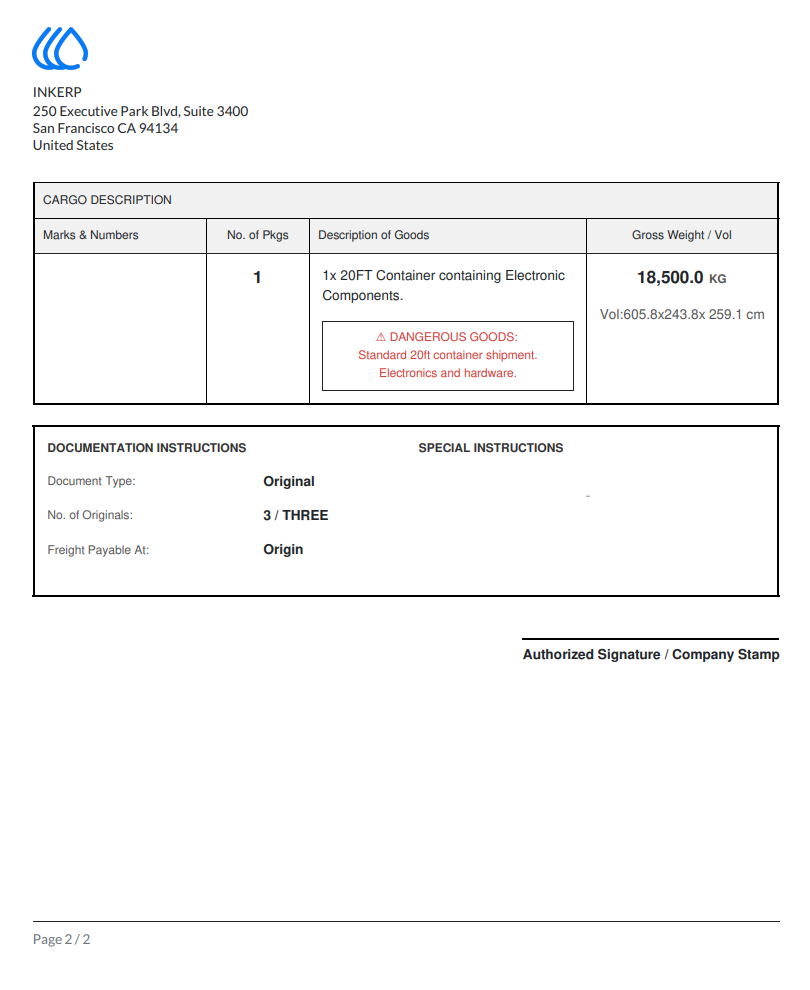
84.) Cargo and Documentation Instructions
This document outlines the cargo and documentation details for an INKERP logistics operation. The cargo description specifies one 20FT container containing electronic components, with a gross weight of 18,500.0 KG and specified dimensions. The cargo is marked as dangerous goods, specifically a standard 20ft container shipment of electronics and hardware. Regarding documentation instructions, the document type is listed as Original, with three originals required. Additionally, freight is payable at the origin.
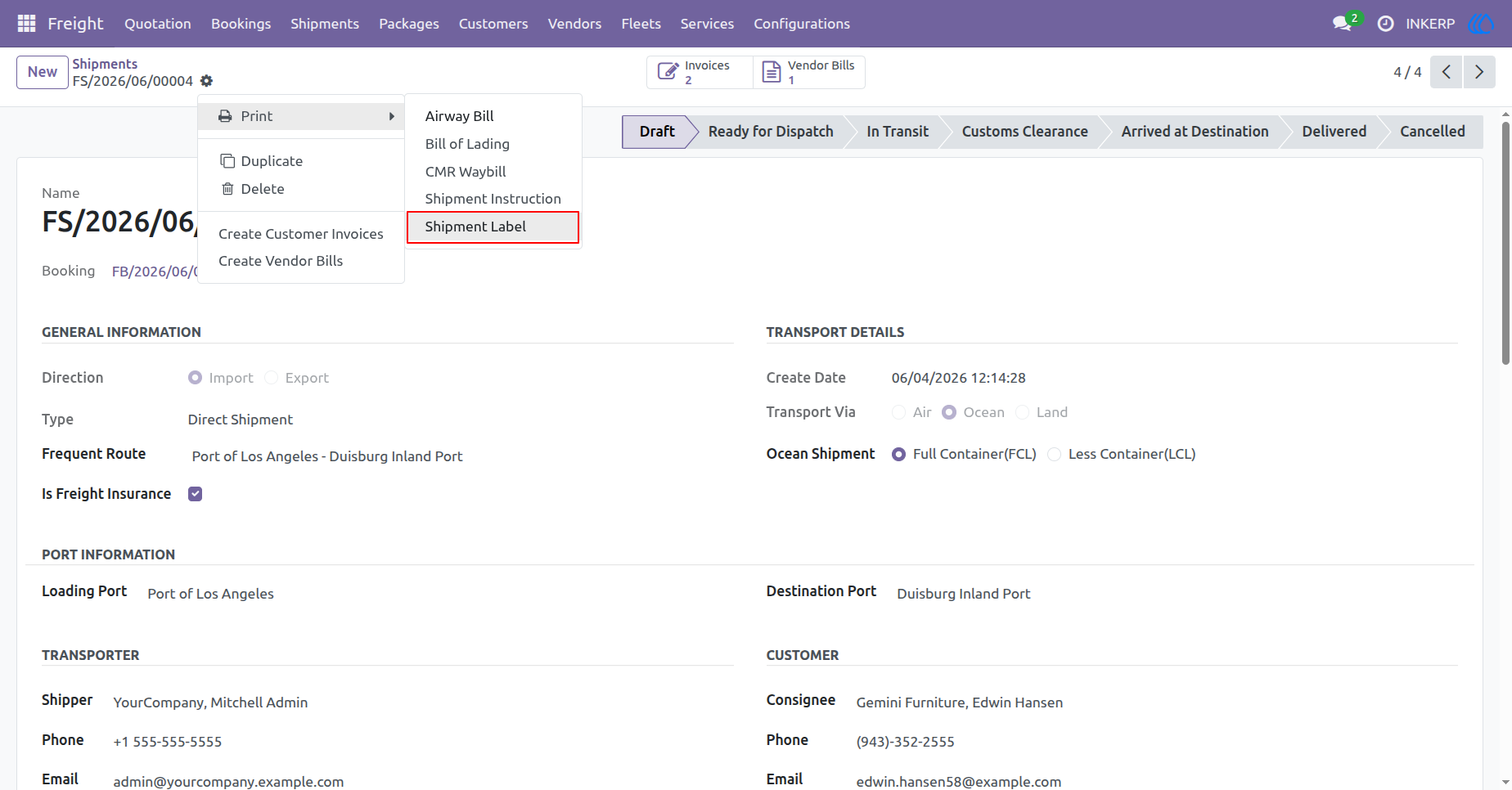
85.) Shipment Detail View
This view displays detailed information for an ocean shipment. It includes general information, transport details like Full Container Load (FCL), port information, and customer contact data. A print menu is available, offering options for Airway Bill, Bill of Lading, CMR Waybill, Shipment Instruction, and Shipment Label.
Navigation : Freight › Shipments
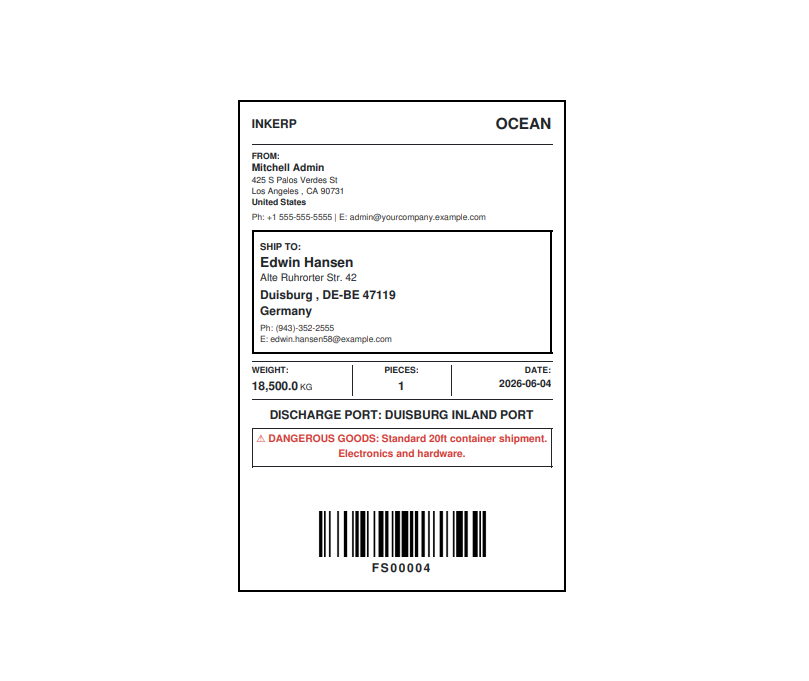
86.) Shipment Label
The shipment label serves as a key logistical identifier for an ocean freight consignment managed by INKERP. The shipper is identified as Mitchell Admin, located in Los Angeles, United States, and the consignee is Edwin Hansen, located in Duisburg, Germany. The shipment details include a weight of 18,500.0 KG, a piece count of 1, and a date of 2026-06-04. Furthermore, the label specifies the discharge port as Duisburg Inland Port and notes the presence of dangerous goods, described as a standard 20ft container shipment of electronics and hardware. Finally, the label features a barcode and the tracking reference number FS00004.
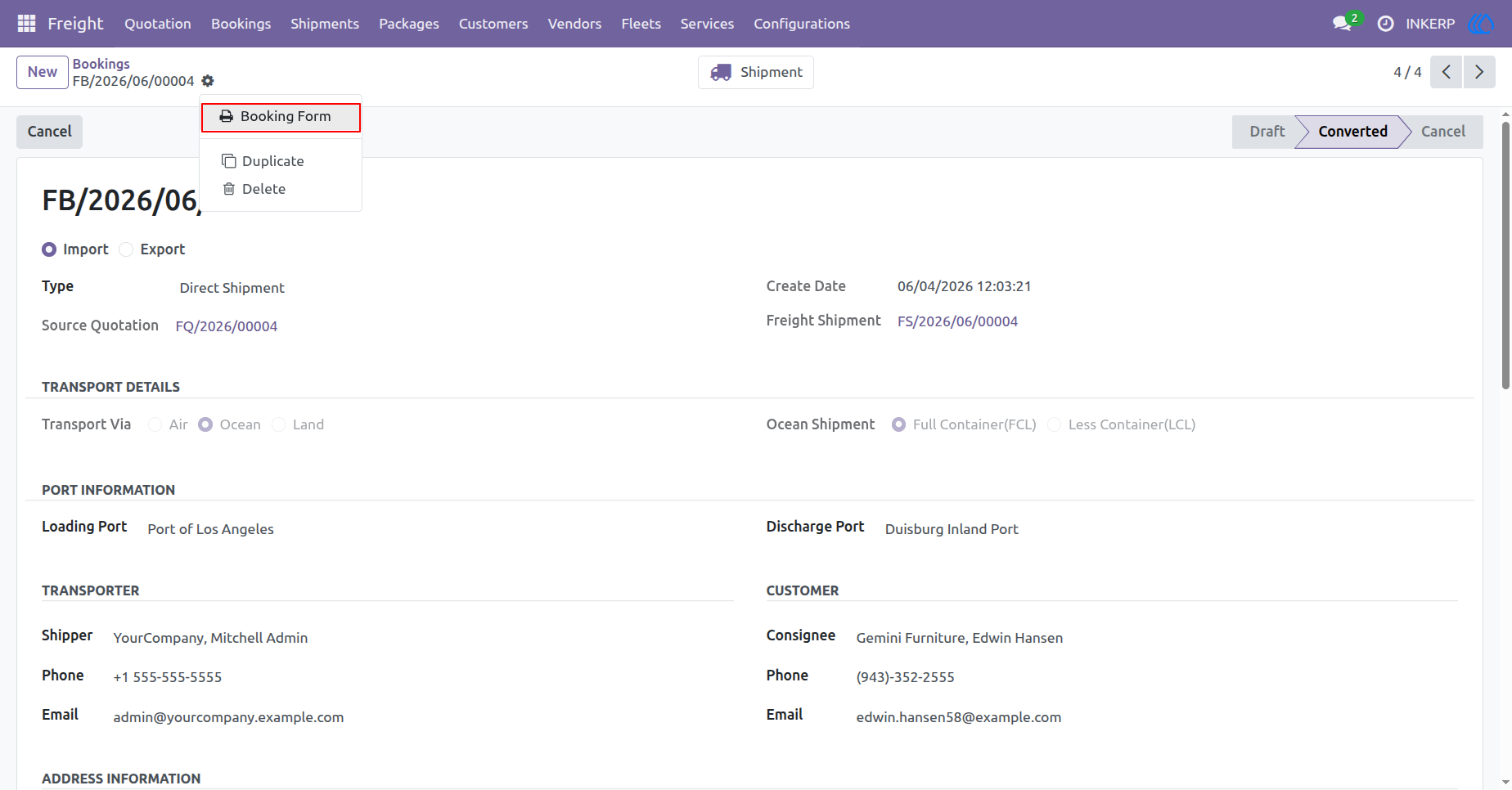
87.) Booking Detail View
The view displays detailed information for a converted booking. It highlights general details, such as the booking reference number FB/2026/06/00004, source quotation FQ/2026/00004, and linked freight shipment FS/2026/06/00004. Furthermore, it provides transport details, showing it is an ocean shipment via Full Container Load (FCL), and outlines port information, with the loading port as the Port of Los Angeles and the discharge port as Duisburg Inland Port. Additionally, it lists transporter and customer contact data for the shipper, Mitchell Admin, and the consignee, Edwin Hansen, while the action menu allows for printing the Booking Form.
Navigation : Freight › Bookings
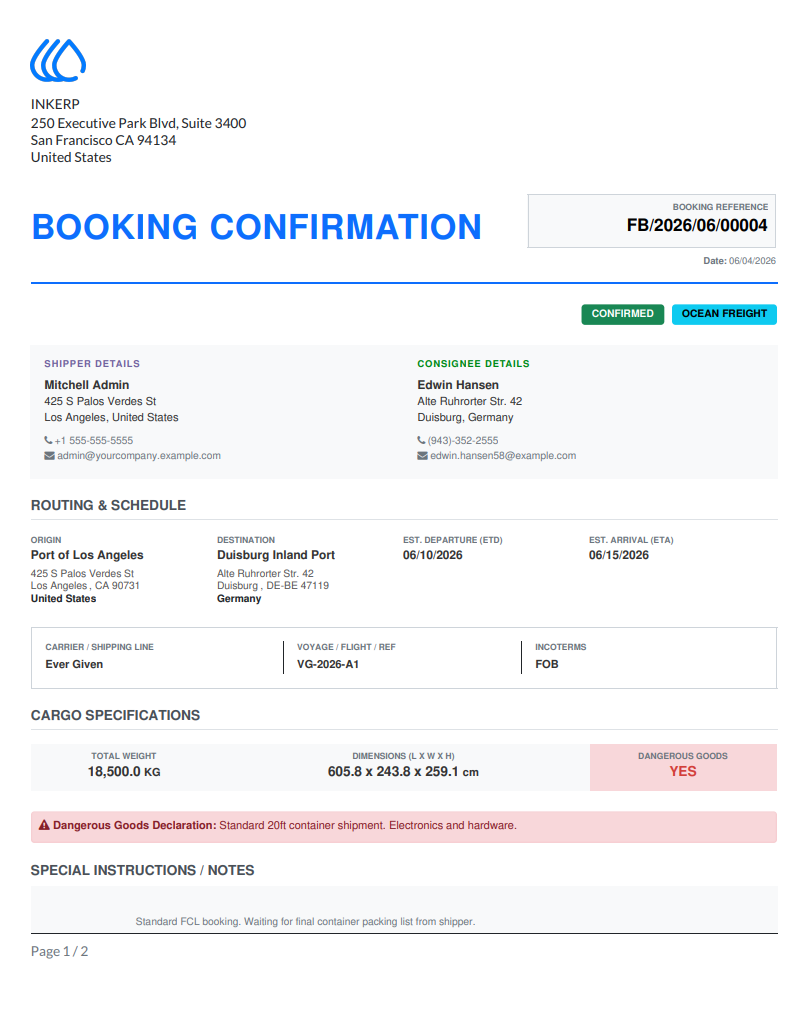
88.) Booking Confirmation Document
The booking confirmation for INKERP contains reference FB/2026/06/00004 for a confirmed ocean freight shipment. The shipper is Mitchell Admin, located in Los Angeles, and the consignee is Edwin Hansen, located in Duisburg. The shipment is routed from the Port of Los Angeles to the Duisburg Inland Port, with an estimated departure of 06/10/2026 and an estimated arrival of 06/15/2026. Key transport details include the carrier Ever Given, voyage reference VG-2026-A1, and Incoterms FOB. The cargo specifications consist of a total weight of 18,500.0 KG and dimensions of 605.8 x 243.8 x 259.1 cm, with a declaration of dangerous goods for a standard 20ft container shipment of electronics and hardware. Finally, special instructions note that this is a standard FCL booking currently awaiting the final container packing list from the shipper.
User Guide