

Our Most Suggested Products


Invoice Custom Product Label With Direct Print For Enterprise
Invoice Custom Product Label With Direct Print For Enterprise is a powerful solution designed to generate and print product-specific labels directly from invoices. By automating the label creation process based on invoiced items, this application enhances operational efficiency across retail.
 Features
 Screenshots
 Support
 Service
Features
Automatic Label Creation from Invoices :
Save time with automatic label generation directly from invoices. The system pulls product details and quantities without manual entry. This ensures accurate labels while reducing errors.
Flexible Quantity Control :
The system auto-selects quantities from invoiced products but also allows adjustments when required. Labels can reflect exact business needs, whether more or fewer are needed. This provides greater operational flexibility.
Multi Invoice & Product Selection :
Labels can be created for single or multiple invoices simultaneously. Selected products are processed in bulk, improving efficiency and reducing repetitive tasks. This feature simplifies large scale labeling
Label Preview Before Printing :
Labels can be previewed before printing to confirm accuracy. This minimizes printing errors and avoids wasted resources. A reliable preview ensures that the final output meets requirements.
Screenshot
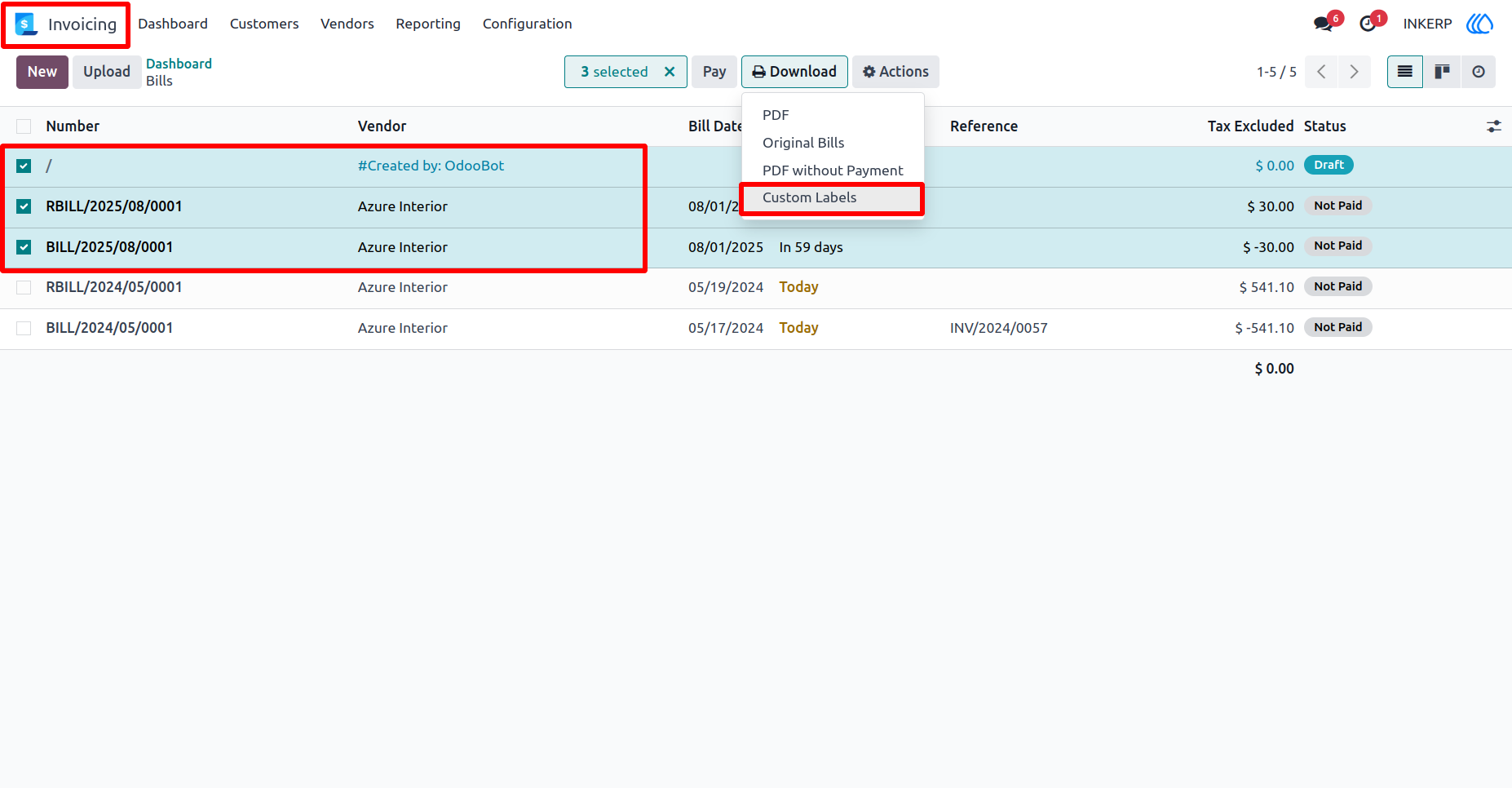
1.) Go to invoicing :
Go to invoicing and select multiple or single incoice to print label of product contained by that invoice.
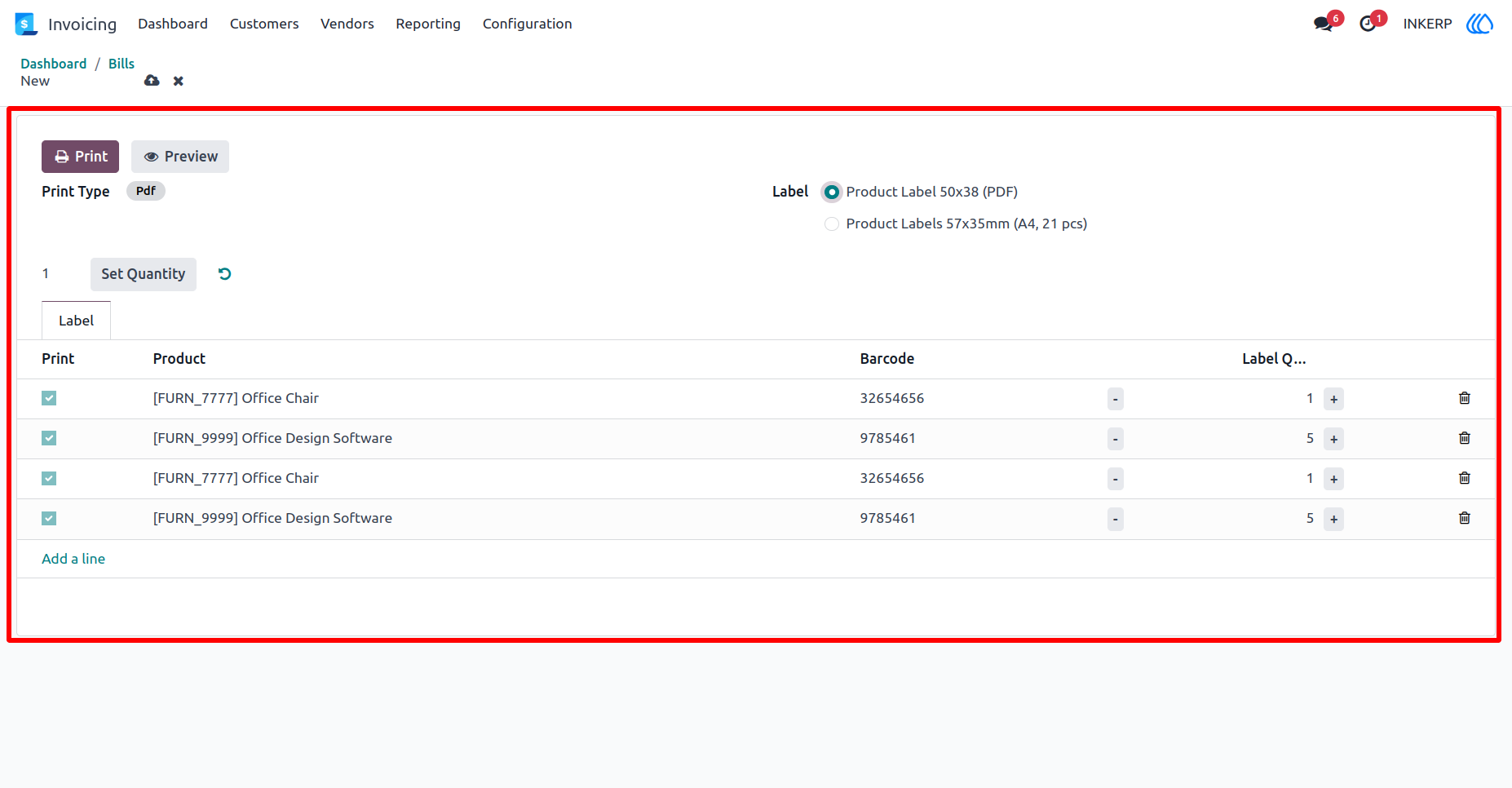
2.) Custopm Wizard :
Custom wizard is open after click on 'Custom Labels' with product and quantity contained by invoice
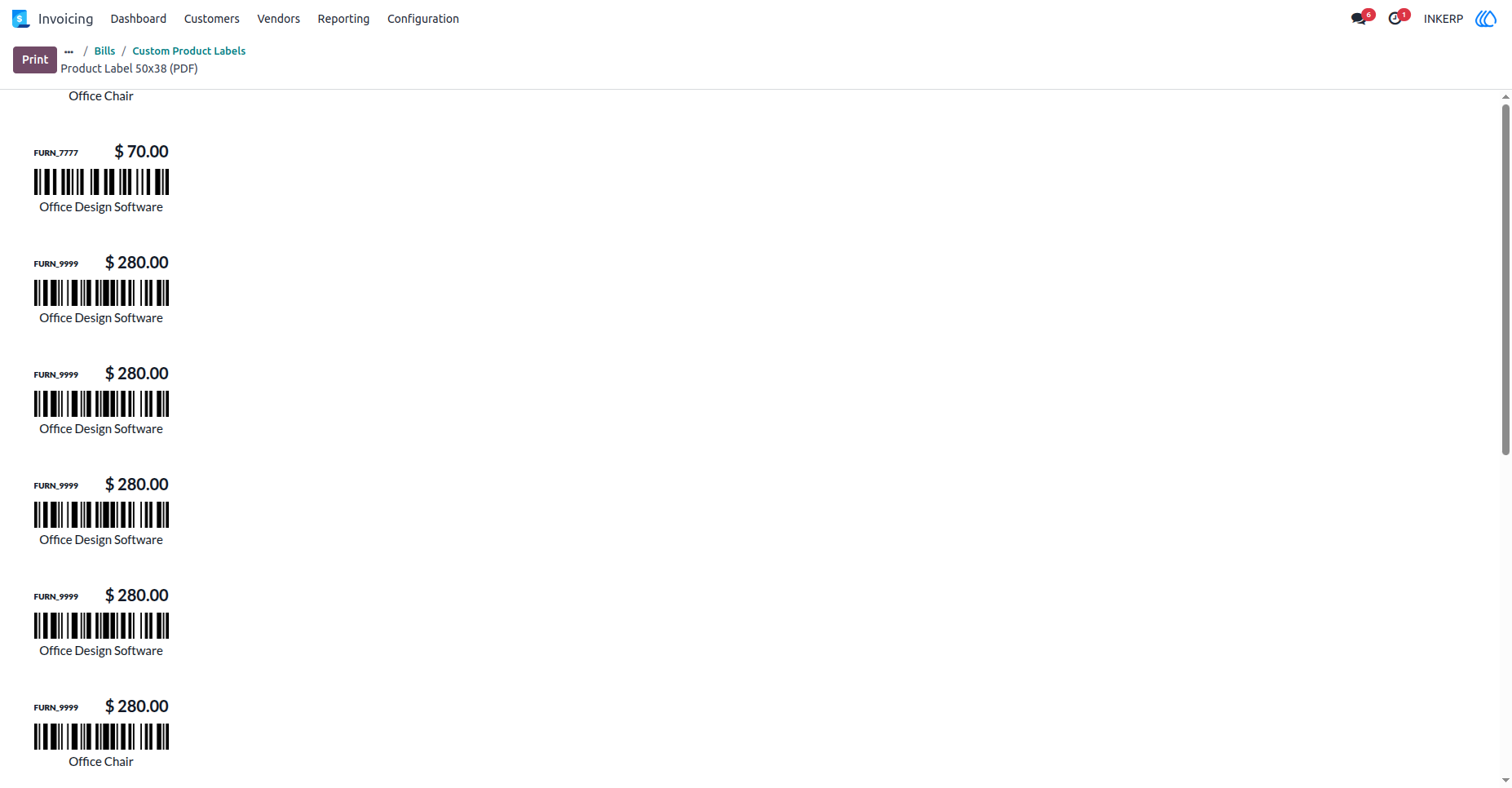
3.) 50x38 Dymo Label Priview :
50x38 Dymo Label Priview on selection.
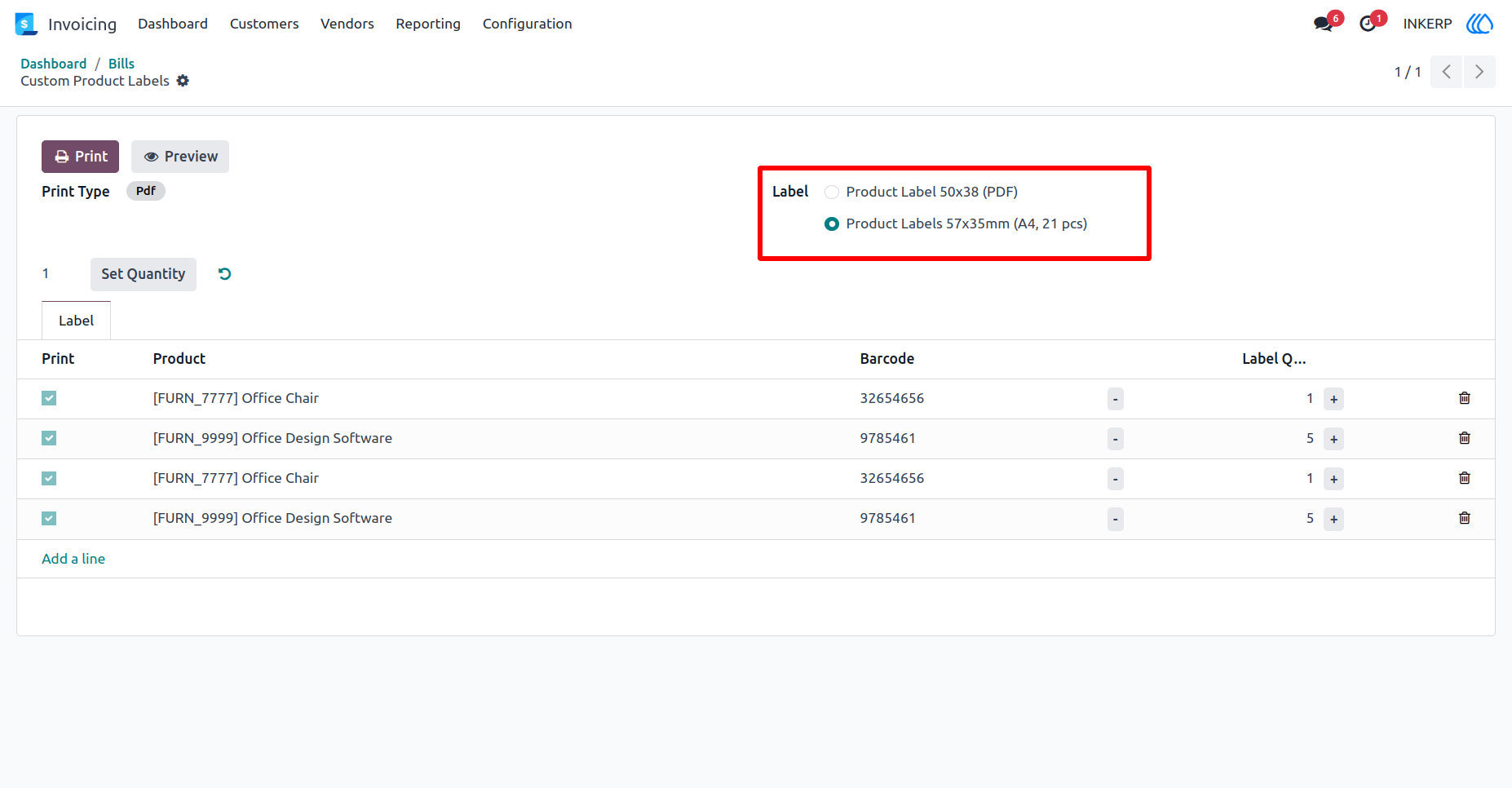
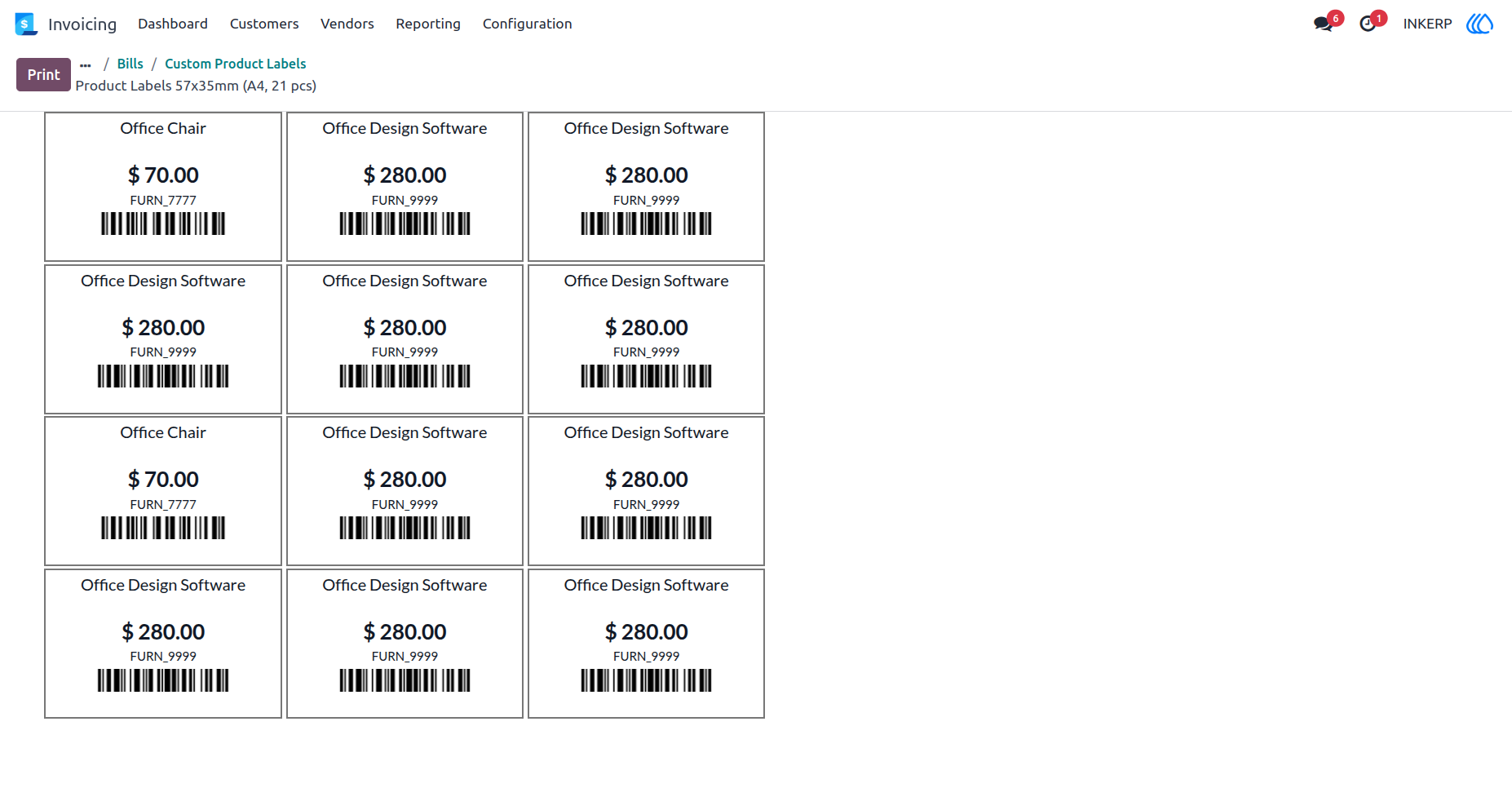
4.) Select 57x35 Dymo Label Selection :
Select 57x35 for preview or print.
5.) Dynamo 57x35 Preview :
Dynamo 57x35 Preview.
User Guide