

Our Most Suggested Products


Account Invoice Line Views
Account Invoice Line Views provides a streamlined way to review customer and vendor invoice lines in multiple formats including tree, kanban, pivot, and graph views. The module is designed for read only access, ensuring users can analyze invoice data without creating new lines or modifying existing ones. This enhances transparency and control while maintaining data integrity across financial records. This functionality can be enable or disable as per use from the setting of INKERP.
 Features
 Screenshots
 Support
 Service
Features
Comprehensive Invoice Visibility
Quickly access customer and vendor invoice lines in tree, kanban, pivot, and graph views. This multi view support helps users analyze financial data from different angles for better decision making.
Secure Read Only Access
Prevent accidental changes with a read only design. Users can confidently review invoice lines without the risk of creating or editing entries, ensuring financial records remain accurate.
Flexible Configuration
Enable or disable the functionality directly from INKERP settings. This adaptability ensures the module fits seamlessly into diverse business workflows and requirements.
Screenshot
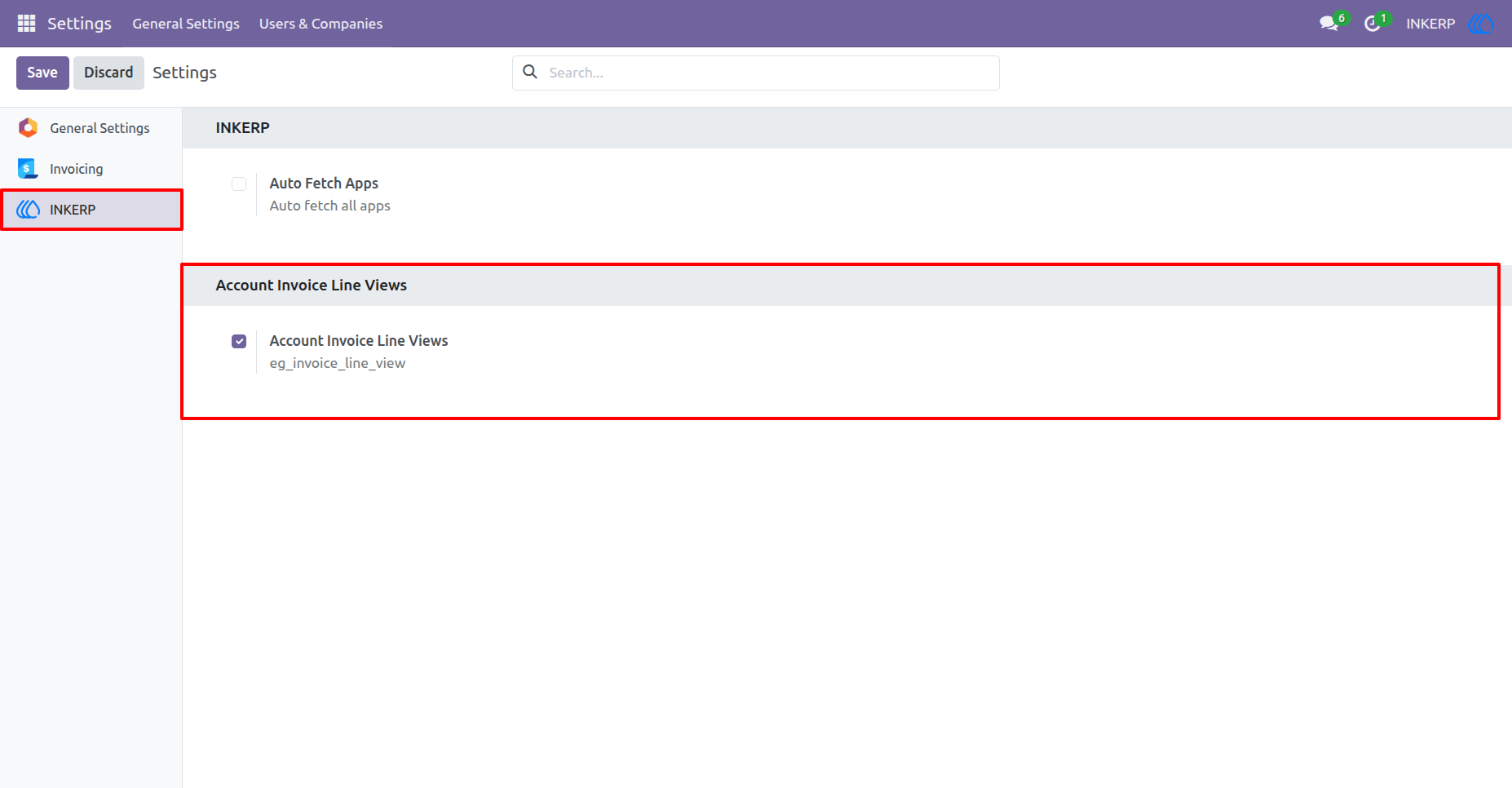
1.) Enable Account Invoice Line Views :
By default Account Invoice Line Views is enabled at installation time. User Who have access of settings can disable or enable this from the settings of INKERP.
Navigation : Settings › INKERP
2.) Customer Invoice Line View :
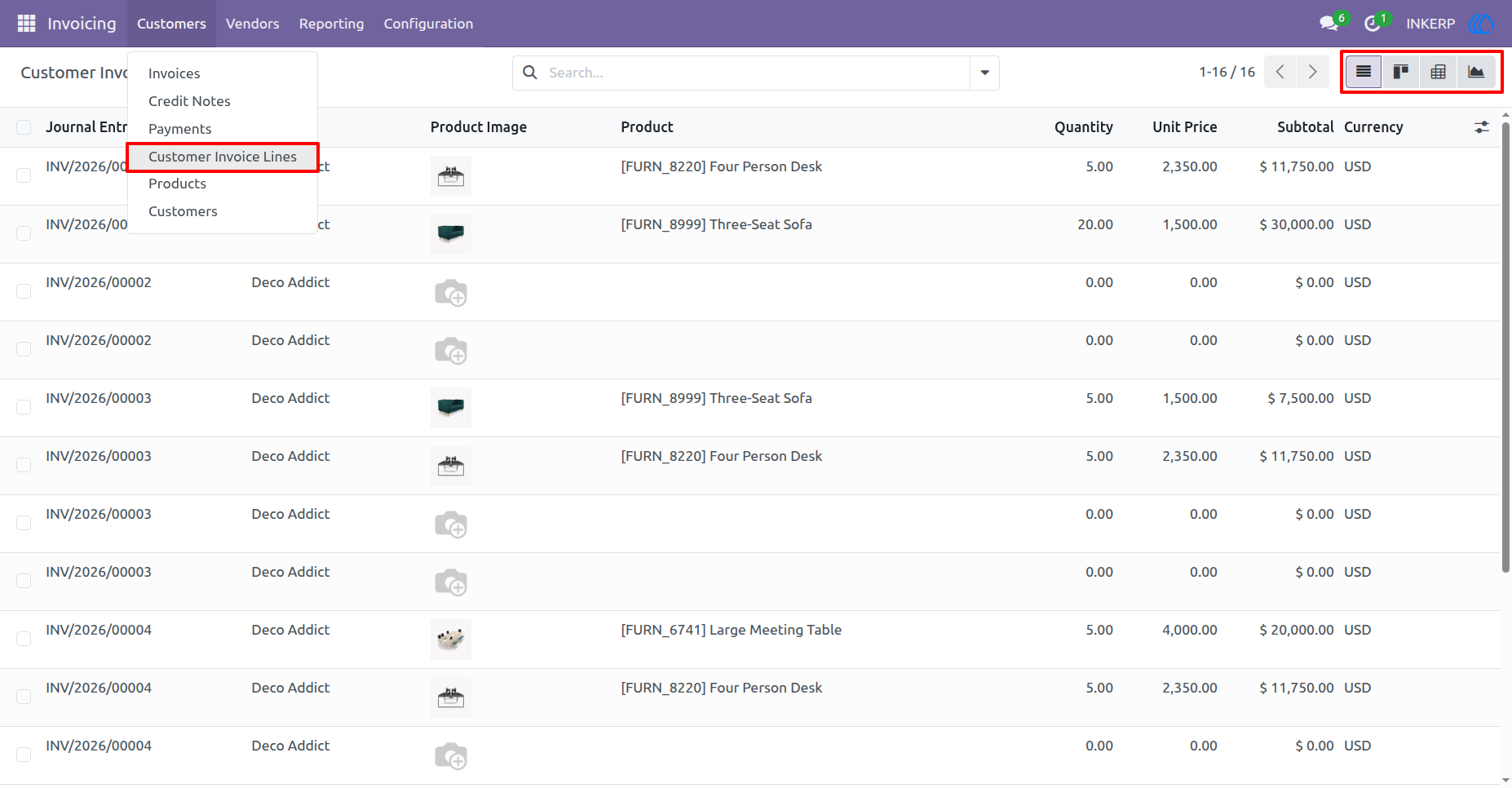
Customer Invoice Line view by default open in list view but other view also available like Kanban, Pivot and Graph .
Navigation : Invoicing › Customers › Customer Invoice Lines
3.) Vendor Bill Line Views :
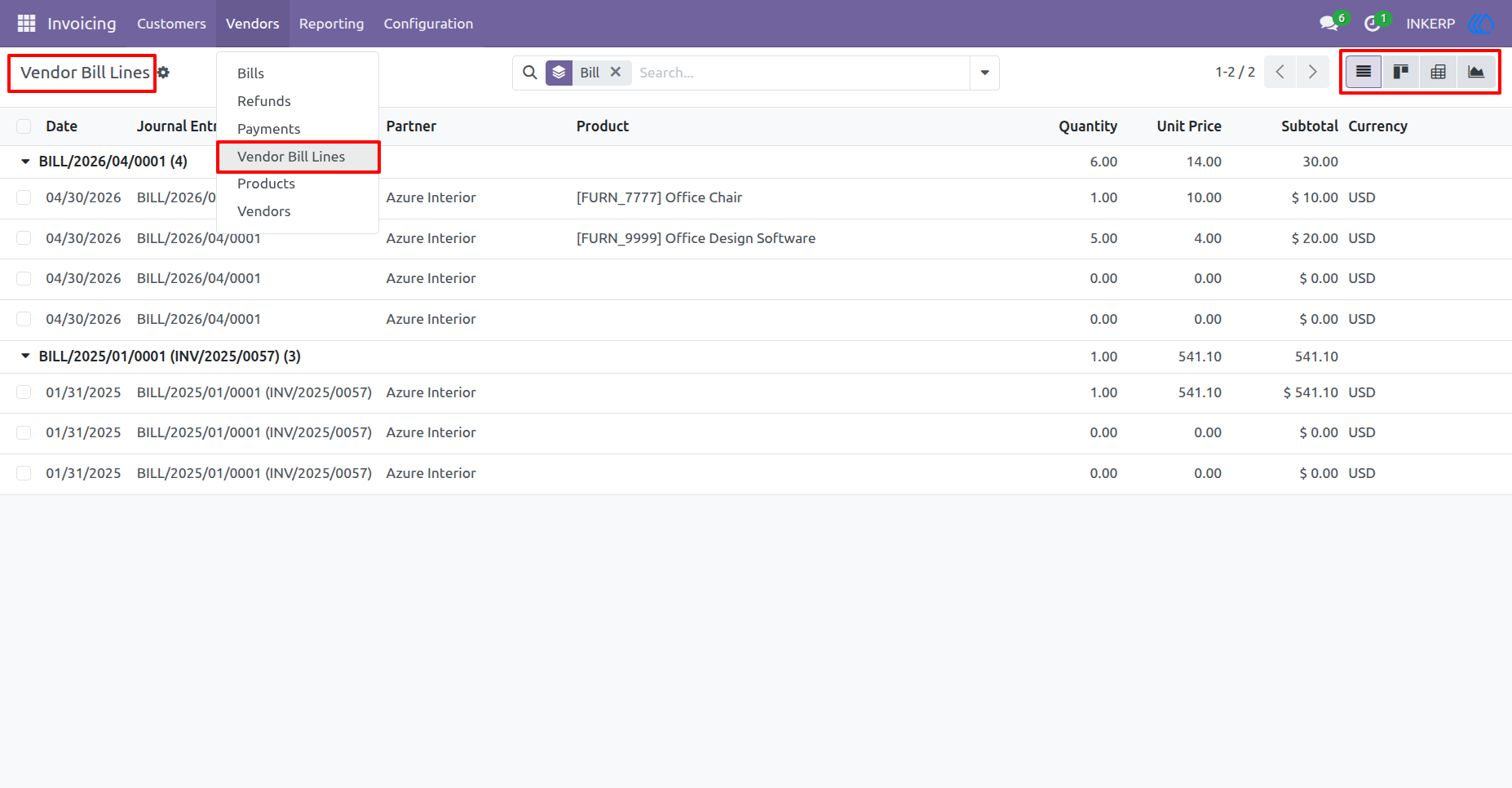
Vendor Bill Line Views also open by default in list view but other view also available like Kanban, Pivot and Graph .
Navigation : Invoicing › Vendors › Vendor Bill Lines
User Guide